You bought the sheet.
This is what it grew into.
Gear List for Video Professionals was a Google Sheet with an Apps Script behind it — tick the boxes, hit Create new gear list, get a shoot-ready sheet. It did a real job, and it hit real walls: an item cap, one person, one Drive, and an update meant pasting your kit into a fresh copy. KitSlate is the same idea rebuilt as an actual application. Your gear comes with you — this page shows you exactly how.
Three months of Studio, on the house
No card, and it drops to the free plan on its own afterwards — nothing to cancel. Studio is the tier that carries the equipment-list CSV import, so the three months cover the move itself and a full season of using the thing properly.
The sheet, honestly
Worth being straight about what you already own, because a lot of it was good and the shape of it survives in KitSlate almost unchanged.
What it got right
None of this is being thrown away. Every one of these ideas has a first-class home in the app — which is why the move feels like the same tool with the handbrake off.
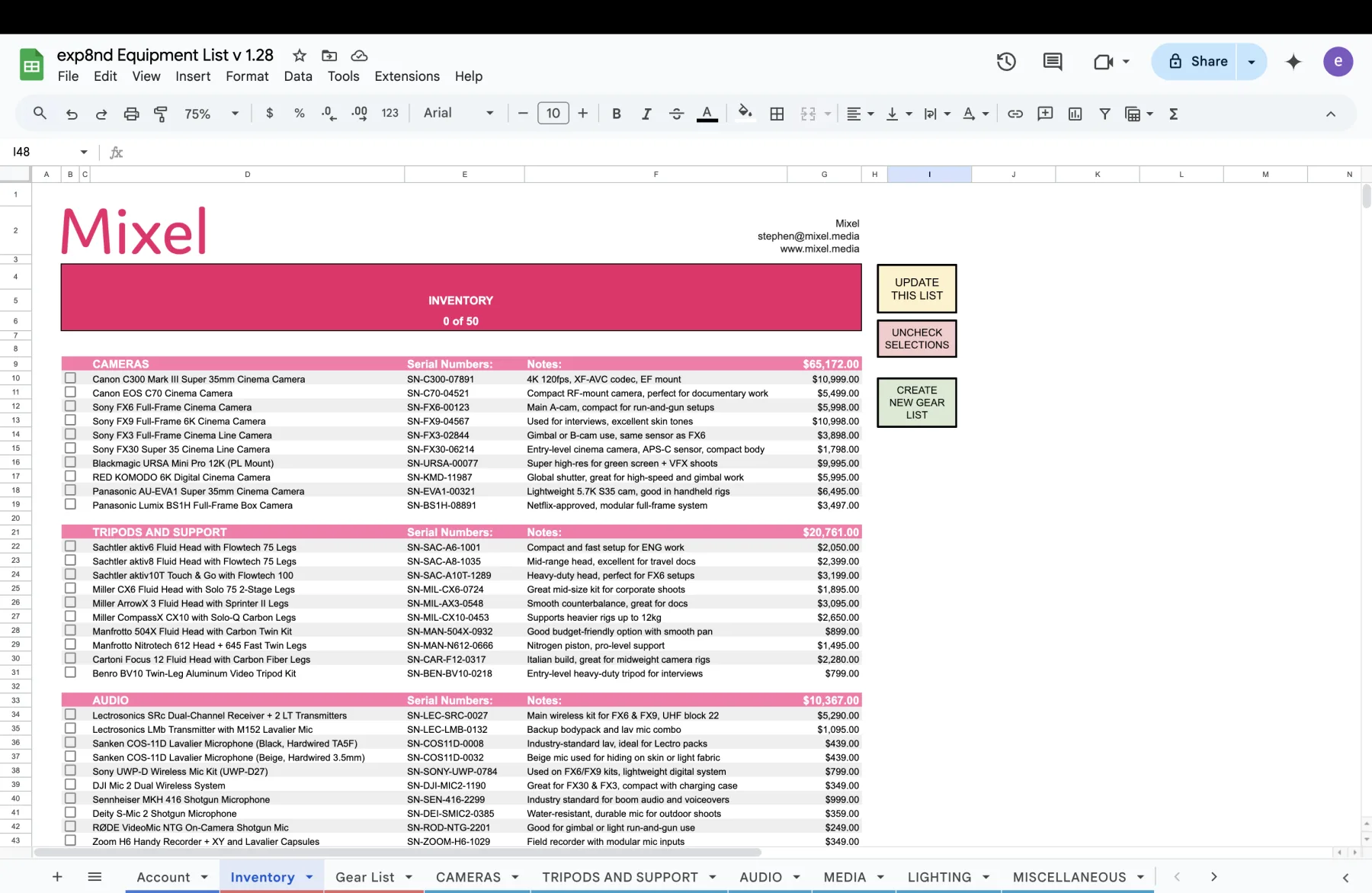
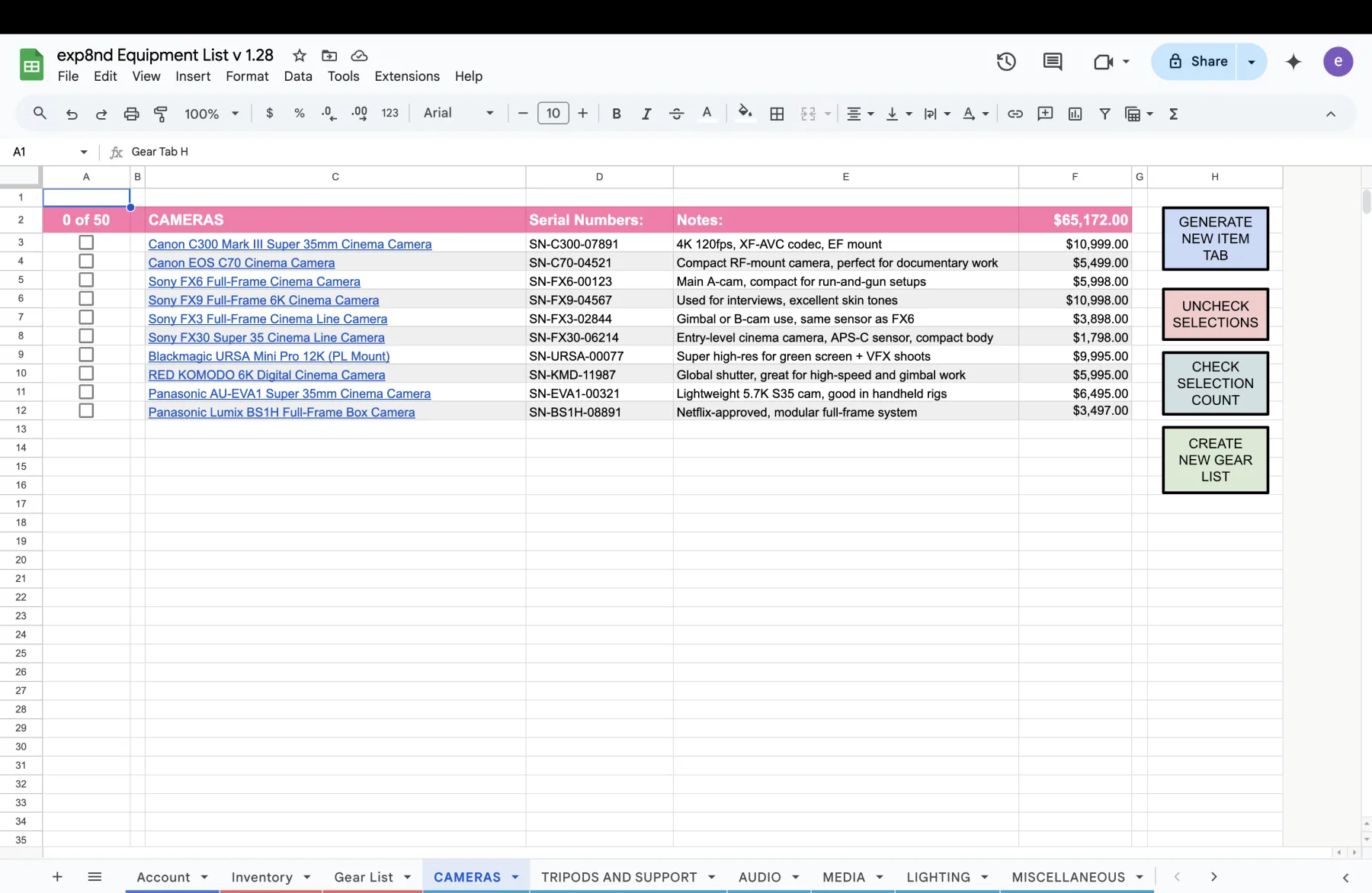
- Gear grouped under bold category headings, with a running value per group
- Serial numbers and free-text notes on every line
- Tick what you need, generate a clean list for the job
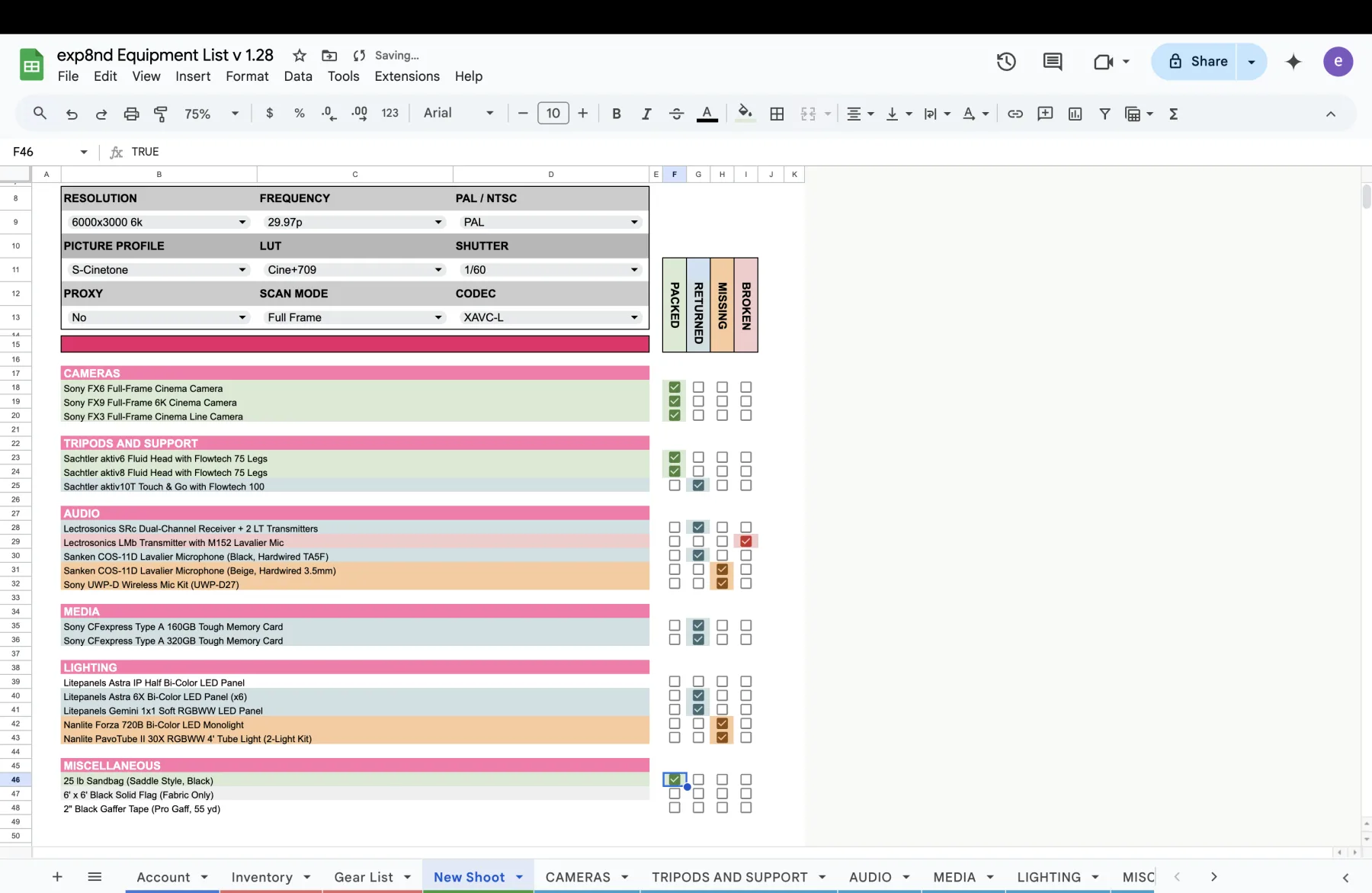
- Camera settings saved against the shoot — resolution, frequency, picture profile, LUT, shutter, proxy, scan mode, codec
- PACKED, RETURNED, MISSING and BROKEN ticked off at load-in and wrap
- Your logo and colours on the top of every page
Where it ran out of road
Every one of these is a limit of the sheet being a sheet, not a thing that could be fixed with more Apps Script.
- The item cap. Production House stopped at 150 items, and going past it threw Inventory Limit Exceeded. KitSlate has no item cap on any paid plan.
- Updates meant moving house. A new version was a fresh copy you pasted your kit into by hand. The app updates itself.
- The rules you had to remember. Tab names in ALL CAPS or the script wouldn't see them; the hidden Gear Tab X tag in A1 that you must never delete.
- One person, one Drive. Nobody could be looking at it while you were, and it lived wherever you left it.
- One price per item. No purchase date, no replacement value, no day rate, no photo.
- It stopped at the gear. No clients, no calendar, no quotes, no invoices, no call sheets.
Bring the spreadsheet with you
Three steps and about two minutes. The importer knows what a Gear List sheet looks like, so your whole kit crosses in one file with its categories intact — you don't map columns and you don't retype anything.
-
Freshen the Inventory tab, then download it
In your sheet, open Inventory and hit UPDATE THIS LIST so every equipment tab has been pulled in. Then File → Download → Comma-separated values (.csv). Google exports the tab you're looking at, so make sure Inventory is the one in front.
-
Import it into KitSlate
Open Inventory, then Import / Export → Import CSV — KitSlate or Gear List sheet… and drop the file in.
-
Check the preview, then commit
It reads your pink category bands as real categories and tells you what it found — Import inventory — 150 items (Gear List spreadsheet format), then how many are new, how many already exist, and which categories it's about to create. Nothing is written until you press the button.
Both work — the importer finds your category headings either way. But the Inventory tab already holds every category in one sheet, so it's one export and one import instead of six. If you'd rather go tab by tab, you can also select several CSV files at once when you import.
There is also an AI import — paste a plain list of gear, an old insurance schedule or a rental-house list, or photograph a purchase receipt, and it reads the kit in. Receipt import works on every plan.
What maps to what
The importer spots a Gear List sheet by its Serial Numbers: header and works the rest out
from there — you never pick a column. The extra fields on the right are the ones the sheet never had
room for; they start empty and you fill them in over time.
| In your sheet | Becomes in KitSlate | Notes |
|---|---|---|
Pink category band CAMERAS | Category | Read from the heading itself, not the tab name. Rename or merge it later — no ALL-CAPS rule, no hidden tag. |
| Item name | Item / description | Comes across verbatim. |
| Serial Numbers | Serial number(s) | Searchable, and printed on gear lists. |
| Notes | Notes | Kept as written. |
| Price column | Purchase cost | Dollar signs and commas stripped for you. |
| — | Model / MFR | New. Fills from receipt import too. |
| — | Location or case | New. Where the item physically lives. |
| — | Date purchased & age | New. Drives payback and replacement planning. |
| — | Replacement cost | New. What it costs to replace today, for insurance. |
| — | Day rates | New. In-studio, on-location and public rates. |
| — | Photo | New. Shows on lists and your public page. |
Anything already in your inventory with the same name and serial number is flagged EXISTS in the preview and skipped. So if an import goes sideways, or you add ten more items to the sheet next month and re-export the lot, you can just import again — only the new rows land.
Tick states. Which boxes were ticked when you exported is a moment in time, not data — you select gear per job in the app instead.
Camera-settings dropdowns. Your custom resolutions, LUTs and picture profiles live in the sheet's data validation. In KitSlate they become saved Camera Settings presets you build once and attach to a job or a client — worth ten minutes of setup rather than an import.
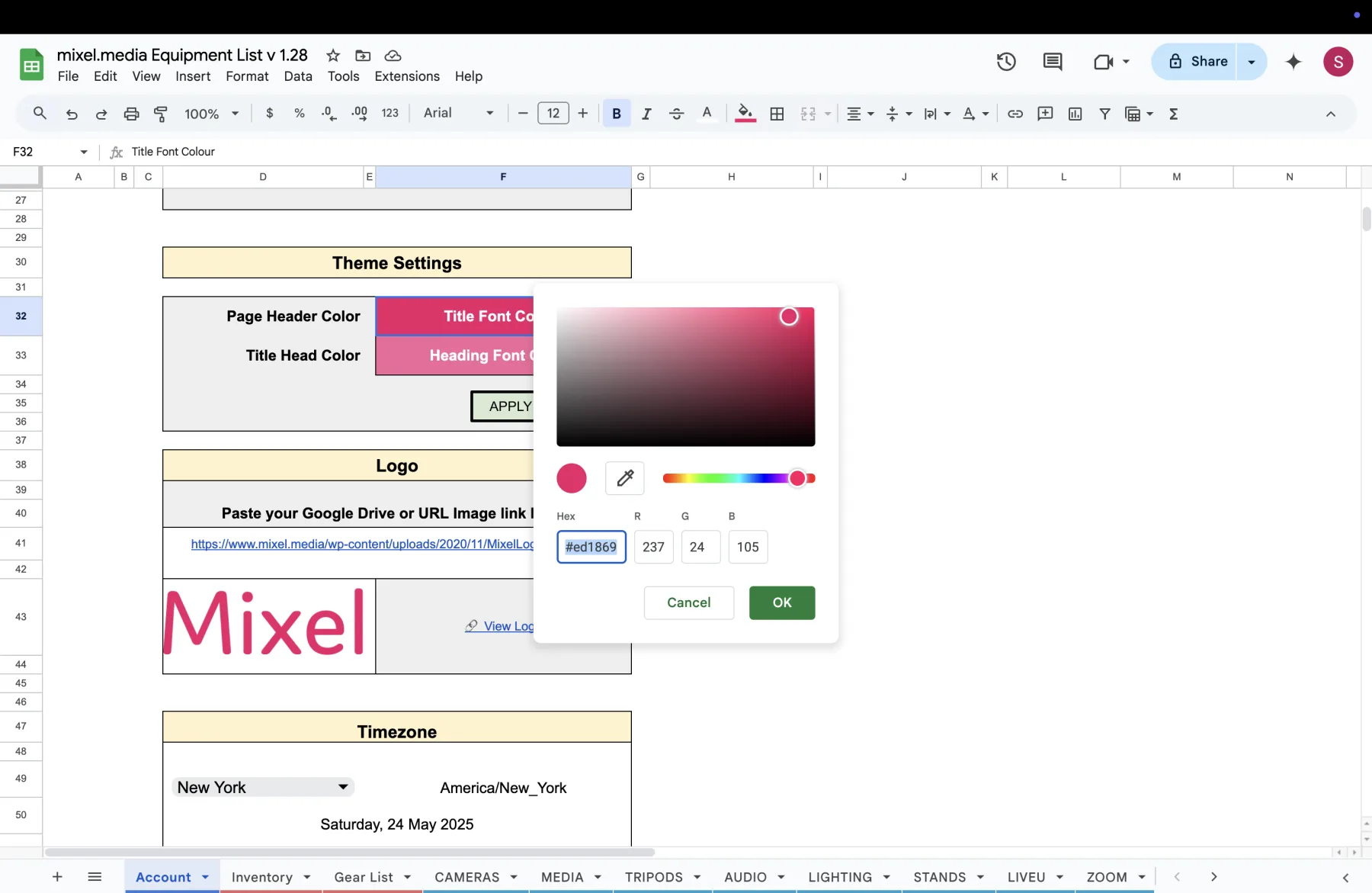
Your logo and colours. These are set once in Settings and then applied to every quote, invoice, call sheet and gear list automatically. No cell fills, and the logo can be resized.
Don't delete anything. Import, spend a week working out of the app, and only then decide. Your Google Sheet is untouched by any of this — the import only reads a copy you downloaded — and your KitSlate workspace can be downloaded whole as an encrypted backup at any time, on every plan including the free one.
The Inventory, and why it isn't a spreadsheet
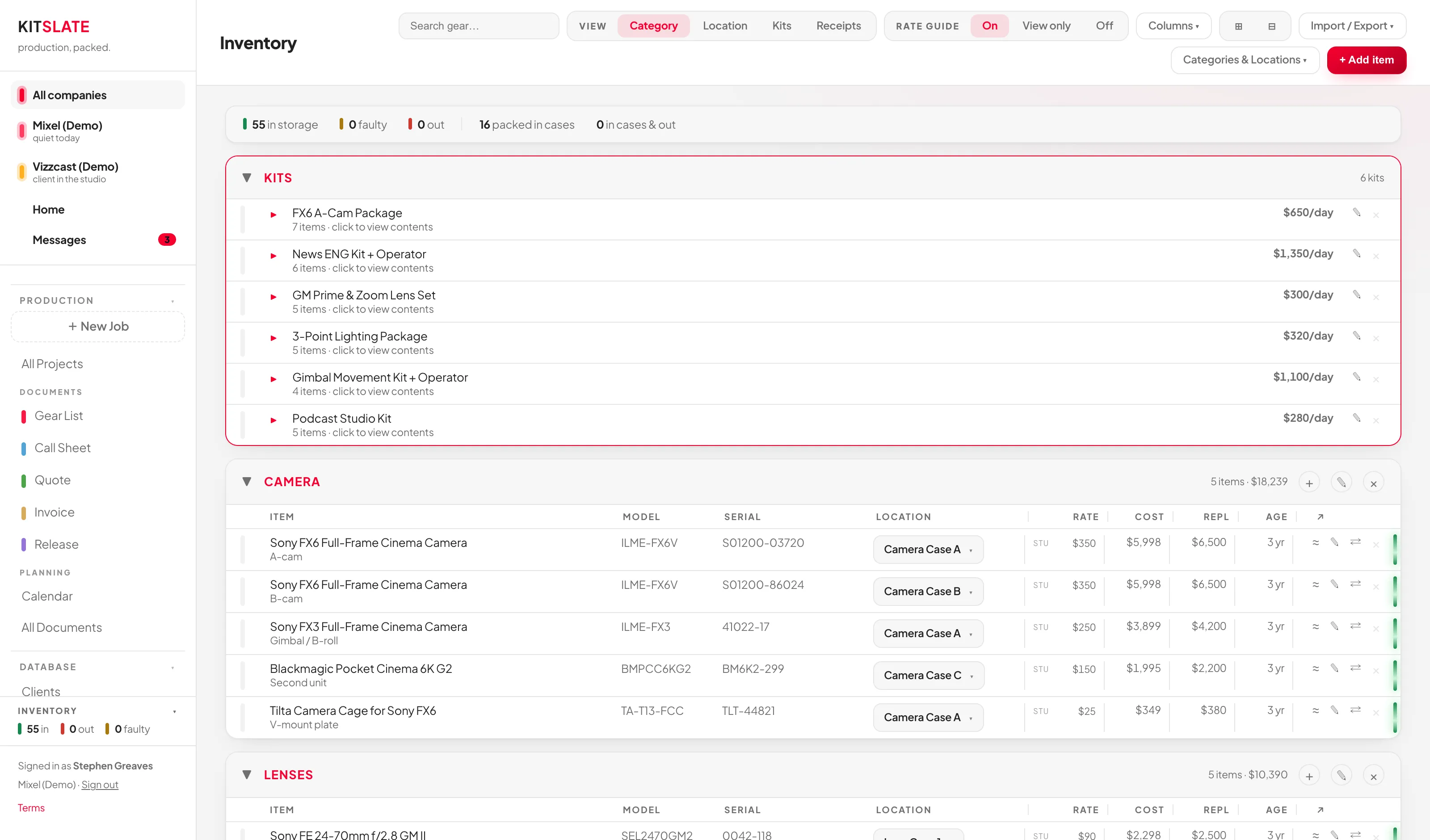
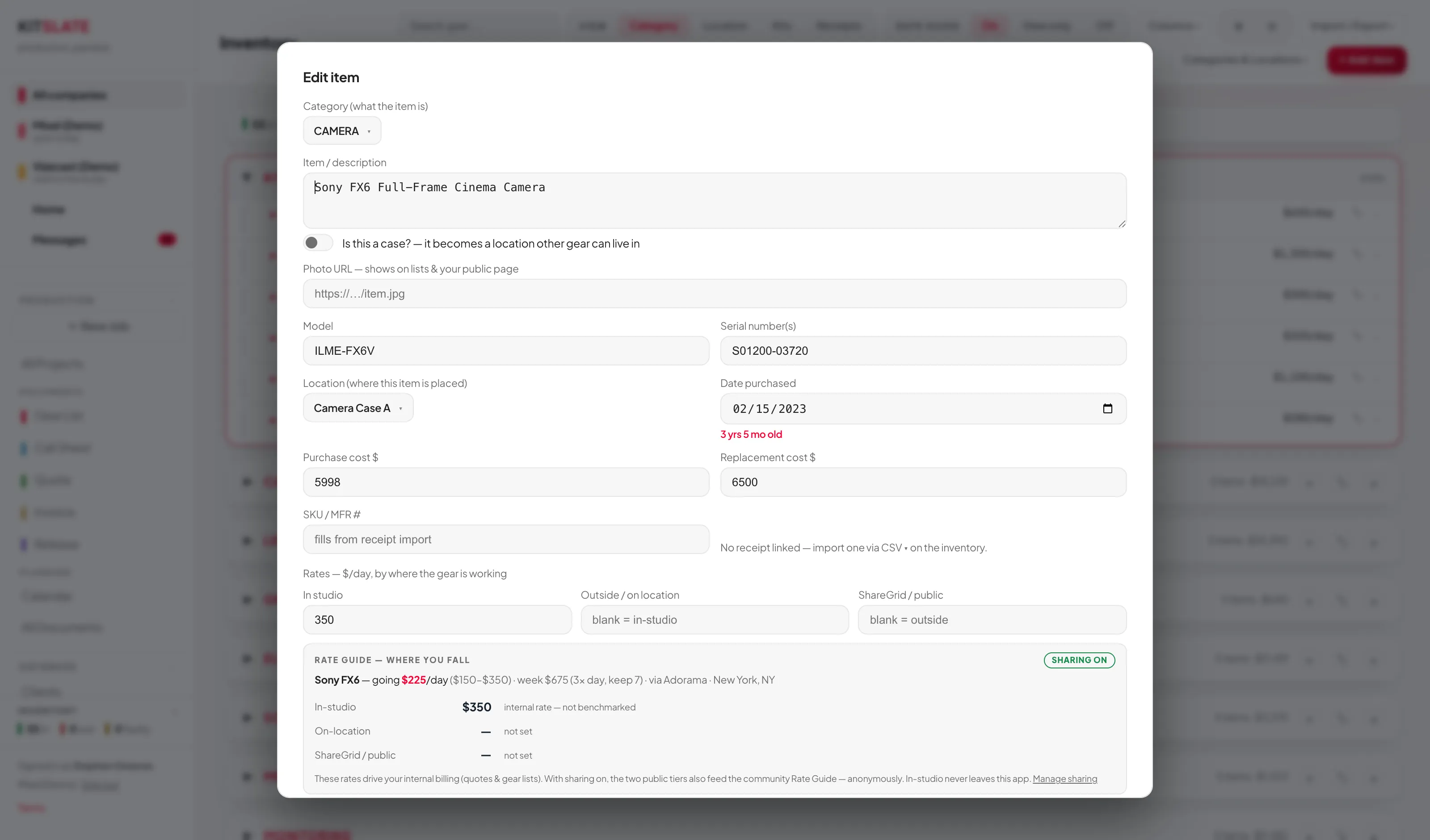
The sheet knew an item's name, serial, note and price. The app knows where it is, what it's worth now, what it earns, what it's packed inside, and whether it came back.
An item is a record, not a row
Everything the sheet held, plus the fields that turn an inventory into a business asset — and every one of them is searchable and printable.
- Model and serial number(s), separately
- Location — the case, bag, cart or shelf it lives in
- Date purchased, with the age worked out for you
- Purchase cost and replacement cost side by side
- Day rates — in studio, on location, and a public rate
- A photo, shown on lists and your public page
- A toggle that makes an item a case other gear can live inside
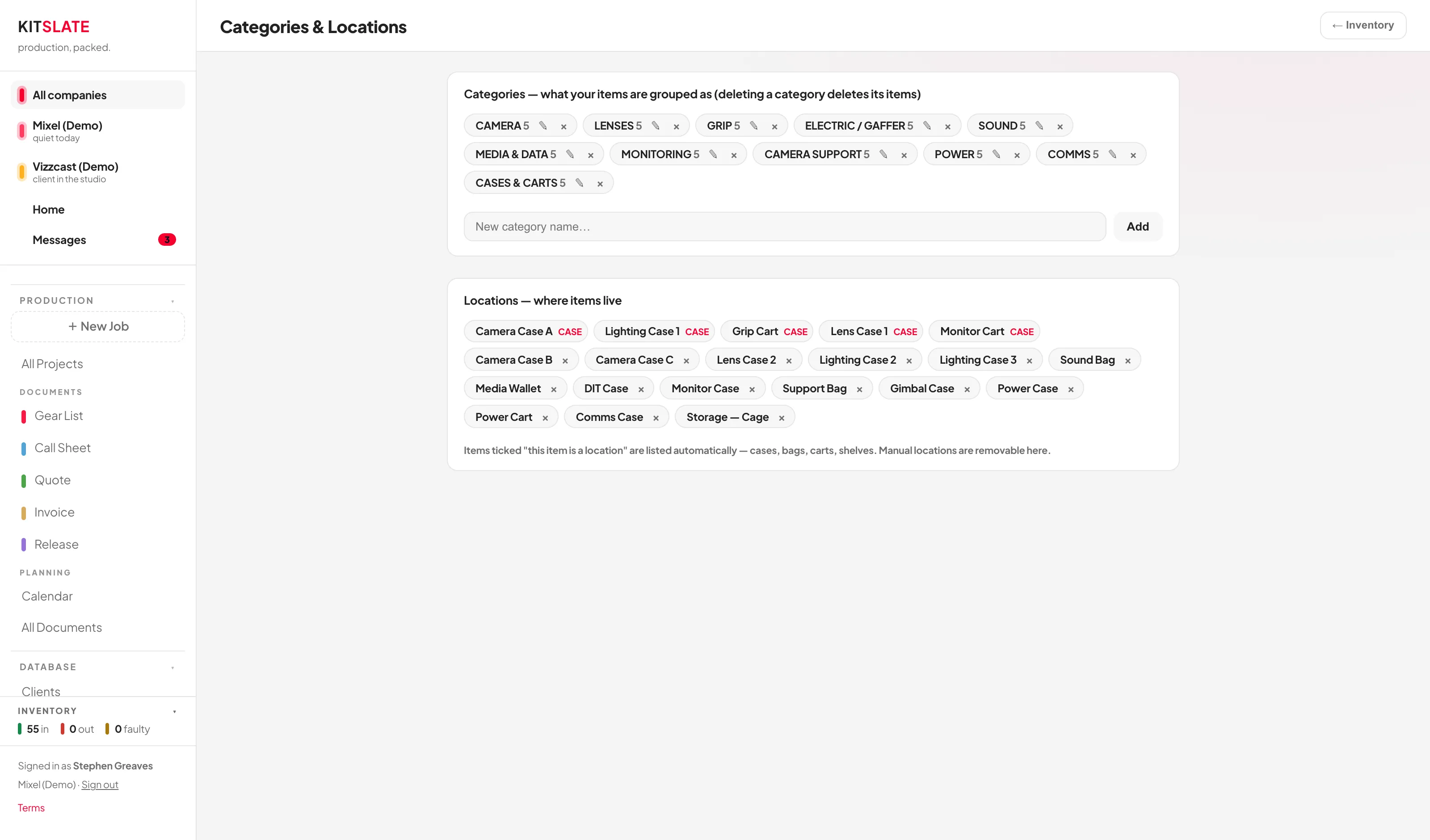
Categories and locations, not tabs
Your sheet's tabs become categories, and a second idea arrives that the sheet had no way to express: where a thing physically is. Tick an item as a case and it turns into a location other gear can be packed into.
- Rename or delete a category without touching a script
- View your kit by category, by location, by kit or by receipt
- Cases, bags, carts and shelves listed automatically
- No CAPS rule, no hidden tag in A1, nothing to break
And then the things a sheet simply can't do
Kits
Bundle the FX6 body, its batteries, cards and cage into one FX6 A-Cam Package with a single day rate. Add the kit to a job and every item inside comes with it.
Packing and returns
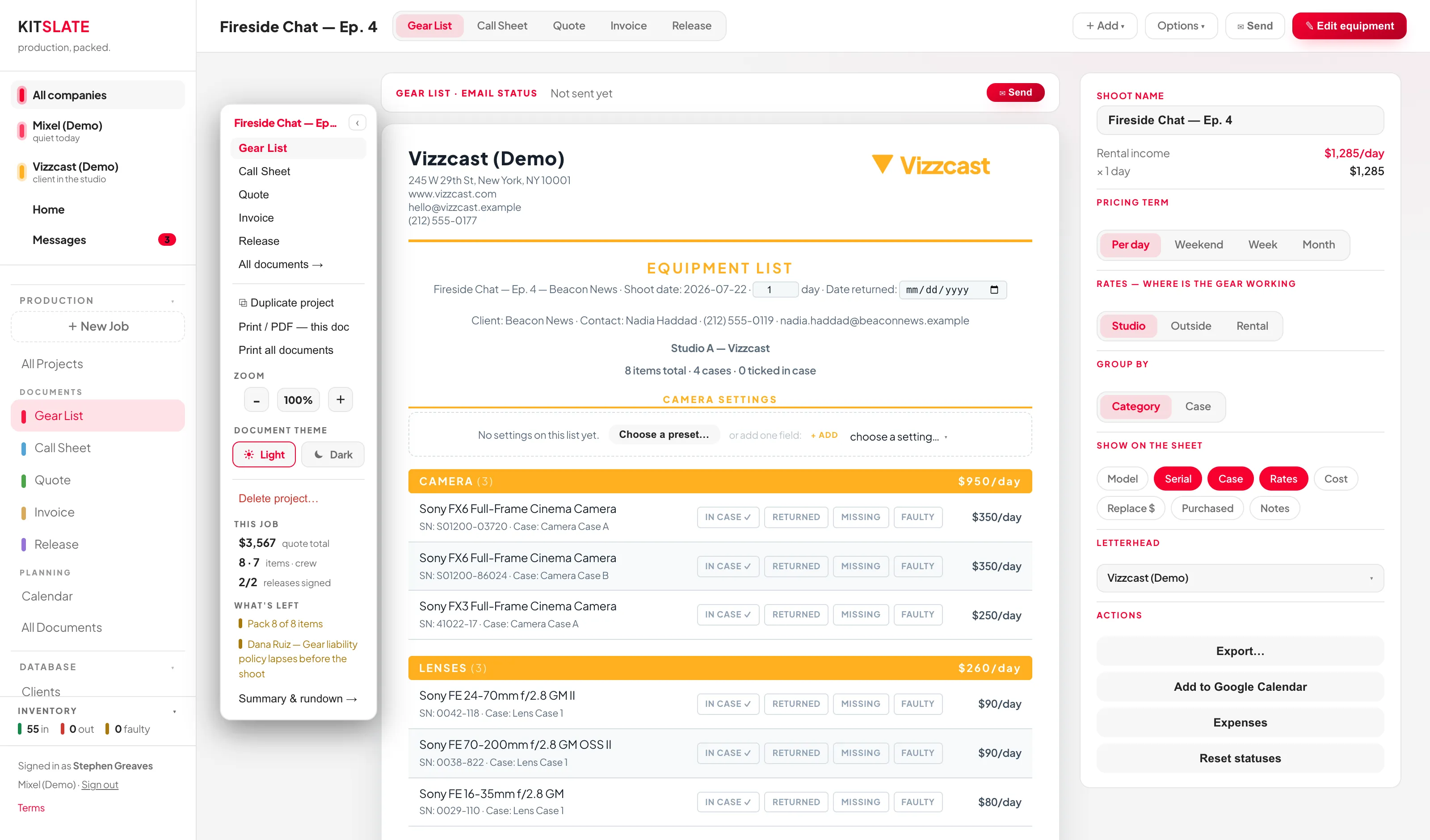
Your four checkboxes survive as four buttons — IN CASE, RETURNED, MISSING, FAULTY — except now they feed back into the inventory. Mark something faulty at wrap and it's faulty everywhere.
Live status
A running tally across the top: in storage, faulty, out, packed in cases. You can see the state of the whole kit without reading a single row.
Rate Guide
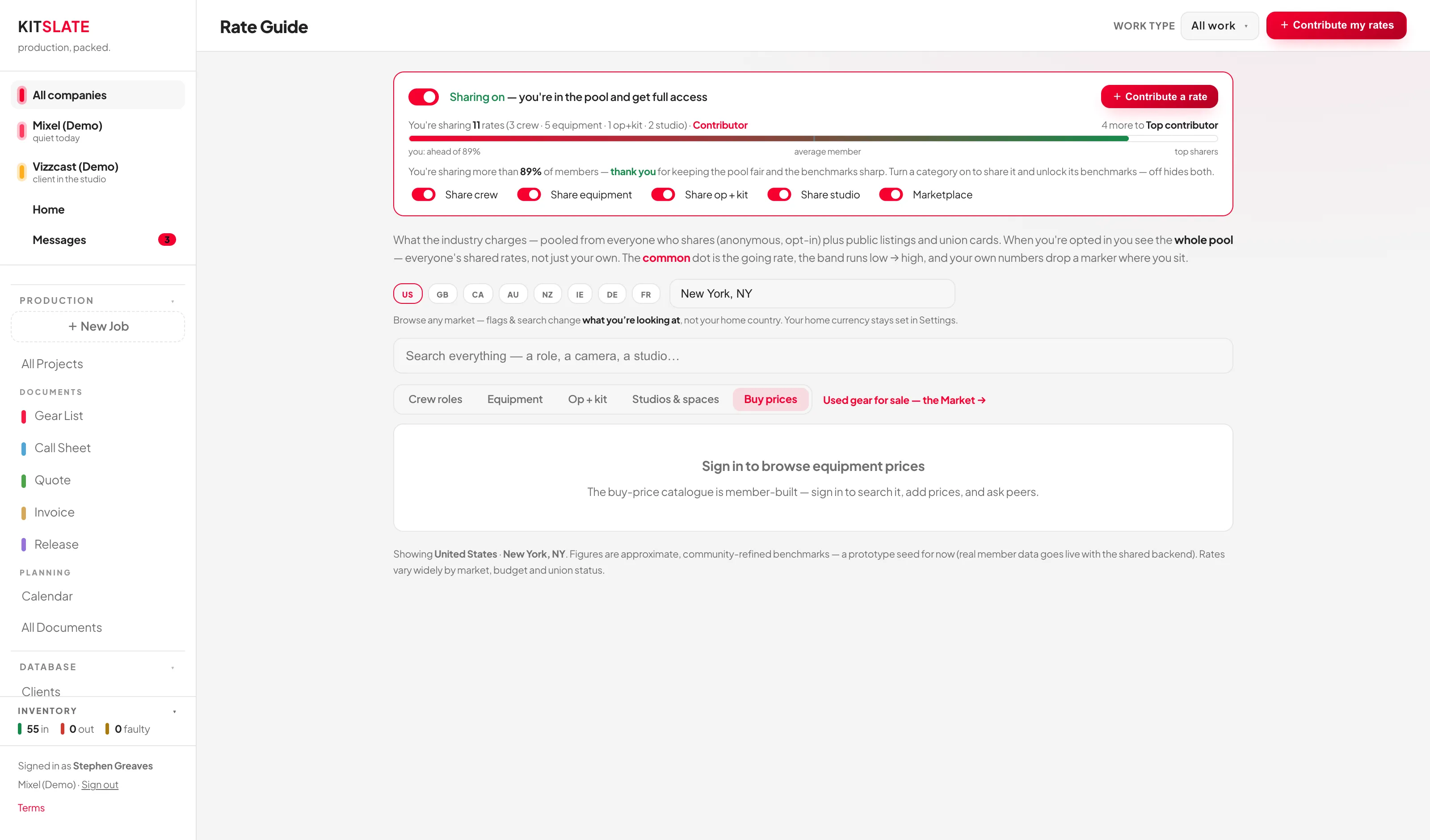
Share one real rate anonymously and see what the community charges for the same body in the same market — so you stop guessing what to put on a quote.
Receipts in
Photograph or drop in a purchase receipt and the gear lands with serials, prices and payback tracking already filled. Works on every plan.
No item cap
The thing that made you email support for an upgrade doesn't exist. Every paid plan is unlimited items.
The gear list was one document. There are five.
This is the part that has no equivalent in the sheet at all. The same inventory and the same people feed every document you send, so a client's address is typed once and a rate is set once.
One job, first enquiry to paid
A booking holds its own gear list, call sheet, quote, invoice and talent release. Approve a quote and it becomes its invoice in a click. Email a call sheet and watch each person's confirmation tick in.
- Gear list — built from your inventory, packed and returned against it
- Call sheet — sent as a real email with a PDF attached, confirmations tracked
- Quote → Invoice — payment lines and processing fees worked out
- Talent release — signed and filed against the job
Calendar & conflicts
Subscribe your phone's calendar to every booking. Double-booking warnings fire before you promise the same camera to two jobs.
Clients & crew
Every client and crew member kept once — rates, contacts, dietaries, W-9s — and reused on every job and call sheet after that.
Reports
What you earned, split by gear, studio and your own day rate. Expenses in, income out, exportable for your accountant.
The used-gear market
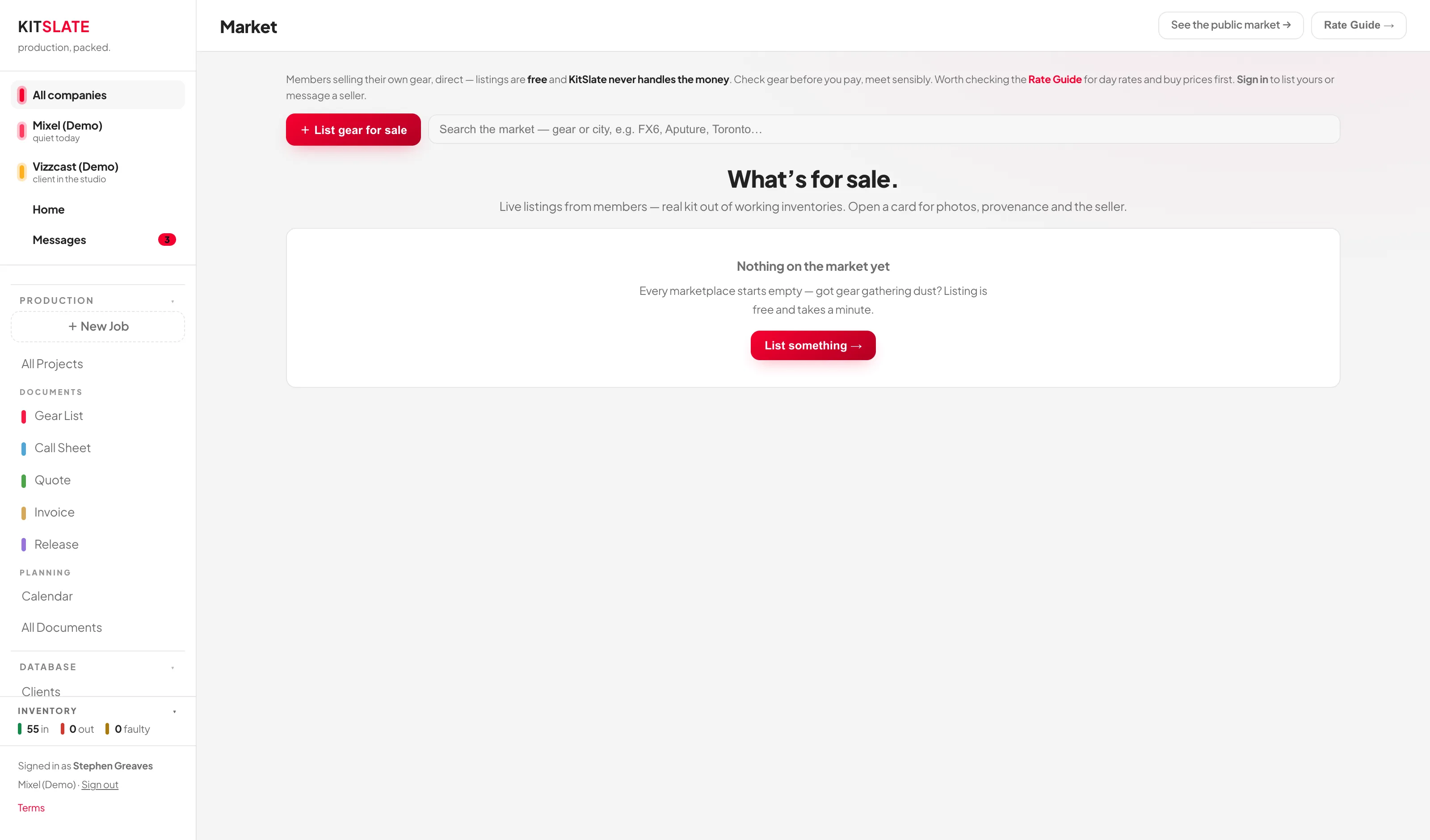
Buy and sell used kit with people who actually shoot. Free to list, you deal direct with the buyer, and KitSlate never touches the money.
Your public page
A profile at your own address — who you are, your kit, your rates, how to reach you. Enquiries land in your Messages. Free forever.
Your data, yours
Encrypted cloud sync across devices, and a full backup you can download as one file whenever you like — on every plan, free included.
The questions you're actually asking
Does my sheet stop working?
No. Nothing about KitSlate touches your Google Sheet — it keeps working exactly as it does today, with the licence you bought. Import into the app, run both for a while, and drop the sheet only when you're ready.
Do I have to pay again? I already bought the sheet.
The three comped months are there precisely because you already paid once. After that, KitSlate is a subscription rather than a one-off — it's a hosted application with sync, email delivery and backups behind it, which is a different kind of cost to a file in your Drive. There is a free tier that keeps your profile and the market, and it costs nothing to sit on.
What happens when the three months end?
It drops to the free plan on its own. Nothing is deleted and nothing auto-charges — there's no card on file to charge. Your data stays, and you can export or download all of it whenever you want.
Is the CSV import on every plan?
The equipment-list CSV import needs Studio or above, which is what your comped months put you on. Receipt import and the full backup download are on every plan, including free.
I have well over 150 items.
Good — that was the sheet's ceiling, not the app's. There is no item cap on any paid plan.
Can I get my data back out?
Yes. The whole workspace downloads as a single encrypted backup file on every plan, free included — that one is never behind a paywall. Bulk CSV export of inventory, clients, crew and income is a Studio feature, so it's covered by your comped months too.
Something went wrong with my import.
Email [email protected] with the CSV attached and it'll get sorted — same person who answered [email protected].
Same idea. No handbrake.
Have a look around the sandbox first if you'd rather — it's a full working copy with demo data, and it doesn't ask for anything.