One production.
Everything connected.
A job arrives, gets held on the calendar, picks up a crew and a gear list, turns into a quote, a call sheet and an agreement, goes out to the people who need it, gets shot, and gets paid. In KitSlate that is one production the whole way through — so the same information carries forward instead of being re-entered on each document.
A production is the container.
You create the job once. The client, the dates, the studio, the crew, the equipment and every document after that belong to that production — which is why the call sheet already knows the call time, the invoice already knows the lines, and the answer to “did they confirm?” is on the job rather than in your sent folder. Not every production uses all of it. The ones it does use are already filled in.
Nine things, one job. You do not create nine documents that happen to share a name — you create the production, and each document is drawn from what it already holds.
The nine stages KitSlate actually tracks. You never set one — each is reached by something really happening: a document sent, a crew reply, a case packed, a payment recorded.
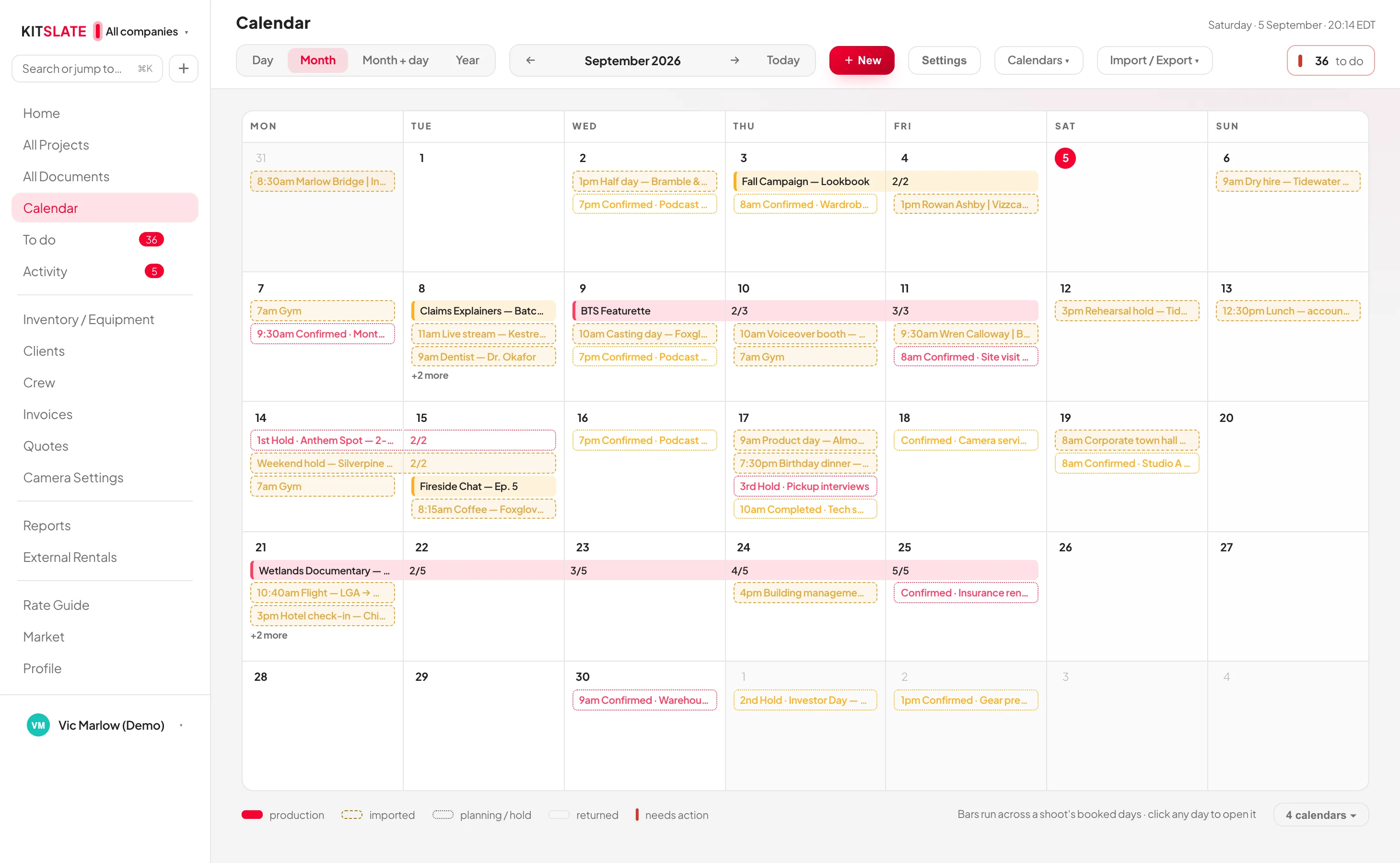
It starts on the calendar, long before it is a job.
Most work is a maybe first. KitSlate holds it as a maybe: a 1st, 2nd or 3rd hold, a pencil booking, a client meeting, a scout, travel, a gear reservation, a studio day out for maintenance, a delivery deadline. Each carries its own status — inquiry, hold, quoted, awaiting approval, confirmed — and each one that turns into real work becomes a production, which is where everything after this happens.
Somebody asks
By email, by phone, or through the contact form on your public page — which arrives in your KitSlate inbox, ready to answer.
Pencil it in
A hold or a pencil booking sits on the calendar with the date genuinely marked, so a second enquiry for the same day is not a surprise.
It becomes the job
Holds and pencils are the two things that turn into a production. From here the container exists, and everything else attaches to it.
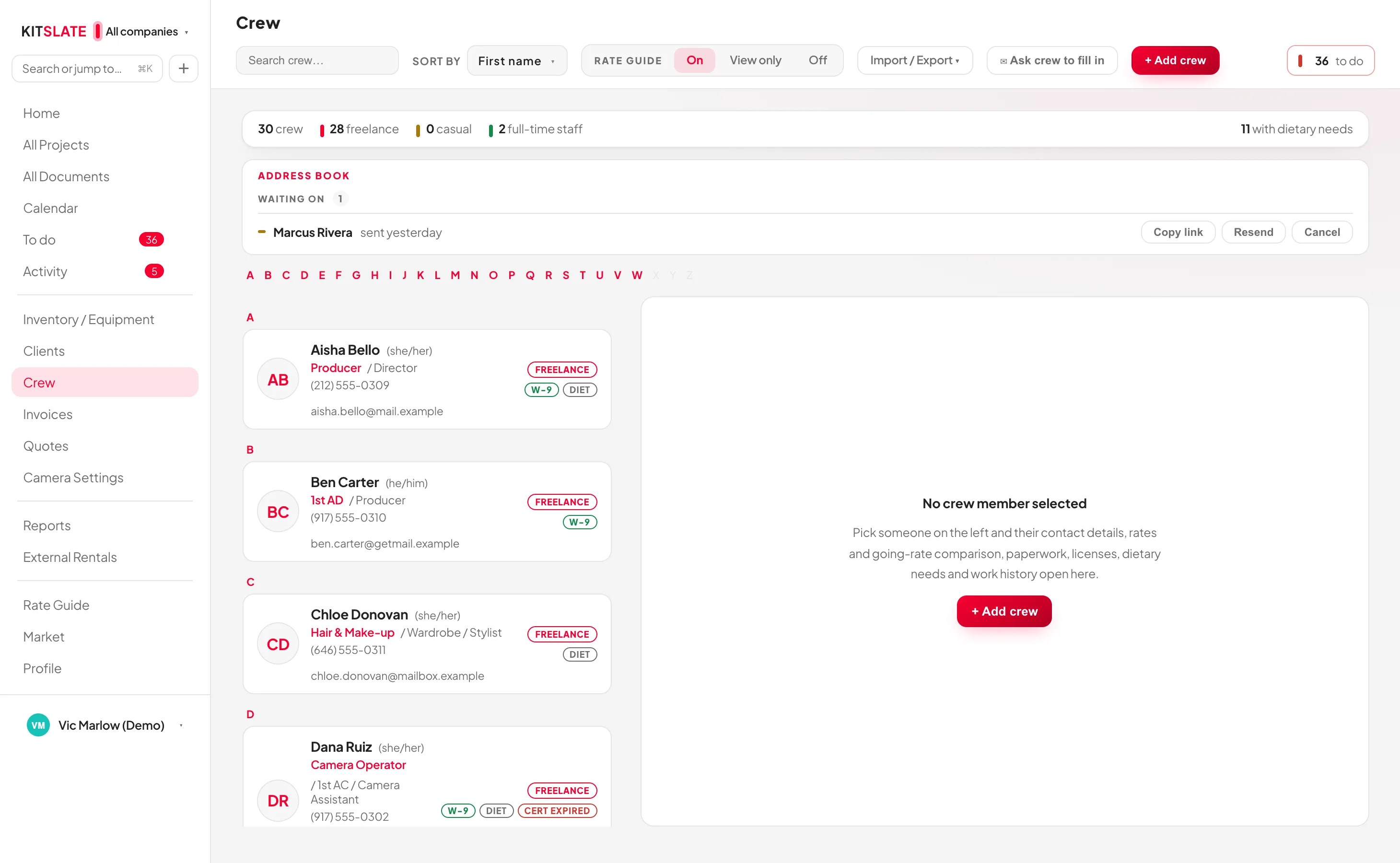
Crew and client
Both come out of databases you already have: the client’s company and contact, and the crew’s role, rate, pronouns, dietary needs and paperwork.
Before you commit
Book gear, a kit or a crew member already committed to an overlapping job and KitSlate names each clash and the job that has it, before anything is saved.
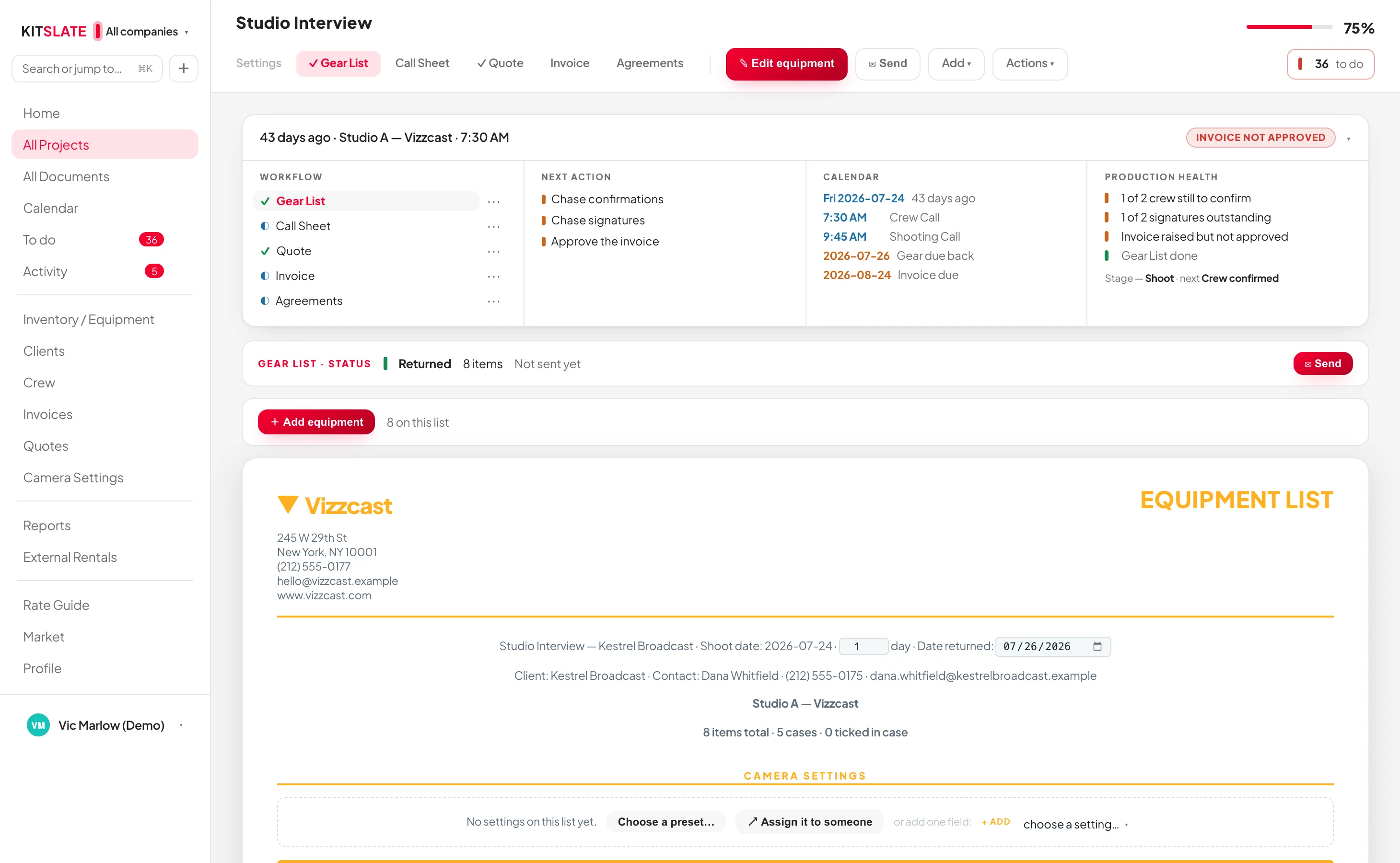
Inventory is everything you own. A gear list is what this job takes.
That distinction is the one thing worth being clear about. Your inventory is built once — every camera, lens and light with its serial, its case, its day rate and what the market says it is worth — and it stays put. A gear list is a selection out of it, made for one production, and it is what gets packed, priced, sent and returned. Building the inventory itself comes last in this stage — because an invoice can do most of it for you.
-
EVERYTHING YOU OWN
Built once, and it stays built.
Gear grouped by category, by location (cases included) or by kit, with serials, day rates and an in, out or faulty status on each item. Bundle the things that always travel together into a kit — an A-cam package, a lighting package — and the kit is one thing to pick from then on.
Carries forward: rates, serials and cases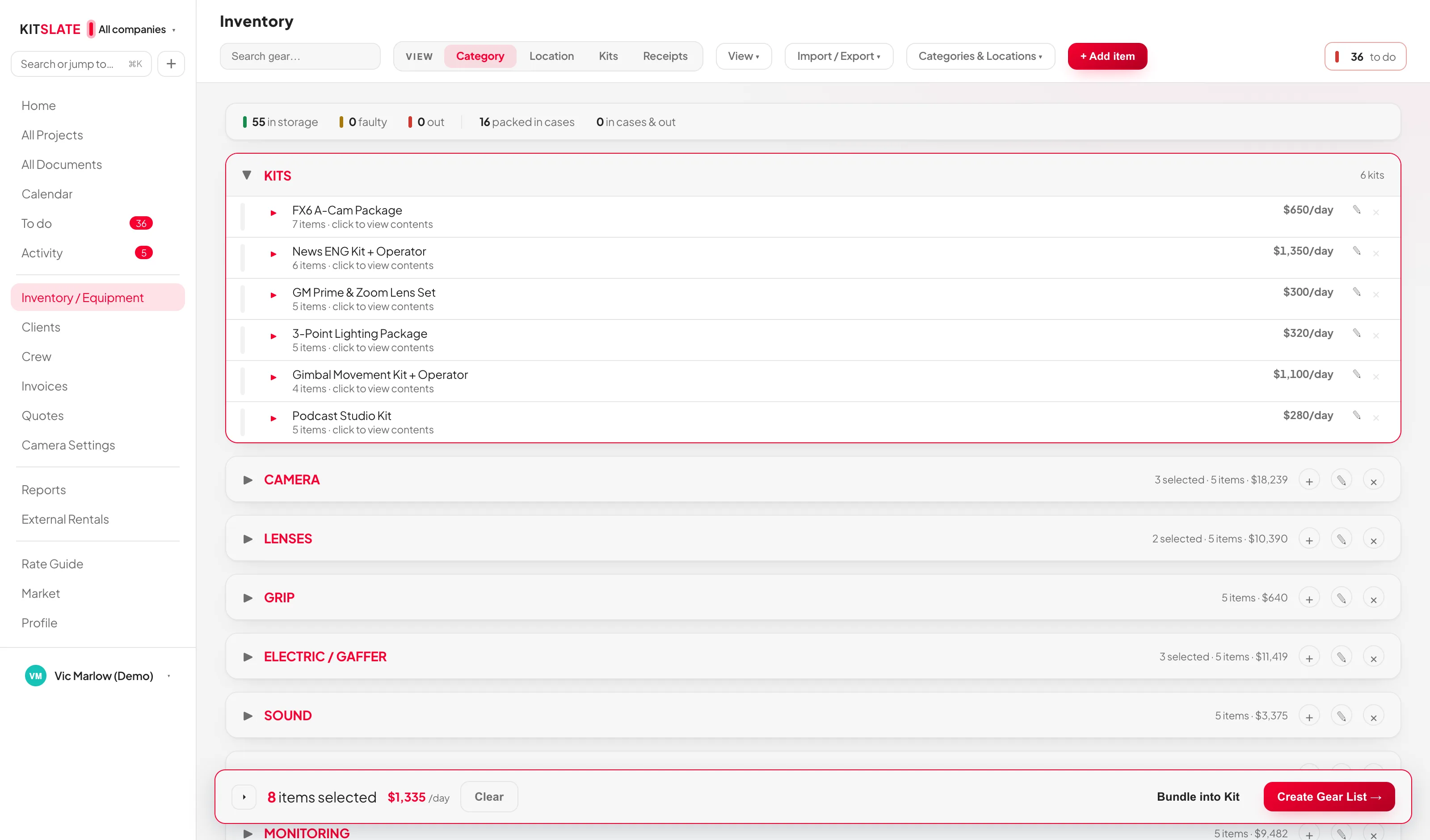 ↔ drag the picture sideways to read it
 -
WHAT THIS JOB NEEDS
Tick it, and it collects.
Open the production’s equipment picker and your whole inventory is there. Tick items and kits and they gather into a tray on the right — grouped by category, priced as you go, with the day’s equipment total so far. Save it, and it is that production’s gear list.
Carries forward: the line items the quote is priced from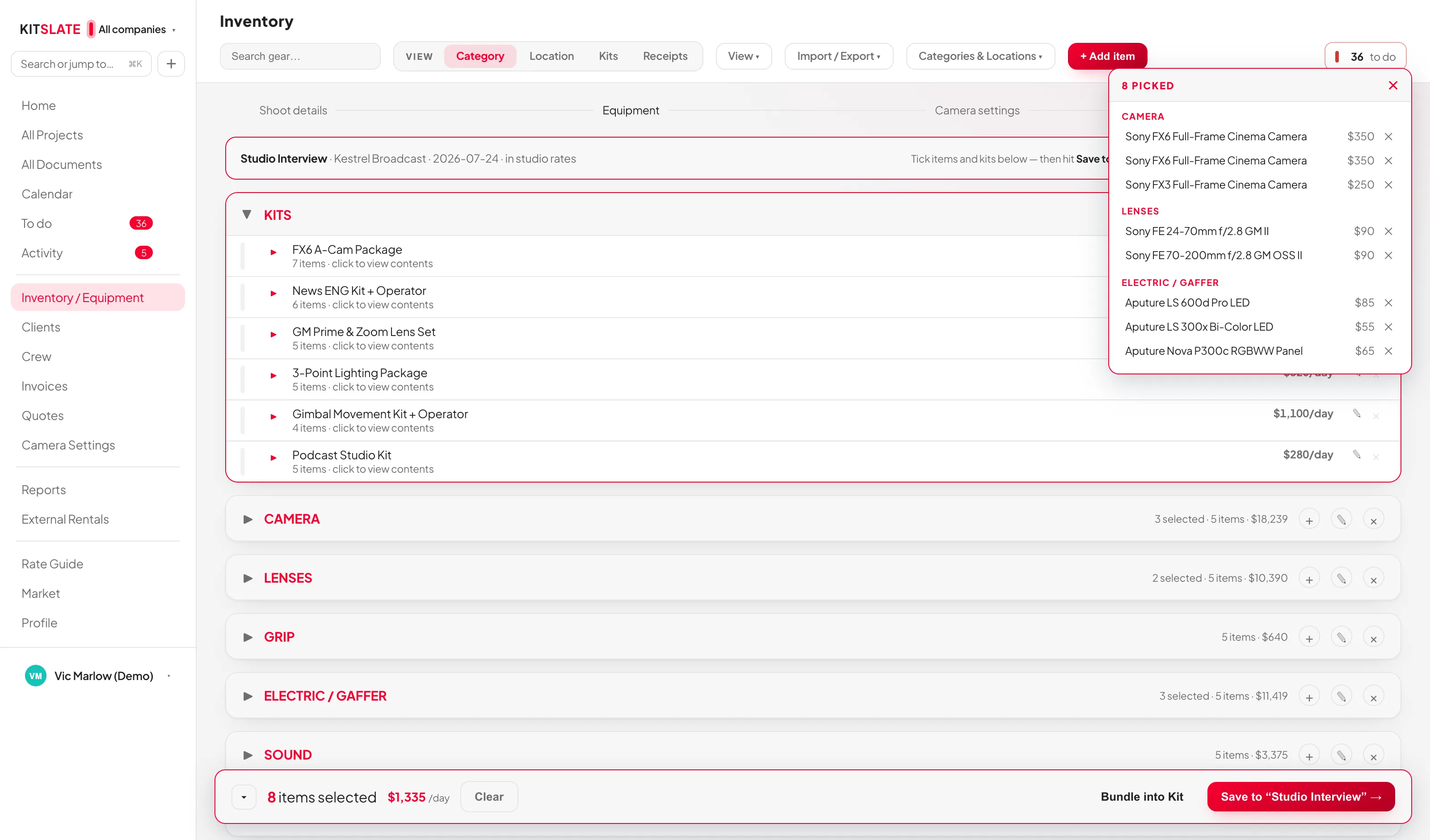 ↔ drag the picture sideways to read it
 -
PACKED, SENT, RETURNED
The list has a state, all the way back.
A gear list is built, then packed — ticked off case by case — and after the shoot, returned. It can be sent as a document too, to a rental house or whoever is collecting. Anything still out, or faulty, is a count on the dashboard rather than something you remember to check.
Carries forward: what is still out after the job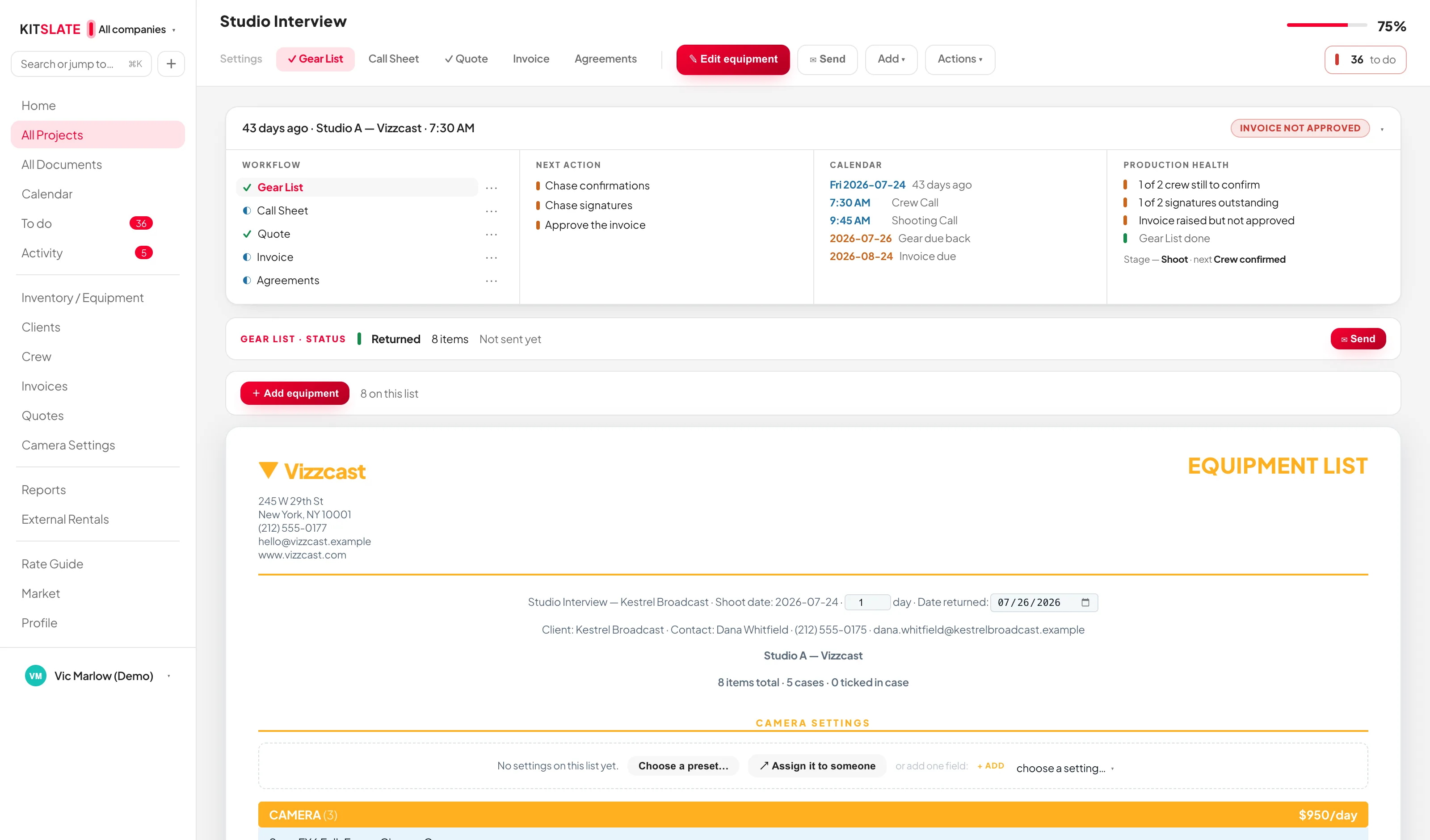 ↔ drag the picture sideways to read it
1 invoice read — 1 new job created under Fernway (Demo) (they sit at the bottom of All Projects as history).
2 equipment lines added — 0 recognised as items you own, so that income now counts toward per-item earnings, payback and the Home tiles.
The full invoice is tracked too: $1,138.00 · Unpaid · due 2026-07-30 — it’s in the Income tracker, and the job got its Invoice tab.
This job was invoiced in Wave. KitSlate has no invoice of its own for it, and does not create one — that would be a second invoice for the same work.
Drop in an invoice.
One invoice, and the rest starts filling itself in — from Create Production, straight into the drop.
Review the import.
Nothing comes in until you hit Import: the equipment lines, the money and the job — each yours to untick, line by line.
One import. Several things done.
A job created, the money tracked — and you decide which equipment becomes yours. Fees and services are already unticked.
The job exists. The invoice stays an invoice.
Filed with All Projects as history — and a read-only Invoice tab with the original attached.
The money is tracked. The gear is on the job.
Total, status and due date in the Income tracker — and every line on the job’s quote and gear list.
And what you own starts earning.
The items you ticked are inventory now — this invoice’s income counts toward per-item earnings and payback.
One document. More than one job done.
The job with its days on the calendar, the invoice read-only with its PDF, the money in the tracker and in Reports, the equipment in your inventory — each where it belongs, ready for the next production.
Drop in an invoice.
One invoice, and the rest starts filling itself in. It begins where every job begins — Create Production › Import Invoice — and takes an invoice PDF or a CSV your accounting software exported. You never have to say which system the file came from.
Review the import.
Nothing comes in until you hit Import. Three choices — the equipment lines onto the job’s quote and gear list, the money into the Income tracker, the read-only Invoice tab on the job — then whether it was already invoiced elsewhere, then every line, ticked or unticked, with KitSlate telling equipment from fees.
One import. Several things done.
Import selected, and before you’ve typed a thing: a job created and filed with All Projects as history, the equipment lines on its quote and gear list under IMPORTED FROM AN INVOICE, and the money — $1,138.00 · Unpaid · due 2026-07-30 — in the Income tracker, with a read-only Invoice tab on the job and the original PDF attached.
1 invoice read — 1 new job created (they sit at the bottom of All Projects as history).
2 equipment lines added — 0 recognised as items you own.
The full invoice is tracked too: $1,138.00 · Unpaid · due 2026-07-30 — it’s in the Income tracker, and the job got its Invoice tab.
You decide what you own.
Fees and services are unticked already. Tick the real equipment and each row is created in your inventory — and this invoice’s income links straight to it, counting toward per-item earnings and payback.
Then follow it anywhere.
The invoice did not disappear: the job carries a read-only Invoice tab with View original opening the PDF you dropped, the Income tracker carries the money, the gear list carries the lines — and the equipment you ticked is inventory now, already earning against this invoice. The job’s shoot days sit on the calendar, Reports carry it under Imported from files with what has been paid against it — and because you said it was already invoiced elsewhere, KitSlate never asks you to approve or send one of its own.
Once it’s in KitSlate, the information keeps moving.The production the import just created is the same production the paperwork is built from.
Each document inherits the one before it.
This is the part that usually costs an afternoon: the same names, dates, rates and addresses typed into three different files. Here each document is drawn from the one before it — starting from the gear list you just built.
Production
Client, dates, studio, crew — and the gear list you just watched fill.
Quote
Equipment, crew, studio and fees, priced from the gear list.
Call sheet
Times, venue, schedule, contacts, safety, meals — and the weather.
Agreements
Talent and location releases, or wording of your own.
Invoice
Numbered and dated, frozen from the approved quote.
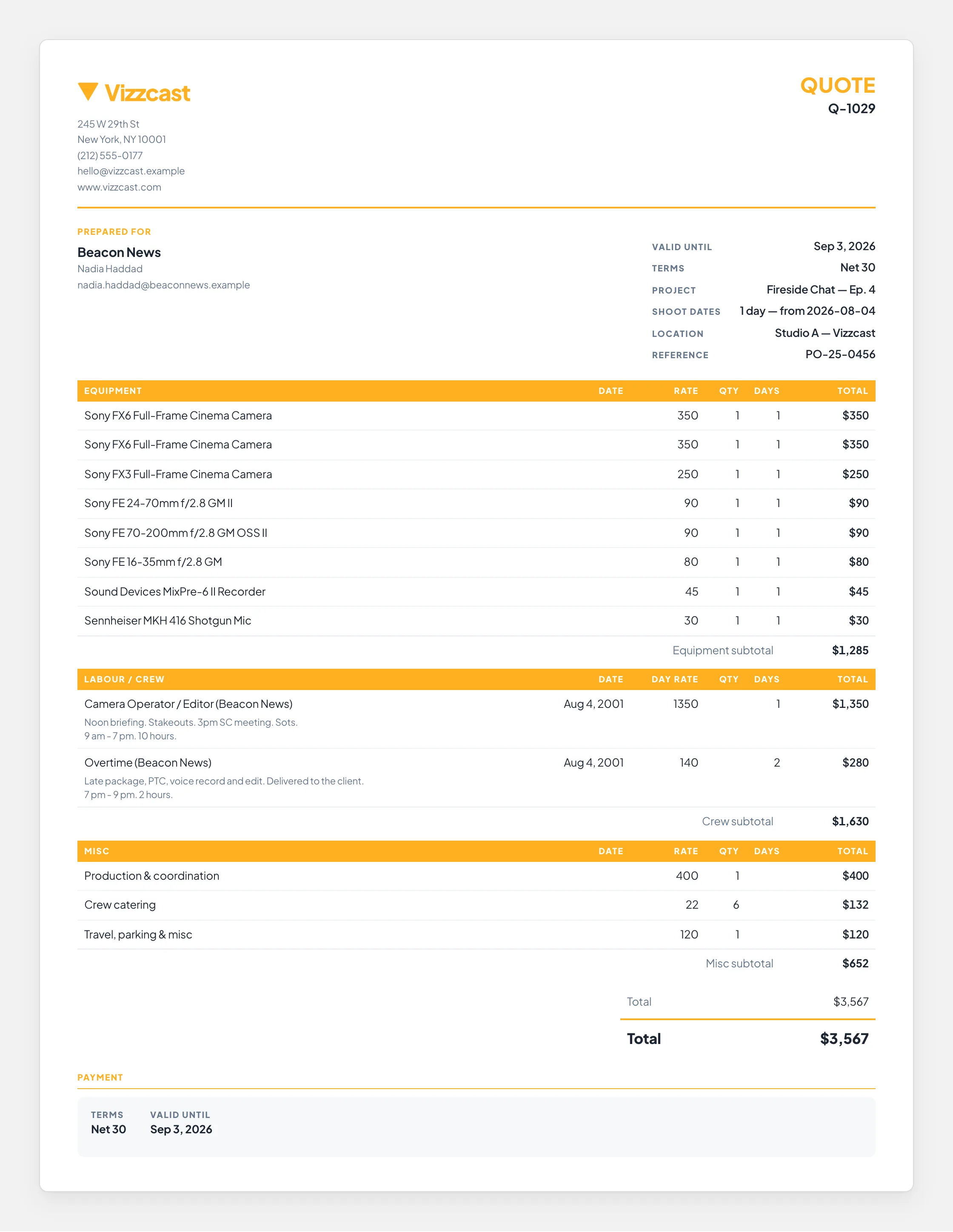
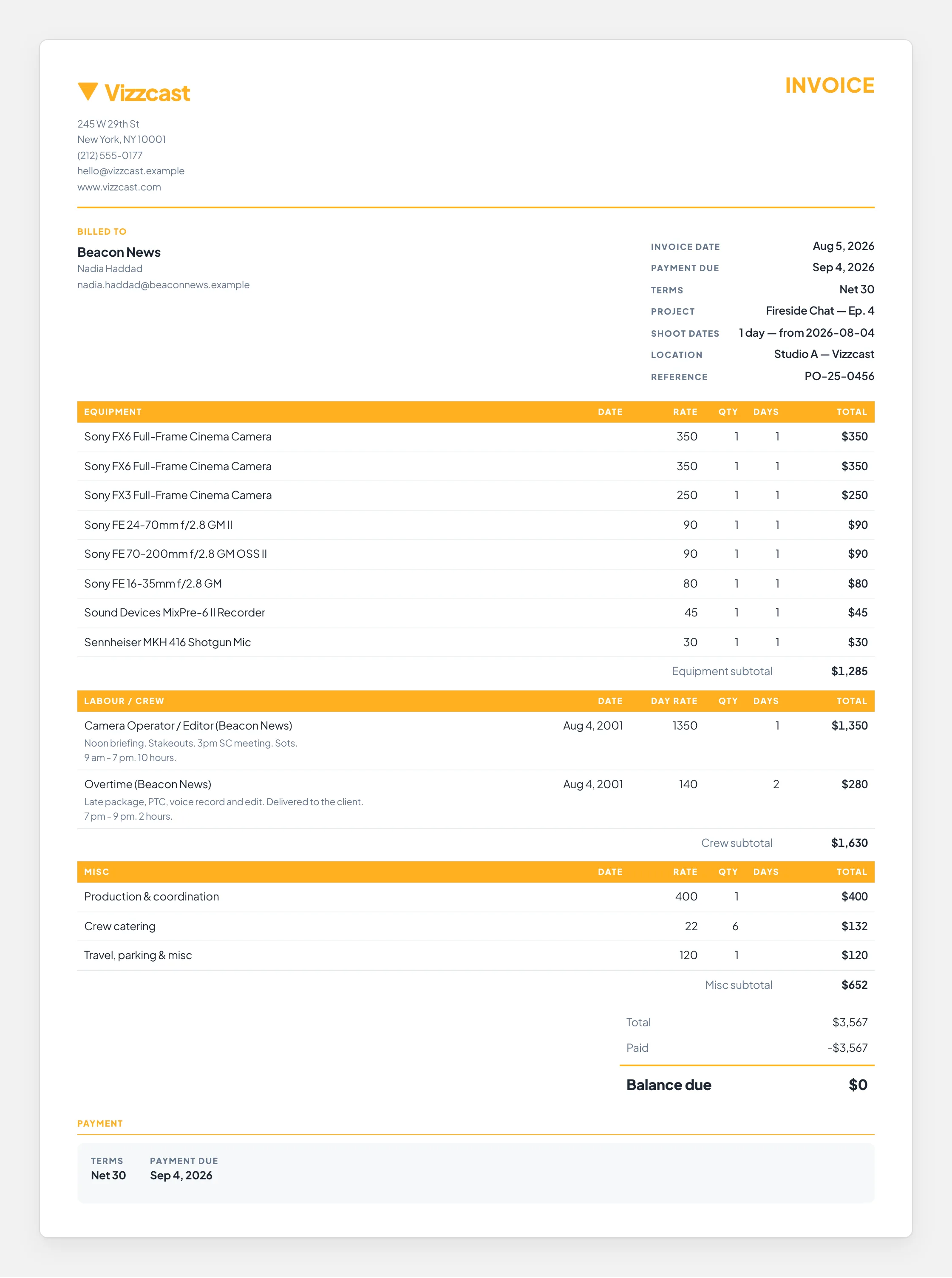
The top — the company sending it, the client, the production and the terms
The middle — equipment, labour and misc, line by line, with subtotals
The bottom — the total, and when and how it is to be paid
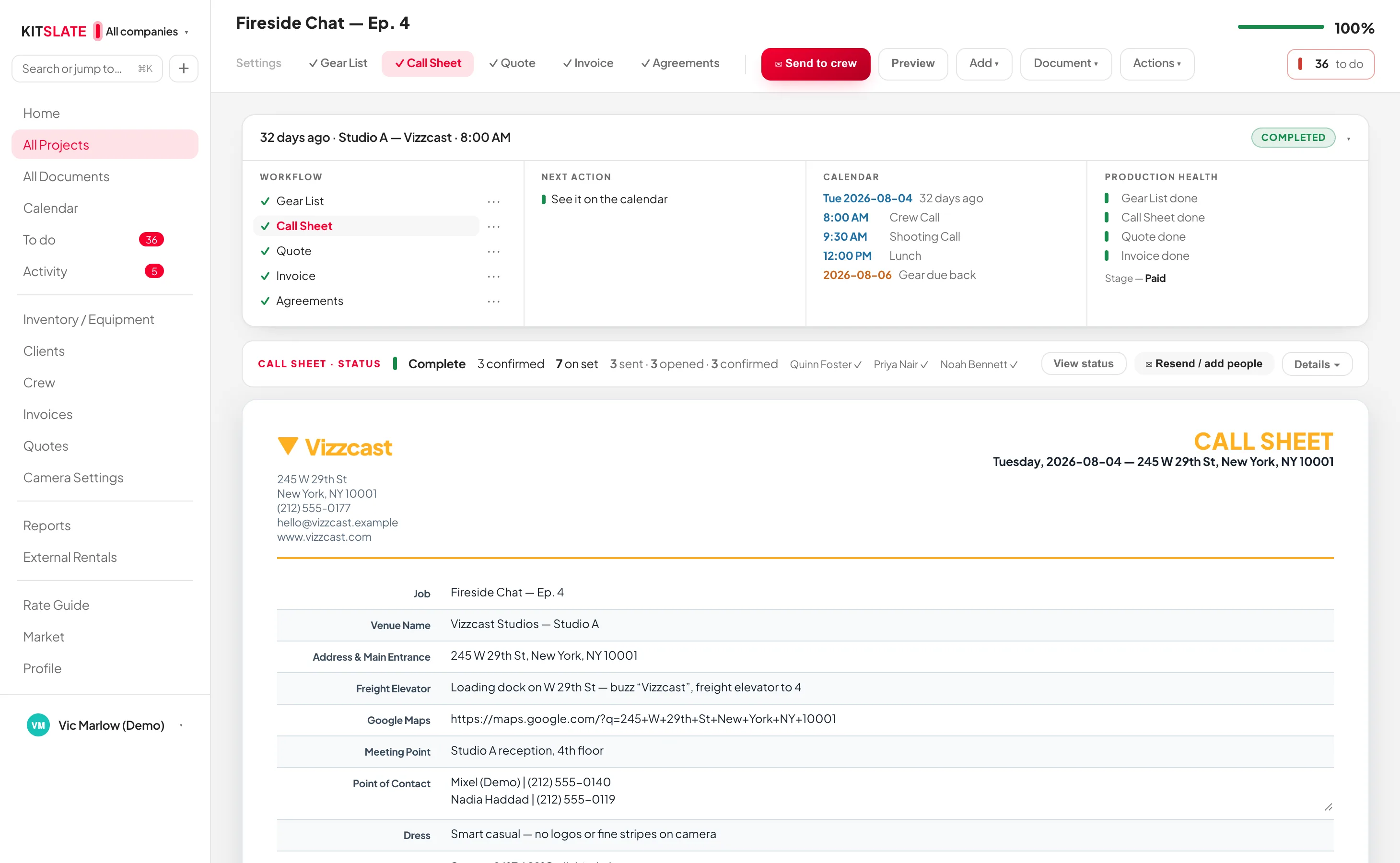
The quote in full — the company and client, every line item with its subtotals, the total and the terms
Goes out as branded email from the company that owns the job, with a PDF attached.
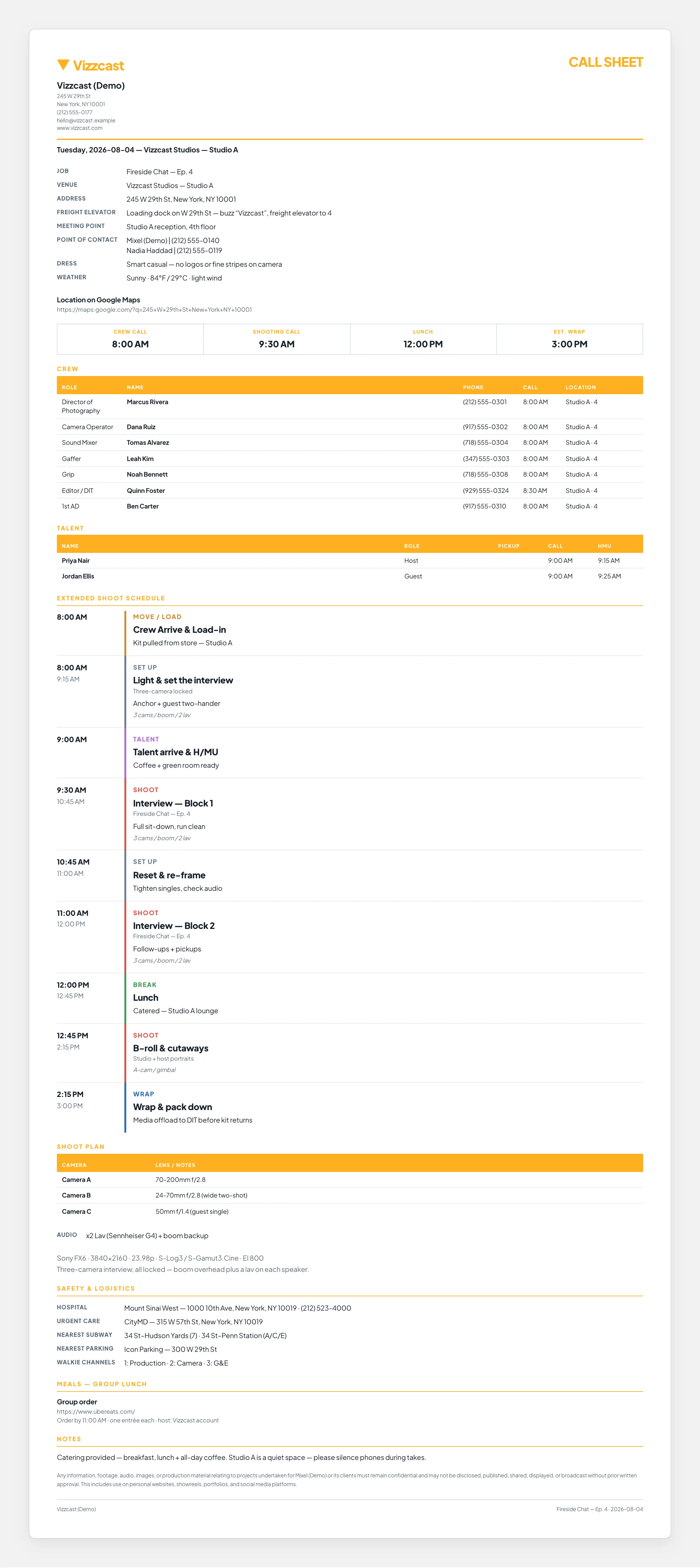
The top — production, venue, the address and the four call times
The middle — crew and talent with their own call times, then the schedule
The bottom — the rest of the day, safety, meals and the notes
The call sheet in full — call times, crew and talent, the schedule, and the safety, meals and notes below it
Goes out as branded email with a PDF attached — and each recipient also gets their own live page.
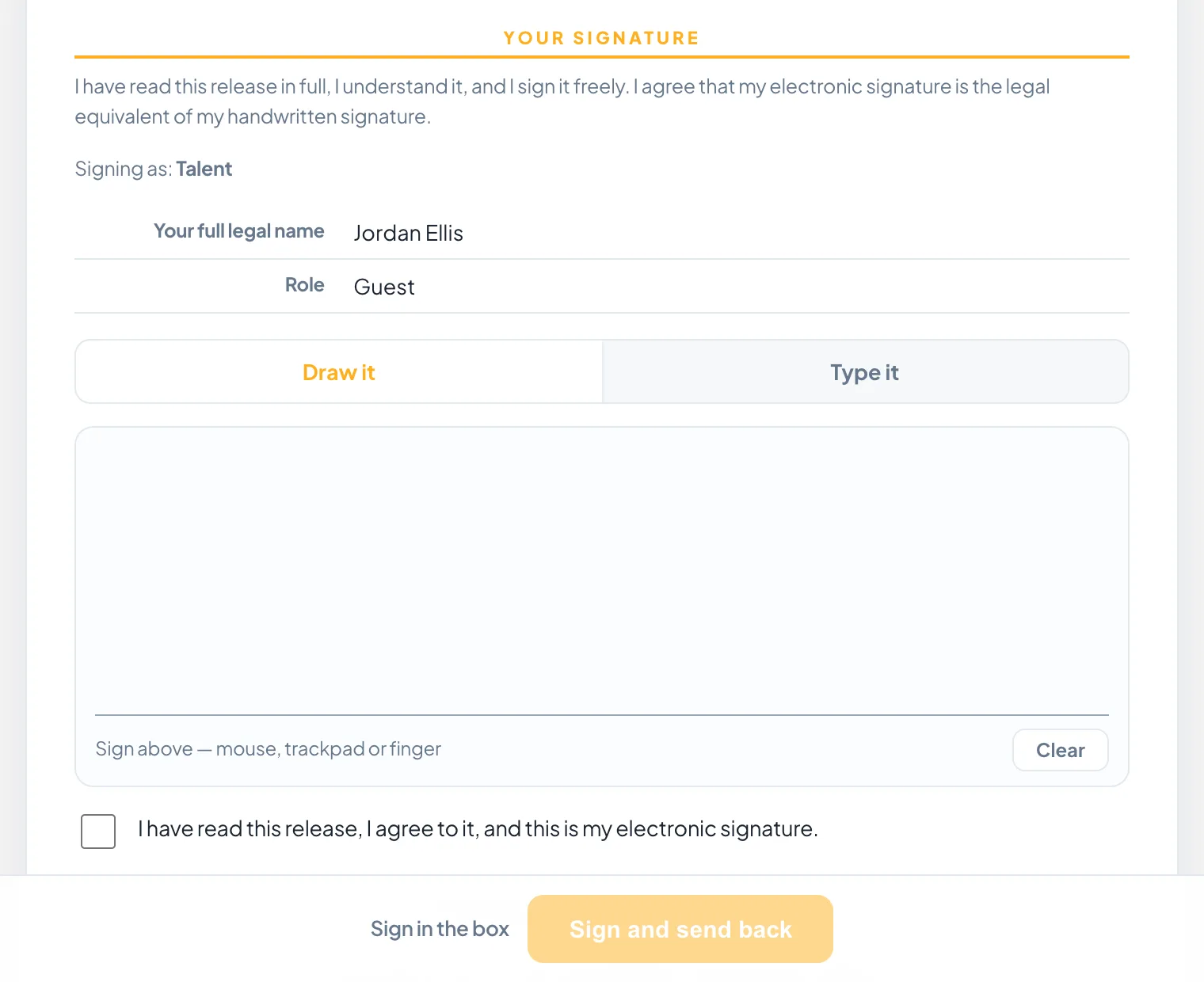
Anything that needs signing, signed on a phone.
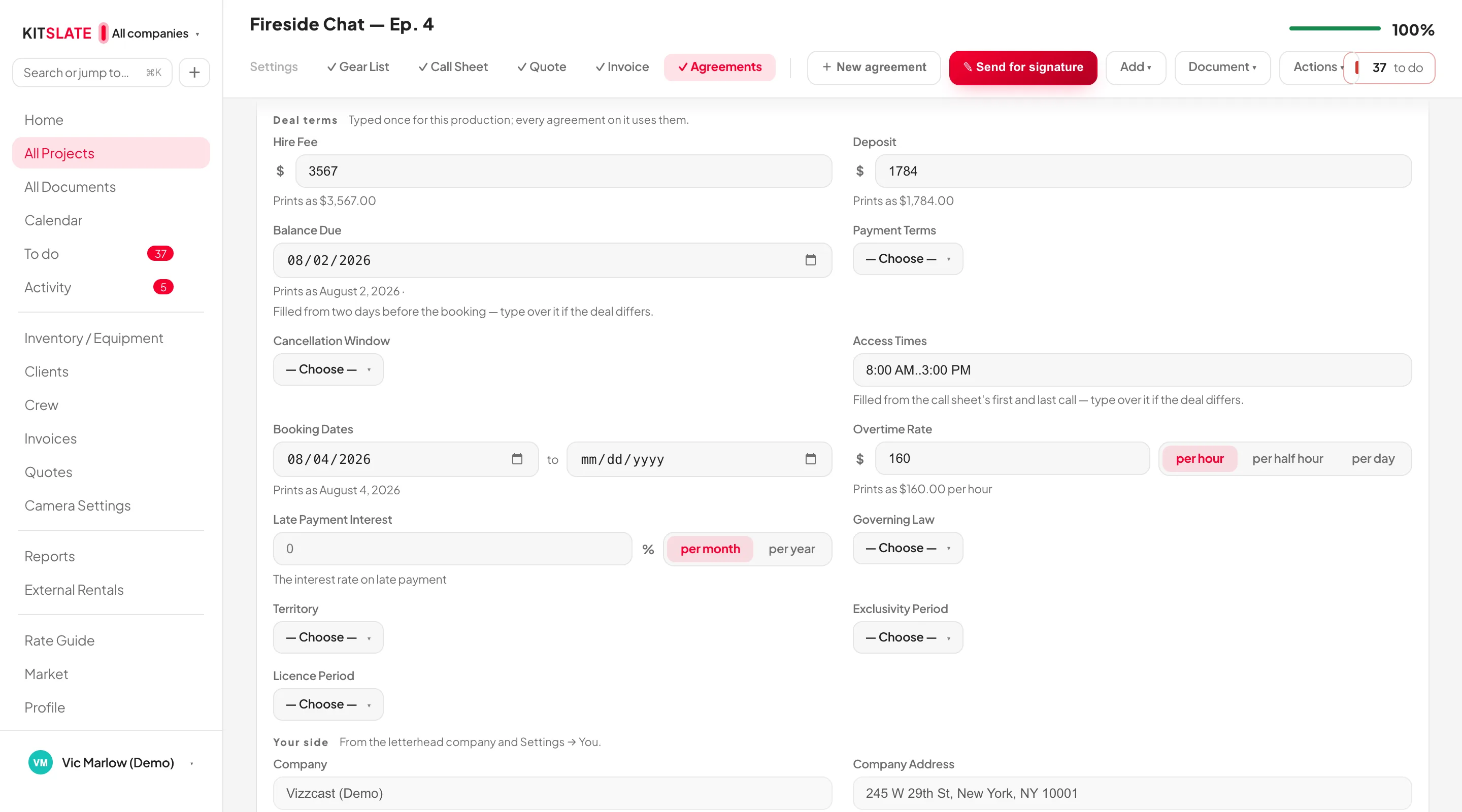
A talent release, a location release, a studio hire, a production services agreement or wording of your own — one signing system for all of them, and on a production that already has a call sheet, one tap pulls the cast in. Each signer gets their own private link; nobody creates an account, and minors are flagged for a guardian’s signature.
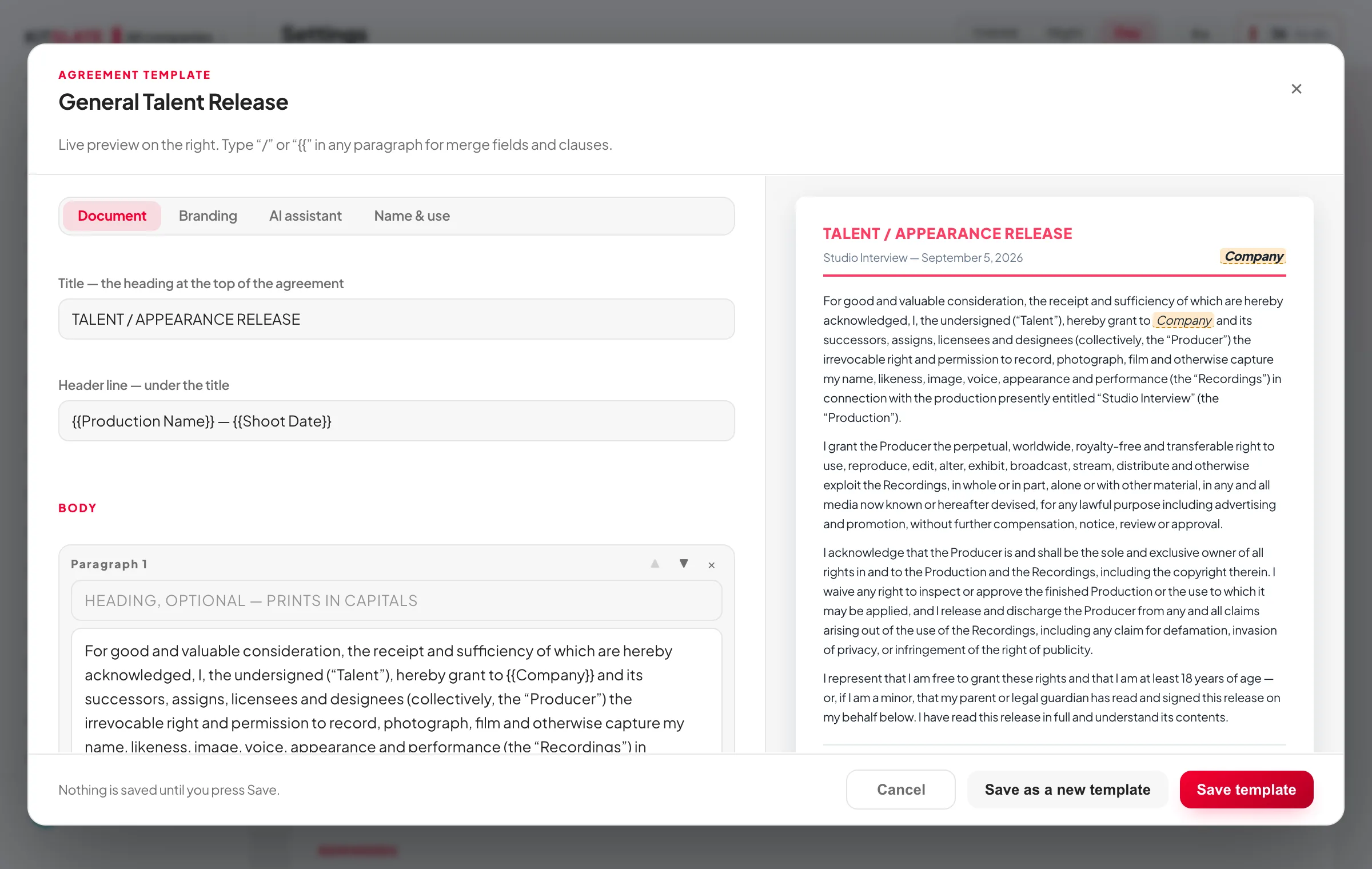
The template holds the wording. The production fills in the rest.
A template belongs to no company and no job. Every field it cannot know — whose company it is, the fee, the booking dates — is marked in amber in the editor, and takes its value from the production the agreement is created on. The deal terms arrive already filled from the quote, the booking and the call sheet, each one saying where it came from, each one yours to type over.
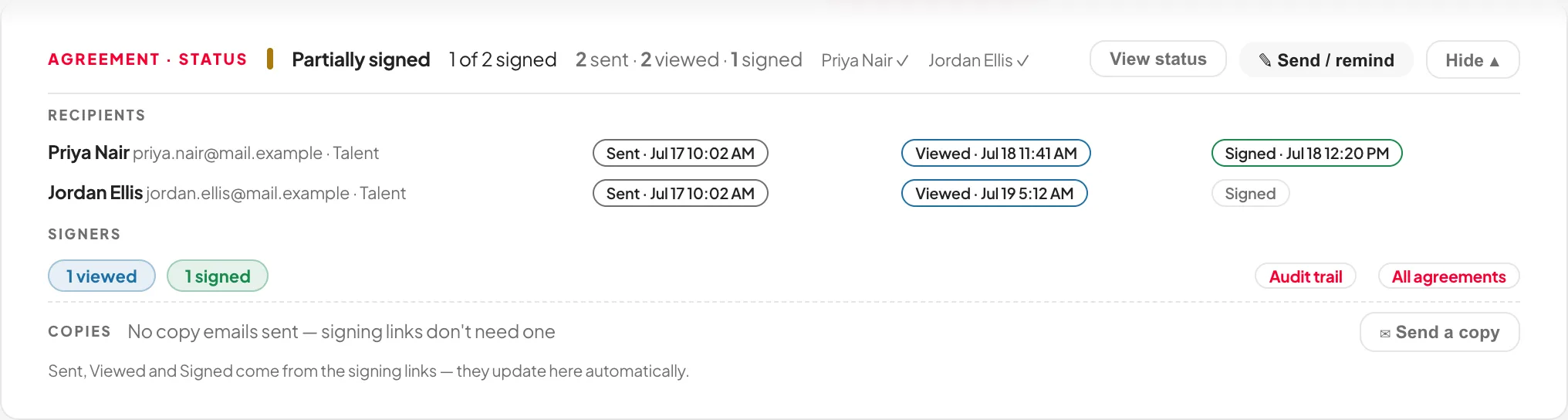
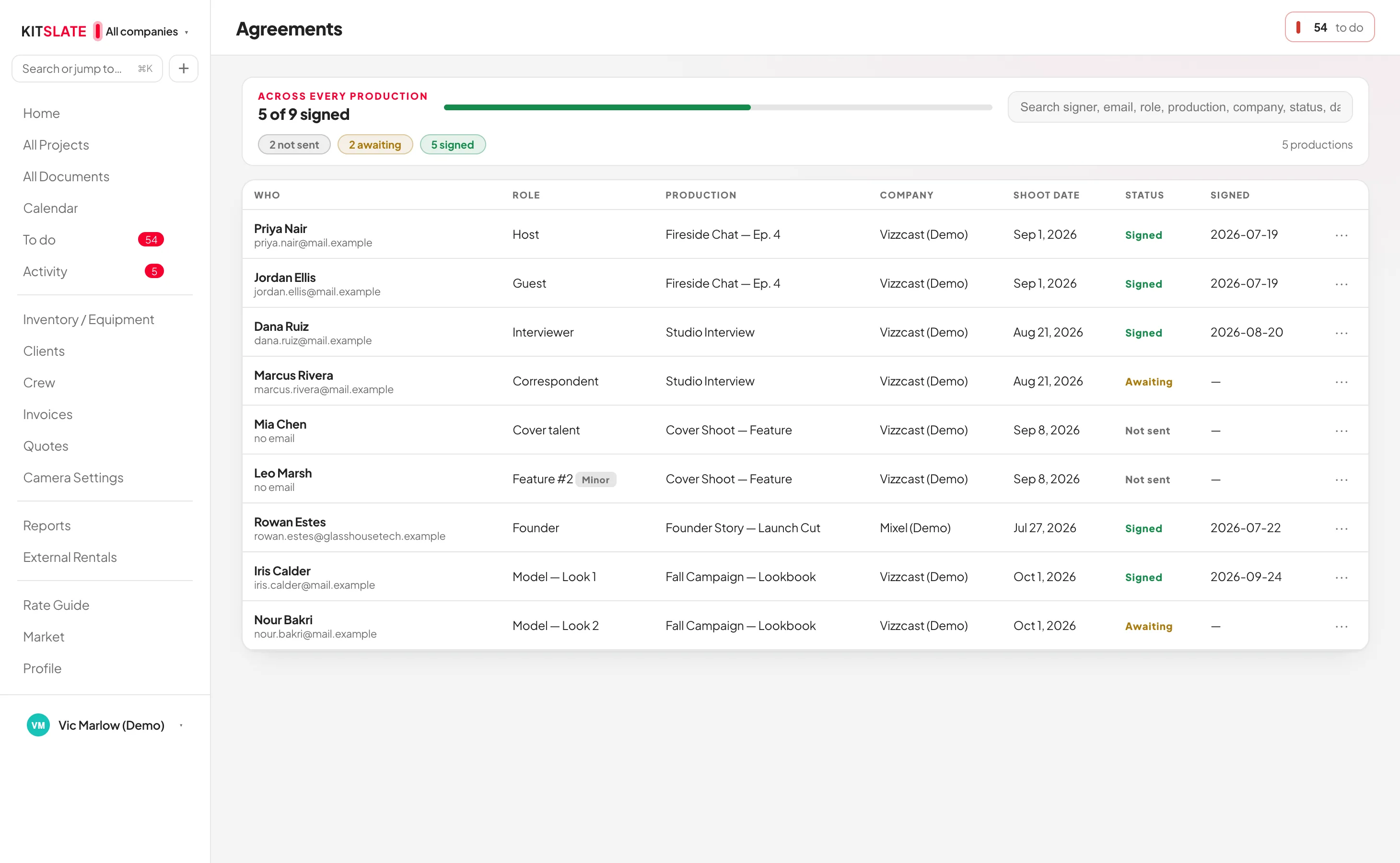
You send it. KitSlate follows it.
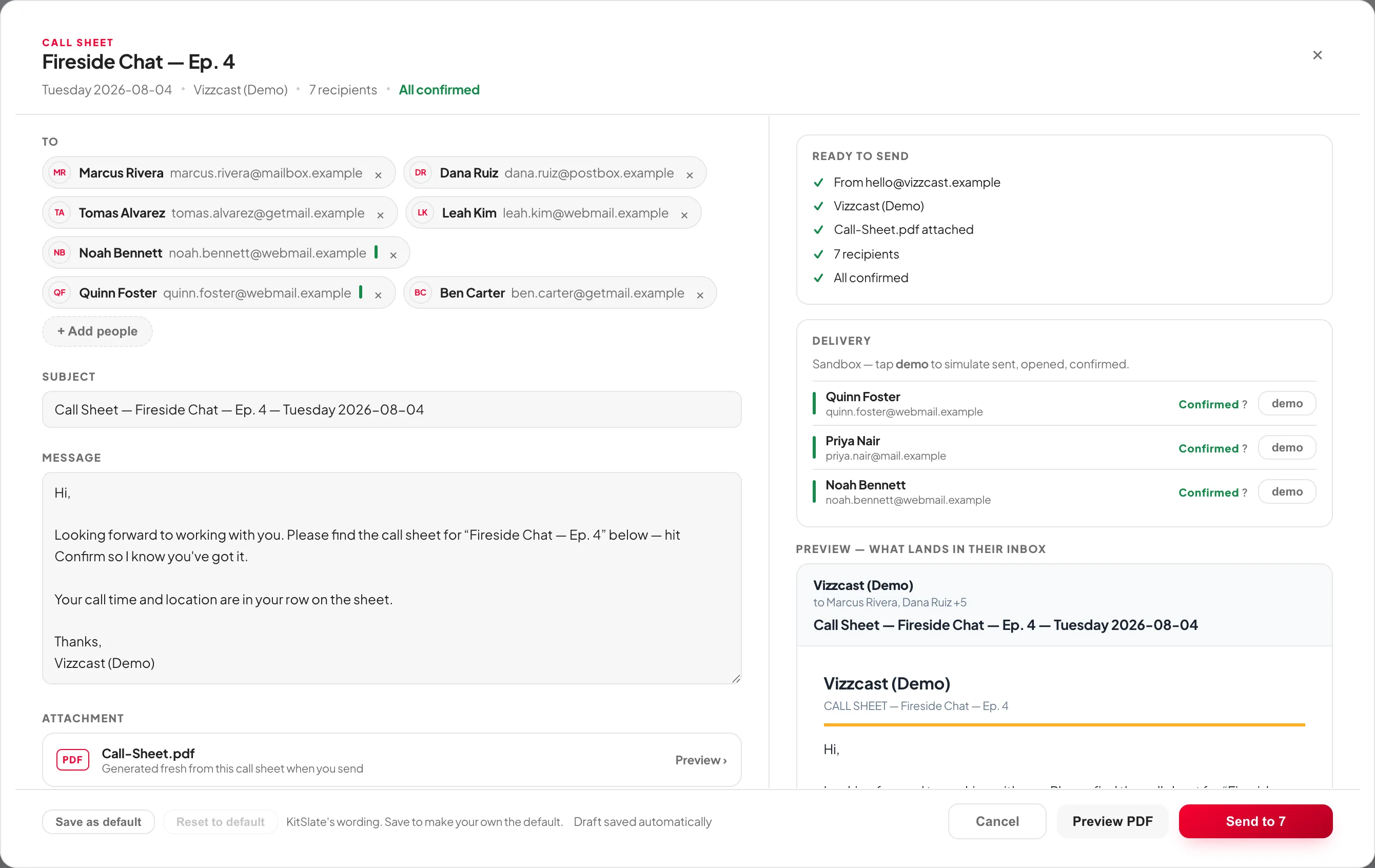
That paperwork is only worth anything once it reaches people. You can send straight from KitSlate instead of downloading a PDF and attaching it yourself. Documents go out as branded email from whichever company owns the job — and then keep telling you what happened to each one, per person, without you asking anybody.
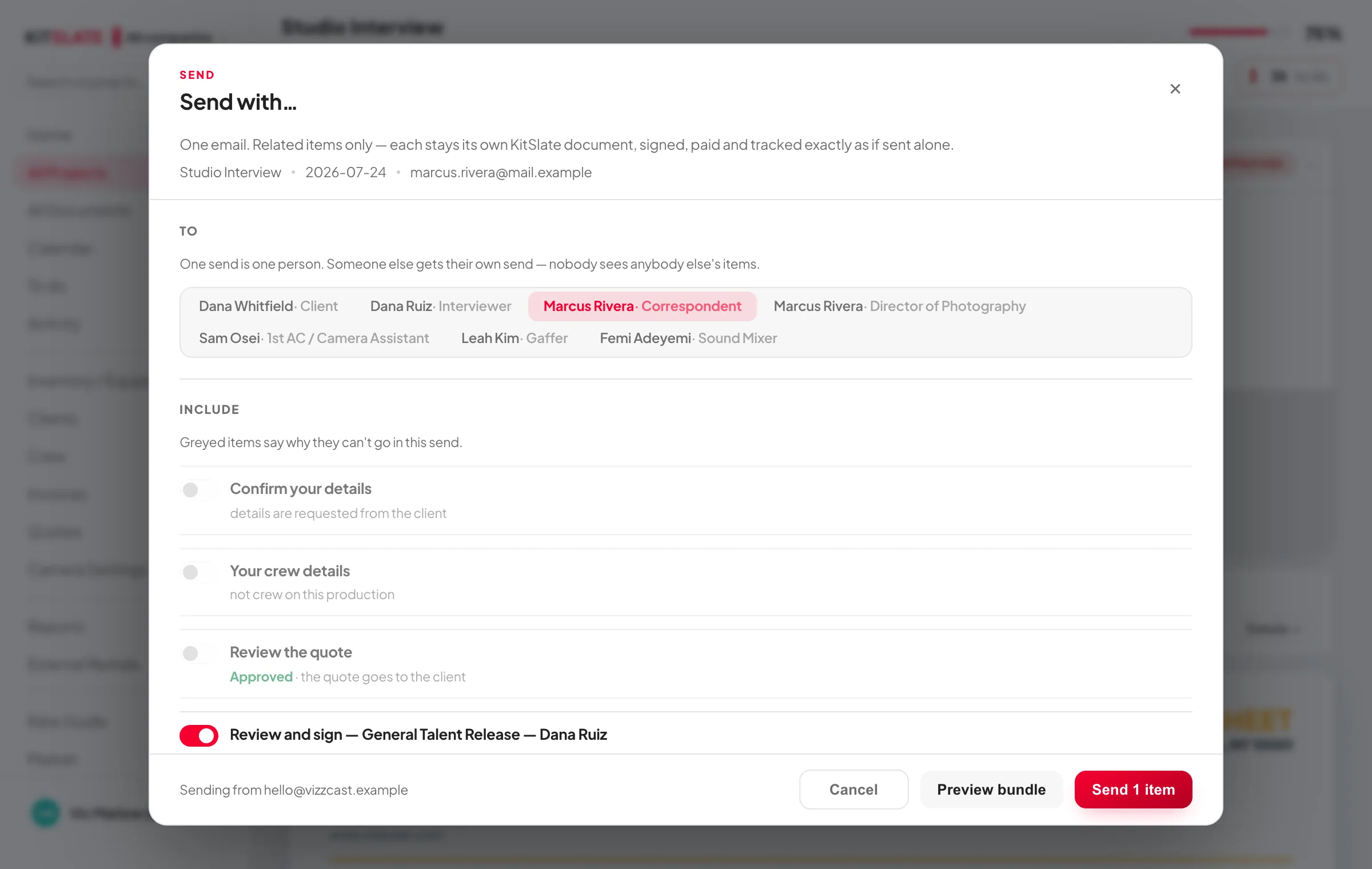
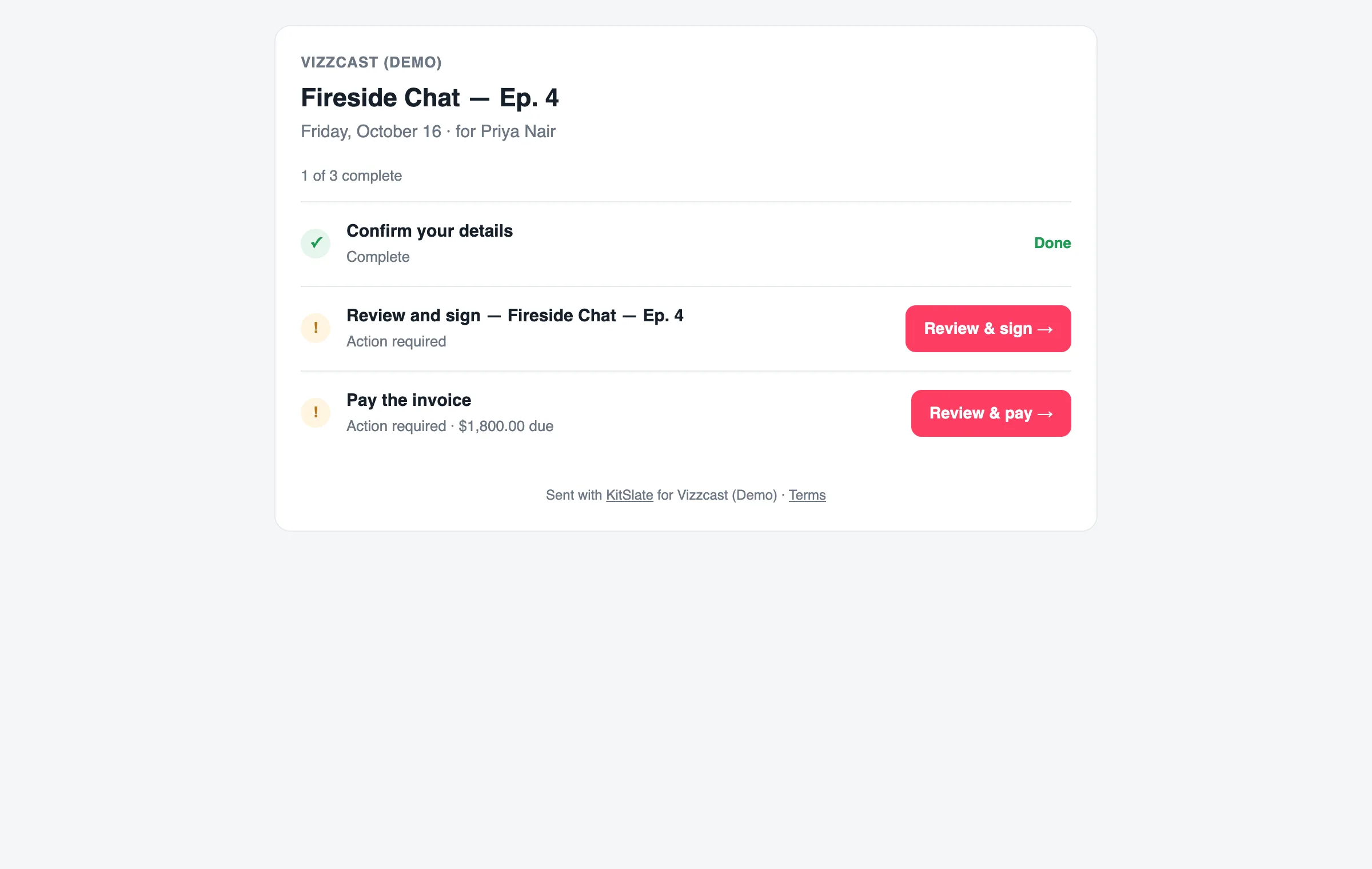
Everything you need from one person, in one send.
Their details, the quote, the agreement, the invoice — Send with… puts them in one email, and each stays its own KitSlate document, signed, paid and tracked exactly as if sent alone. They get one page that shows what is done and what is left, and every form they finish offers the way back to it.
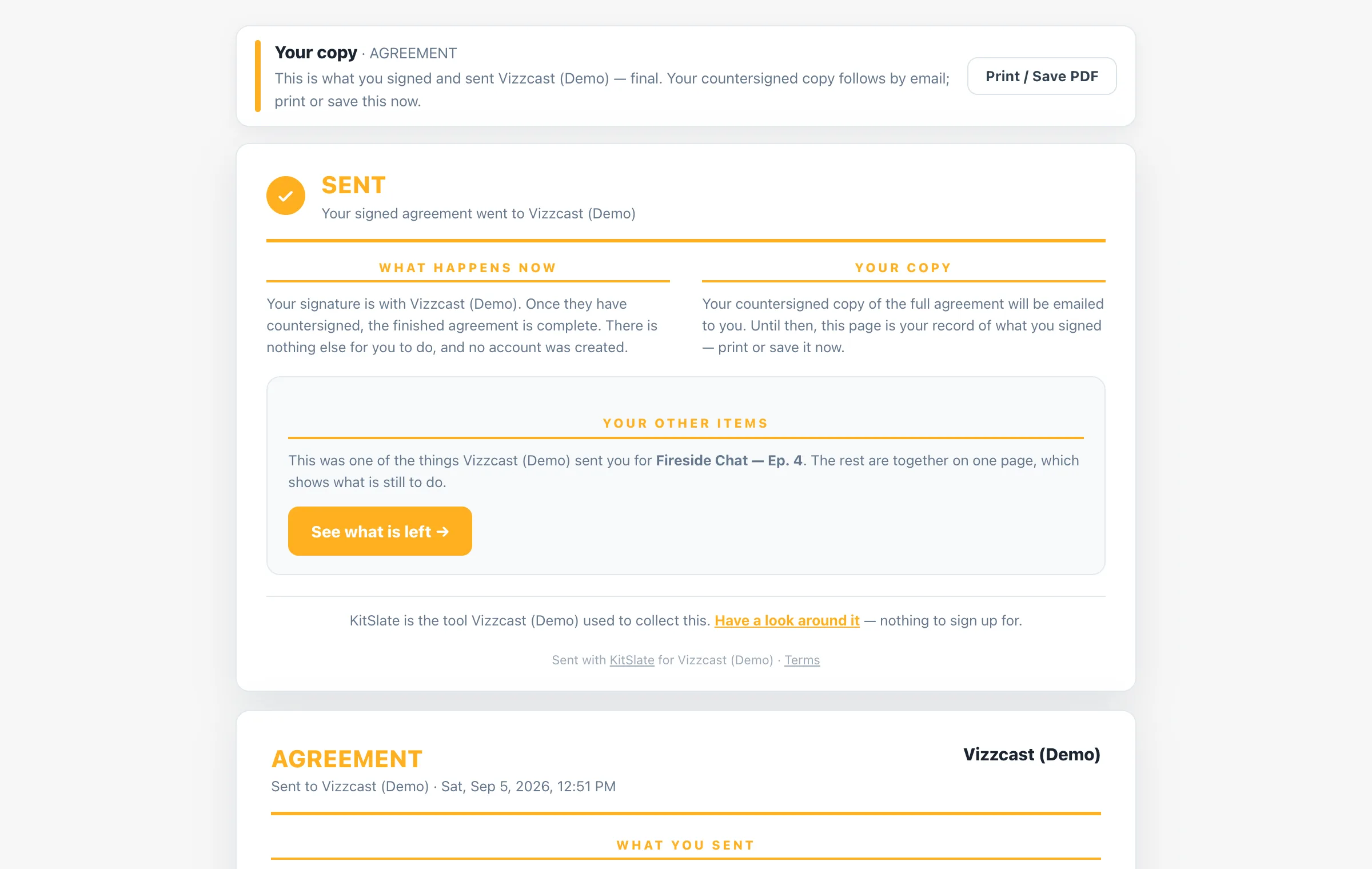
When they finish, they get a receipt. So do you.
Every form ends the same way: a Sent card saying what went to you and what happens now, the way back to their other items, and the complete form as they sent it — with print or save as PDF offered only now, when there is something final to print. A copy reaches their inbox at the same moment, and the answer goes to your production.
Every send arrives two ways.
The same call sheet reaches a person as a PDF they can keep, print or forward, and as their own live page — the current plan, their call time, their schedule and their documents, at a link that does not go stale. One send, one token, both.
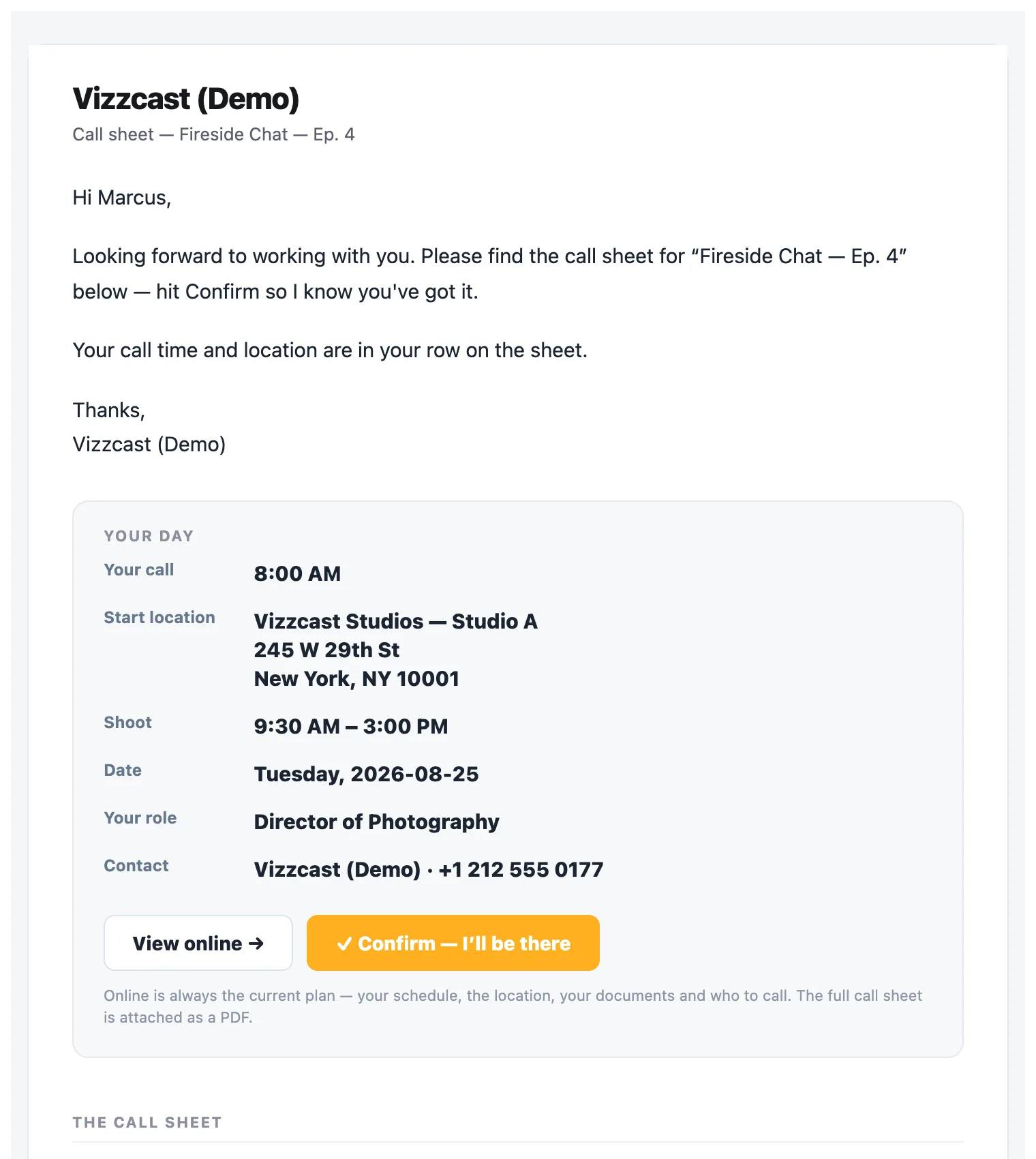
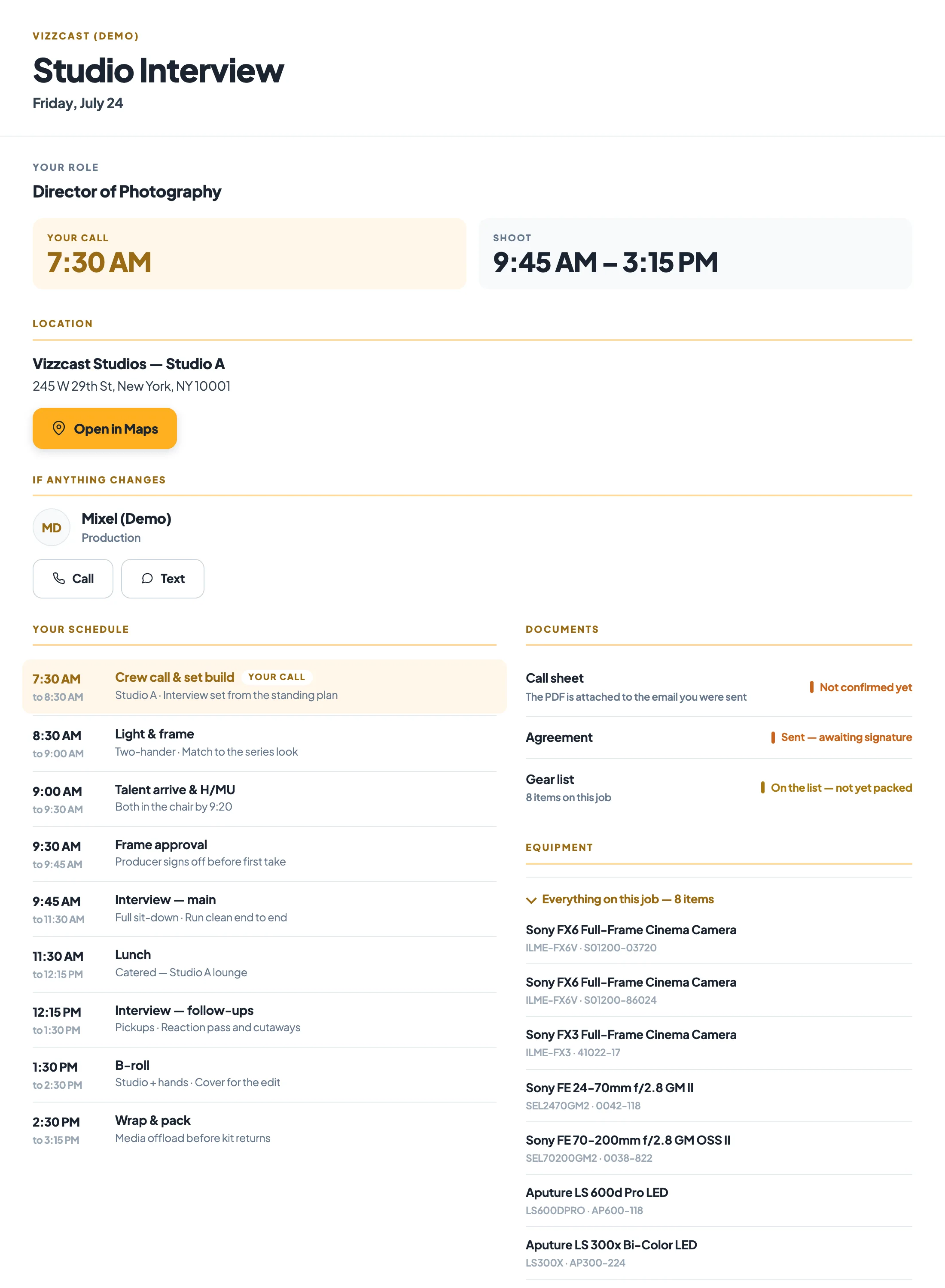
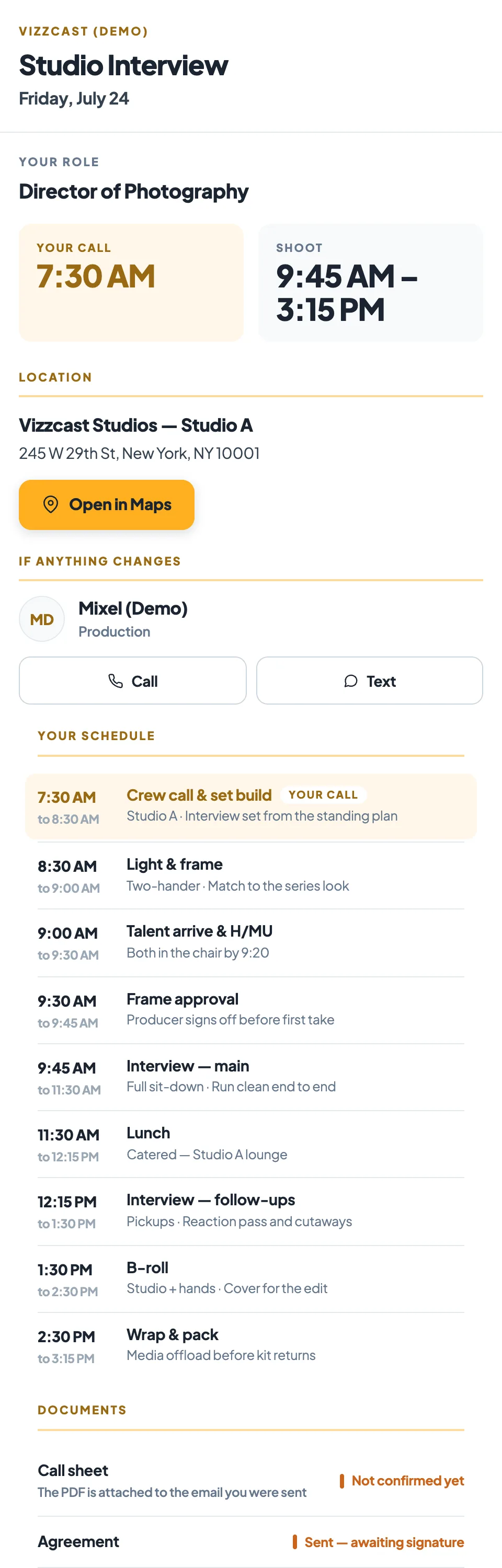
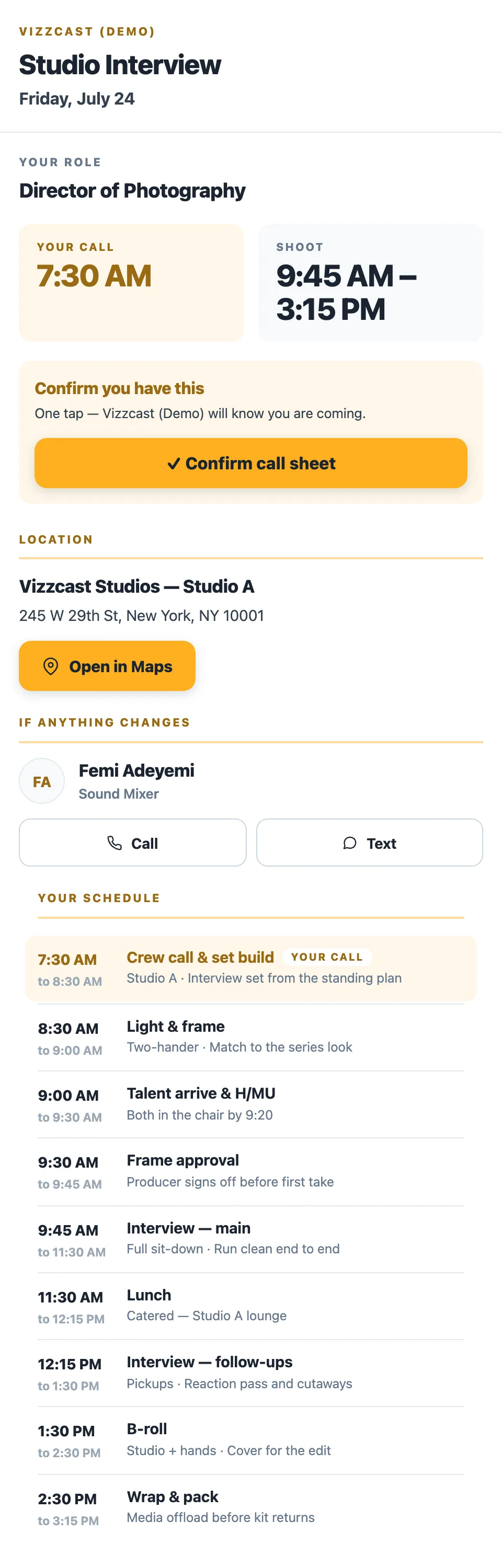
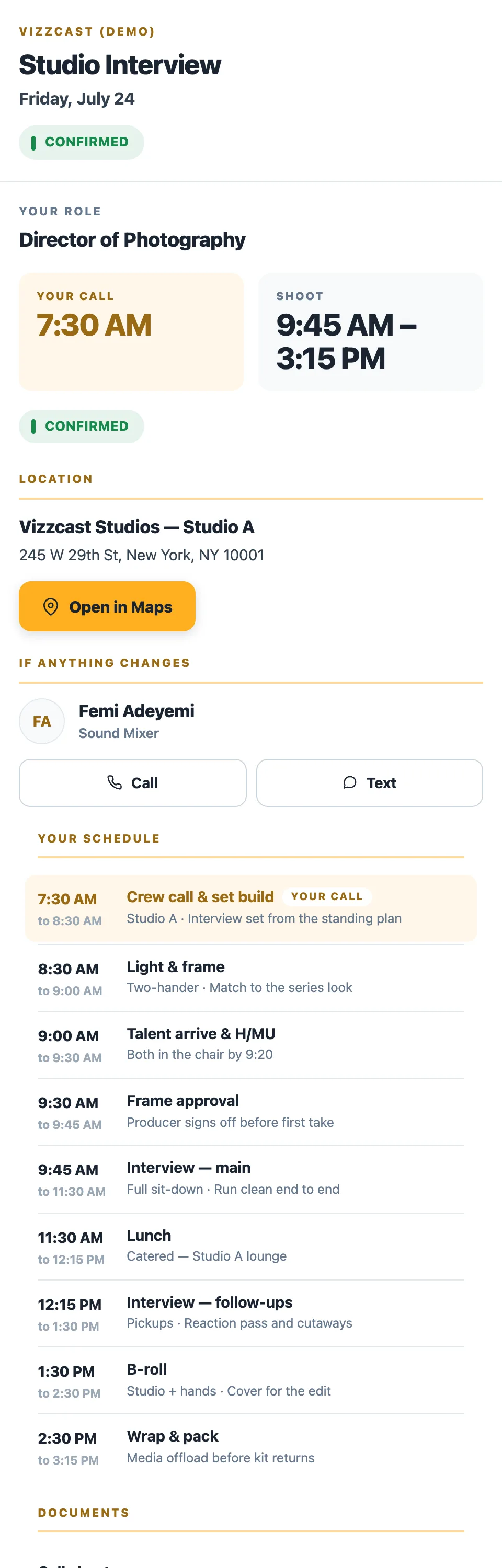
Their link opens their brief — and the confirm sits on it, under their call time
One tap — and the button becomes the state, in place. No login, no account, nothing to install.
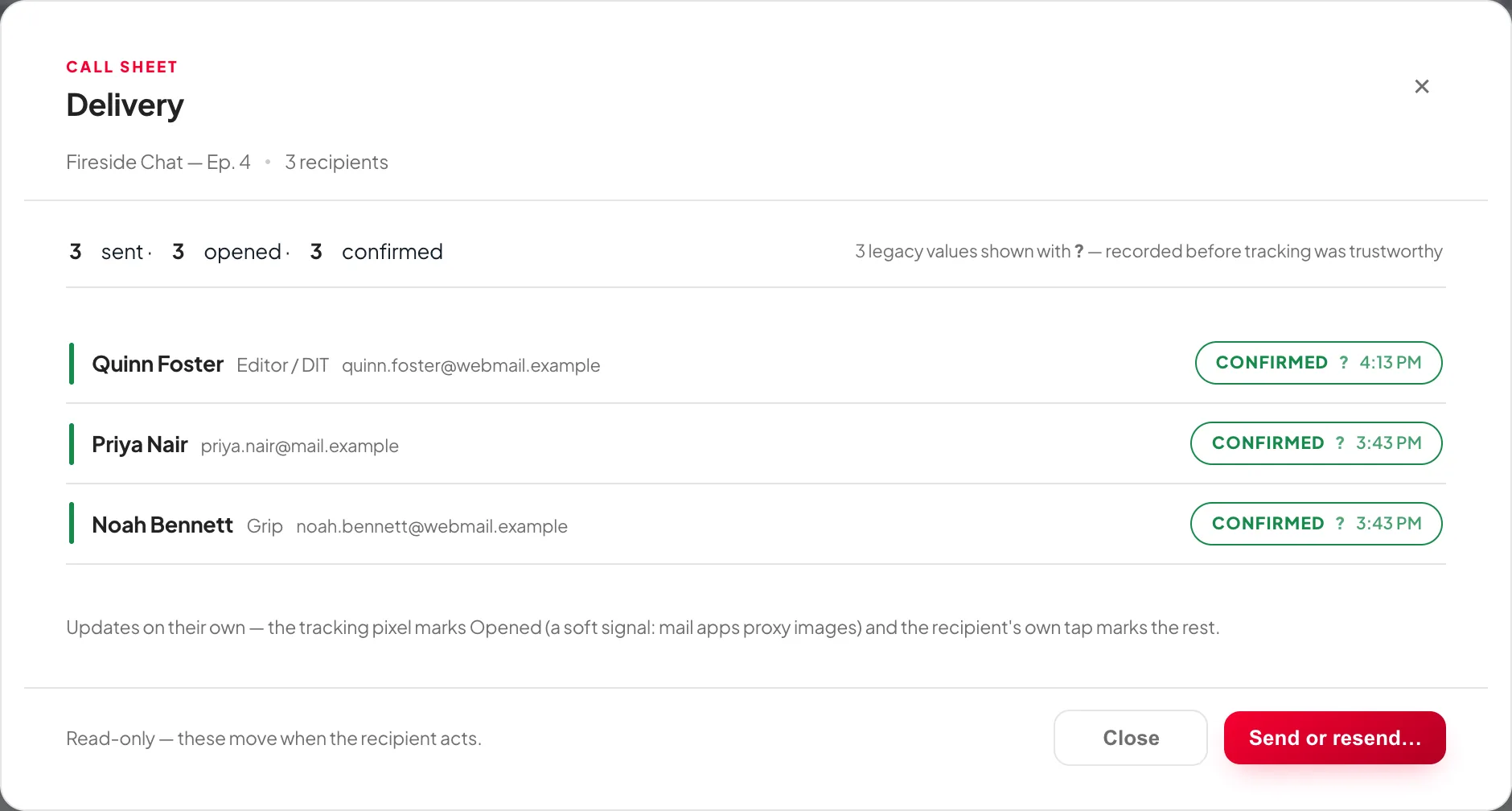
Each person gets their own email, addressed to them, with their own call time and their own start location up top — the main location unless theirs differs — with the sheet below it and a PDF attached — no group thread and no reply-all. Their link opens their own production brief: the schedule, the contacts and the documents that are theirs, and the place they confirm. Opened and Confirmed arrive on their own, name by name — Noah has not opened his yet, and the page says so rather than guessing.
Every document has its own finish line.
The ticks are not decorative and they are not all the same. Each kind of document has its own ladder, ending where that document is genuinely done — and KitSlate only claims the rungs it can actually observe.
KitSlate only shows a status it can actually measure. Where a document has no real open tracking it says so rather than printing a nought nobody counted, and anything that fails to deliver says Failed, against the name it failed for.
The job does not go quiet once the paperwork is out.
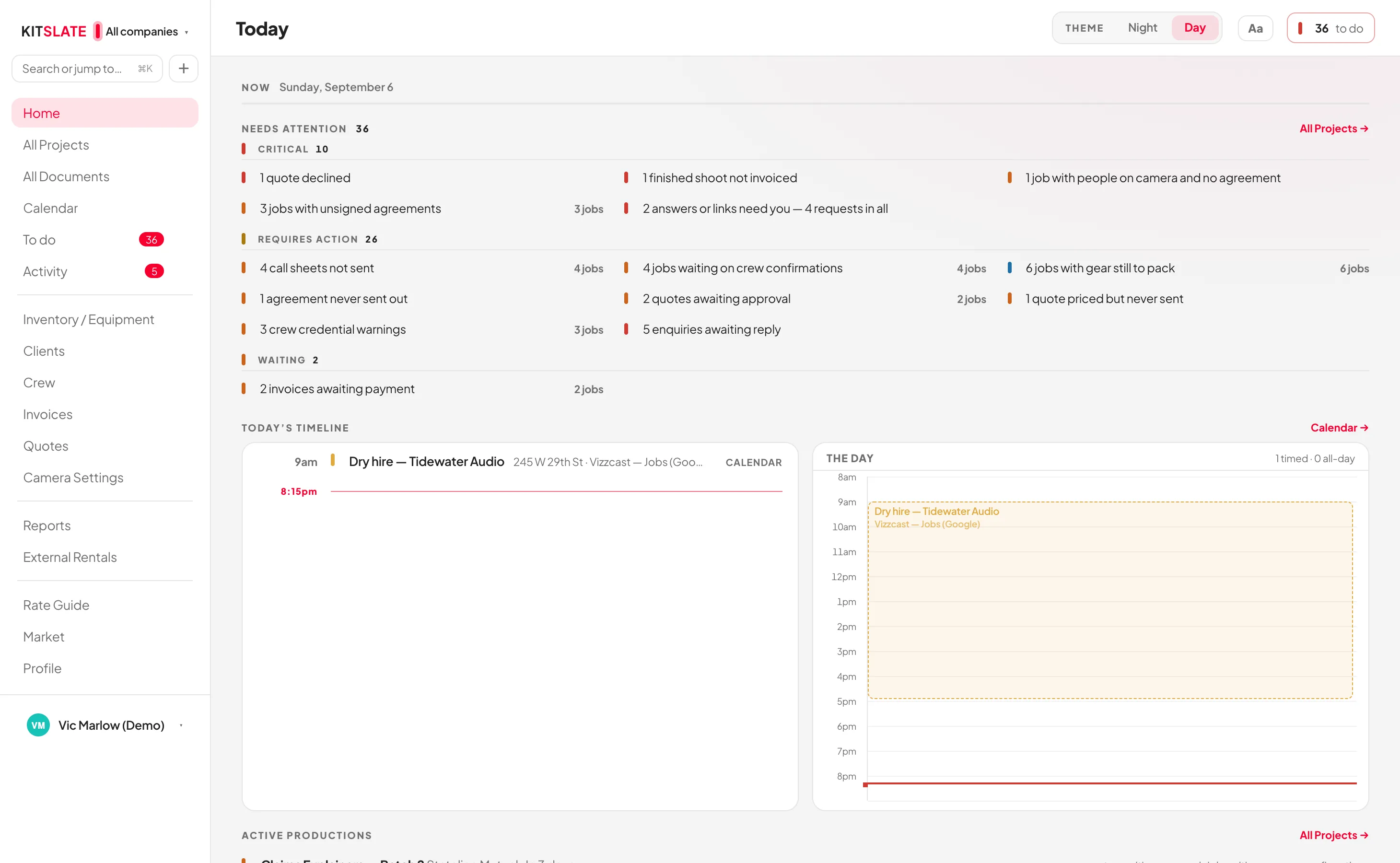
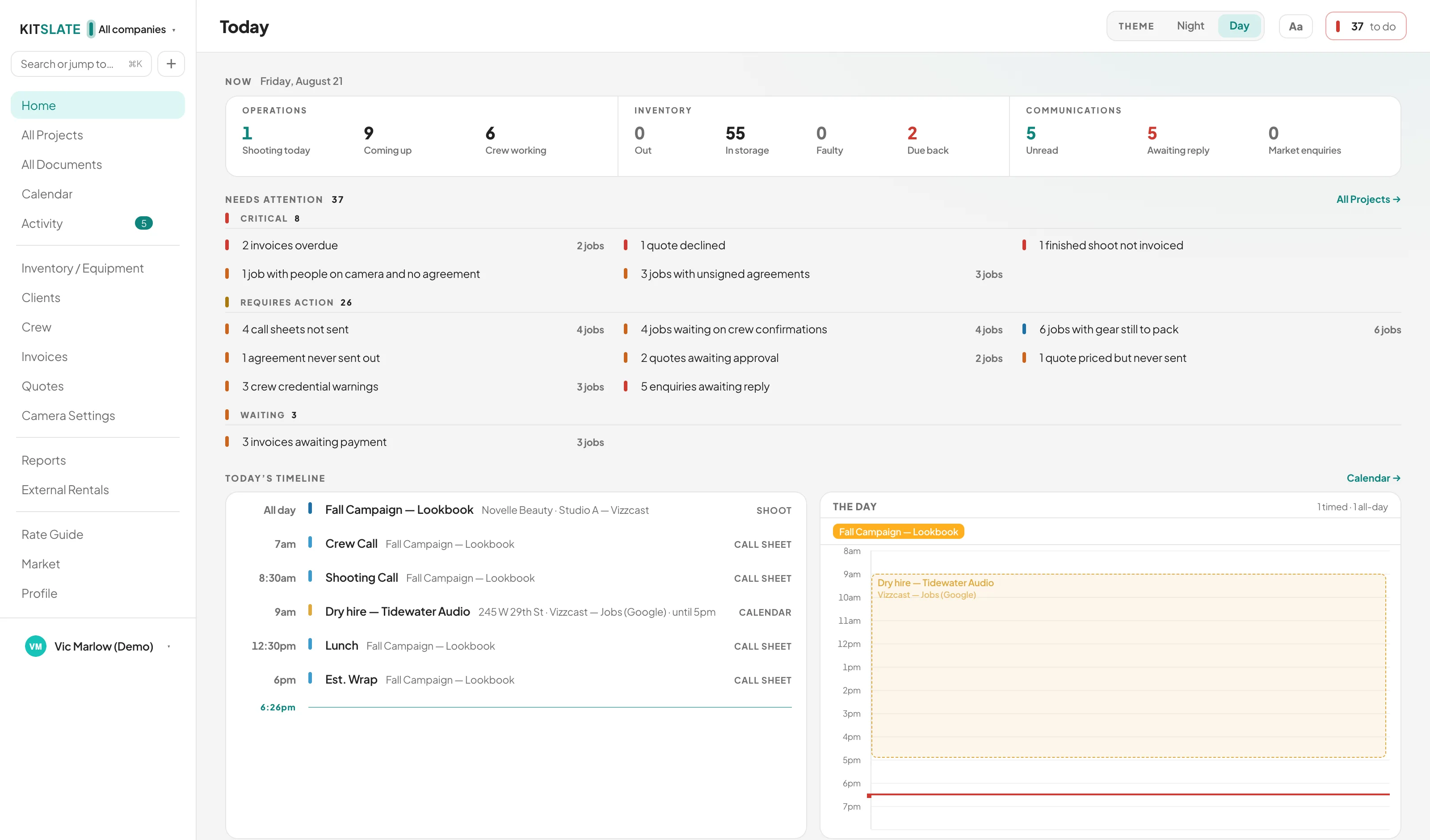
On the morning of a shoot the question is not “what did I send?” but “what is happening today, and what still needs a hand?” Today answers that first: what is shooting, who is working, what is still out of the store, what is unread, and two lists: what needs you, critical first, and what is waiting on others.
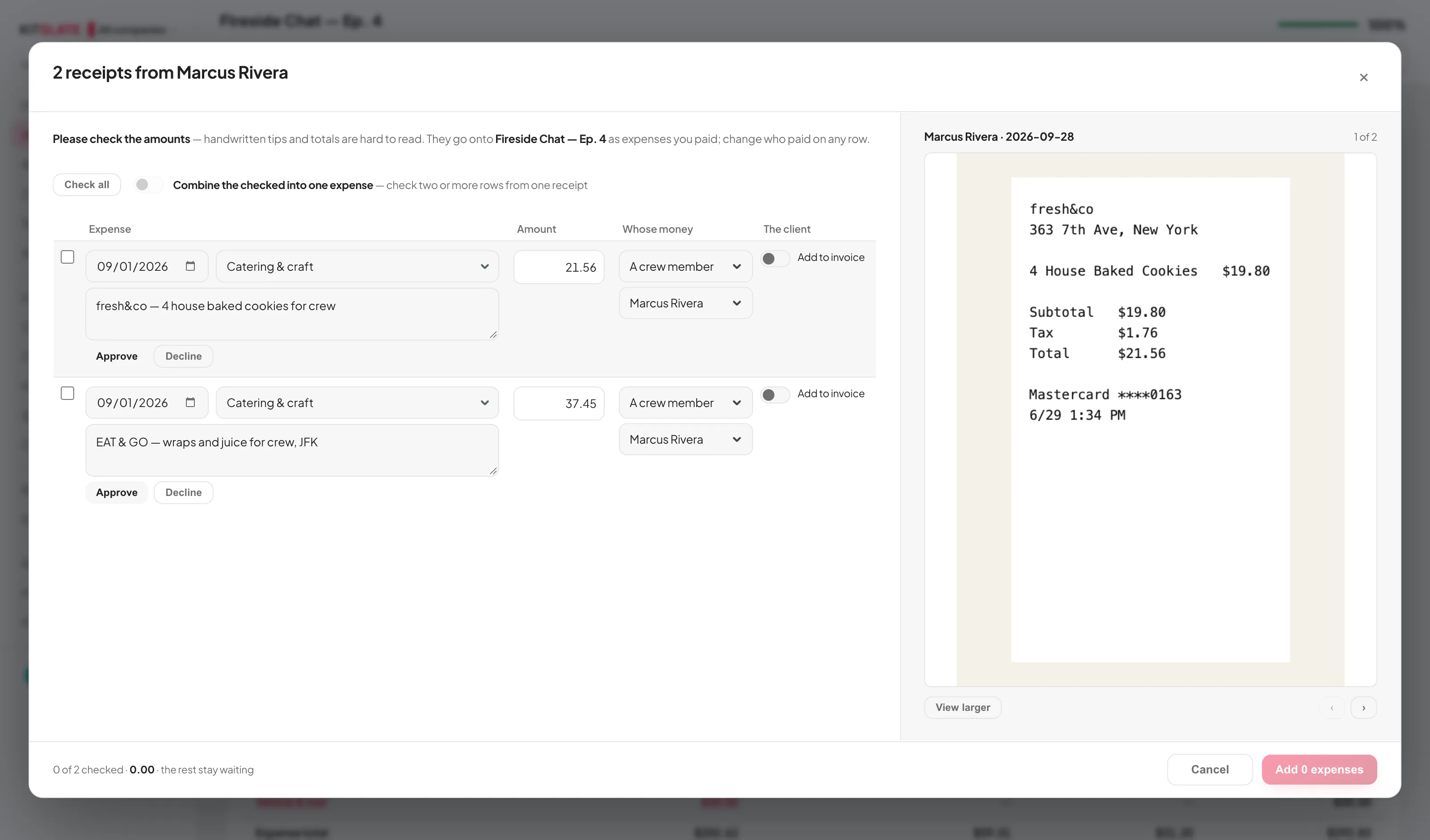
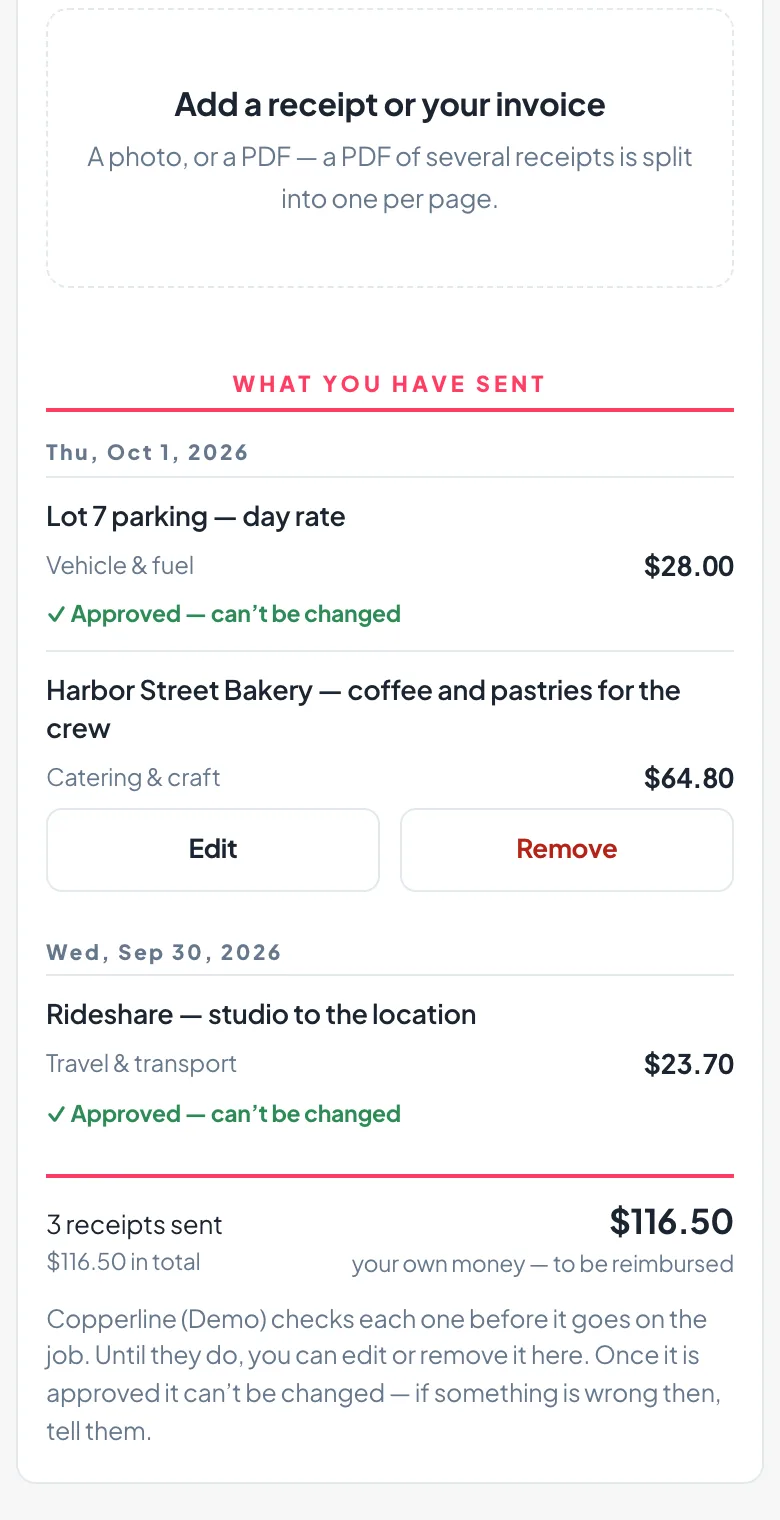
The crew photograph their receipts. You approve them from your desk.
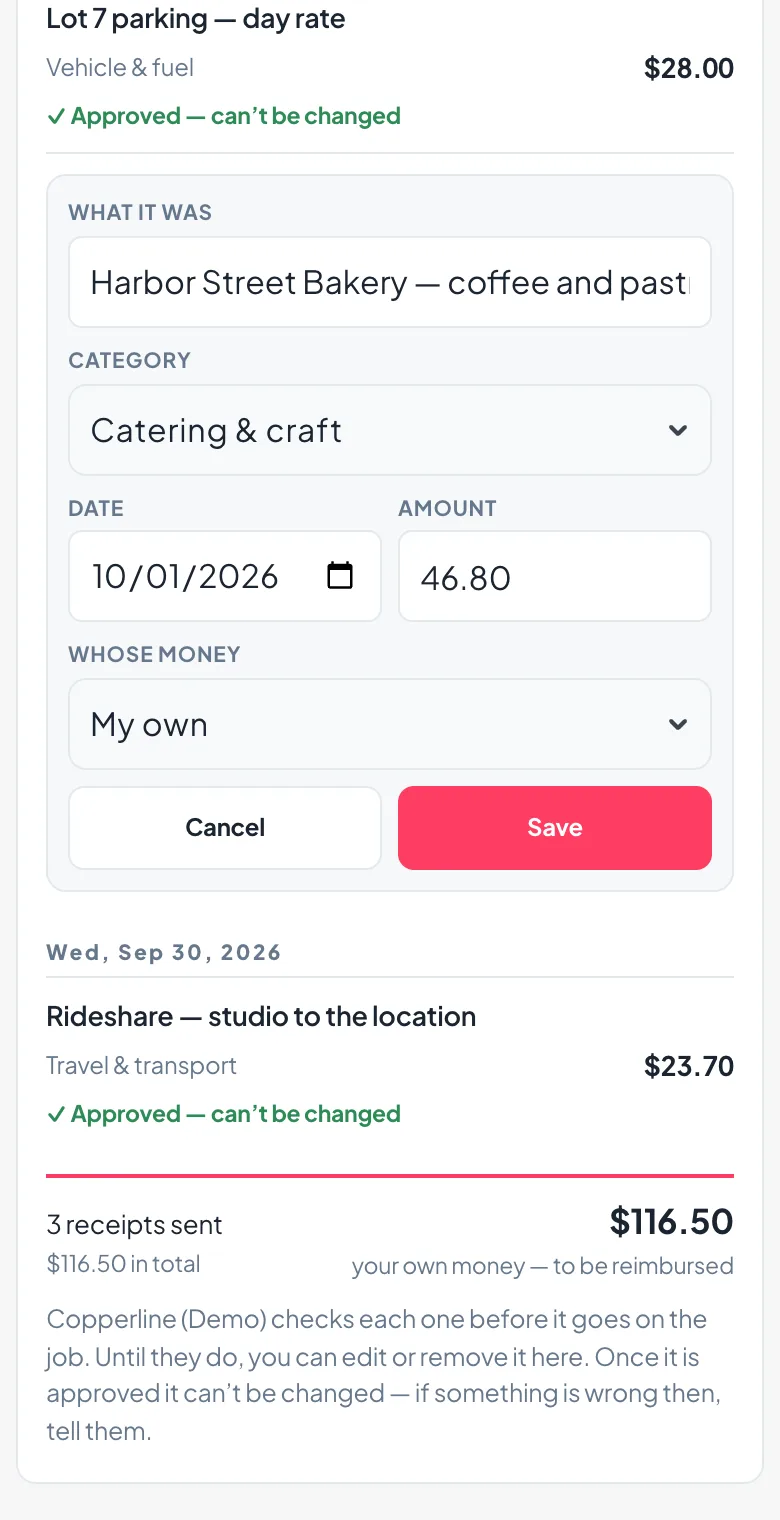
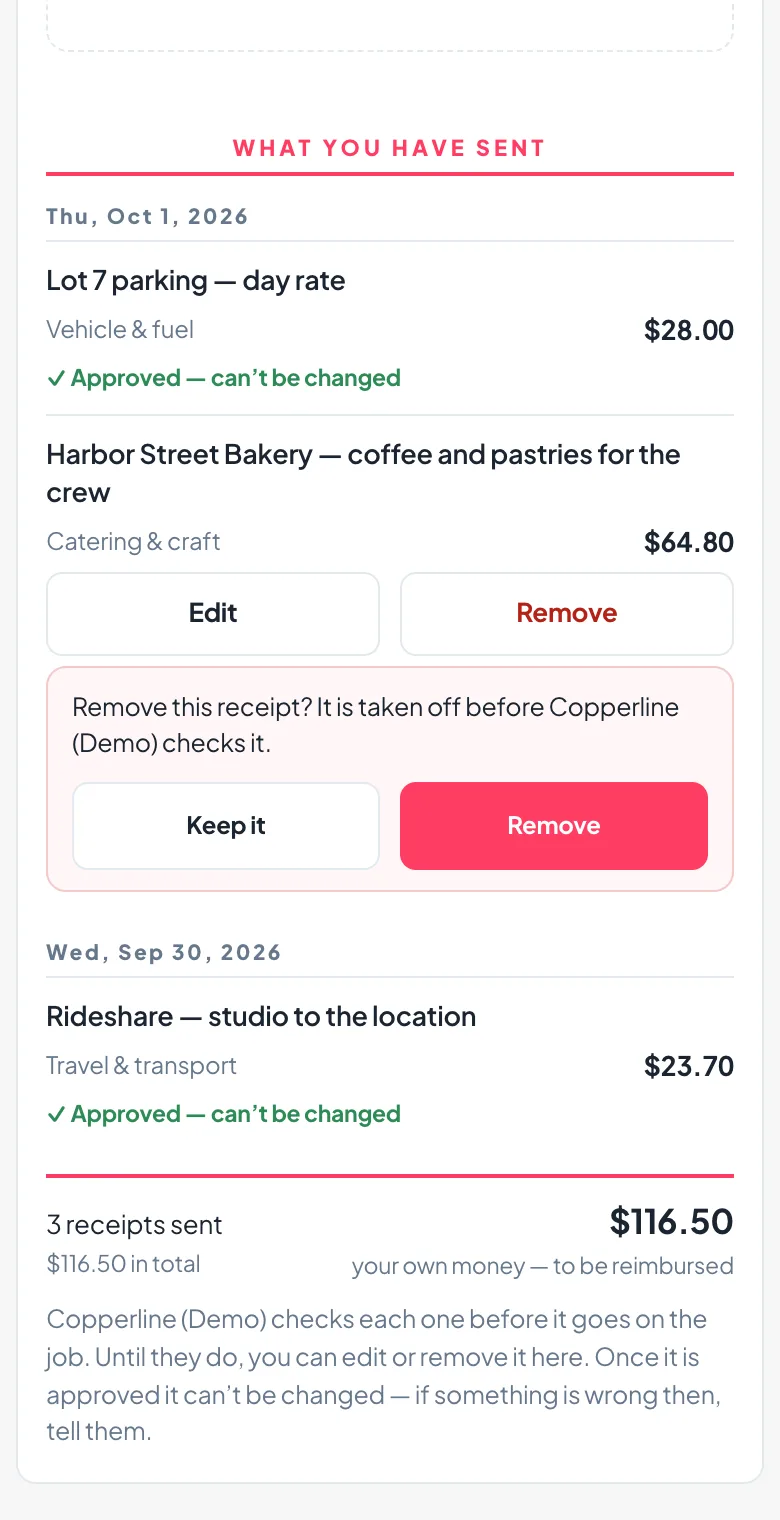
Give anyone on the job a receipt link. On the day they take a photo of the paper, KitSlate reads it into the form, they say whose money it was, and send — no sign-in, no app. It arrives on the job’s Expenses tab waiting to be checked: the rows on one side, the receipt on the other, click to zoom on the total. Add, and it moves from awaiting check to approved in the ledger.
NEW YORK, NY
| Category | Approved | Awaiting check | Total |
|---|---|---|---|
| Catering & craft | $72.30$72.30$154.28 | —$81.98— | $72.30$154.28$154.28 |
| Travel & transport | $100.32 | — | $100.32 |
| Vehicle & fuel | $30.00 | — | $30.00 |
NEW YORK, NY
Send the day’s files to the client from the same place.
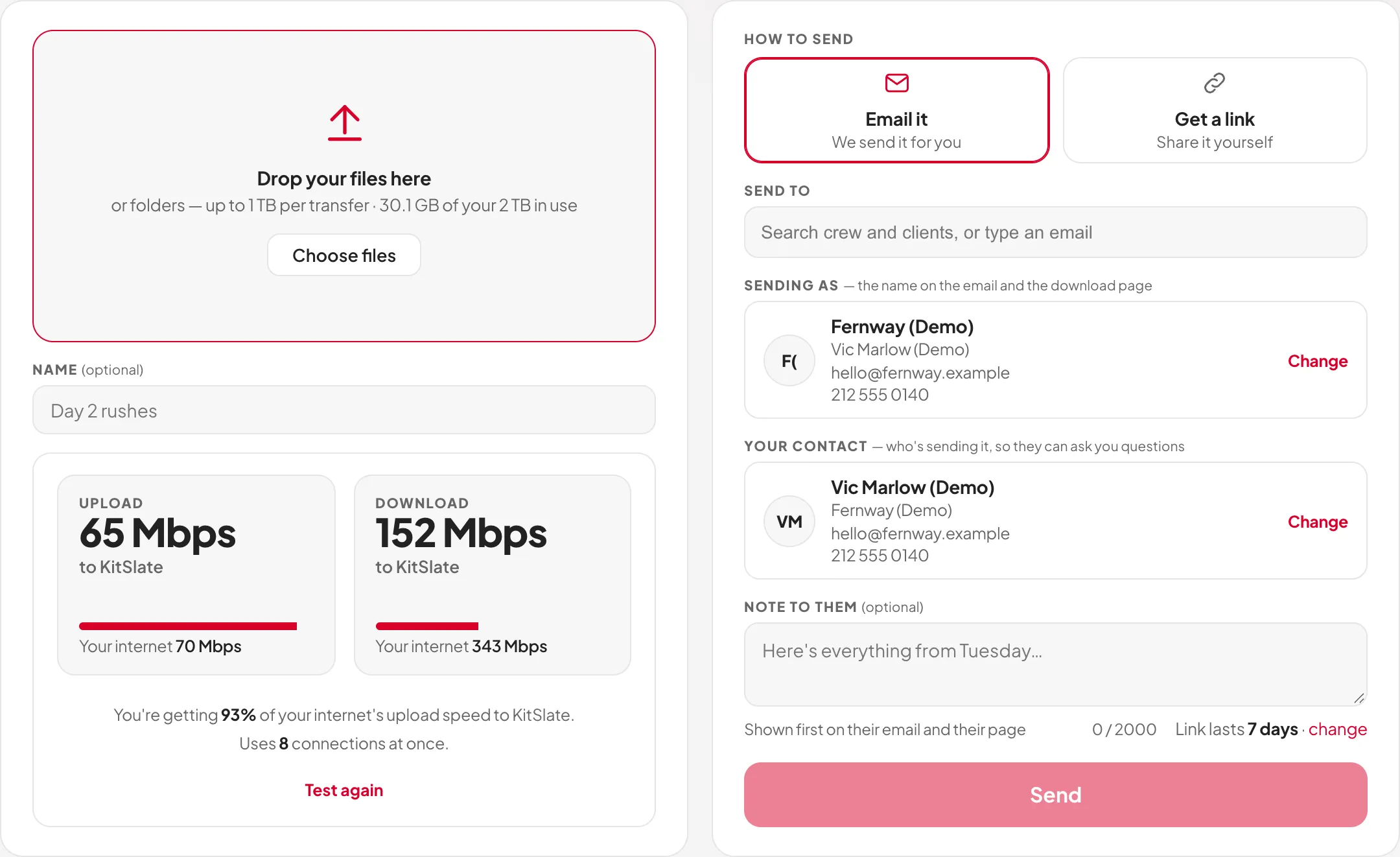
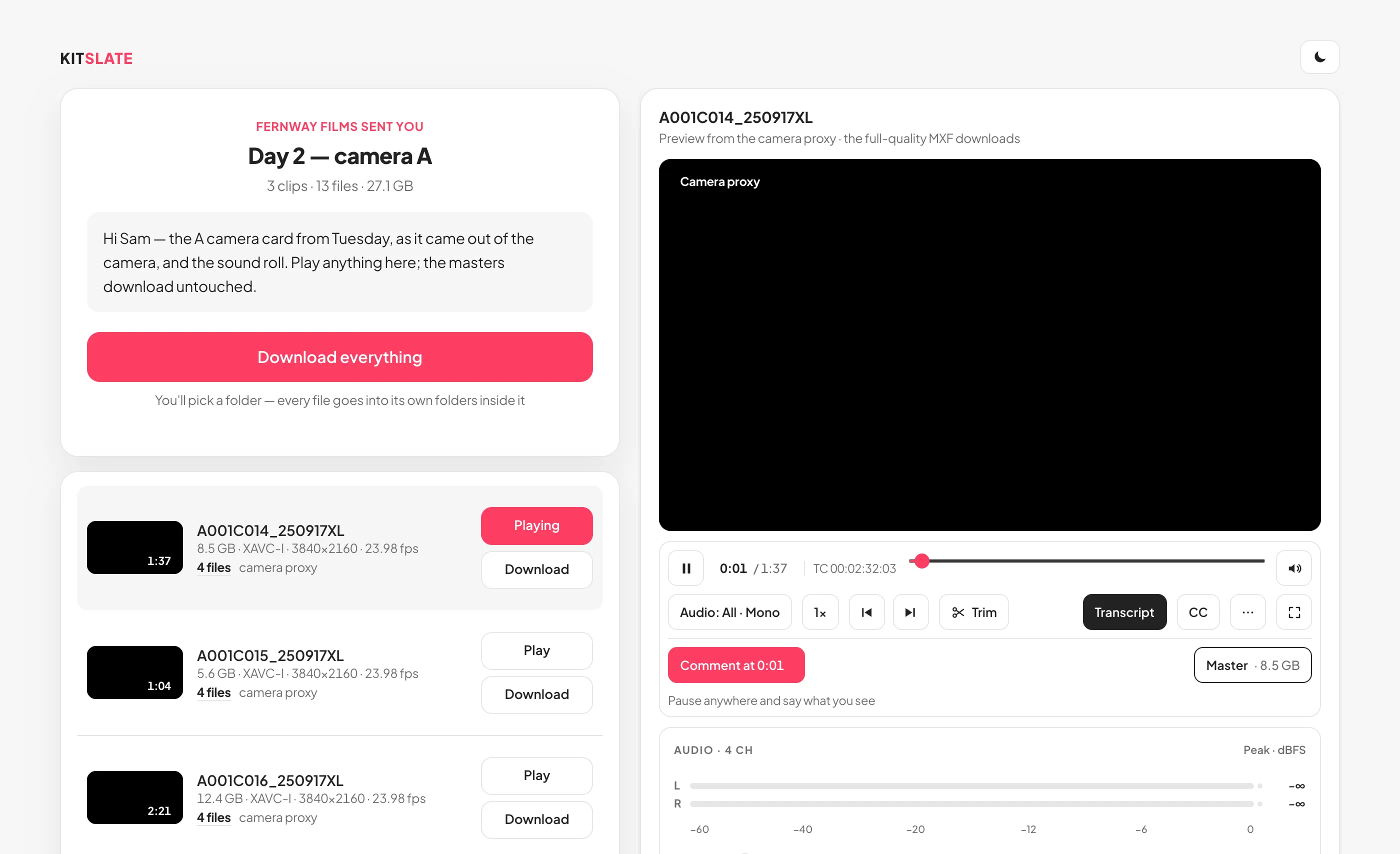
Drop the folder on the Send page — 5 GB per transfer on the free profile, 500 GB on Solo, 1 TB on Studio and above — and KitSlate emails each person their own link or hands you one to share. The client gets a page that plays the clips, where they pin a note to a timecode and the two of you message back and forth; on paid plans each clip can carry a transcript too, every line at the clip’s own timecode, to search, quote and trim from. You see who opened it, who downloaded, and how fast. Links last 1 to 30 days on a paid plan, up to 3 on the free profile; the files are deleted when a link ends.
Turn the approved quote into a bill.
The shoot is wrapped and the gear is back on the shelf. One click freezes the accepted quote into a numbered, dated invoice — same lines, same numbers — or raise one from scratch when there was never a quote. It carries your own payment details and a link the client can pay from — by card through Stripe, straight into your own Stripe account, or by the bank details printed on it — and what happens next comes back on its own.
The invoices you raised somewhere else can live here too.
Back in PACK you watched one dropped invoice build a job, its money and its gear. The same importer has a door right on the Invoices page — for the rest of what you raised in Wave, in QuickBooks, in whatever came before — and the same rule holds the whole way through: KitSlate reads the file, shows you what it found, and saves nothing until you say so.
Each one finds the job it belongs to.
The hinge is your own invoice number, written on the production as its accounting reference. Every import reads it — so the payment truth sits where the work is.
And the door swings both ways: documents export to PDF, and clients, crew, inventory, income and expenses export to CSV that Wave and QuickBooks import, from the Studio plan up — and every invoice exports in QuickBooks’ own import format.
Finish one production. Start the next further along.
The first job you set up in KitSlate takes the longest, because it is where the inventory, the crew and the clients get entered. Everything after that is a selection rather than a rebuild.
Copy a job that went well — the crew, the schedule and the pricing come with it. Or copy just the call sheet: the sheet arrives unsent with the crew still properly linked, and the quote stays empty.
Bundle gear that always travels together into a kit and add it in one pick. Quote presets, call sheet templates and agreement templates do the same for the paperwork.
Crew, clients and their contact details, rates and roles live in their own databases. A new production draws on them; it does not re-ask for them.
Day rates sit on the items and the people, so the next quote prices itself from the same numbers — and the Rate Guide shows where those numbers sit against the market.
Most of this work does not happen at a desk at noon.
So KitSlate has a Night mode with a depth to it, one switch in the top bar — and one thing it leaves alone.
-
IT IS 1AM
A white screen in a dark room.
An edit bay with the lights down. A red-eye with the cabin dark. A van at 5am waiting for a location to open. Day is the default and it is where most people stay — right up until the point it is not.
 ↔ drag the picture sideways to read it
 -
FLICK IT
One tap, and how far down is a slider.
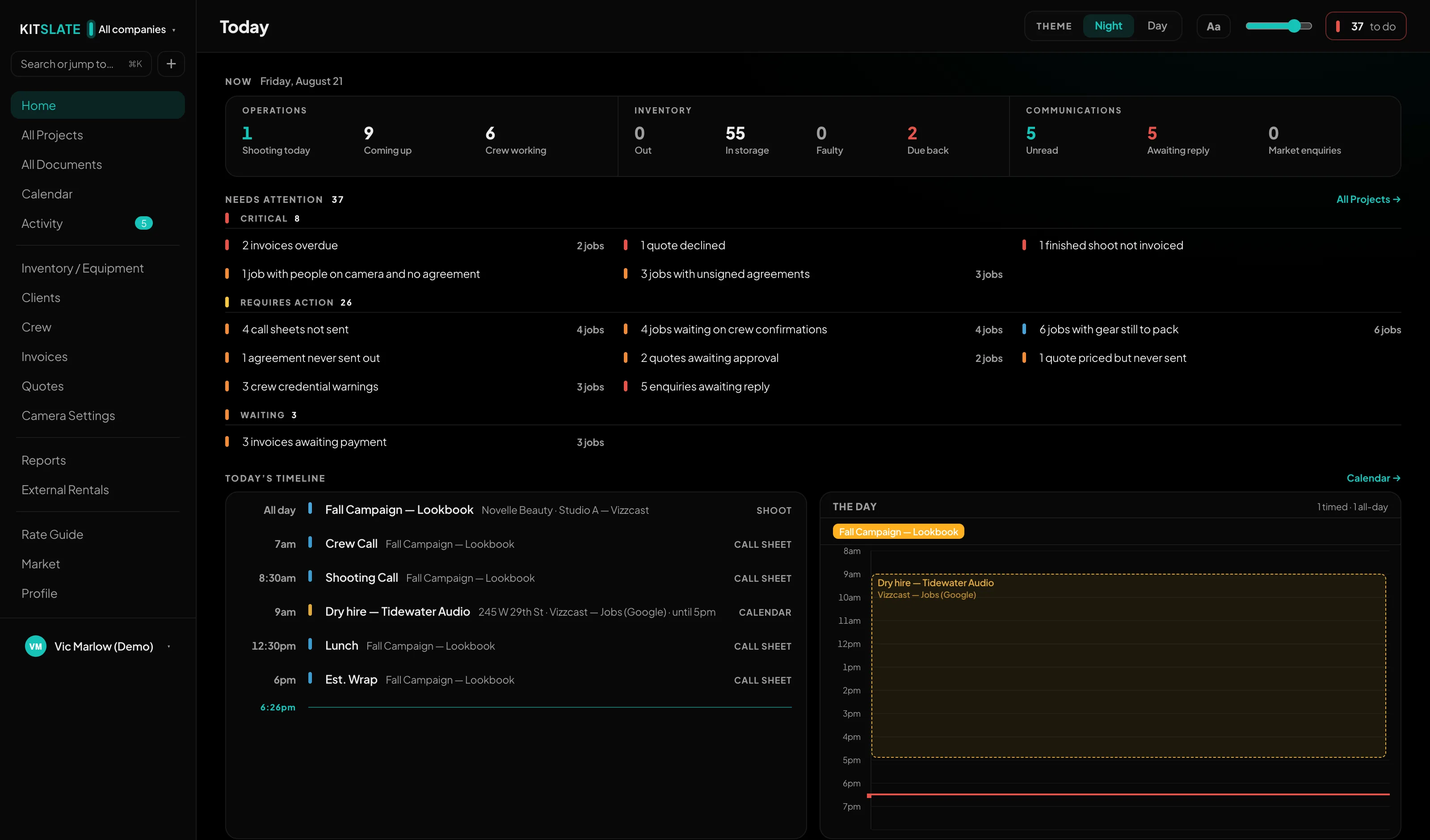
THEME · Night · Day sits in the top bar on Home and again in Settings — the same control in both places, never two that drift apart. The whole workspace follows it. Night also has a depth: one slider slides every surface down together, from a soft grey through the default to true black, for an OLED screen or a bay with the lights off. It only works at Night; in Day it greys out, because there is nothing for it to do.

 ↔ drag the picture sideways to read it
 -
AND WHAT DOES NOT MOVE
The tool goes dark. The document does not.
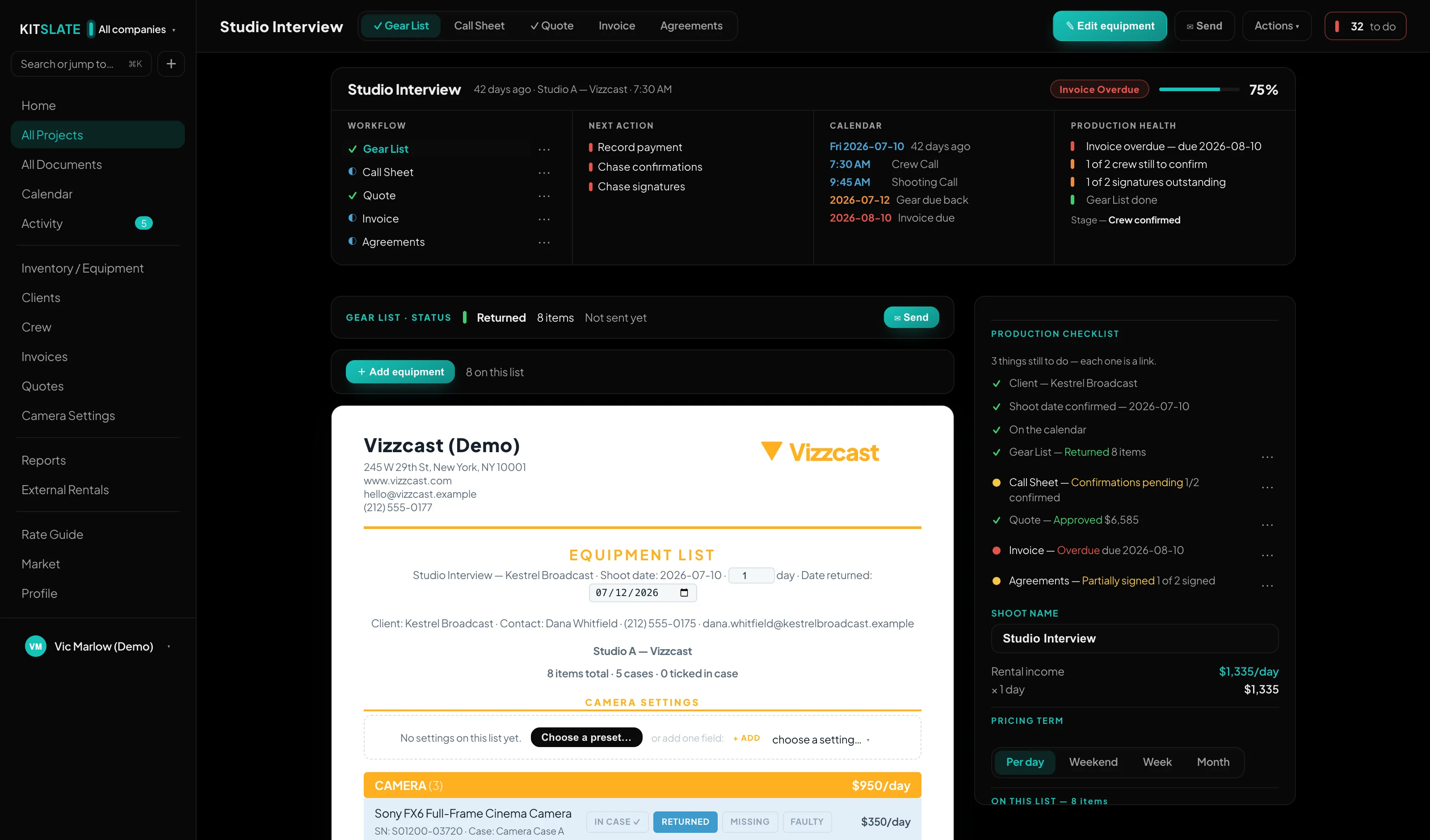
The call sheet, the quote, the gear list and the invoice stay on white paper at every depth. Night is how you look at your own workspace, not a second design for your paperwork — so what a client opens, what prints, and what is attached to the email is the same document either way. If you would rather edit on dark paper too, that is its own switch, and it stops at the editor.
 ↔ drag the picture sideways to read it
And Day is the same tap back. The setting is stored with your workspace, so the next machine you sign in on opens the way you left it — and this page has the same switch in its own top bar, if you would rather see it happen here than read about it.

The parts that are true of every job.
Branding, the AI that fills the forms, the free public side, and the two promises that make the rest safe to rely on.
One workspace, every company.
Have more than one business? Each keeps its own jobs, calendar, branding and books — and every document above prints and sends under whichever company owns the job.
The paperwork wears the right hat.
You never pick a template. The company that owns the job sets the letterhead, colours, bank details, and the name and reply address on every email — so a client only ever sees the business they hired.
The AI does the typing.
It reads the paperwork you already have and fills the forms. It does not decide anything, and it never acts on its own.
Drop a receipt.
Paste a call sheet.
The AI lives inside the flows you already saw — it fills the forms so you don’t. You watched an invoice become inventory back in PACK; the same reader takes the rest of the paperwork. Paste any production’s call sheet — from an email, a PDF, whatever — and the crew, schedule and venue go onto your job’s sheet. Even a photo of a gear list becomes inventory. Every one of these arrives as a filled-in form you review and save: nothing is written to your workspace until you say so.
The public side — free for everyone.
Everything above is the job. These two sit outside it: the page that gets you hired, and the market you sell idle kit into. Neither costs anything, and neither needs the production toolkit.
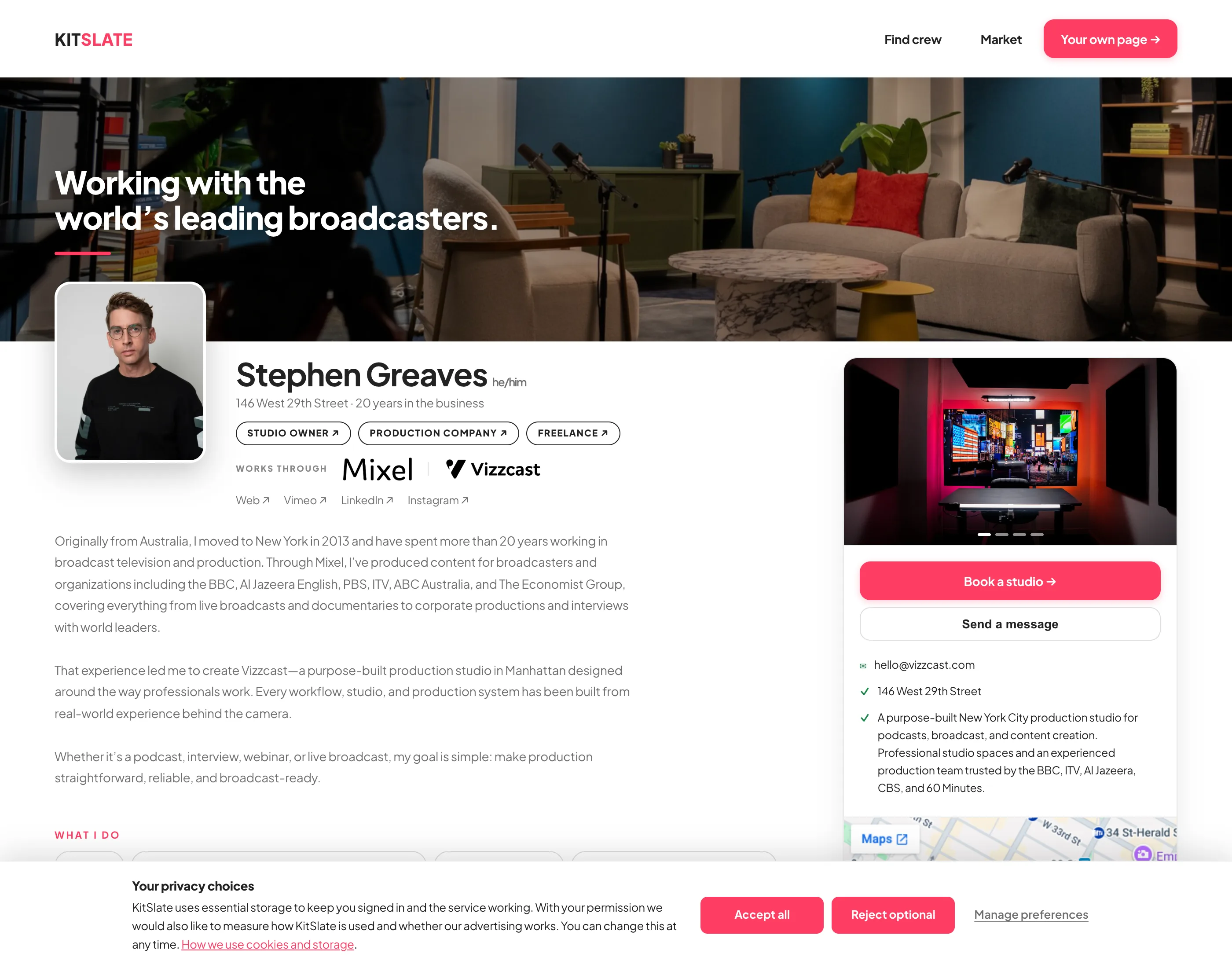
Be findable by the people who need to hire you.
Publish a page at kitslate.app/profile/you — your photo, the roles you work, the city you are in and the kit you own, with your showreel embedded from Vimeo or YouTube. It is the same workspace underneath: an enquiry from the contact form arrives in your KitSlate inbox, ready to answer.
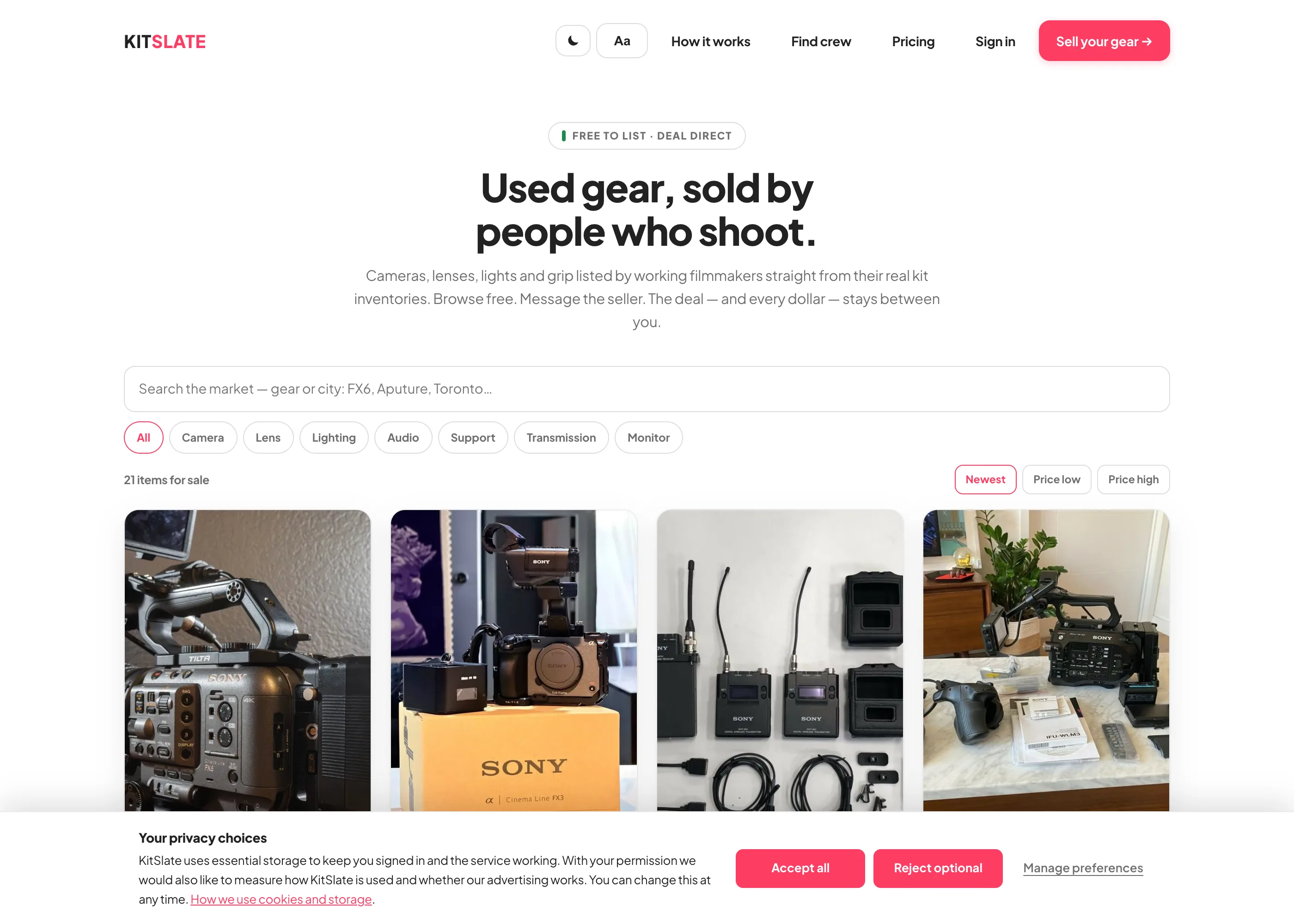
Gear that stopped earning,
sold to people who shoot.
List an item straight from the inventory you already built — the name, photo and model carry across, so a listing takes about a minute. Listings are public, so anyone can browse; buyers sign in free to message you directly. KitSlate never handles the money: the deal stays between the two of you.
Shared rates & your data.
Two promises that make everything above safe to rely on — price against the market without guessing, and never get locked in.
Price against the market, not guesswork.
Everything you put in, you can take out.
Coming over from the spreadsheet?
If you keep your kit in Gear List for Video Professionals — or any gear sheet with categories, serials and prices — your whole inventory crosses in one CSV. You don't map columns and you don't retype anything.
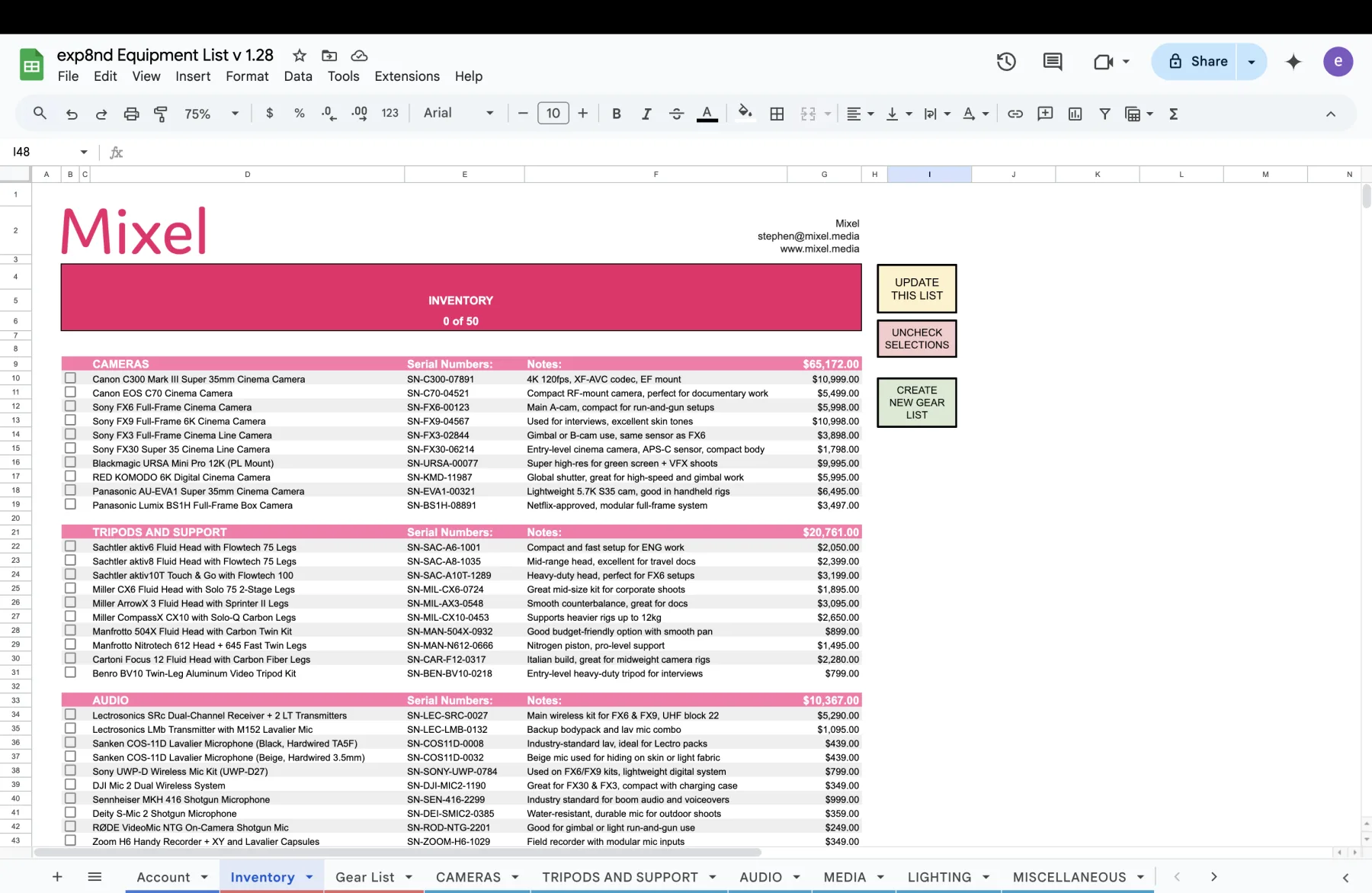
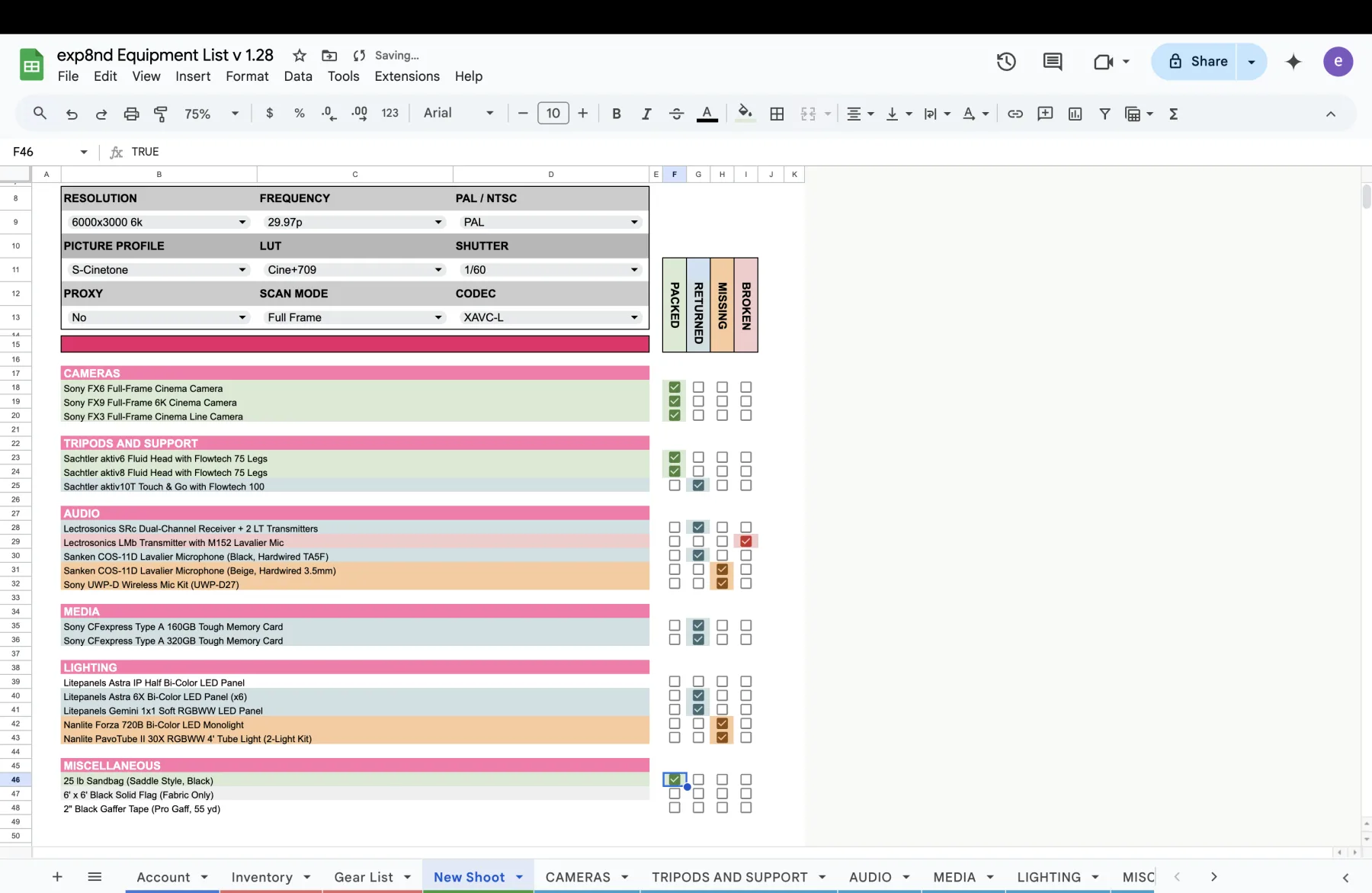
Three steps, and your kit is in.
See it move.
The sandbox is a full, populated workspace — open a production, build a gear list, send a call sheet and watch the statuses change. No account, nothing to install.