Every receipt read, kept, and billed.
The quote prices what you expect the expenses to come to. The job’s Expenses tab records what they actually came to — from the receipts themselves. Drop a stack of PDFs and photographs, or send the crew a link and let them photograph theirs on the day. Each one is read, brought down to a size worth keeping, stored once, and checked by you before it goes on the job. The ones you bill to the client become their own section of the invoice, with the receipts attached.
Drop the stack, or send a link.
Import receipts on a job’s Expenses tab takes PDFs and photographs together — a scanner app’s eleven-page PDF, a screenshot of a ride receipt, a photo of thermal paper. Or hand the job to someone: Give someone access is the same sending box every other KitSlate hand-off uses, and the link it sends opens a page built for a phone.
One email each. A line that says where they are.
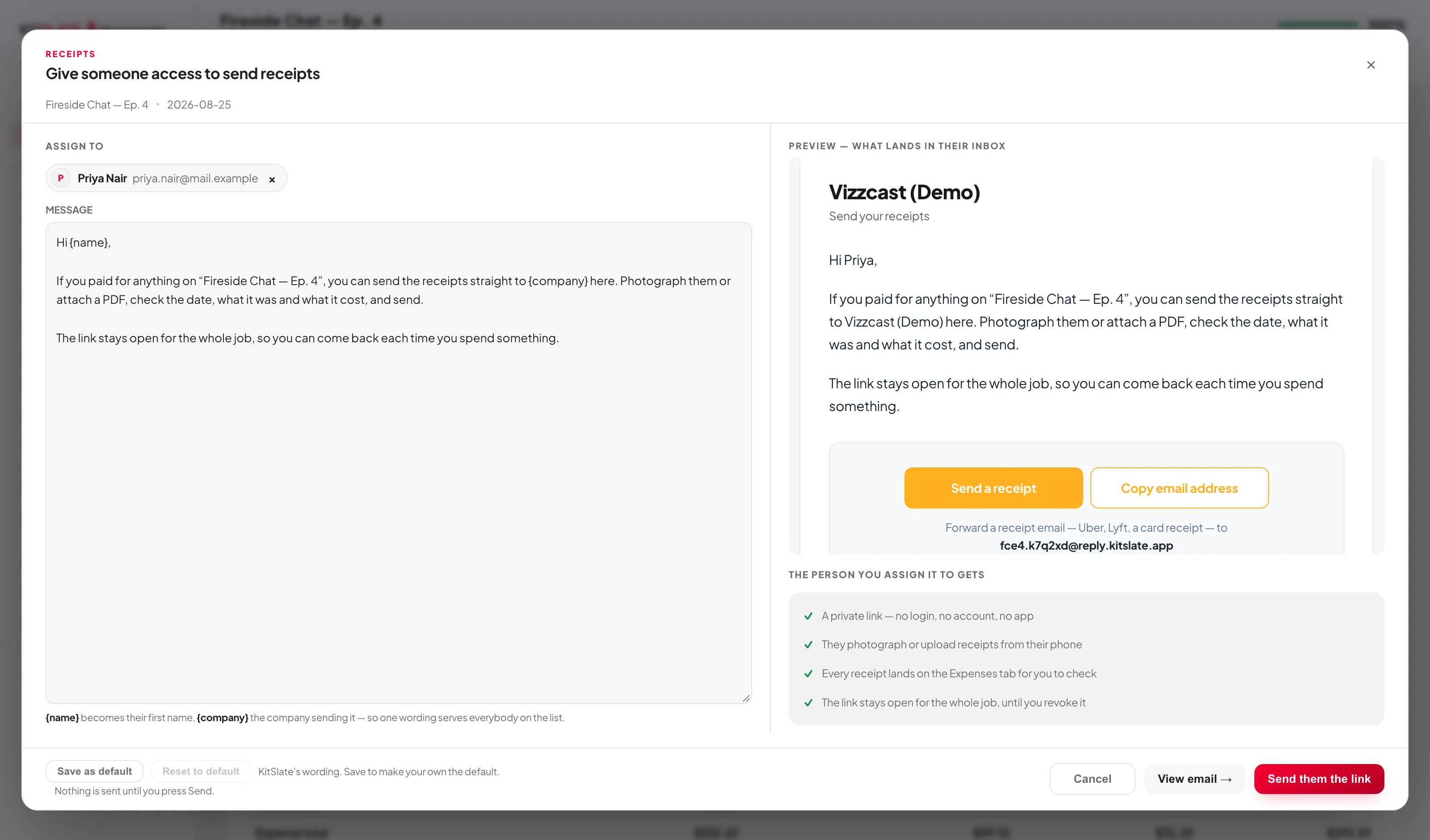
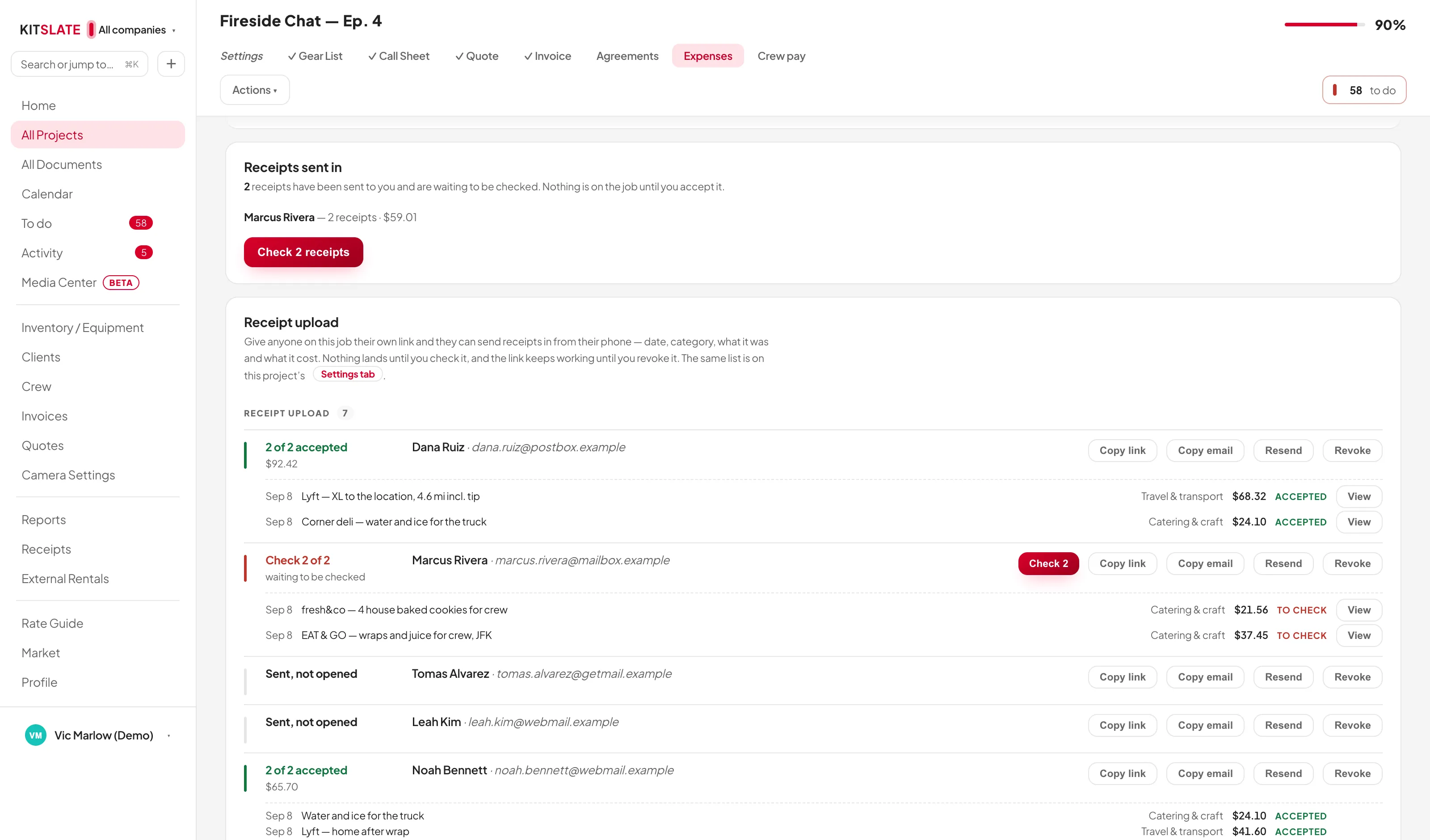
Give someone access is the same sending box every KitSlate hand-off uses: pick them from your crew and clients or type an address, and the right half shows the email as they will get it before anything goes. Each person gets their own link, because a shared link could not say who spent the money. From then on the Receipt upload card on the Expenses tab is where each of them stands.
A wrong price fixed, not sent twice.
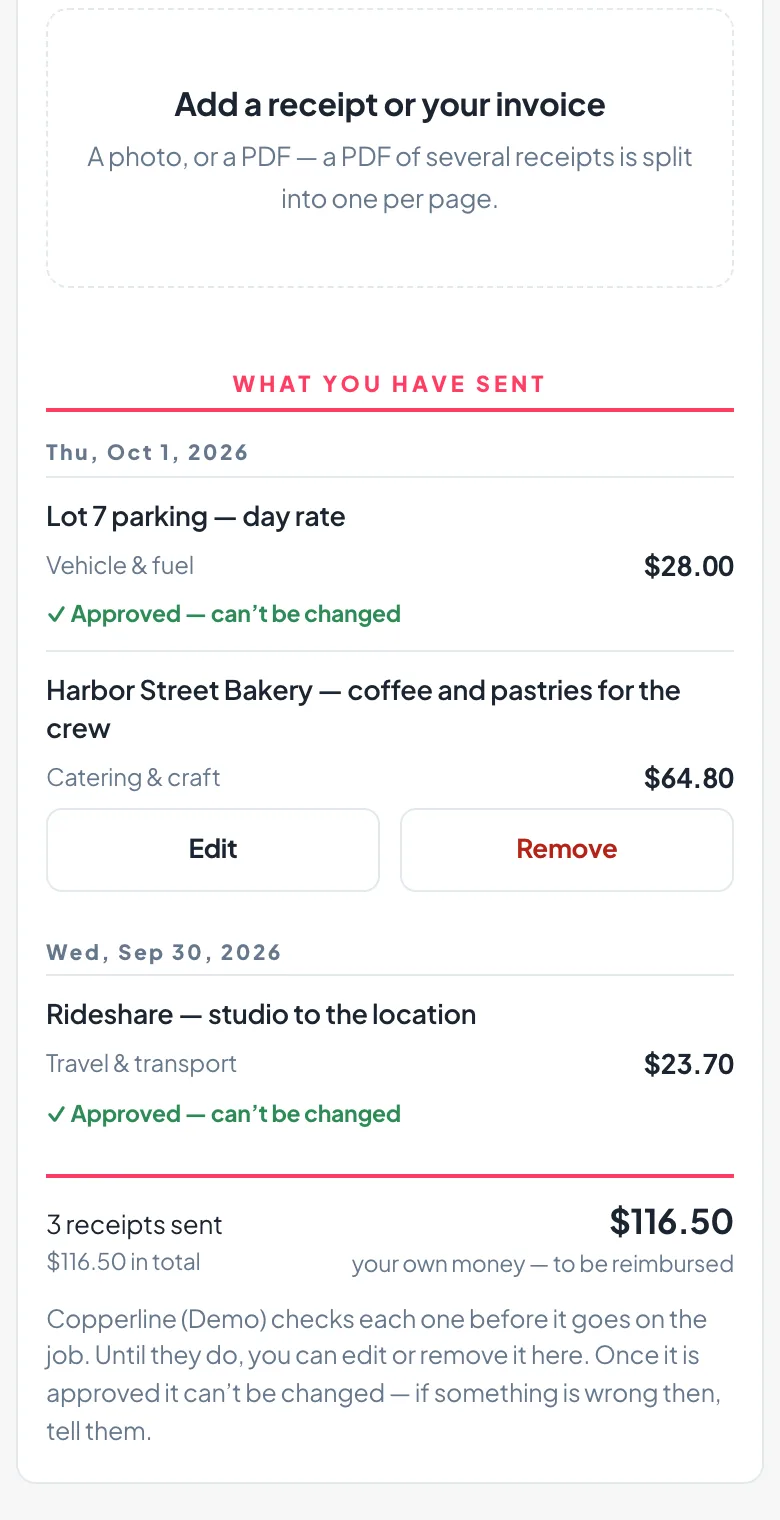
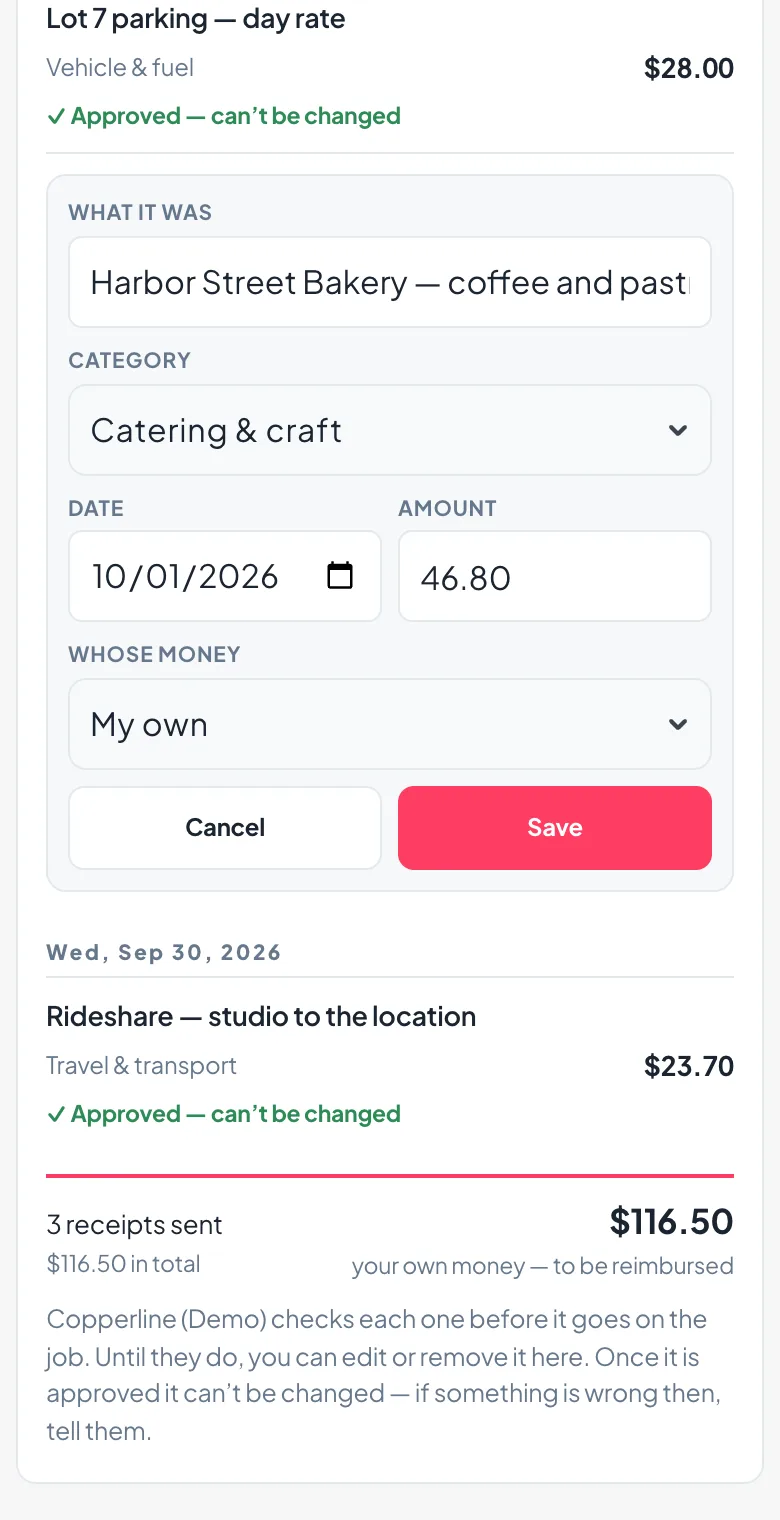
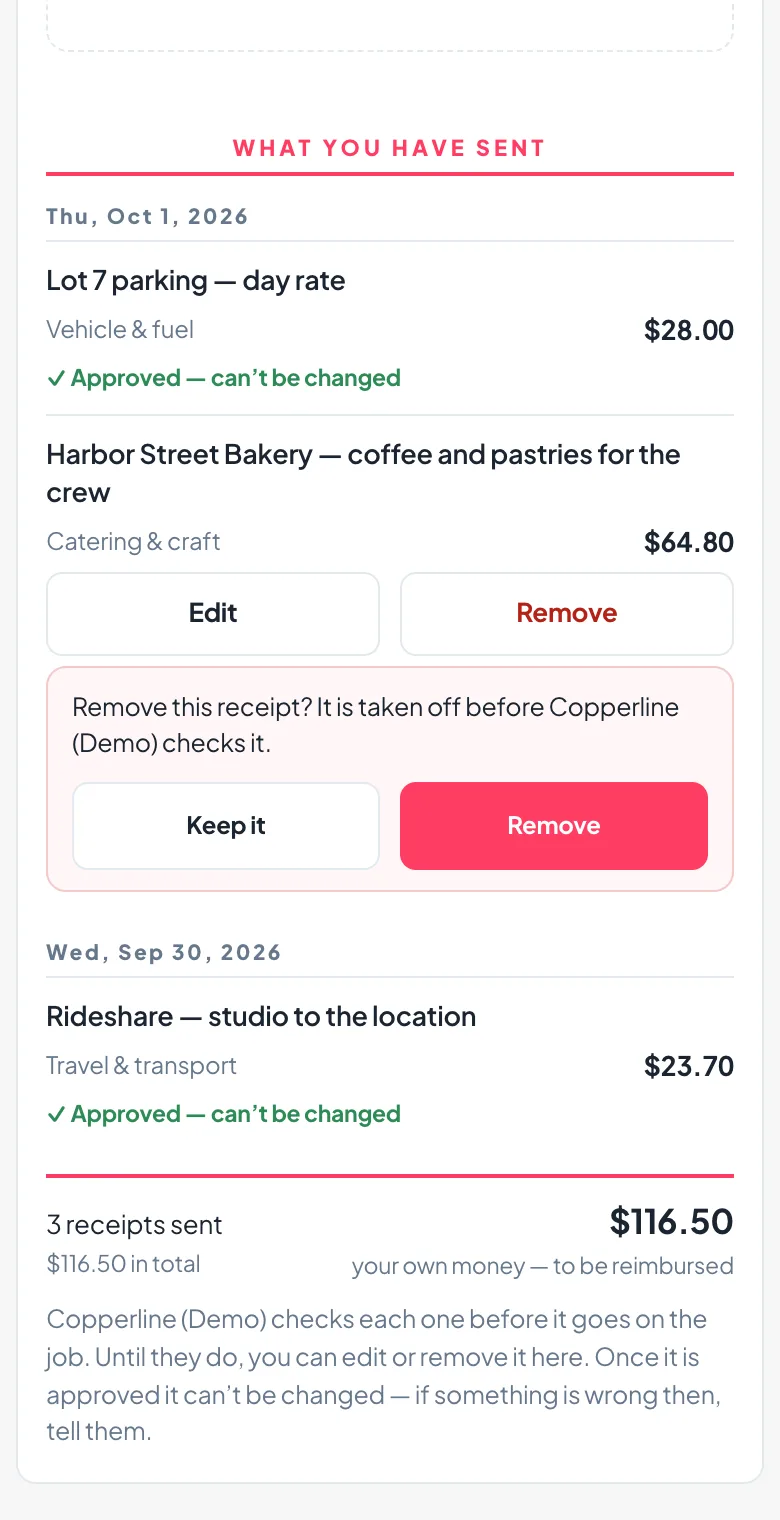
A crew member who typed the wrong amount, picked the wrong category or sent the wrong photo fixes it on the same page they sent it from. Under What you have sent, every receipt still waiting for your check has Edit and Remove. Once you approve it, it locks.
Read on arrival, checked by you.
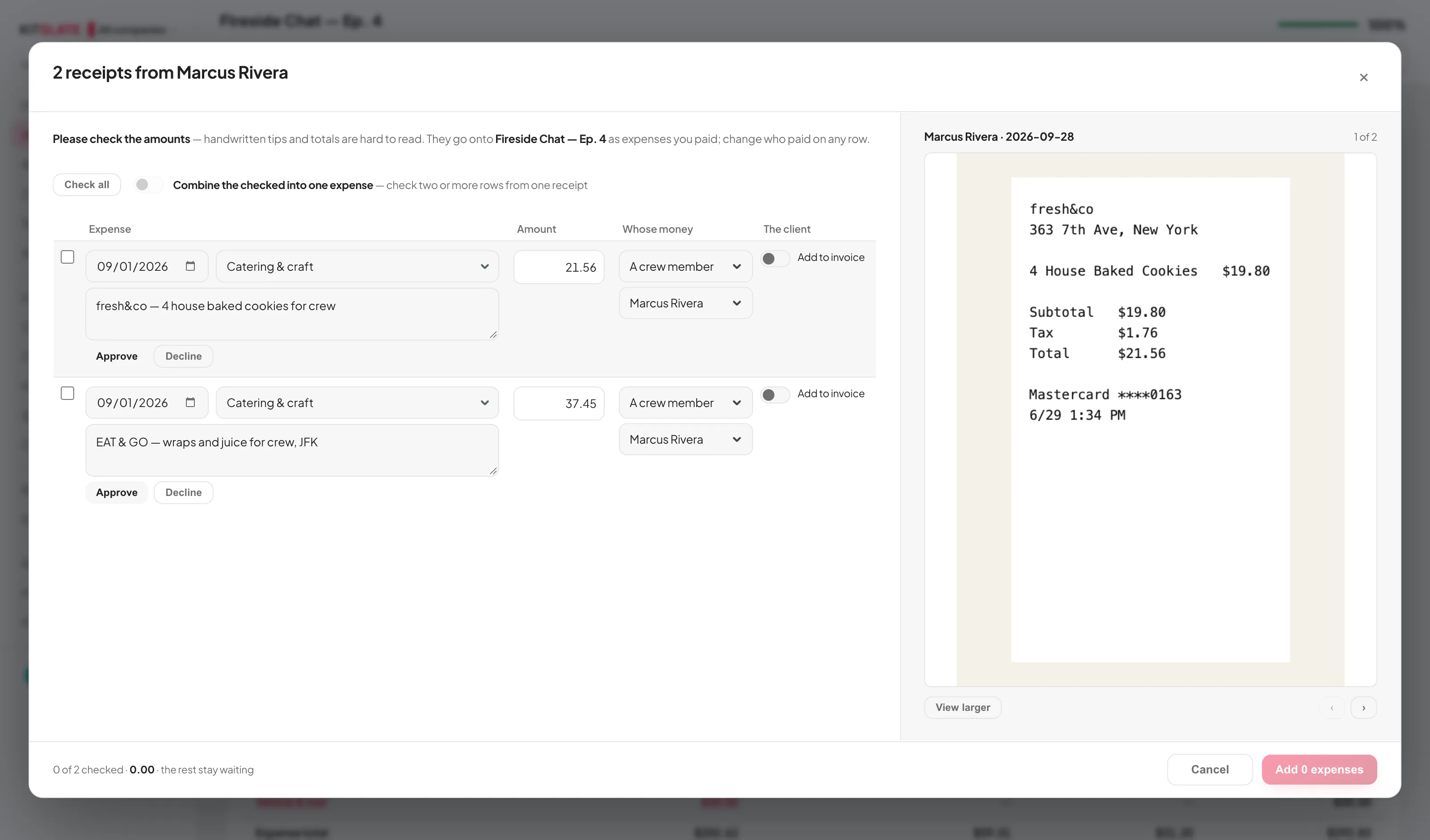
Every receipt goes to the reader as both its picture and whatever text the file already carried — the text is the exact transcript, the picture shows the handwritten tip the text never had. Then nothing counts until you have looked: the check opens with the rows on one side and the receipt on the other.
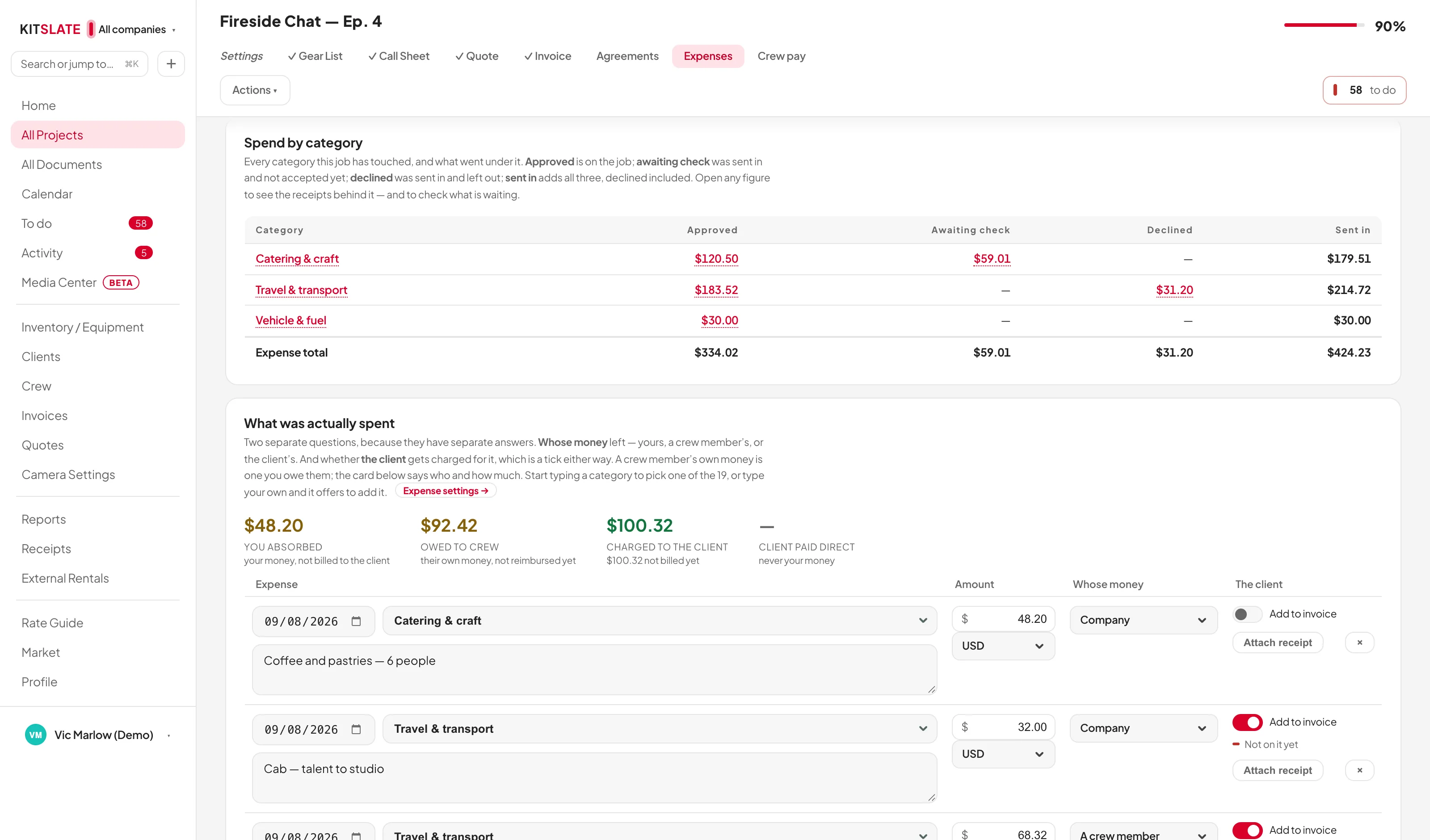
Spend by category, and the receipts behind it.
Every category the job has touched, in four columns: approved is on the job, awaiting check was sent in and not accepted yet, declined was sent in and left out, and the total — with an expense total underneath. Every figure opens what it counts.
Shrunk on the way in. Stored once.
A phone photograph of a receipt is four to seven megabytes of paper. A receipt only has to be legible, and at 1800 pixels on its long edge thermal-printer type reads better than the paper did. So every picture is brought down before it is stored — on the phone that took it, before it ever crosses a location’s signal.
The quote prices the expenses. The tab reports them.
An expense estimate is an ordinary line on the quote, so the client reads the figure before the job and agrees to it. What was actually spent is itemised on the Expenses tab underneath it, and the two are shown side by side.
Billed as a section, with the receipts.
Every expense answers two questions. Whose money: the company’s, a crew member’s — named, because you now owe them — or the client’s, paid to the supplier direct. And the client: the Add to invoice switch.
A fee the client can read.
None, 10%, 20%, 30% or your own number, taken on equipment, crew, studio, expenses, or any combination of them.
Before you try it.
How big can a receipt be?
A photograph of any size the phone takes is brought down to about 700 KB before it is stored. A PDF is kept exactly as it is. The crew page takes files up to 12 MB each, and your Expenses tab up to 25 MB.
Does a receipt change what the job made?
Out of pocket comes off it. A rebilled one counts on both sides and leaves it where it was. Client-paid does neither, because it never left your account.
Do the crew need an account to send receipts?
No. The link you send them opens a page that works on a phone, and the link itself is what lets it in. They photograph, check the amount, say whose money it was, and send. You review before anything goes on the job.
Where does the receipt go when I bill an expense to the client?
The expense becomes a line in its own Expenses section of the invoice, and the receipt is attached to the invoice email, numbered to match the line. An invoice already sent is not altered without you asking.
What happens to the estimate on the quote?
It stays on the quote as agreed. When actual expenses go on the invoice, the estimate line leaves the invoice so nothing is billed twice.
Where do the categories come from?
A shared list of nineteen production categories, plus your own. Settings → Expenses keeps them as a table of name and what goes under it, both editable, and the expense importer snaps imported rows onto the same names.
A job that already cost something.
The sandbox has a job with crew receipts waiting to be checked, one left out, a crew member still owed, and the ledger filled in — plus jobs absorbed, billed and paid by the client.