Production management for studios, freelancers & crews
Stop juggling your shoots across five apps.
Enquiries, quotes, crew, call sheets, gear, sending the rushes, invoices. KitSlate handles the whole job so you can make it.
Smart, and AI-driven where it saves you typing. AI reads the receipts your crew photograph or forward and files them as expenses on the job, reads a purchase receipt or an old equipment list into your inventory, and turns another production’s call sheet into yours — and you check each one before it is added.
1An enquiry arrives2The quote is approved3The call sheet goes out — and the crew confirm4The client watches the rushes and comments at the frame5A receipt is photographed and arrives on the job6The invoice is sent, and paid7Reports: quoted, invoiced, received
Send today. The whole job when you’re ready.
FREE ACCOUNT
Send 5 GB per transfer. Join and send.
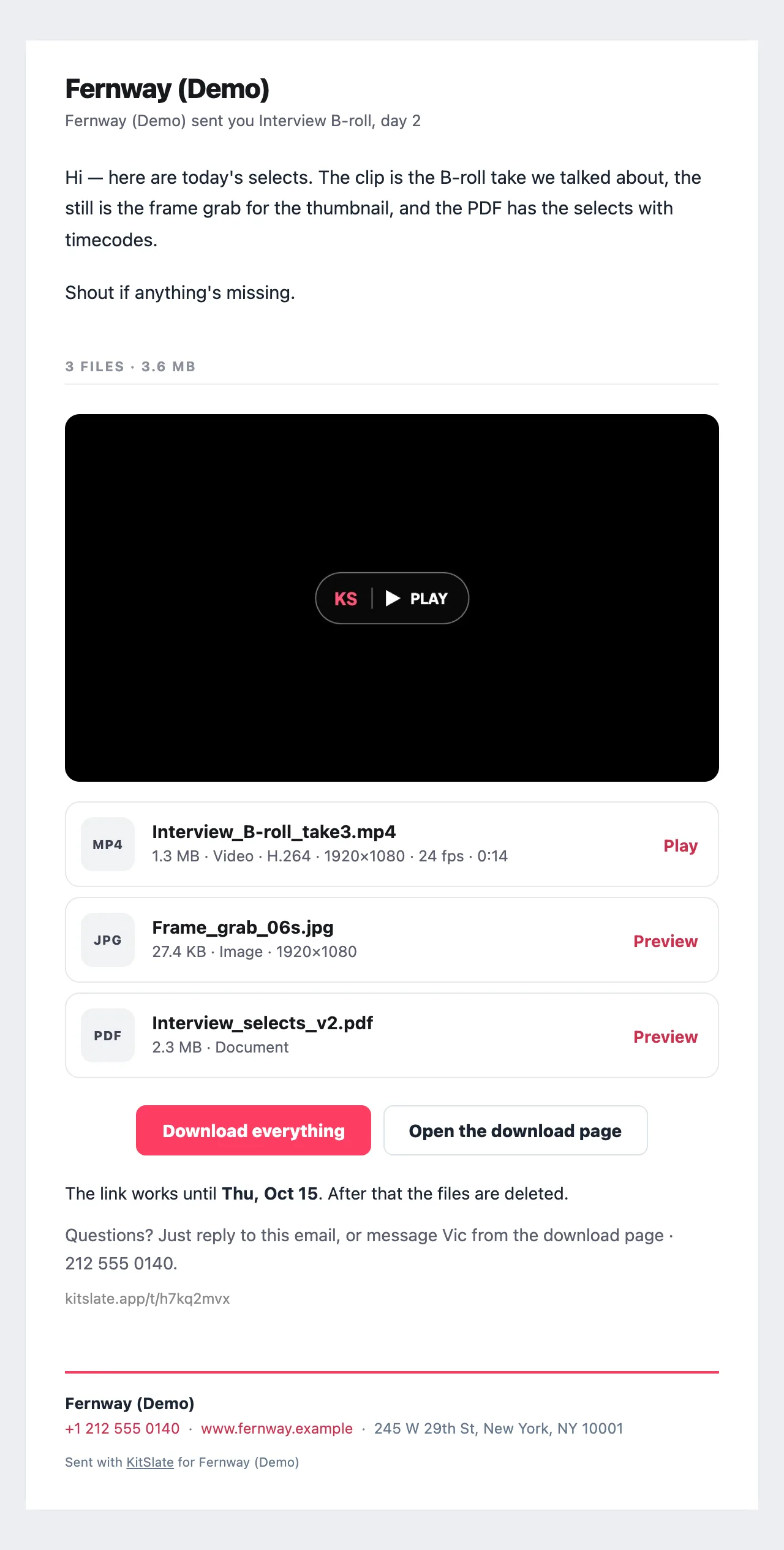
Rushes, grades and deliverables by email or link. Recipients get a page that plays the files and takes a note at a timecode — no account, nothing to install.
Drafts and returns A draft shoot is a dashed outline with a DRAFT badge; it reserves planning space without blocking the date.
One Google account per company A studio with two companies in two Gmail accounts keeps them apart: each company connects its own account and writes to a calendar inside it.
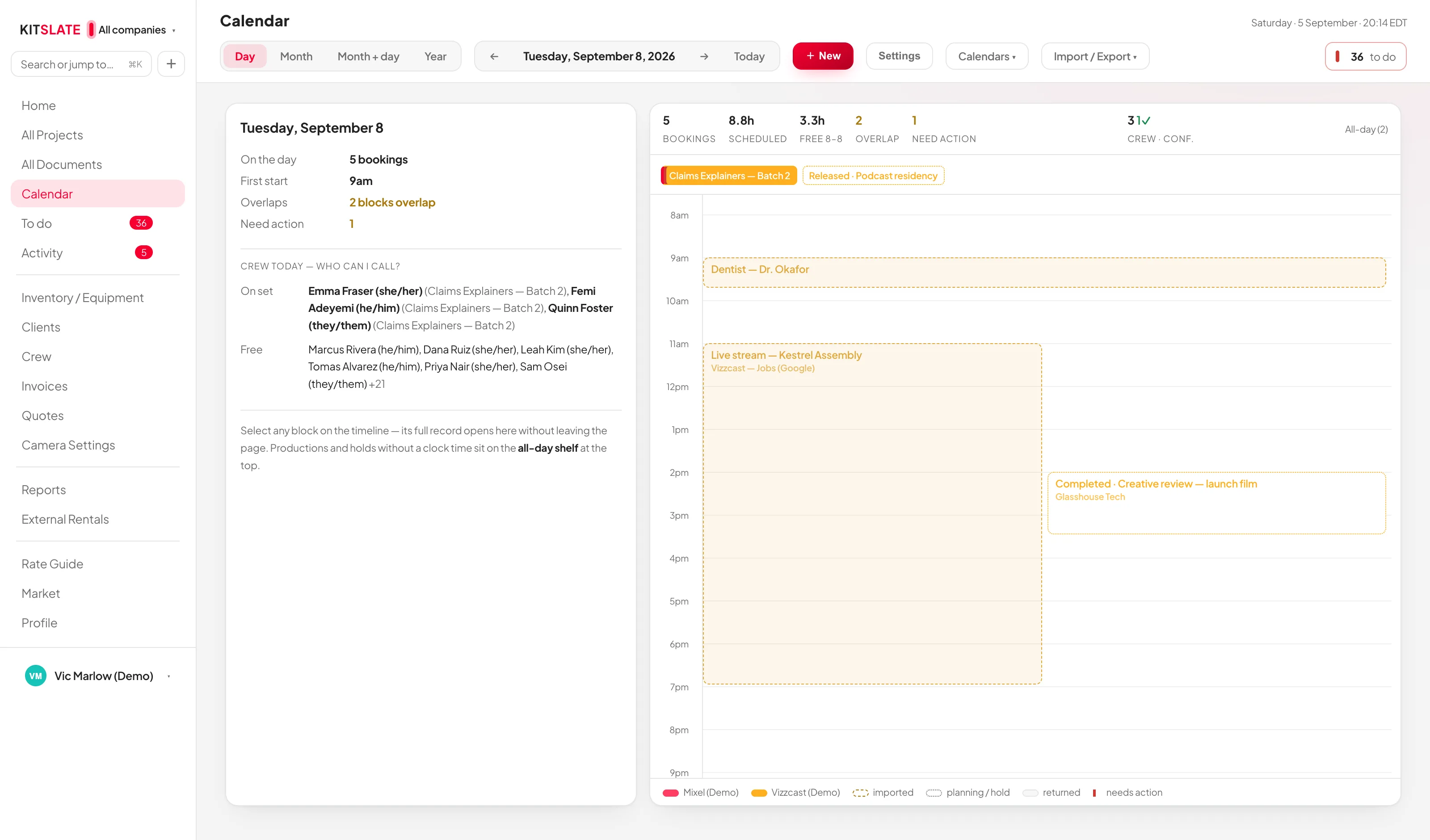
Studio availability Pick a day and see which spaces are free and exactly what is holding the rest, across productions, imported bookings and planning events at once.
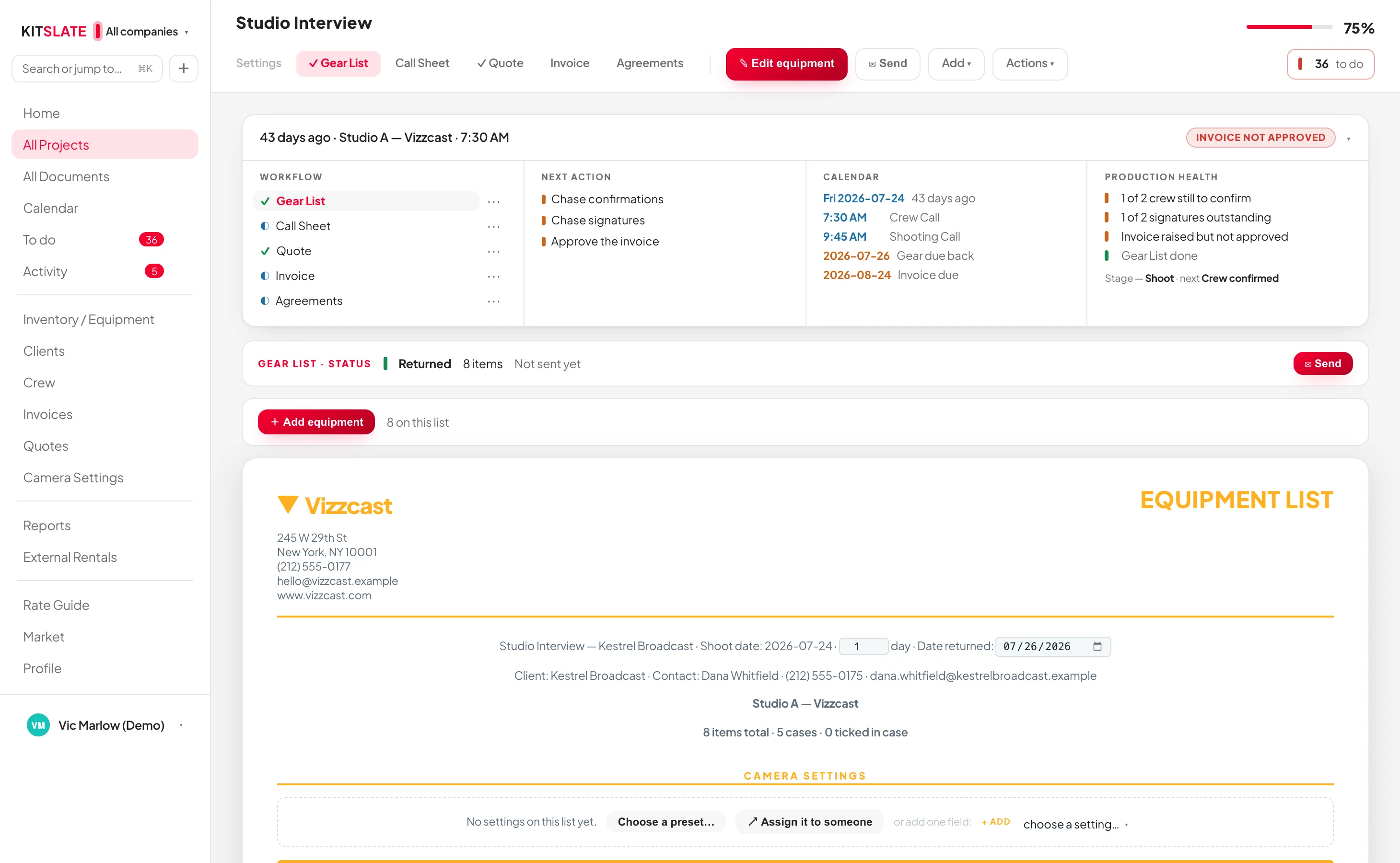
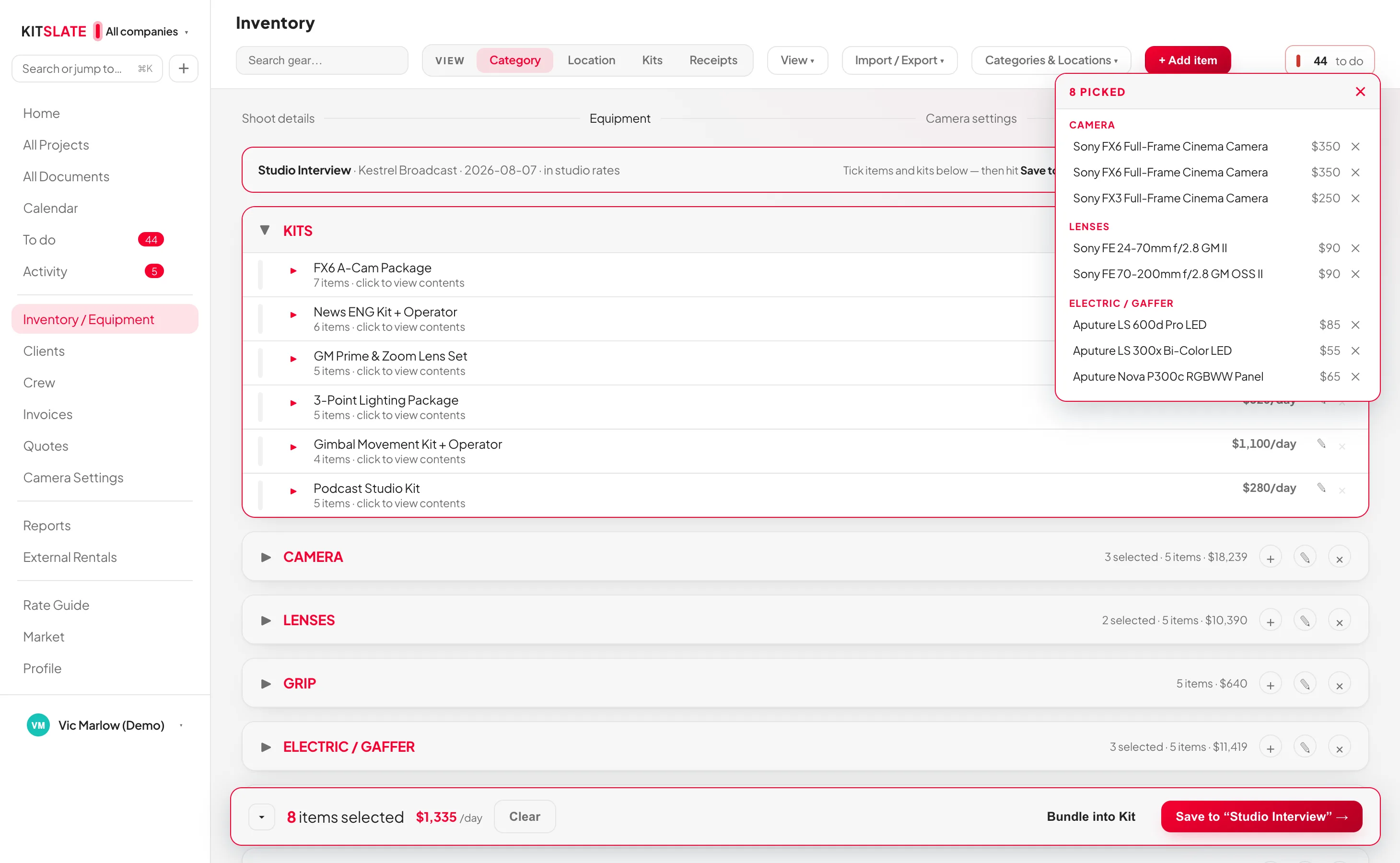
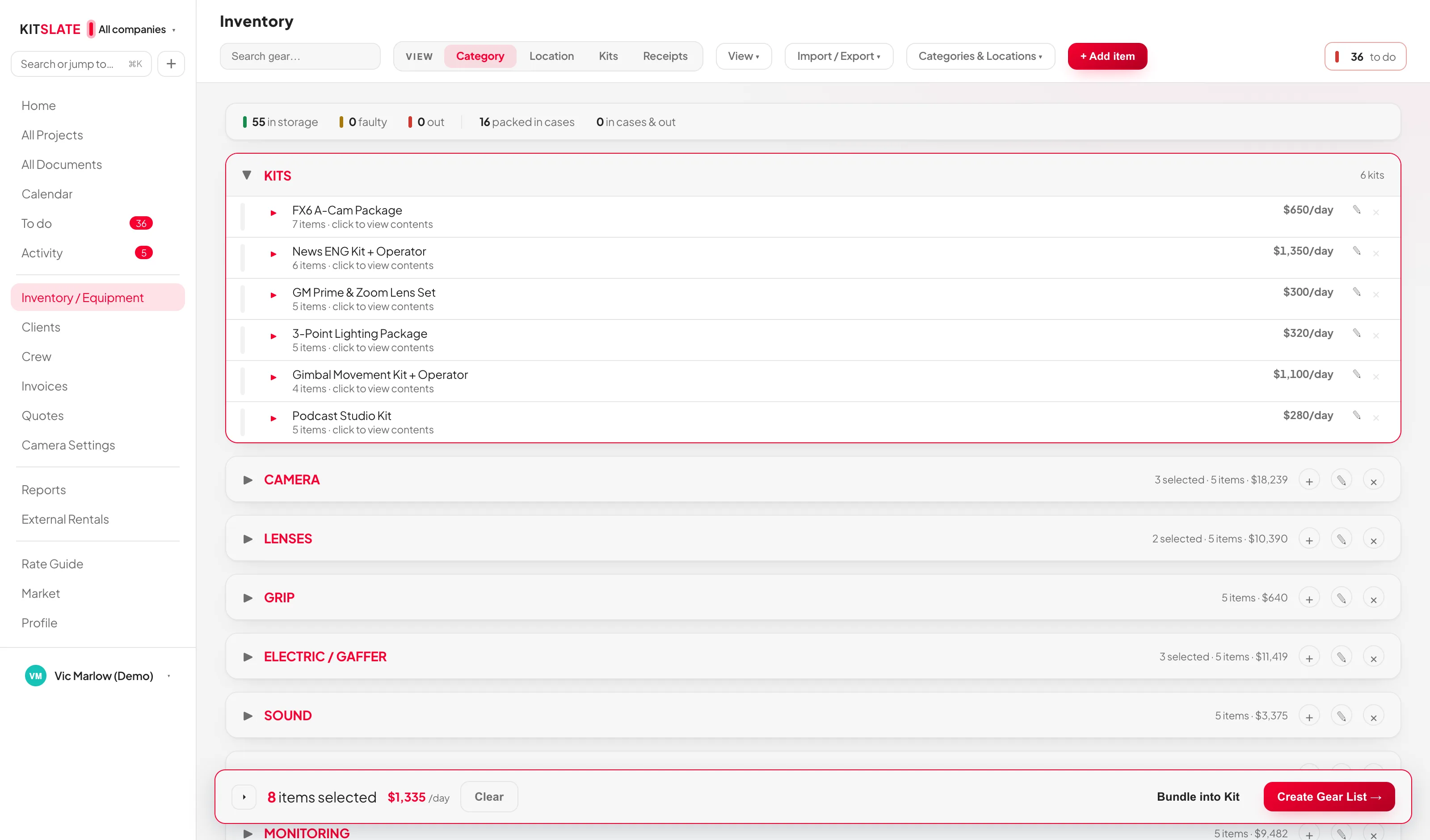
Cases are locations Tick Is this a case? on an item and it becomes a location other items live in, listed with a CASE tag.
Status in one click The bar at the right of every row cycles in → out → faulty.
B&H reads itself Order number, date, buyer, every line with its SKU and serial, the tax, the Payboo saving from its own line and the instant savings under each discounted line — the price on every line is what you paid.
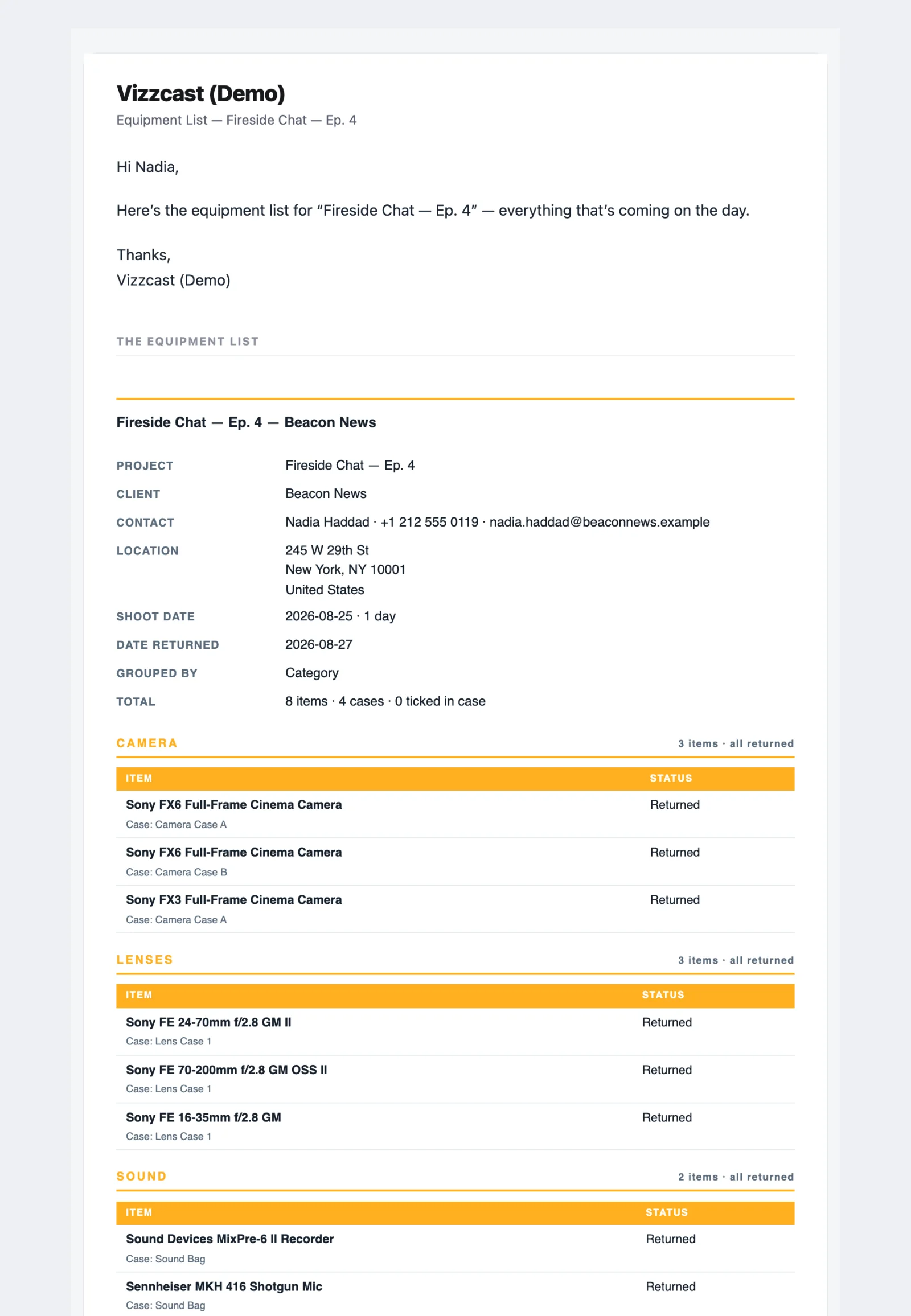
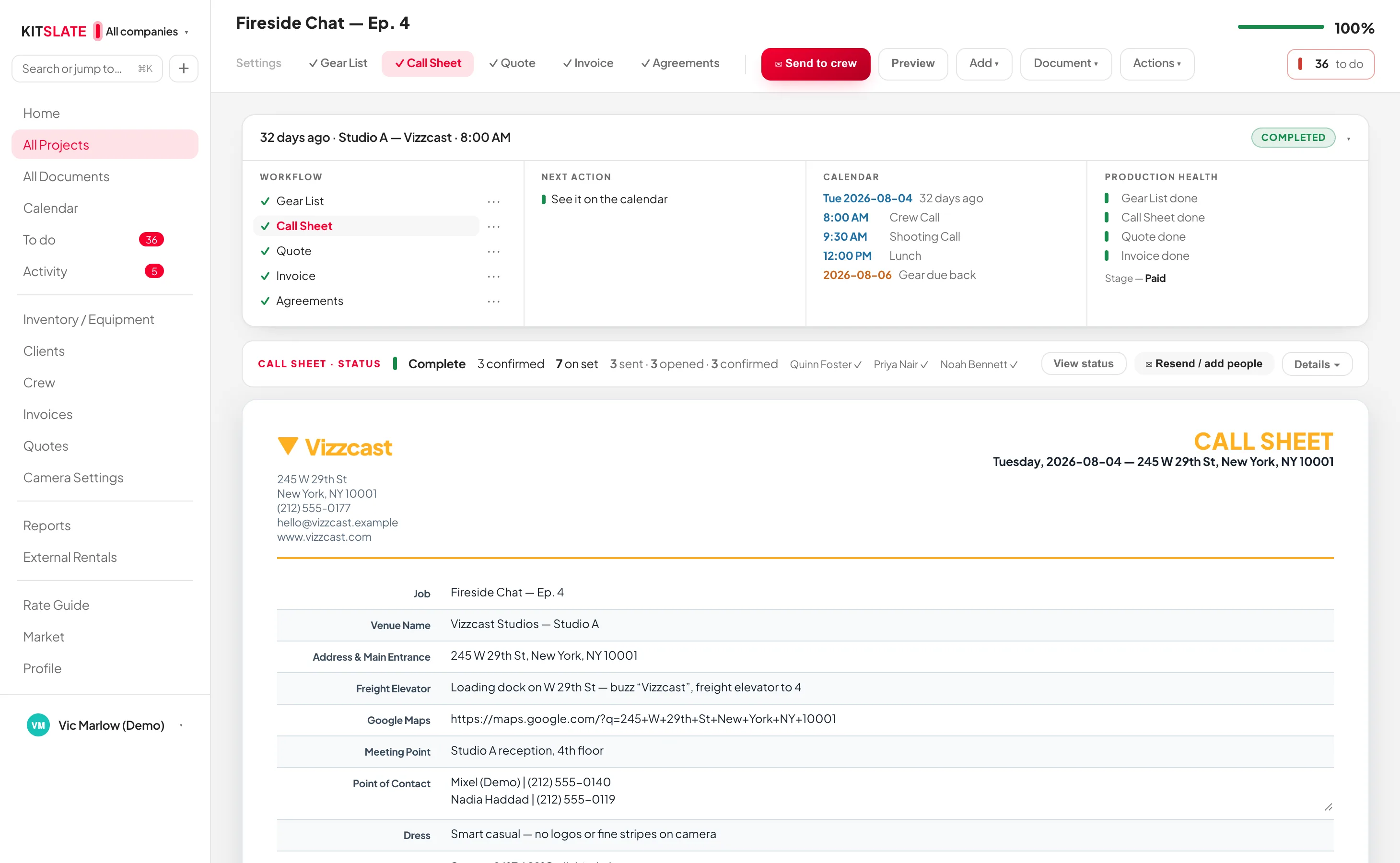
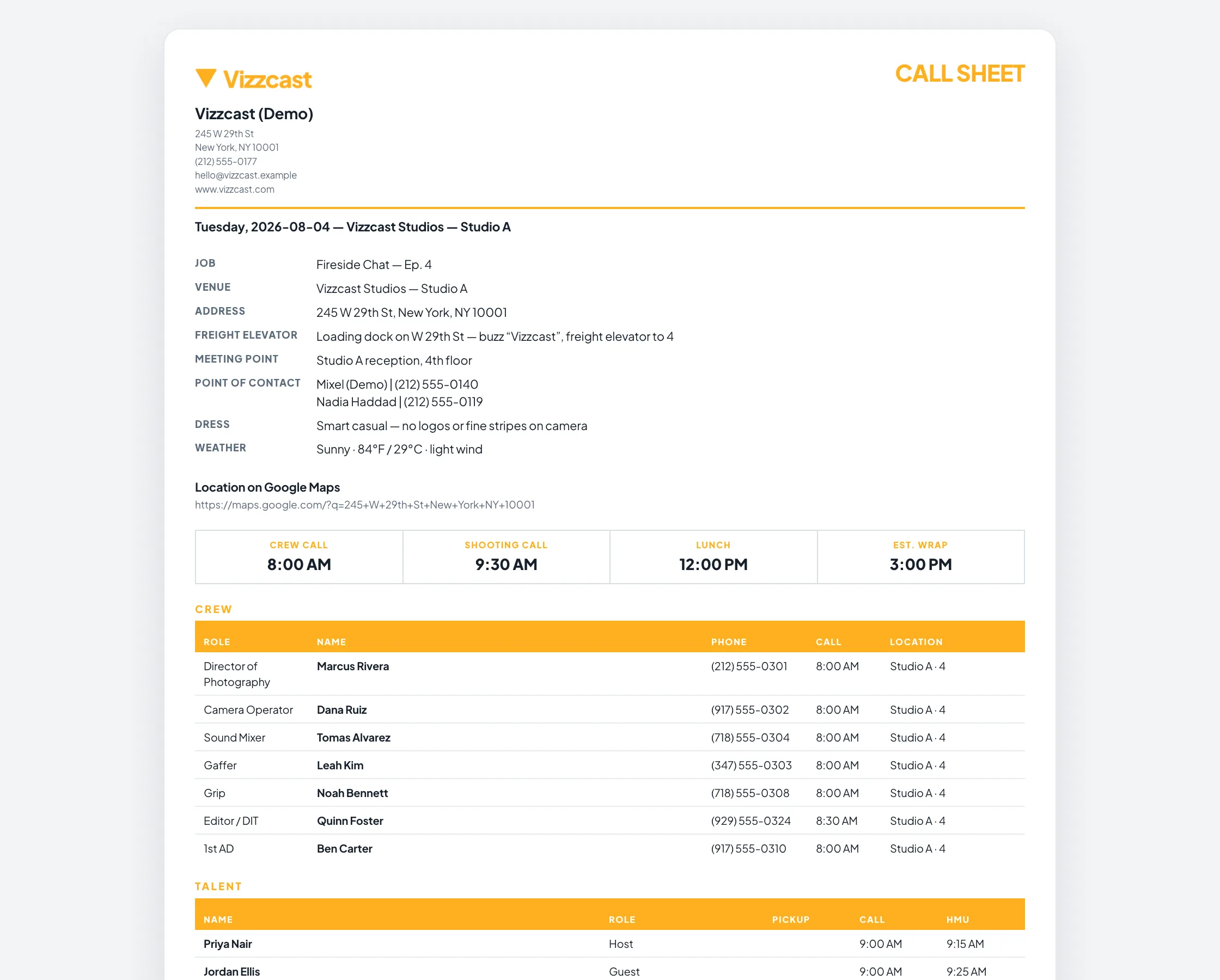
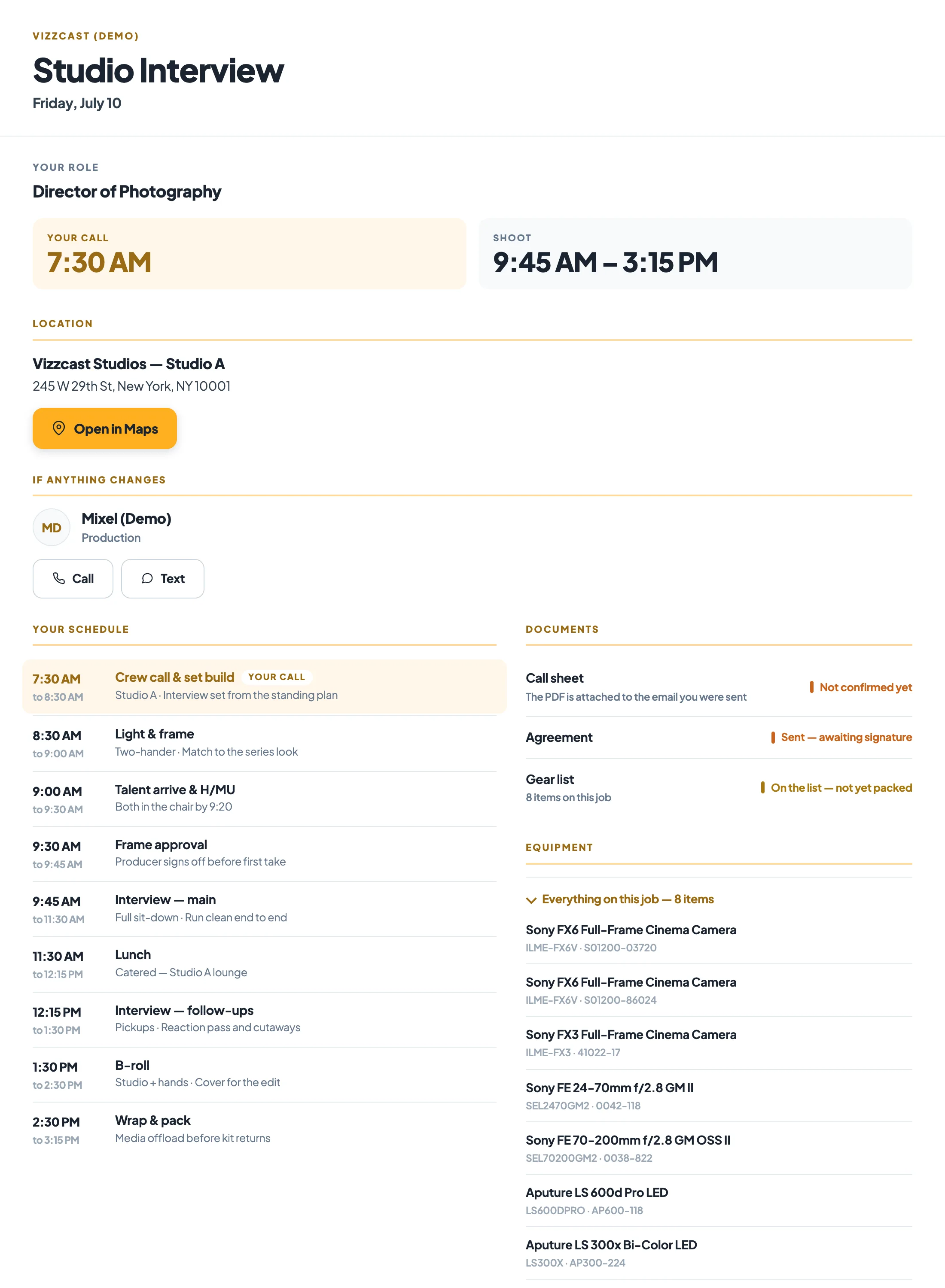
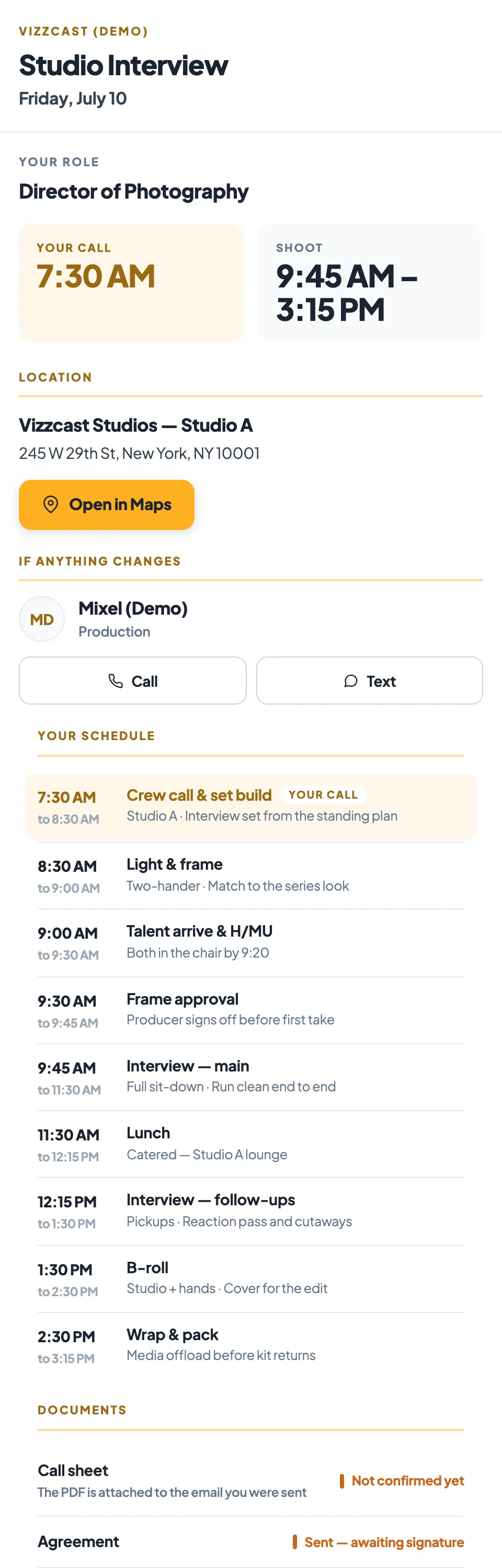
In KitSlate · the call sheet editorkitslate.app/p/… · on their phoneCall-sheet.pdf · attached to every emailTheir inbox · one email per person, with their own Confirm
Step 06
Call sheets
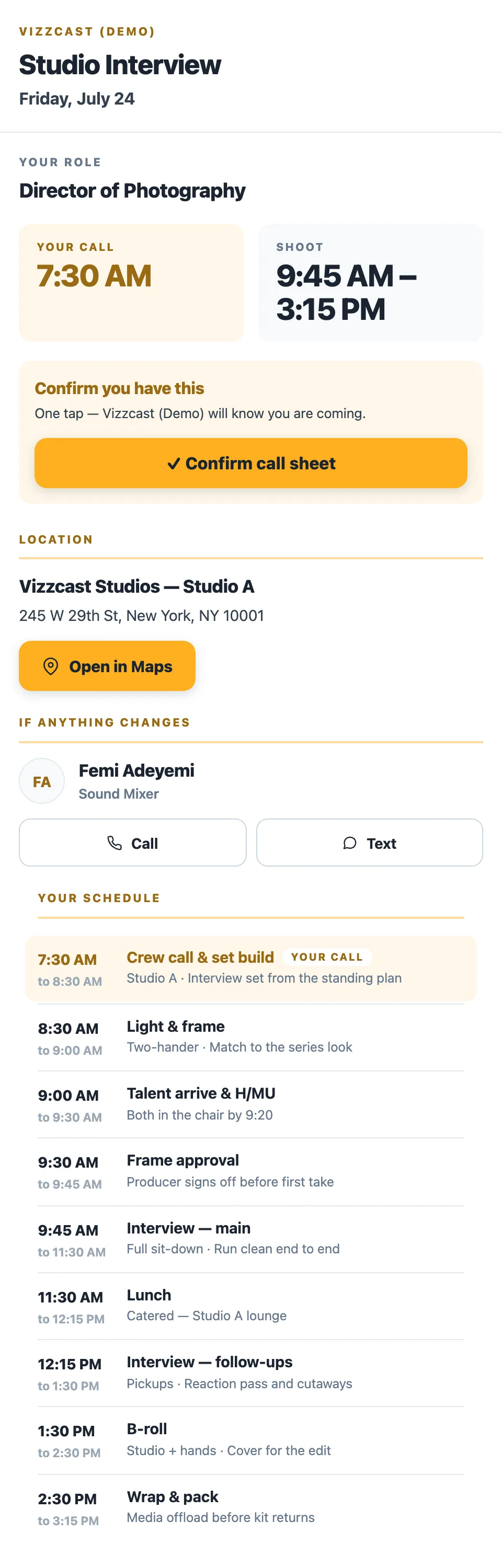
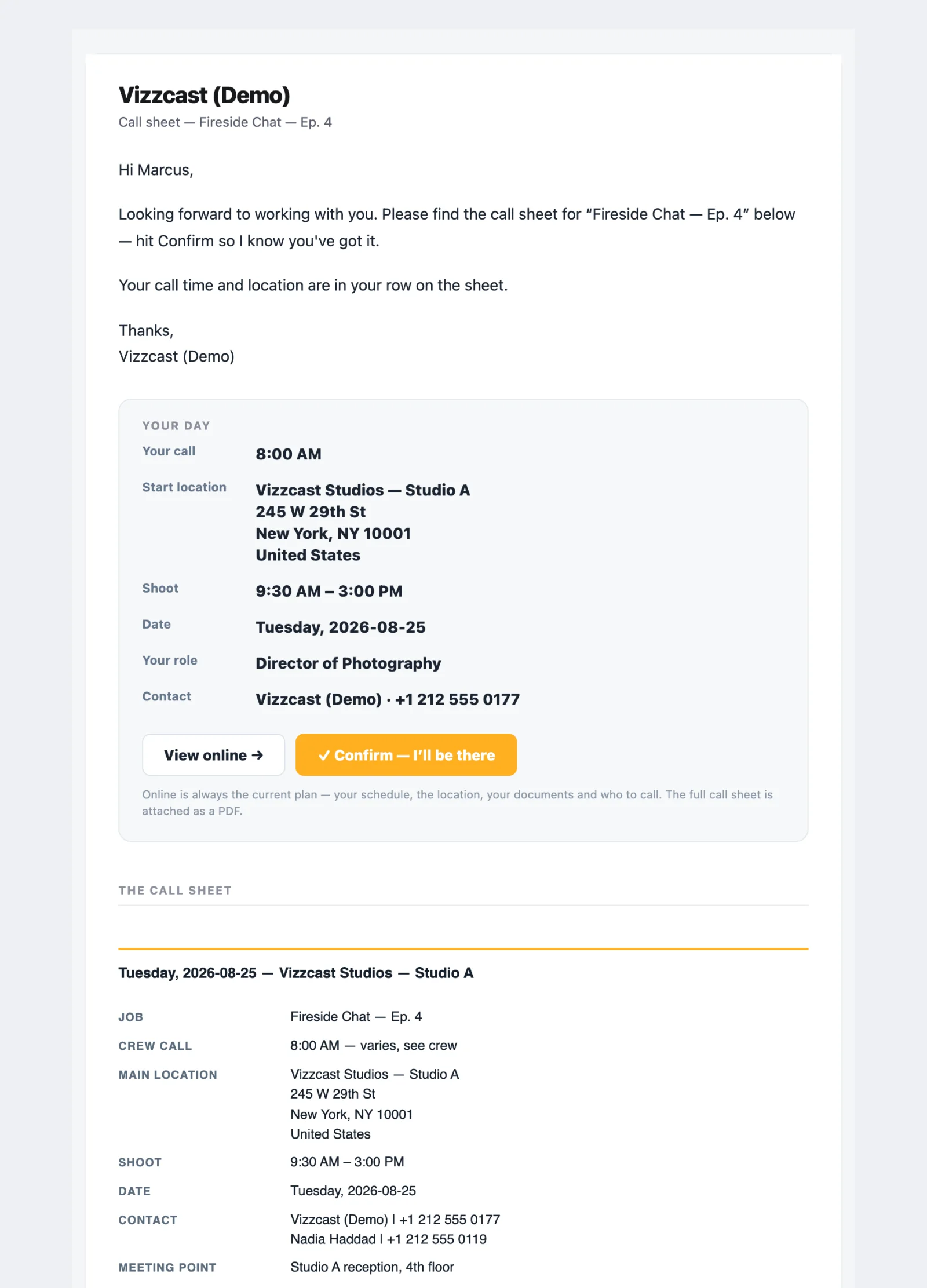
Their call, at the top The email opens with the person's own call time, start location, role and contact, then carries every section the sheet has.
One-tap confirmation Each email carries its own Confirm — I'll be there link.
The venue remembers itself Type an address you have shot at before and the freight elevator, meeting point, maps link, hospital, urgent care and parking fill in from the last sheet there.
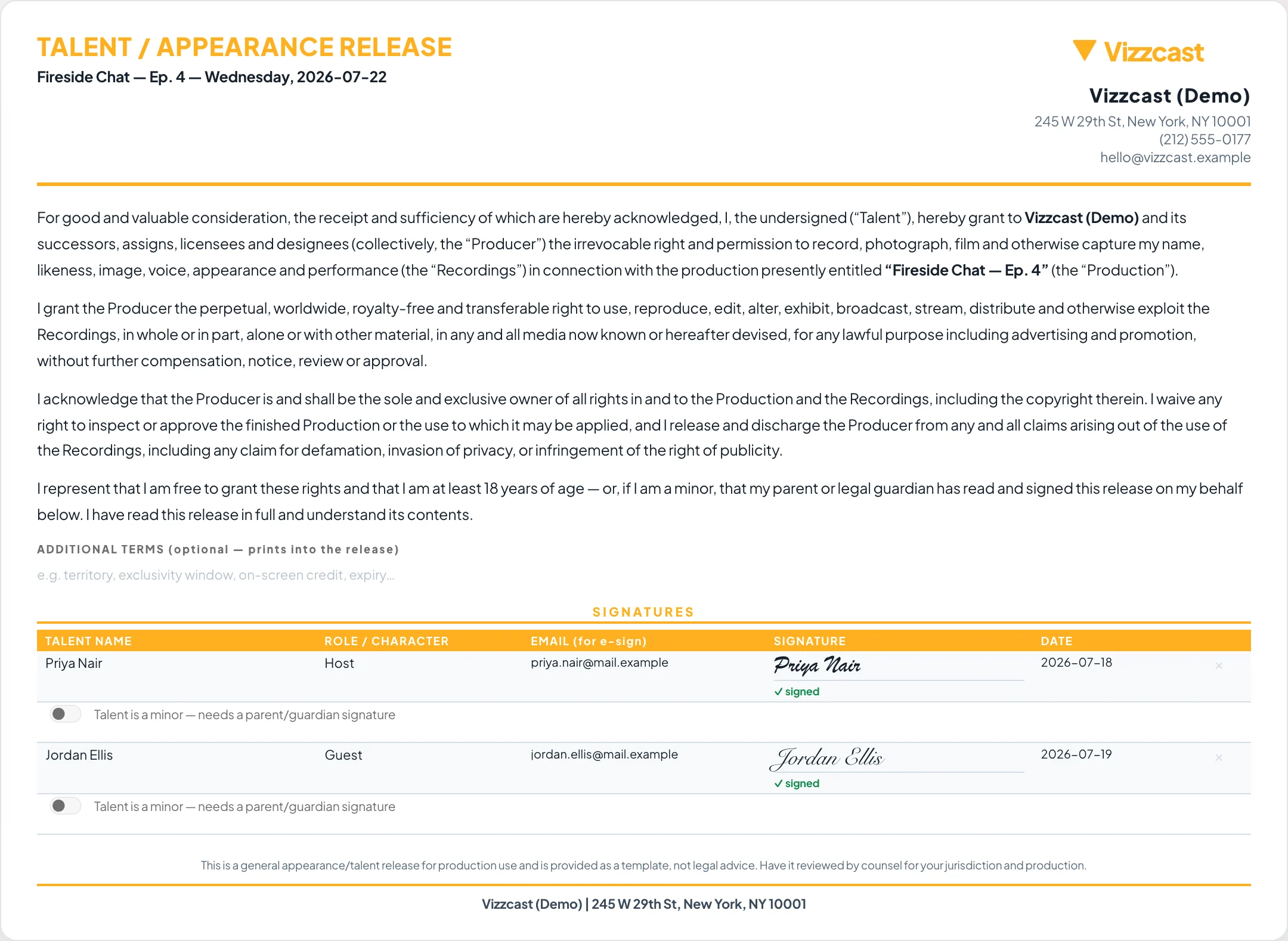
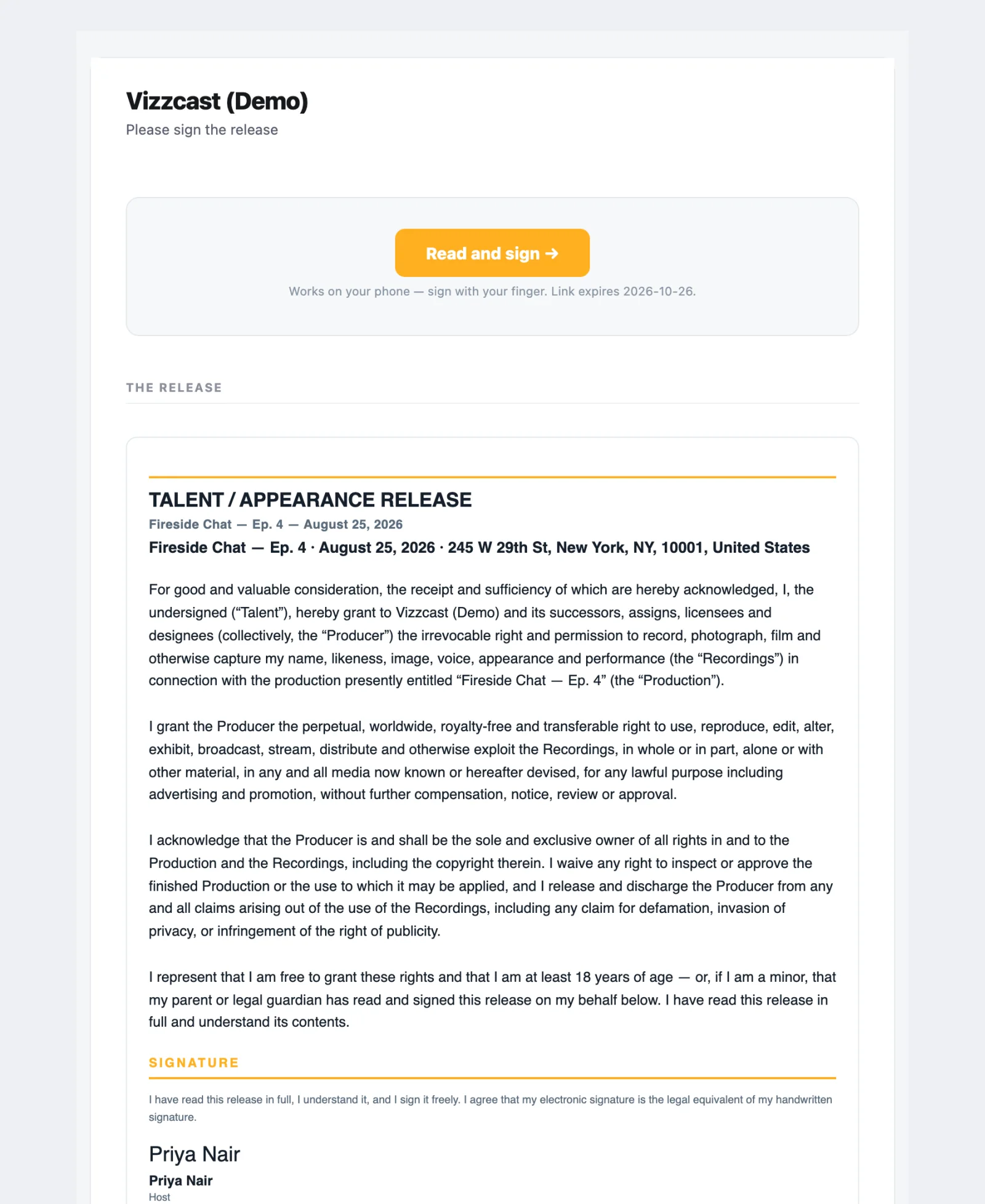
In KitSlate · the agreements tabkitslate.app/sign · one private link per signerRelease.pdf · as signedThe signer’s inbox · Please sign the release
Step 07
Agreements & releases
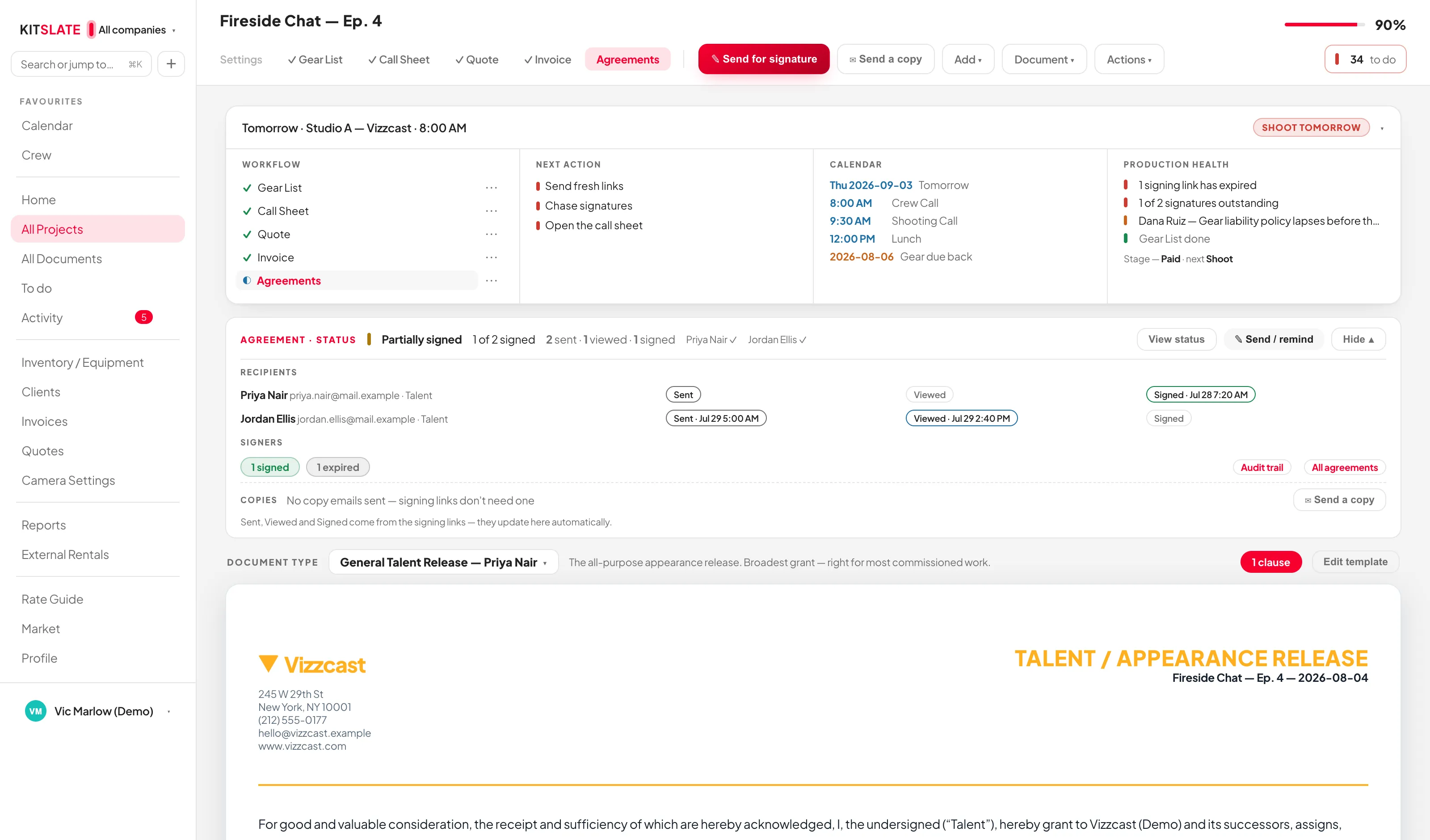
Signers from the call sheet Pull talent from the call sheet reconciles rather than duplicating: it matches on name and fills blank roles and emails from your crew database.
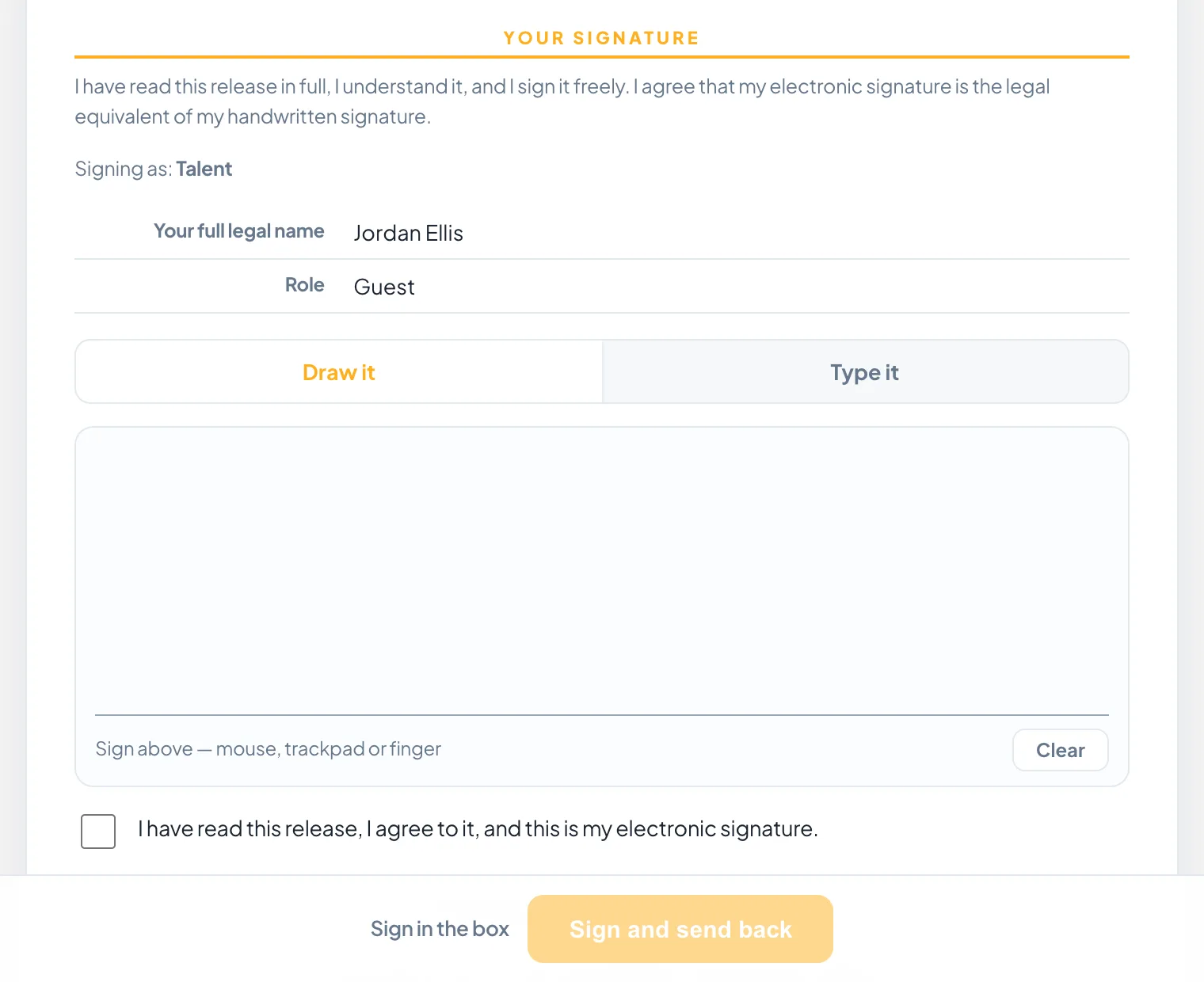
Sign here, on this device Draw it or type it, for someone standing next to you.
The audit trail Created, edited, type changed, sent, viewed, reminder sent, signed, declined, downloaded, delivered, completed — each with a timestamp, each signature with IP address, device and browser.
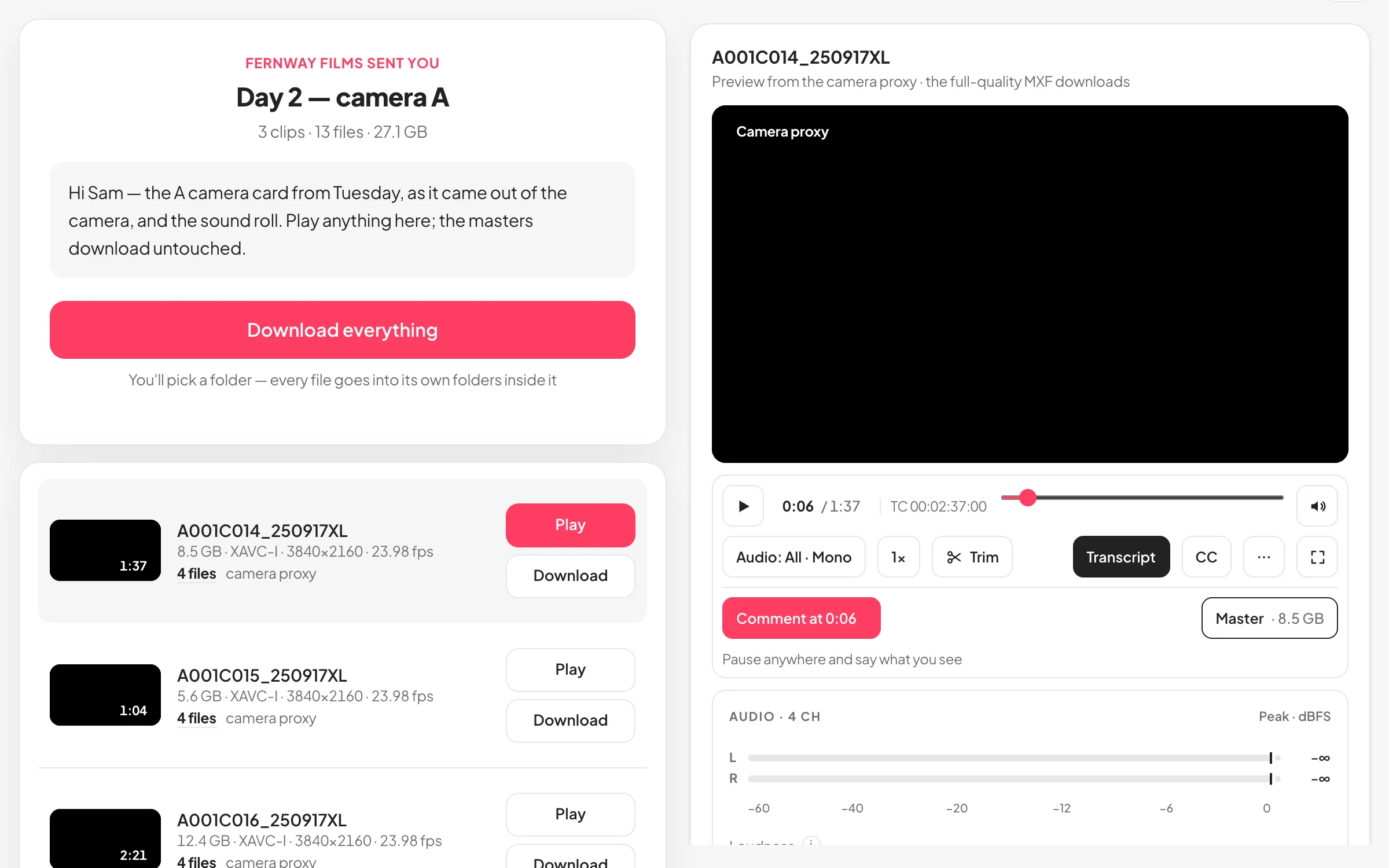
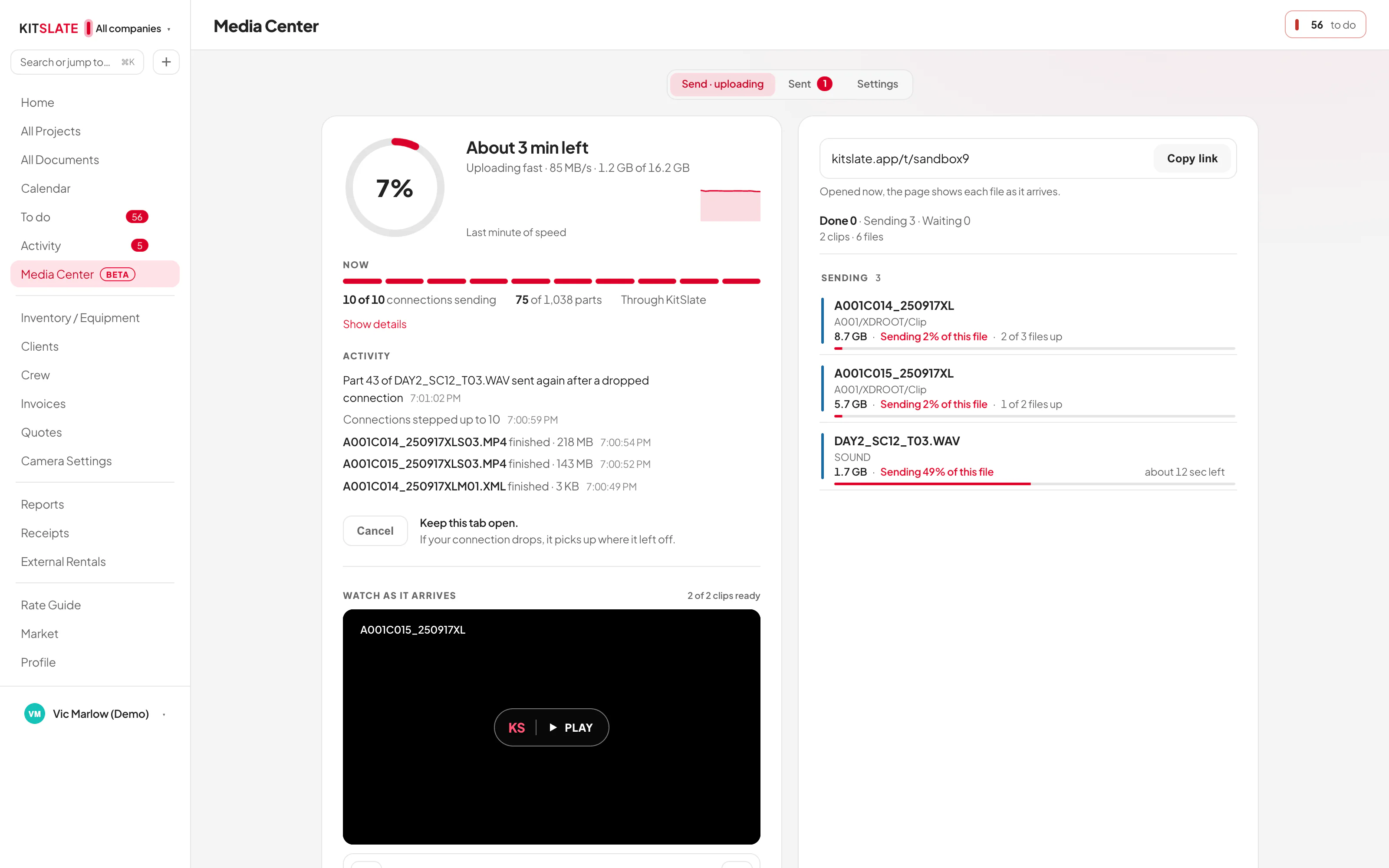
In KitSlate · the Sent tabkitslate.app/t/… · the download pageTheir inbox · one link each, or one to share
Step 08
Media Center
Email it, or get a link KitSlate emails each recipient their own link, or hands you one link to share however you like.
A camera card arrives as a card Sony XDCAM and XAVC cards group by clip: master, proxy, thumbnail and metadata on one row.
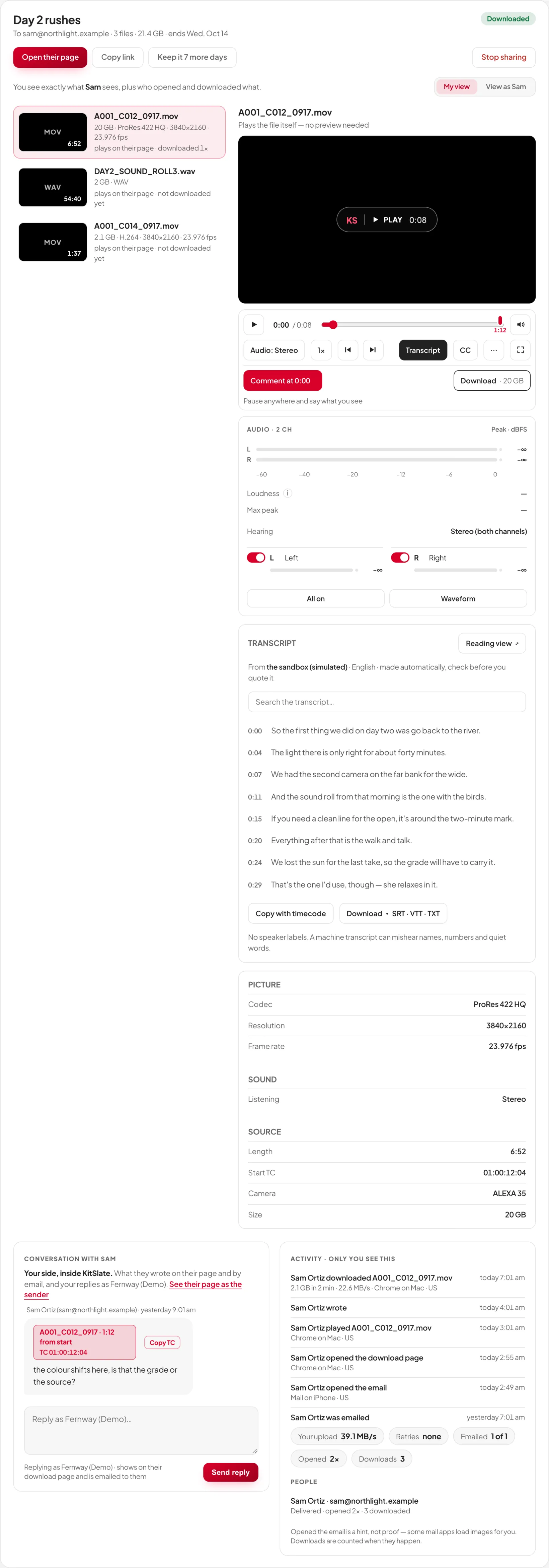
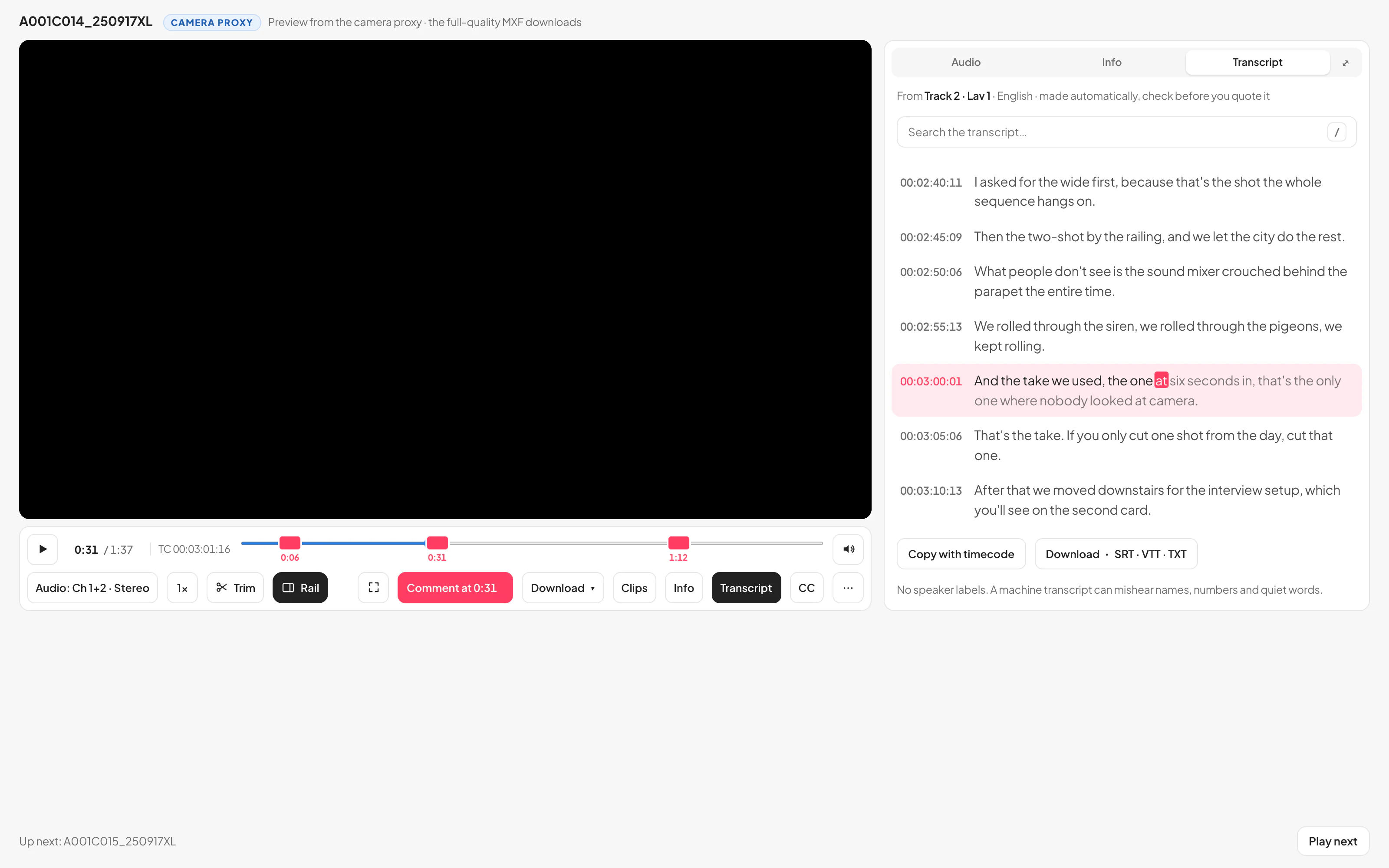
A transcript, at the timecode On paid plans each clip can carry a transcript: every line at the clip’s own timecode, searchable, and a few selected words trim to exactly that part. Made automatically, so check it before you quote it.
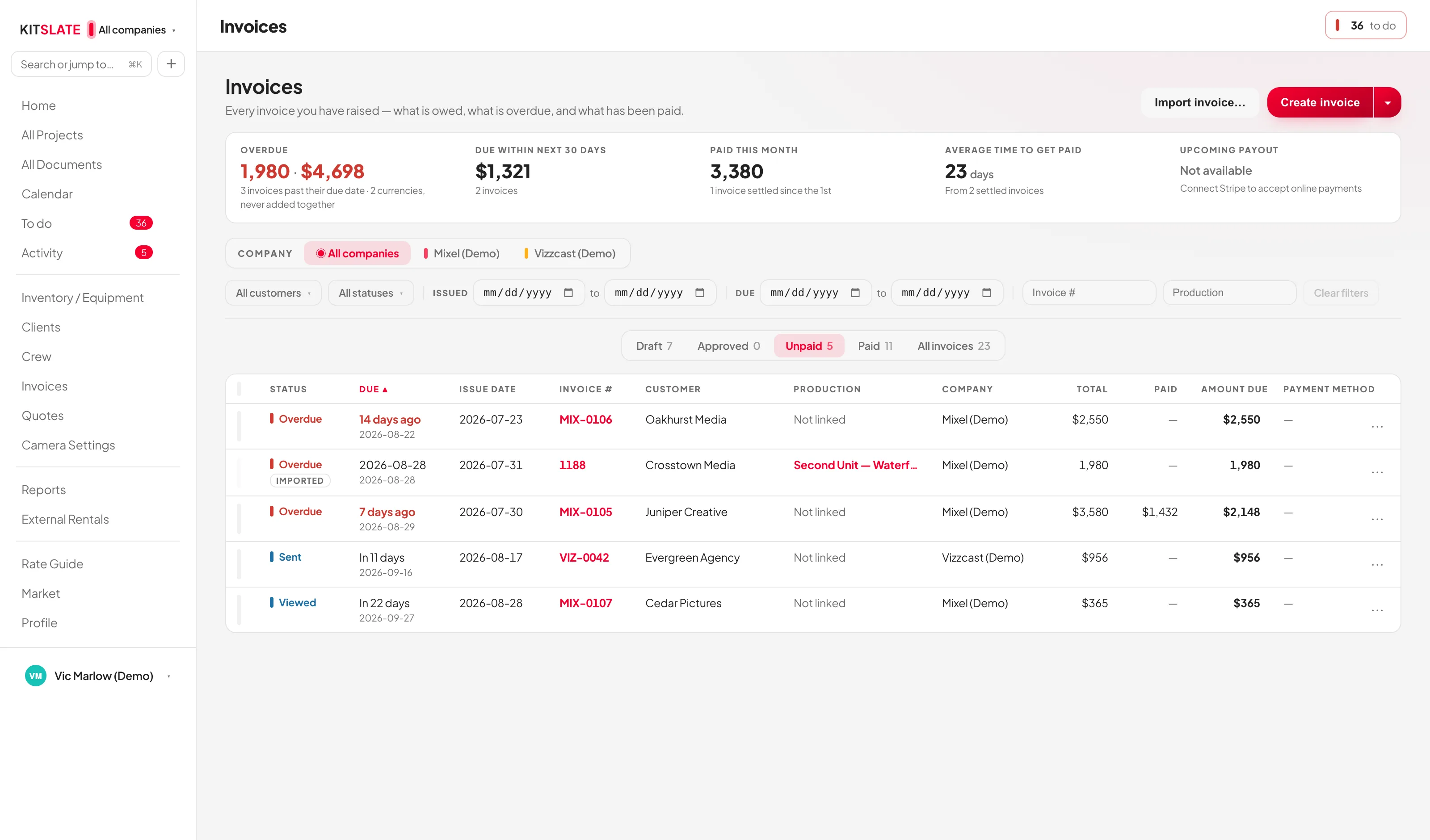
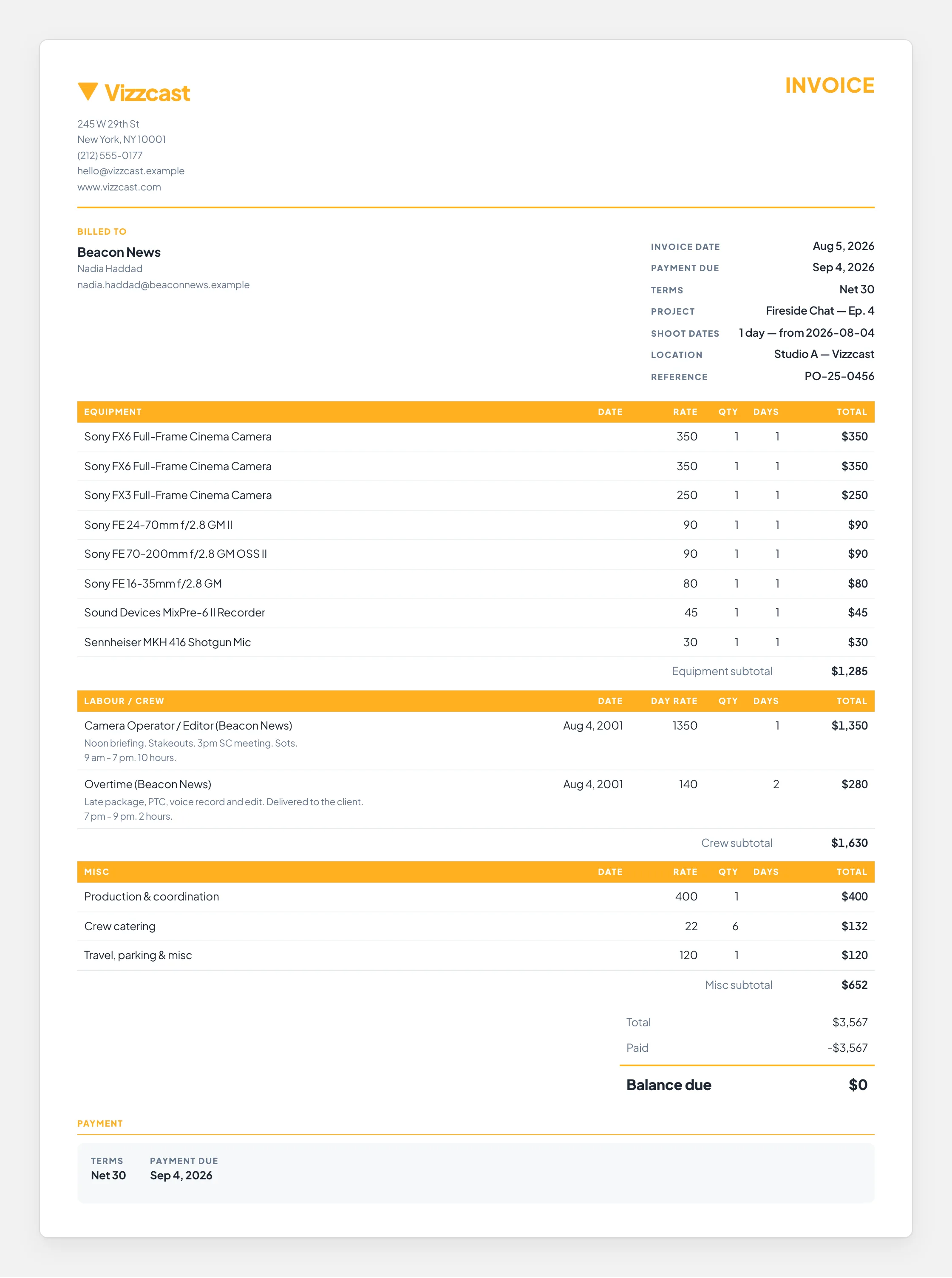
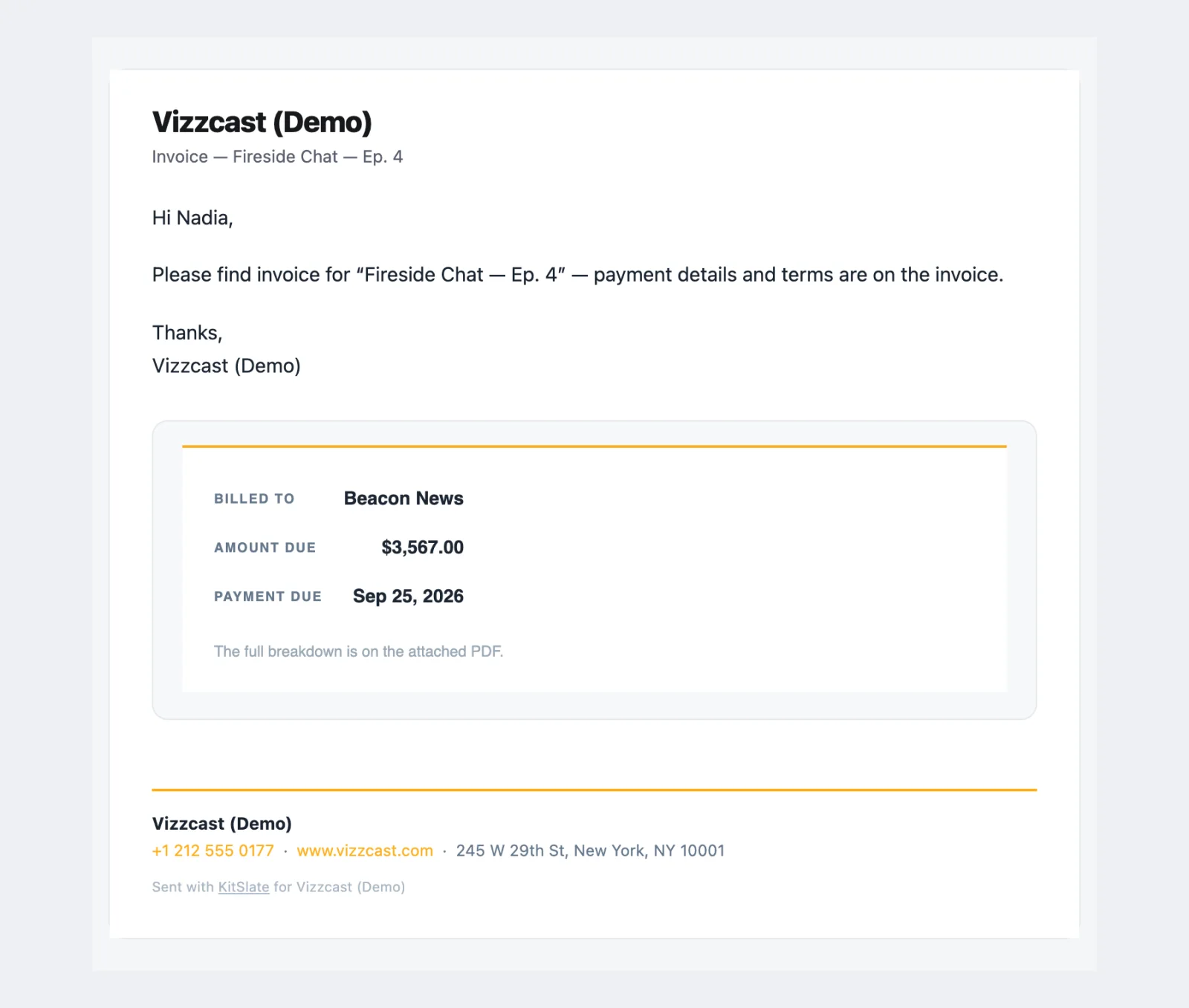
In KitSlate · every invoice and what is still owedkitslate.app/invoice/… · the client pays hereInvoice.pdfThe client’s inbox · Invoice — Fireside Chat — Ep. 4
Step 09
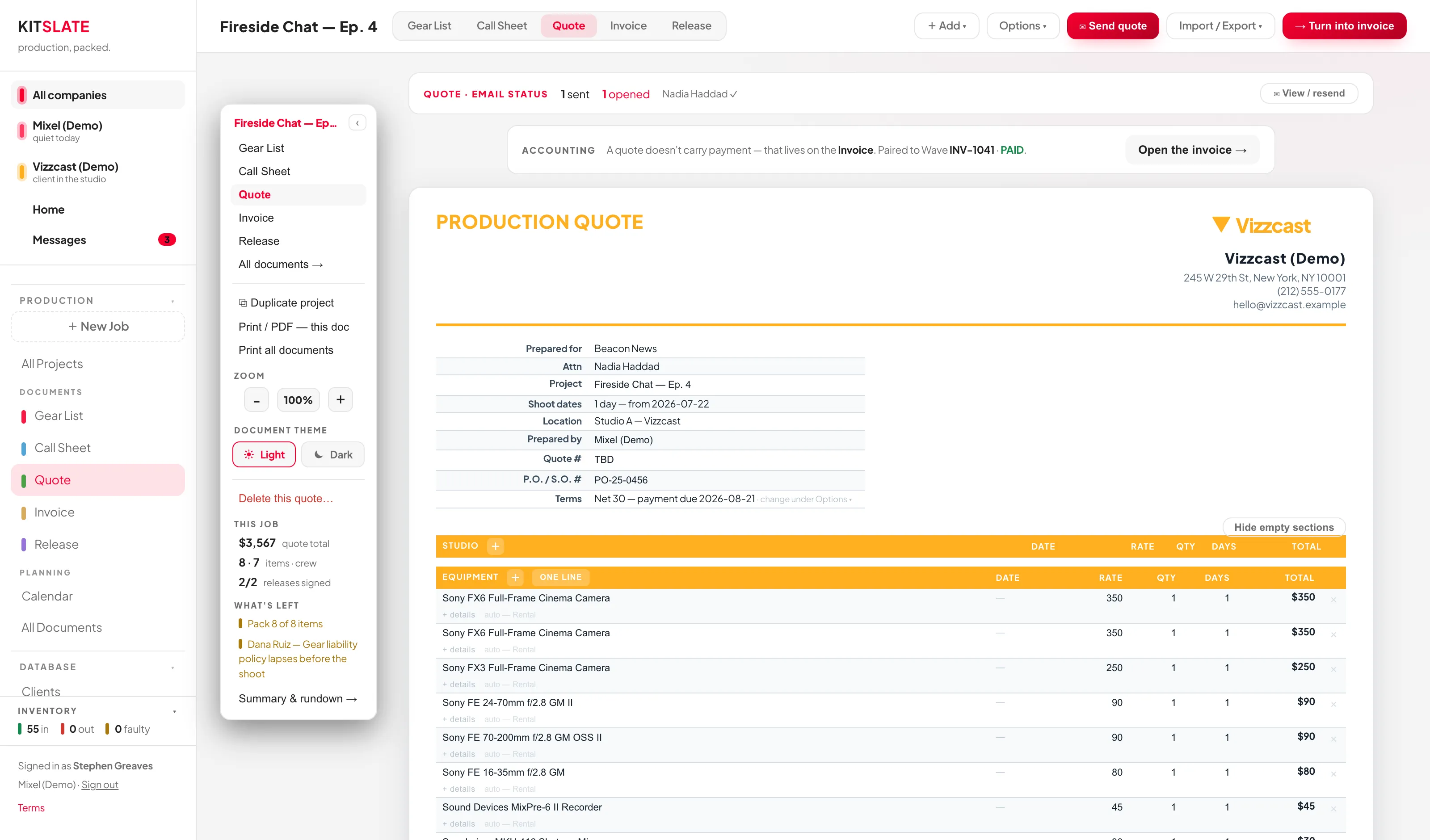
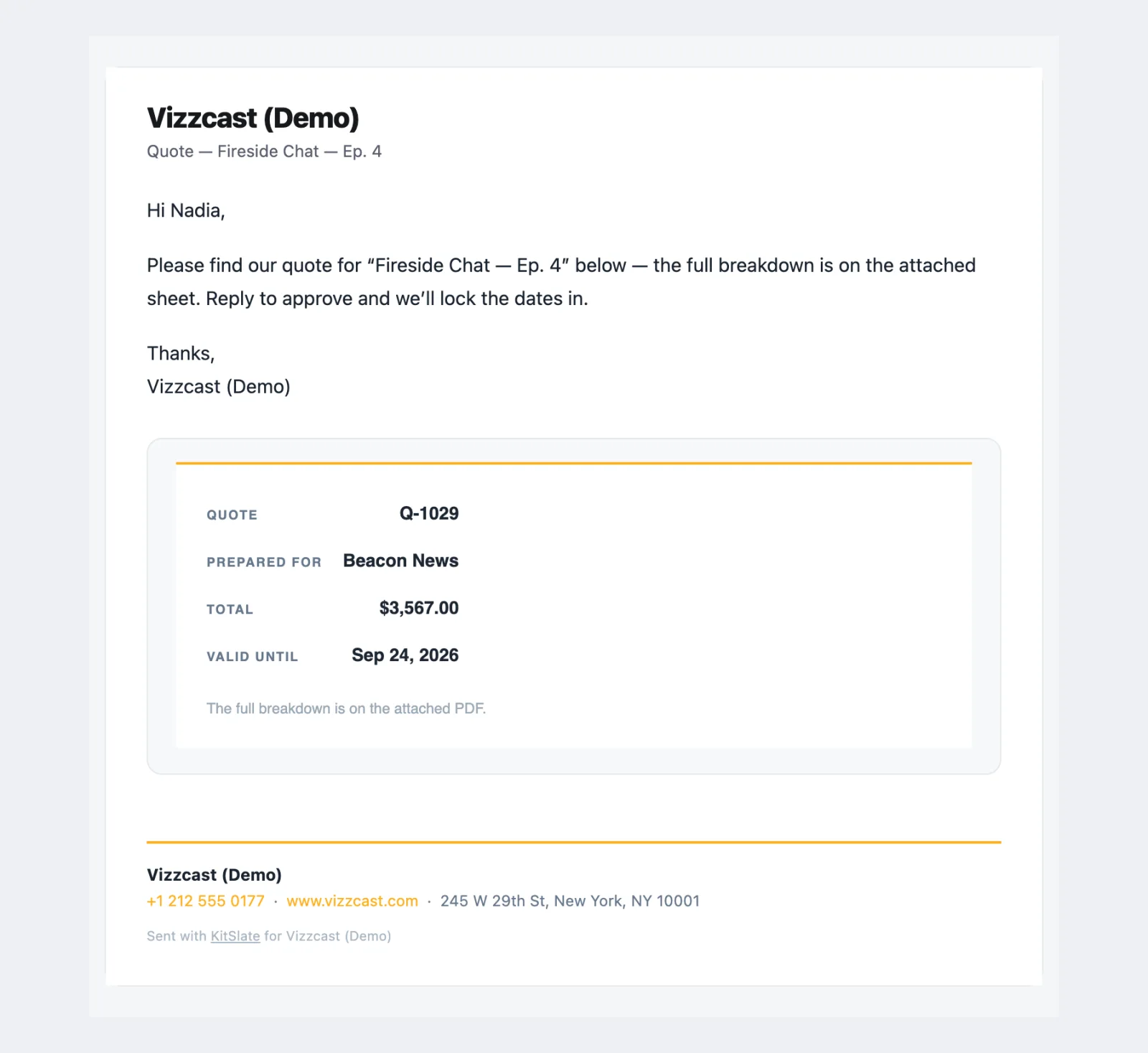
Quotes & invoicing
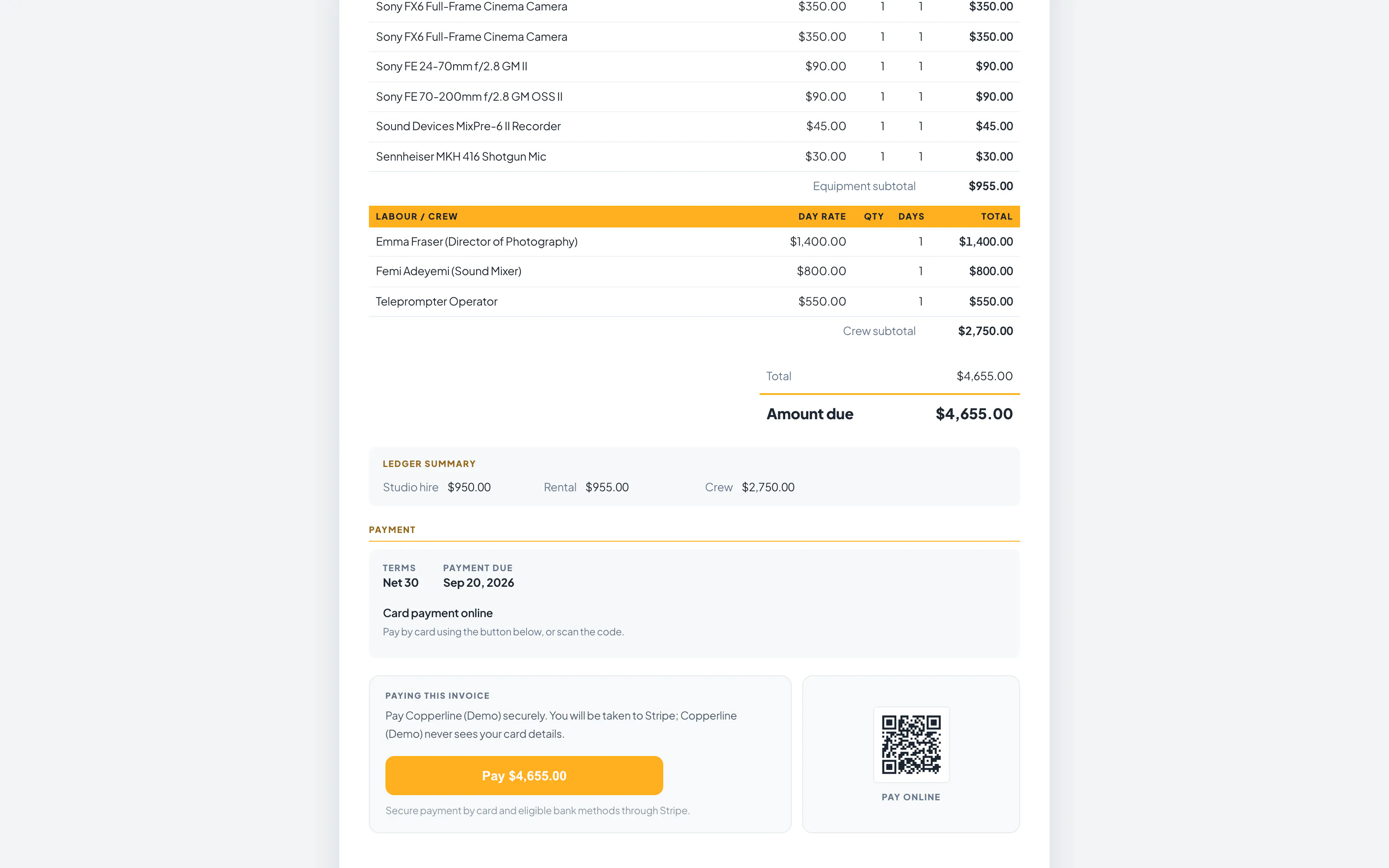
Pay online, into your account The hosted invoice carries a real Stripe checkout.
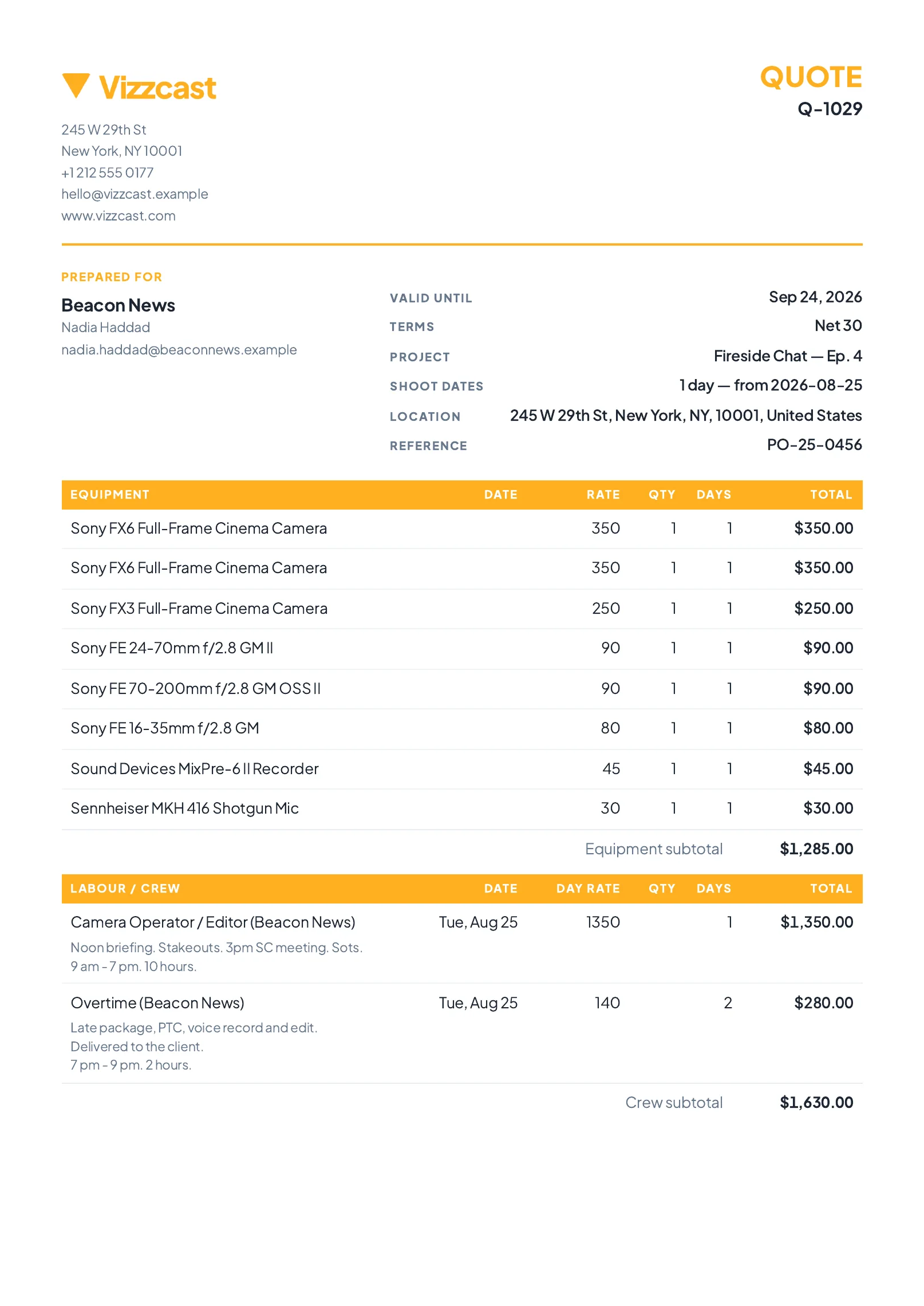
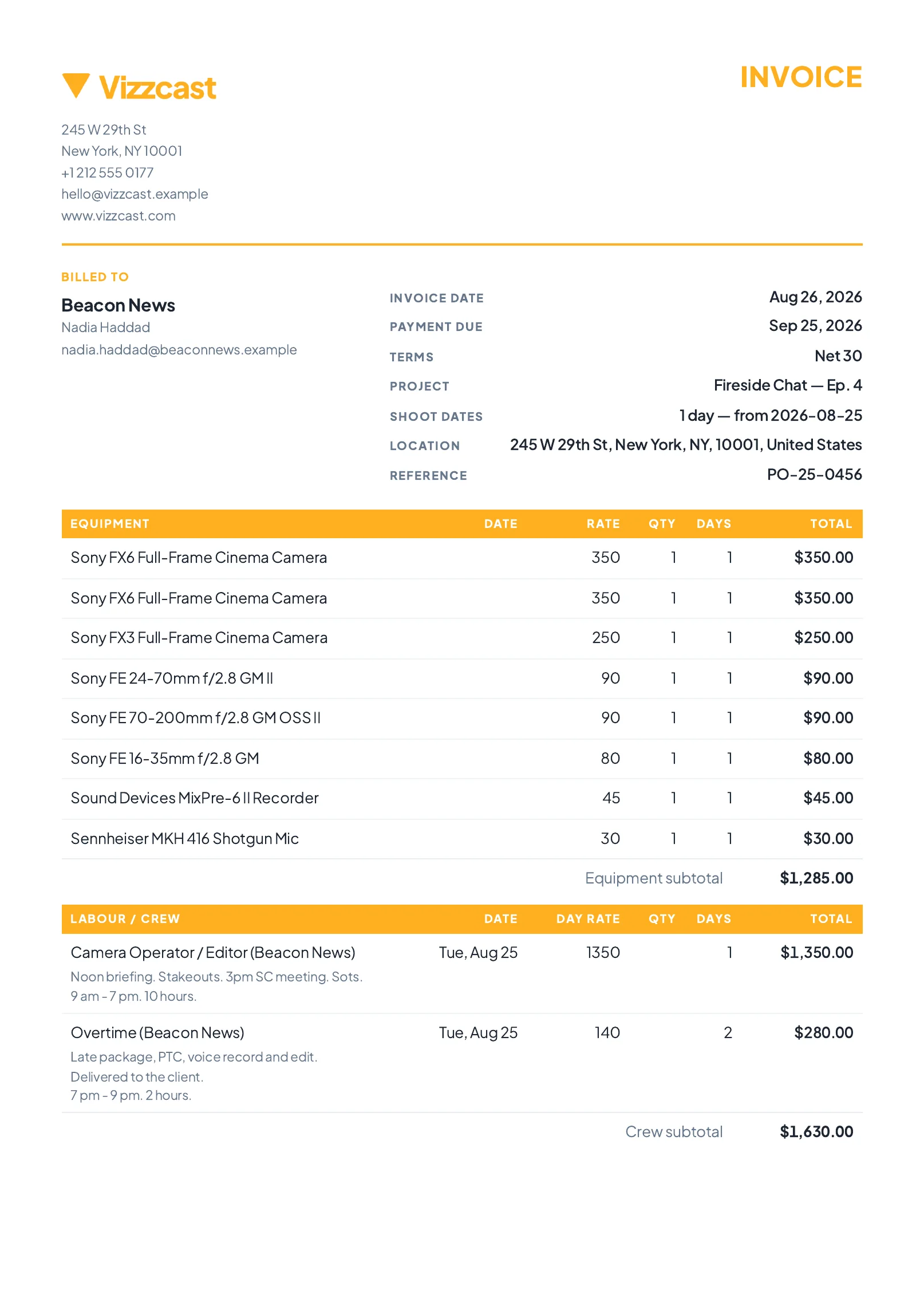
The PDF is the same document Same sections, same totals, same payment details as the page and the hosted copy.
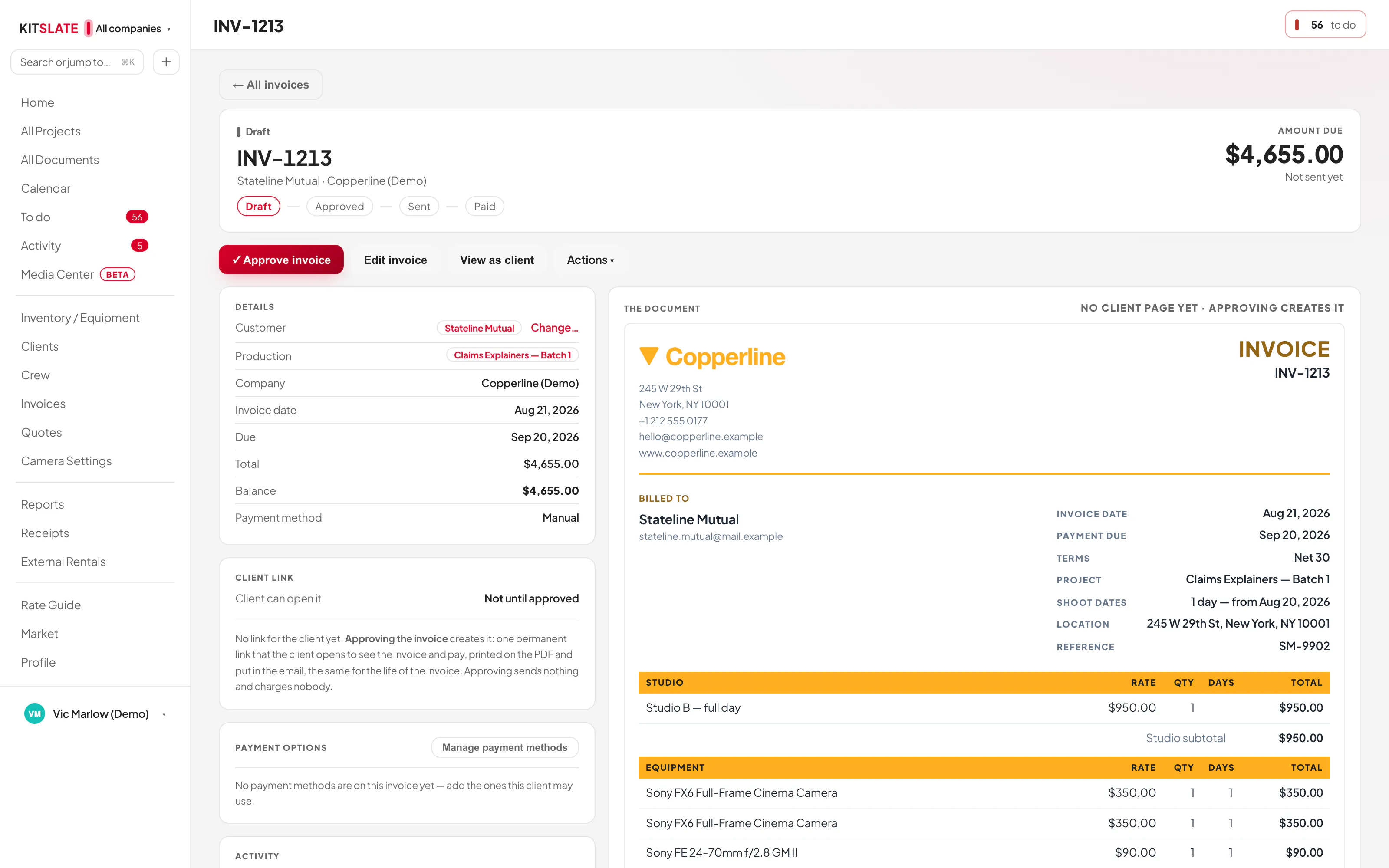
Approve, then send A draft's first action is Approve, not Send.
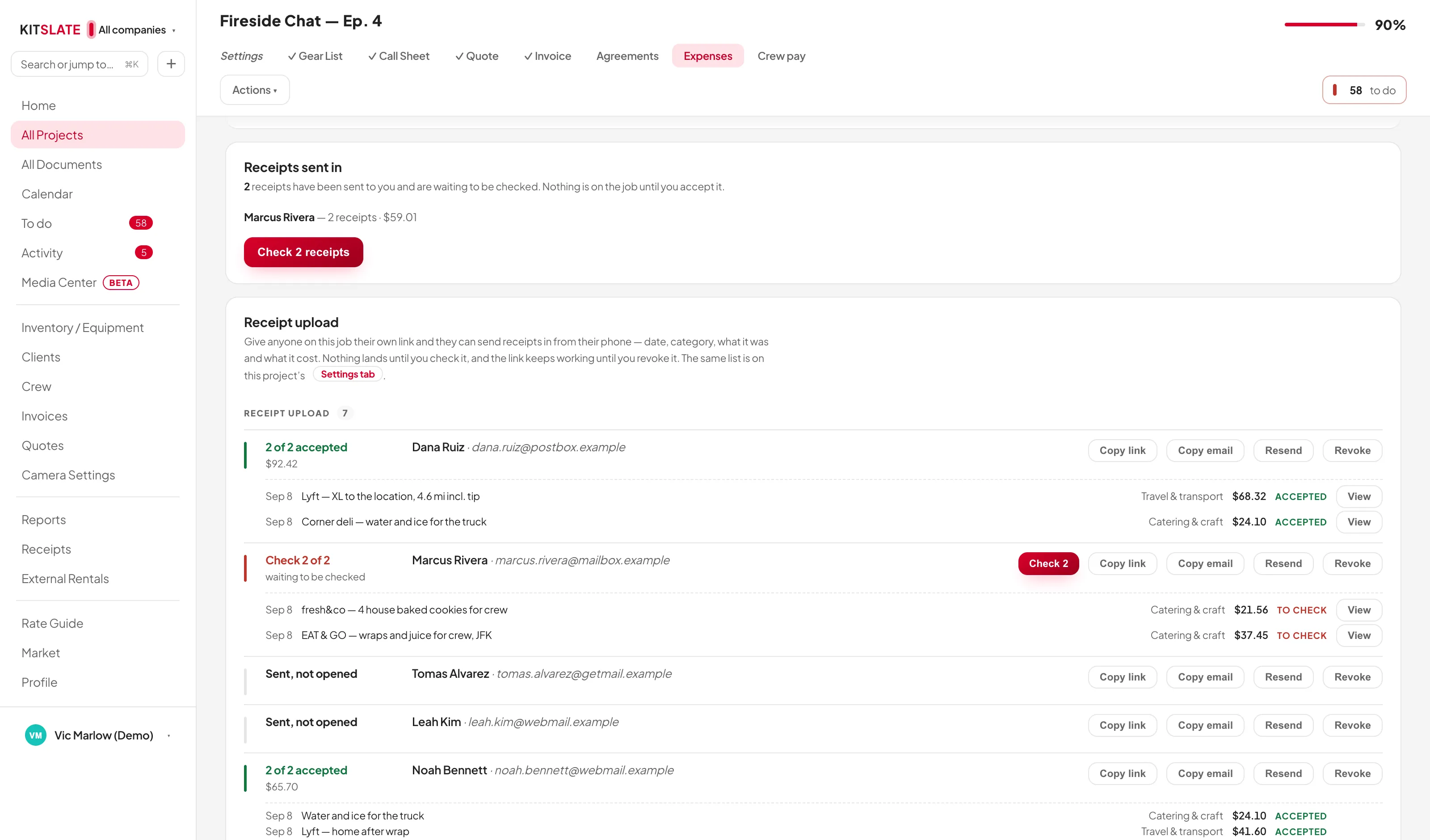
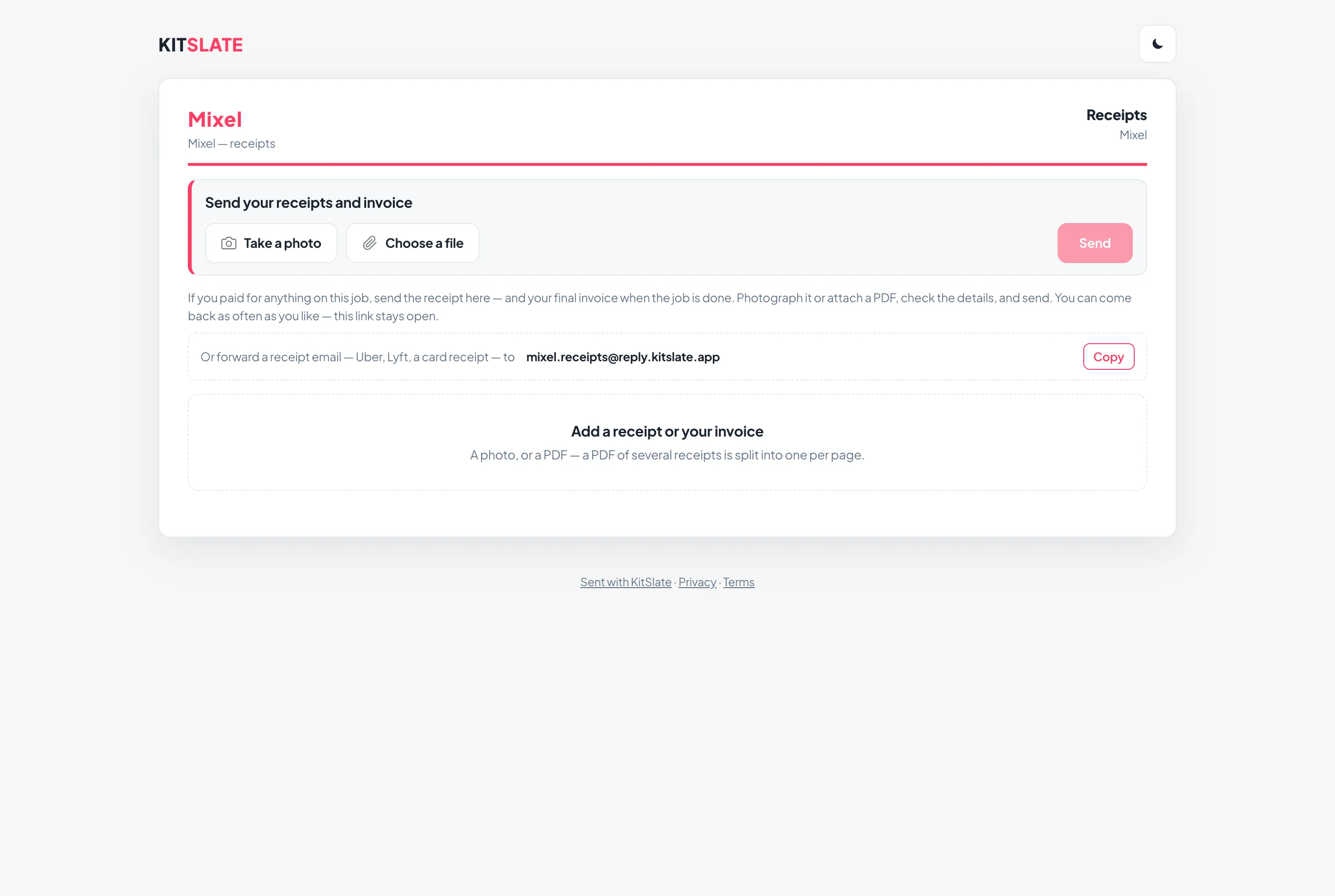
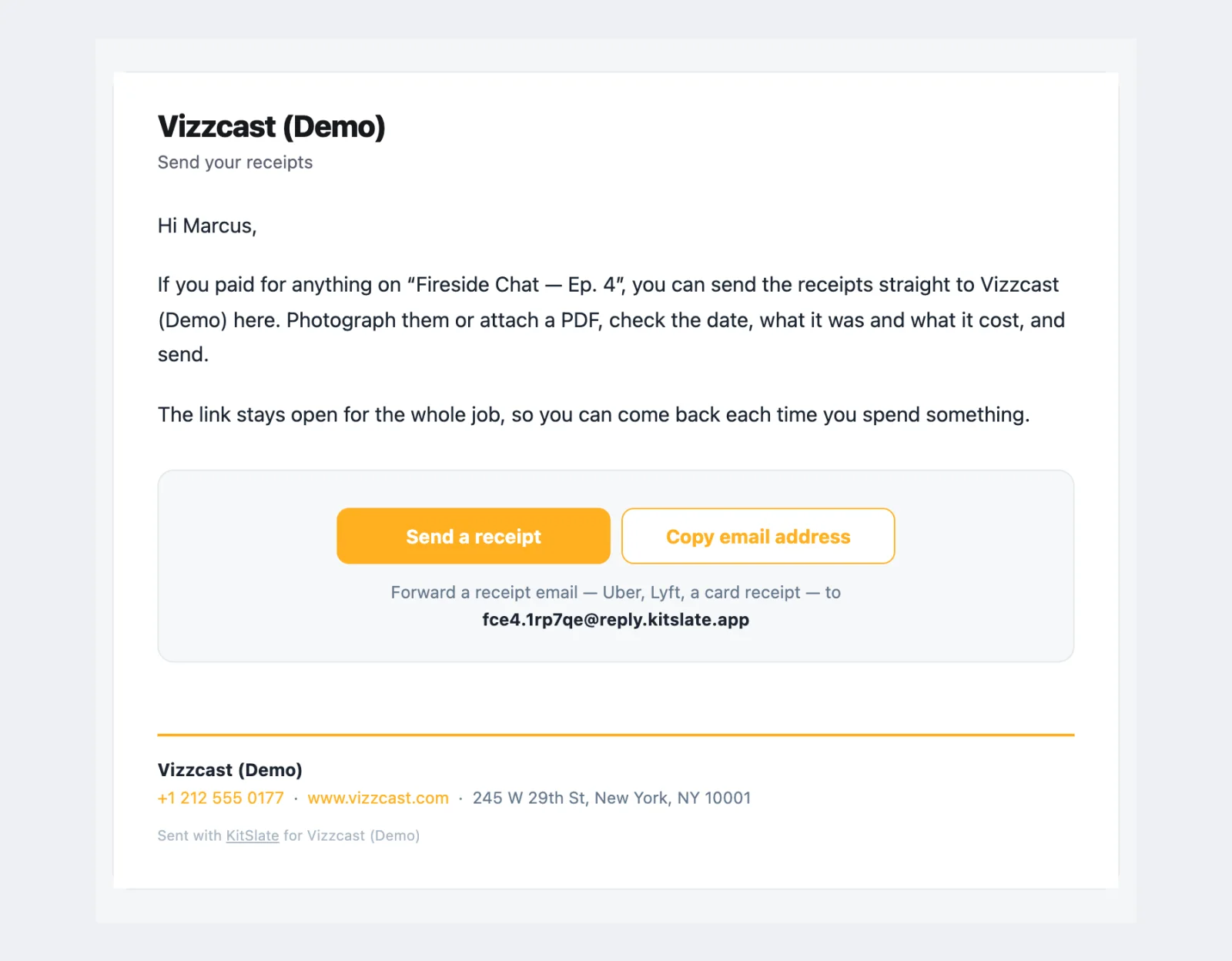
In KitSlate · the expenses tabkitslate.app/receipts · their own linkTheir inbox · Send your receipts and invoice
Step 10
Expenses & receipts
Take a photo, choose a file, send The crew page has three buttons and a bar that fills as each receipt is prepared, read and sent.
Or forward the email Every link comes with its own email address for the job.
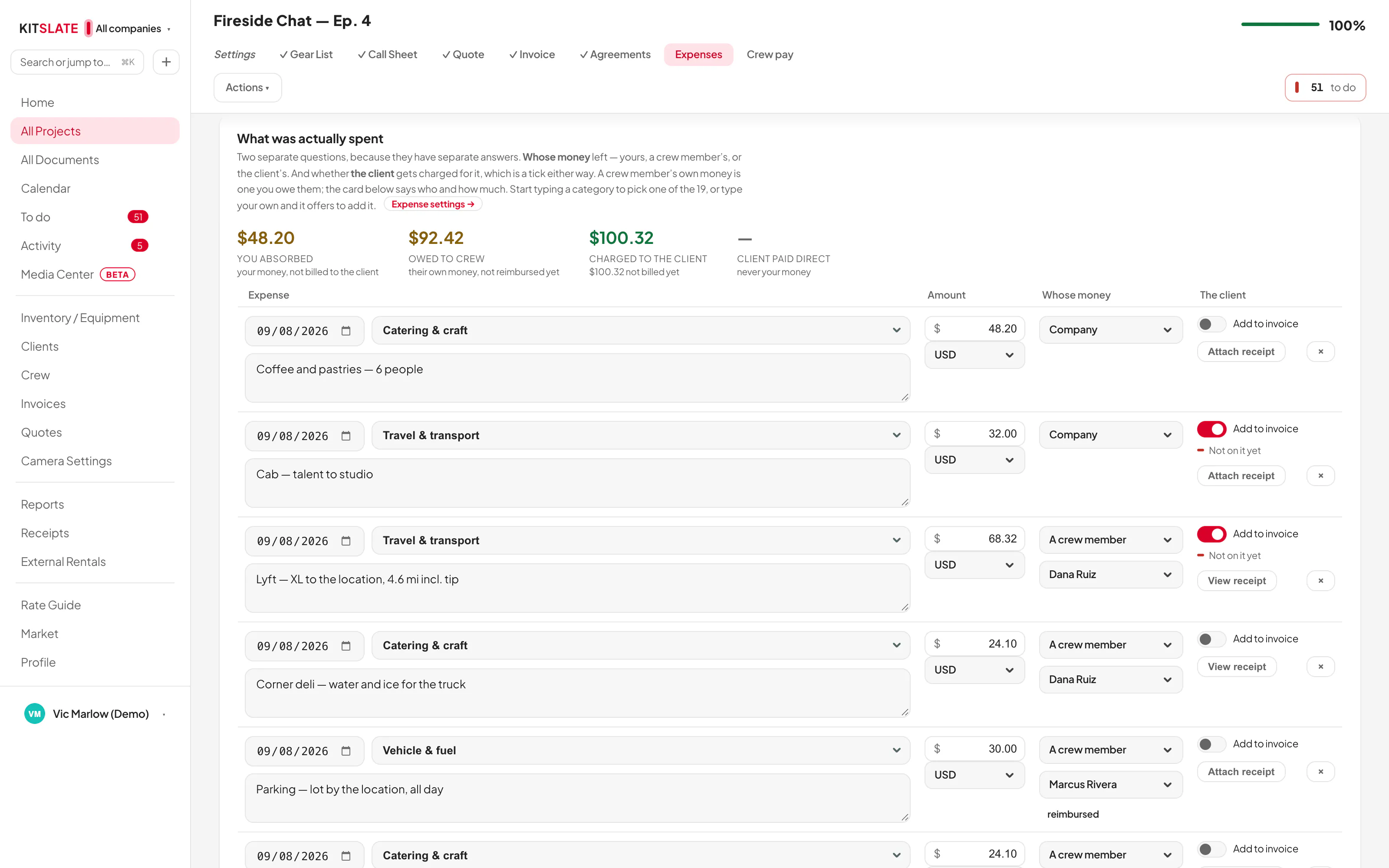
Whose money, on the way in Each receipt says whether it was the company card or their own money, so the page can total what they are owed and the job can say who it owes.
Timed from the wrap 1, 2, 3 or 6 hours after the last day’s Est.
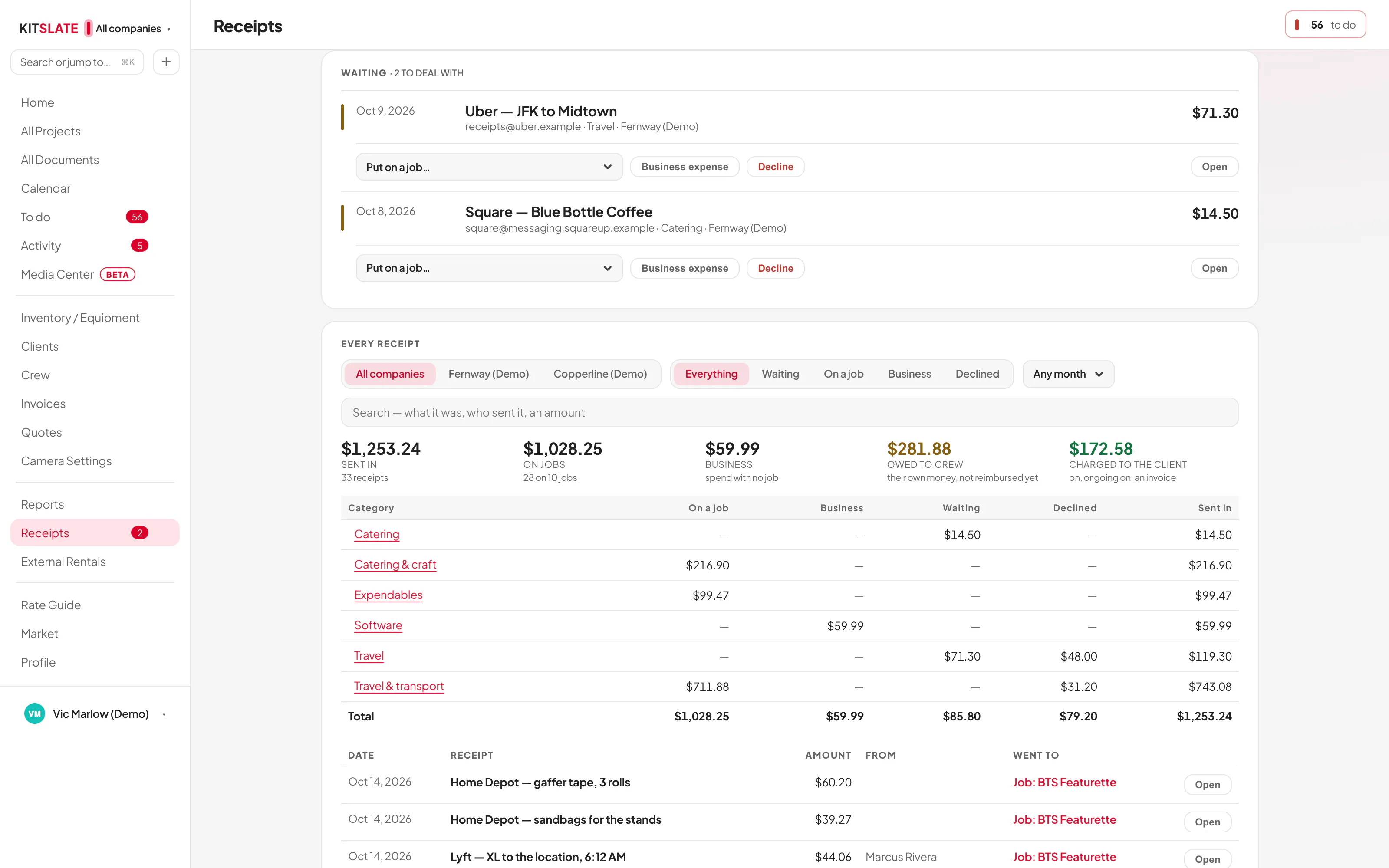
Read, then put on their row Every invoice that comes in waits at the top of the tab with Check it, It’s a receipt and Decline, so nothing reaches a person’s row until you have looked.
How to pay them, from their record Bank, Zelle, Venmo, PayPal or cheque, read from the crew record and never edited here.
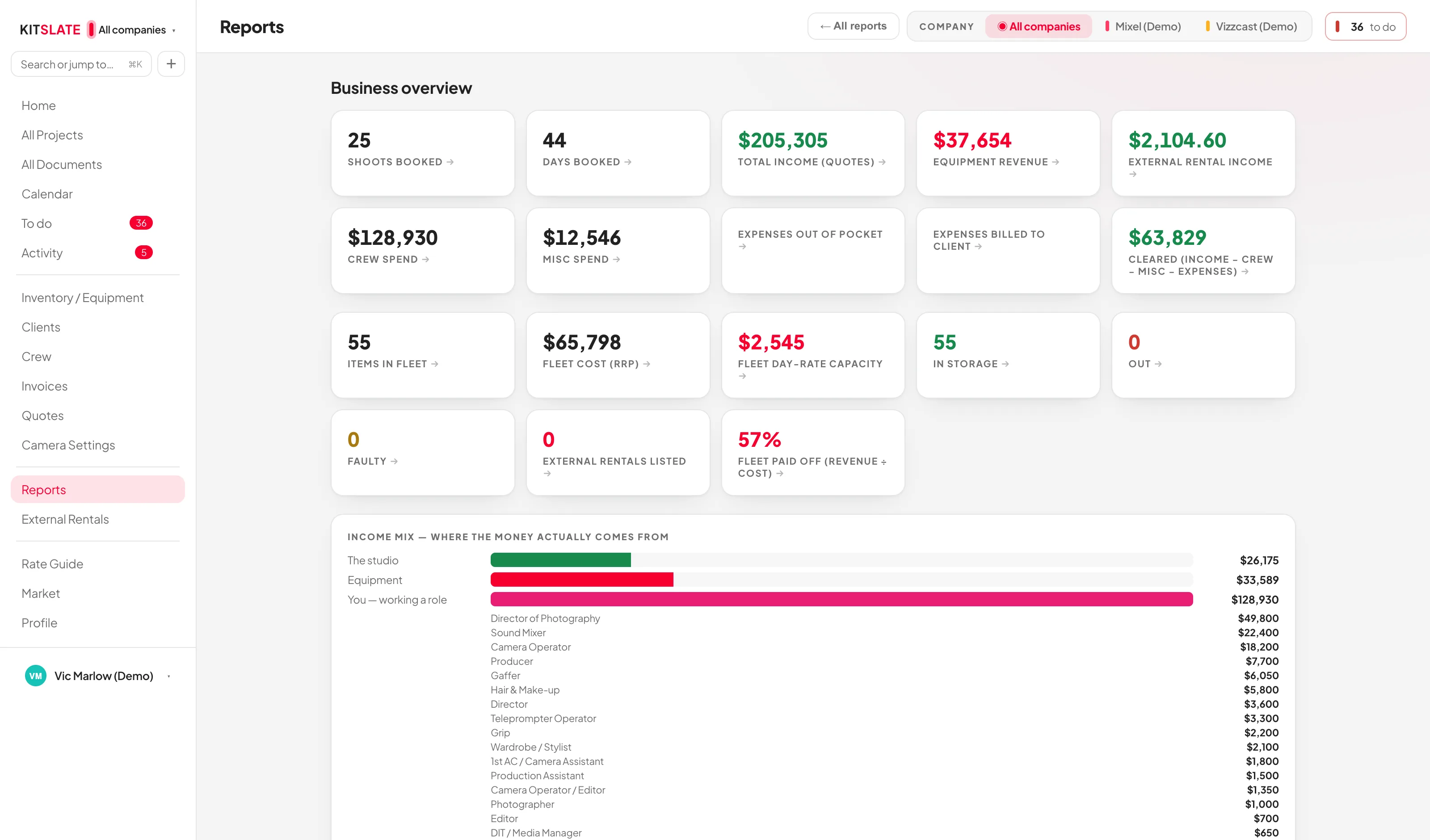
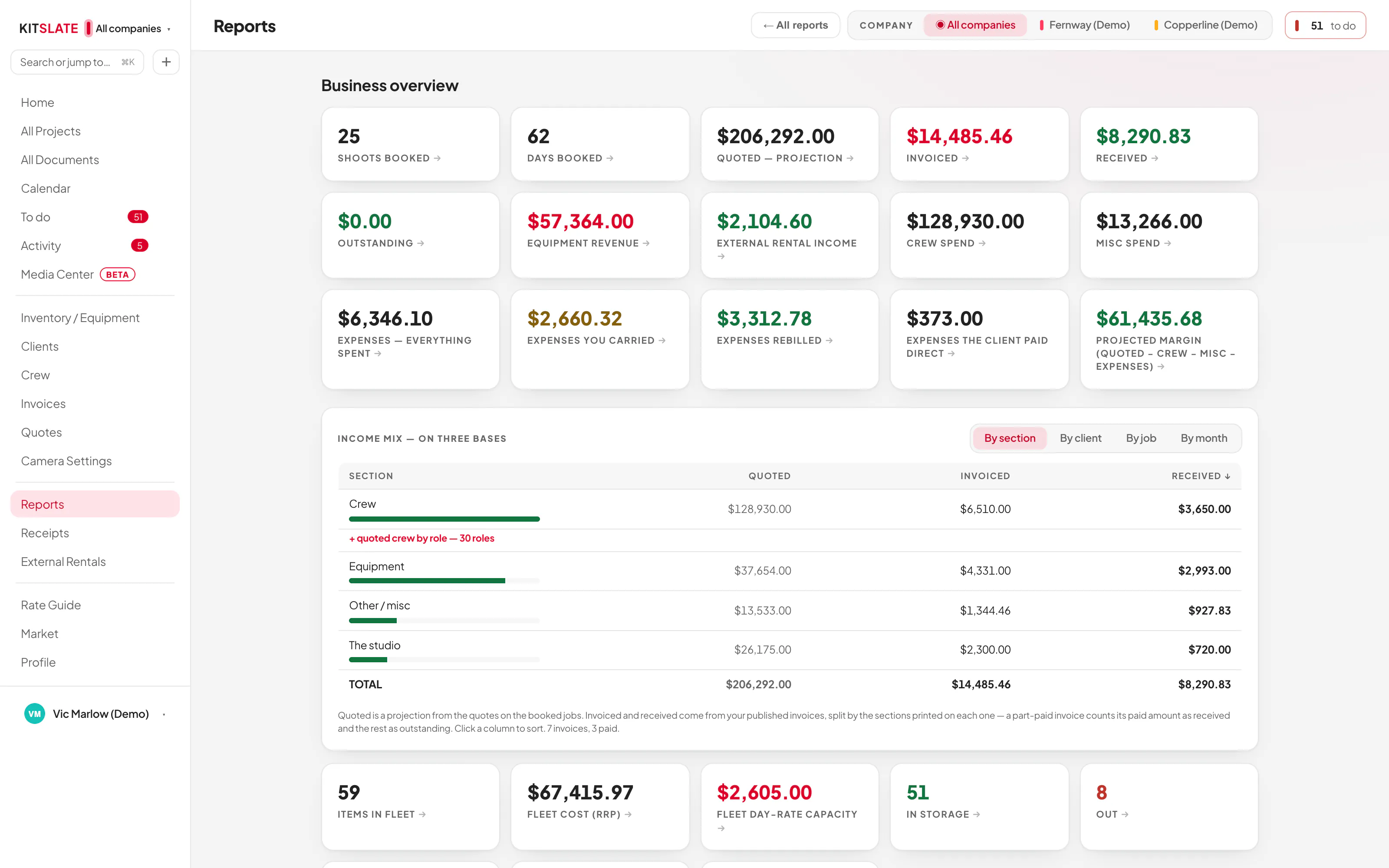
Quoted, invoiced, received Quoted comes from each job’s quote, or day rates × days where there is none; invoiced and received come from your published invoices and what was paid.
Payback per item What a body or a lens has earned against what it cost, and the fleet figure: revenue divided by cost, as a percentage paid off.
Figures click through The headline figures open the jobs, invoices, quotes or items behind them.
A real published page — this one is live at kitslate.app right now. Your banner, your portrait, the roles you work, and a contact card people reach you through without your email address ever going public. One switch turns it off and on — off takes it down at once, your address stays yours, and turning it back on restores the same page.
Your showreel, up to six films, playing where somebody deciding whether to hire you is already looking.
The companies you work through, each one linking to its own page — so one person can be a freelancer and a studio at the same time.
A message form that comes in as an enquiry in your workspace, and beside it whatever you have listed for sale.
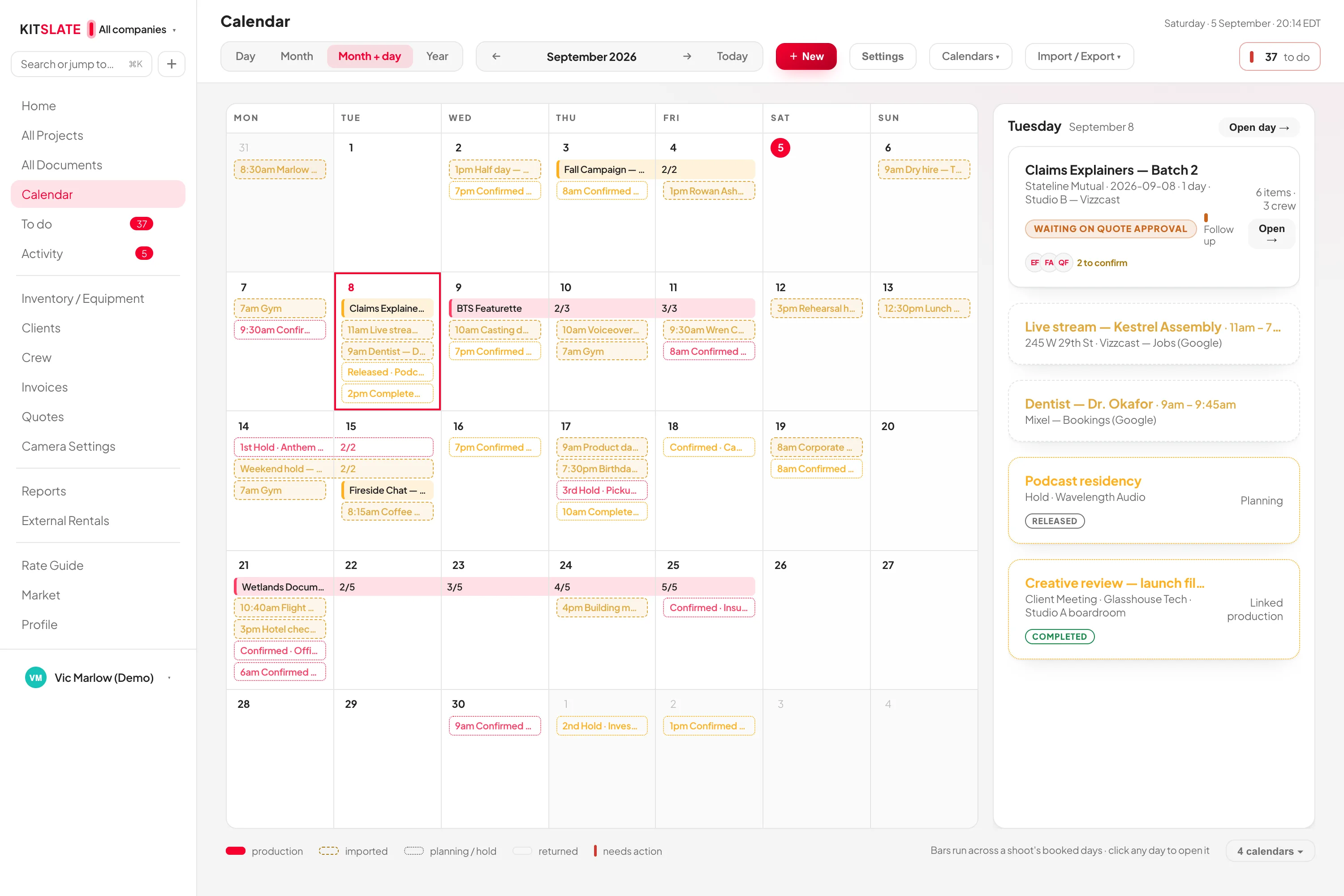
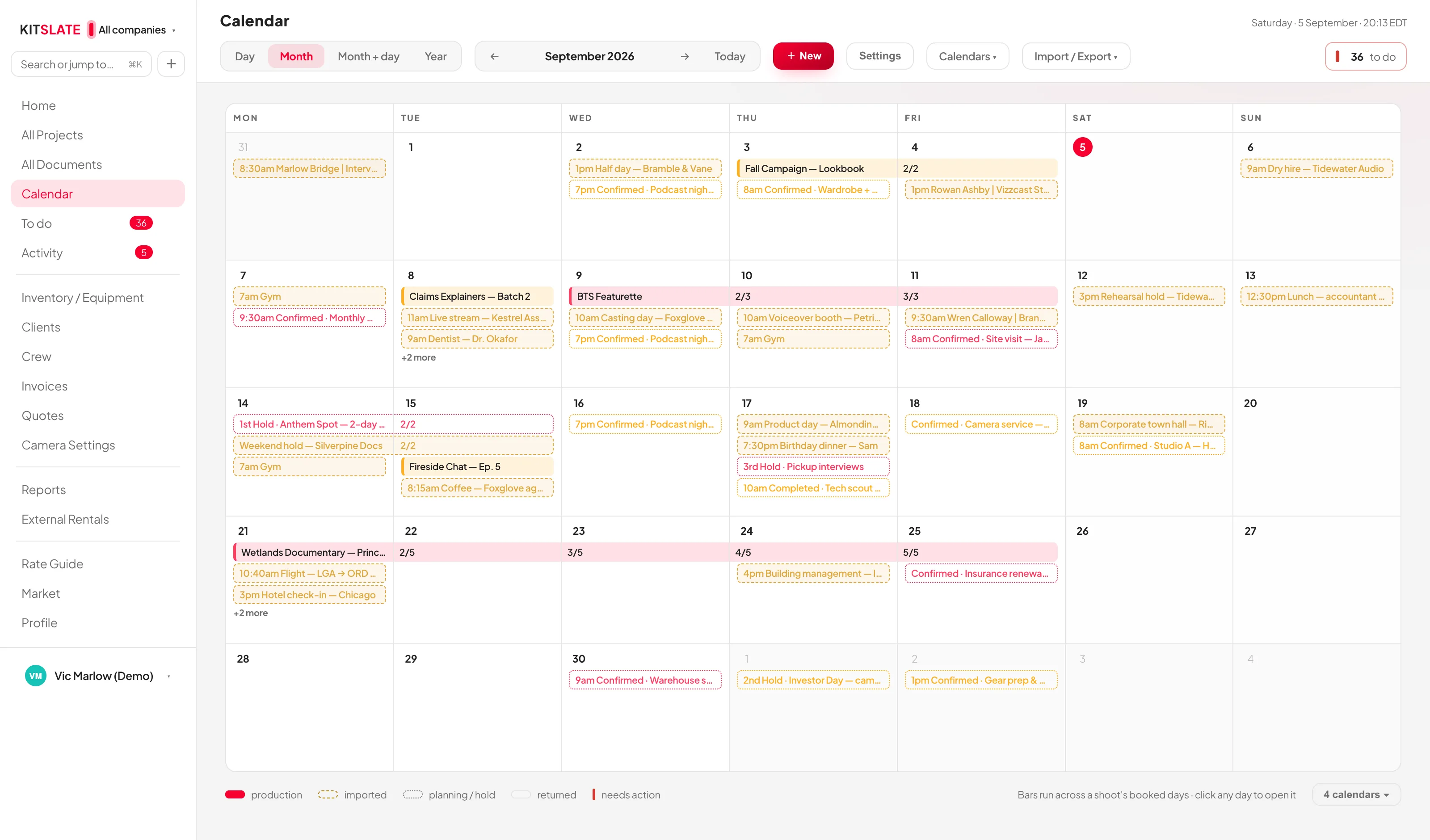
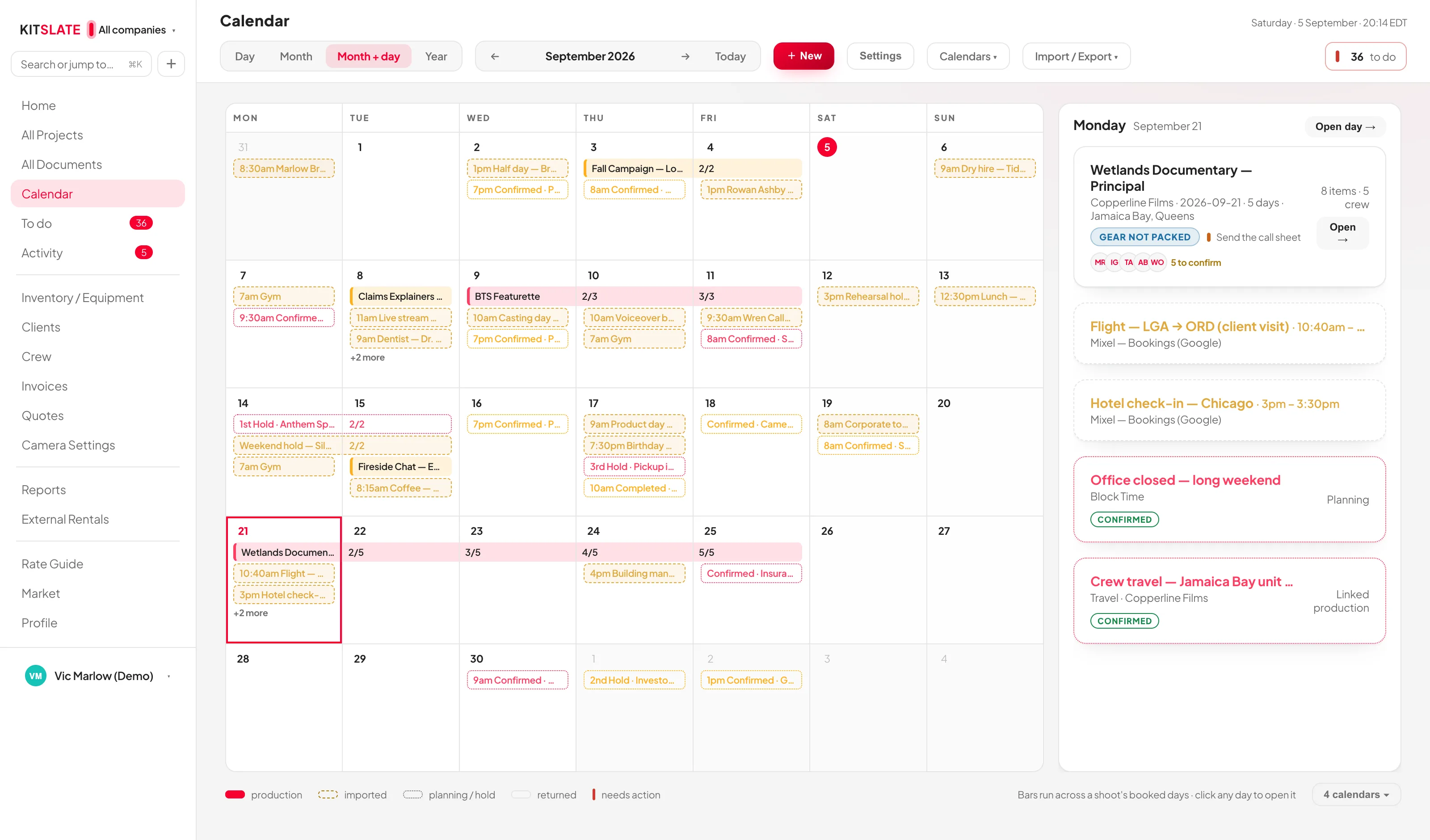
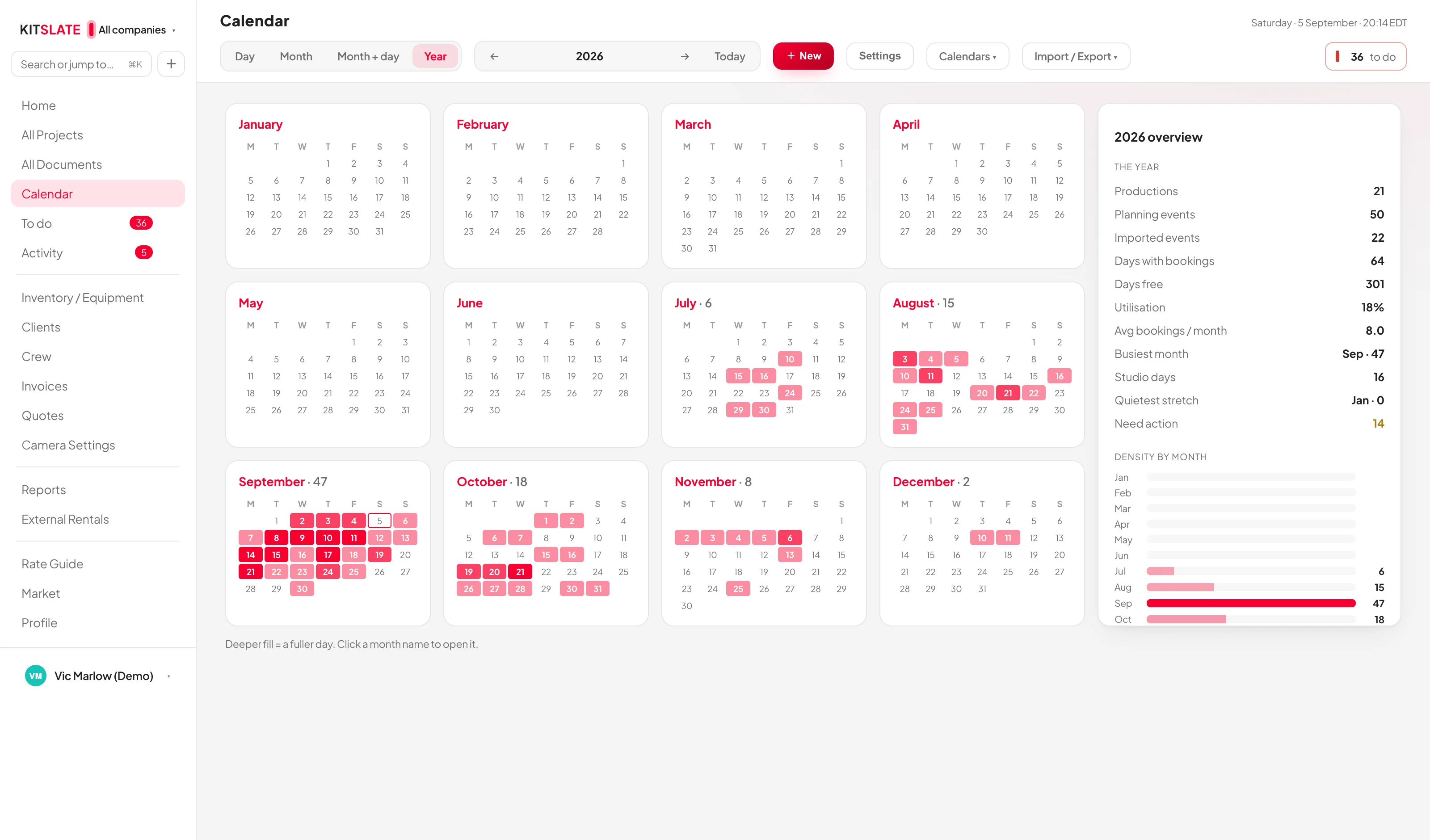
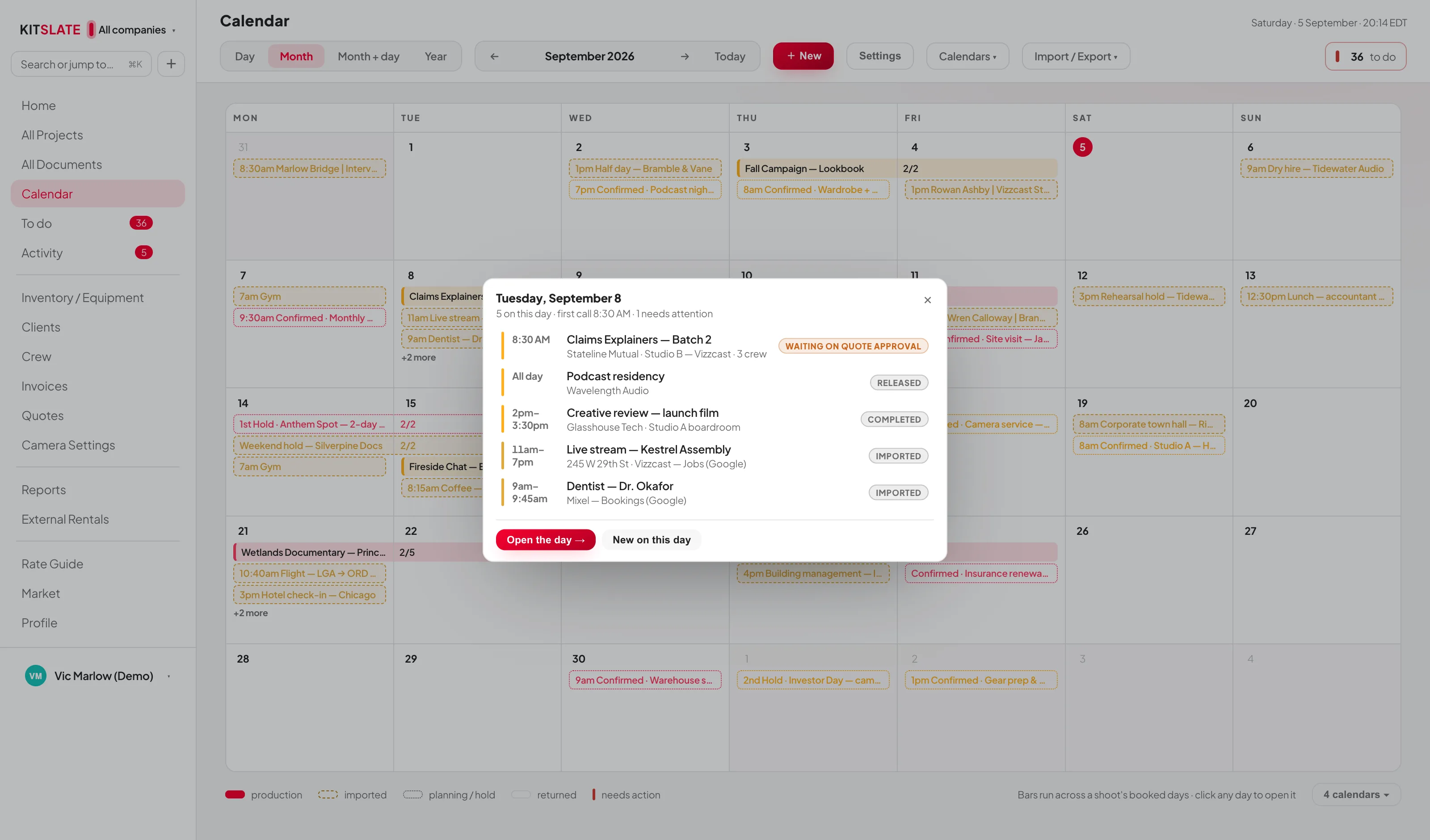
Not a grid of appointments. Every day knows which job it belongs to, which company it belongs to, what kit is committed and who has said yes.
Every companyHave more than one? They sit on one calendar, colour-separated, or one at a time.
Shoots, not entriesA booking spans every day it takes, as one bar.
Holds and pencilsDated intent that is not a job yet — and does not pretend to be.
Drag the calendar sideways to read the days.
Month · both companies, and a bar across every day a shoot takes.
Google CalendarConnects with Google sign-in (OAuth). Your bookings go out to Google as they change; anything you keep elsewhere comes in by its calendar address.
What it shows is yoursDraft shoots, call sheet dates, returned gear, crew and equipment counts — each an overlay you switch on.
Clash warningsBook a camera or a person already out that day and you are told before you commit.
After it leaves
Stop wondering if they got it.
A call sheet sent to a group chat tells you nothing. You do not know who read it, who is coming, or who is still going to text you at eleven at night — so you chase everybody, to find out something four of them settled hours ago.
KitSlate sends the sheet to each person separately — their own email, opening with their own name, their own call and where they start — as real email from your own company. Nobody is copied on anyone else, and every copy carries that person’s own Confirm button — no login, no app. When they open it, that is recorded. When they tap Confirm, their name ticks over on your sheet while you are looking at it. You are not told what probably happened. You are told what did.
One tap, no login, no app to install. …or they can just reply to the email.
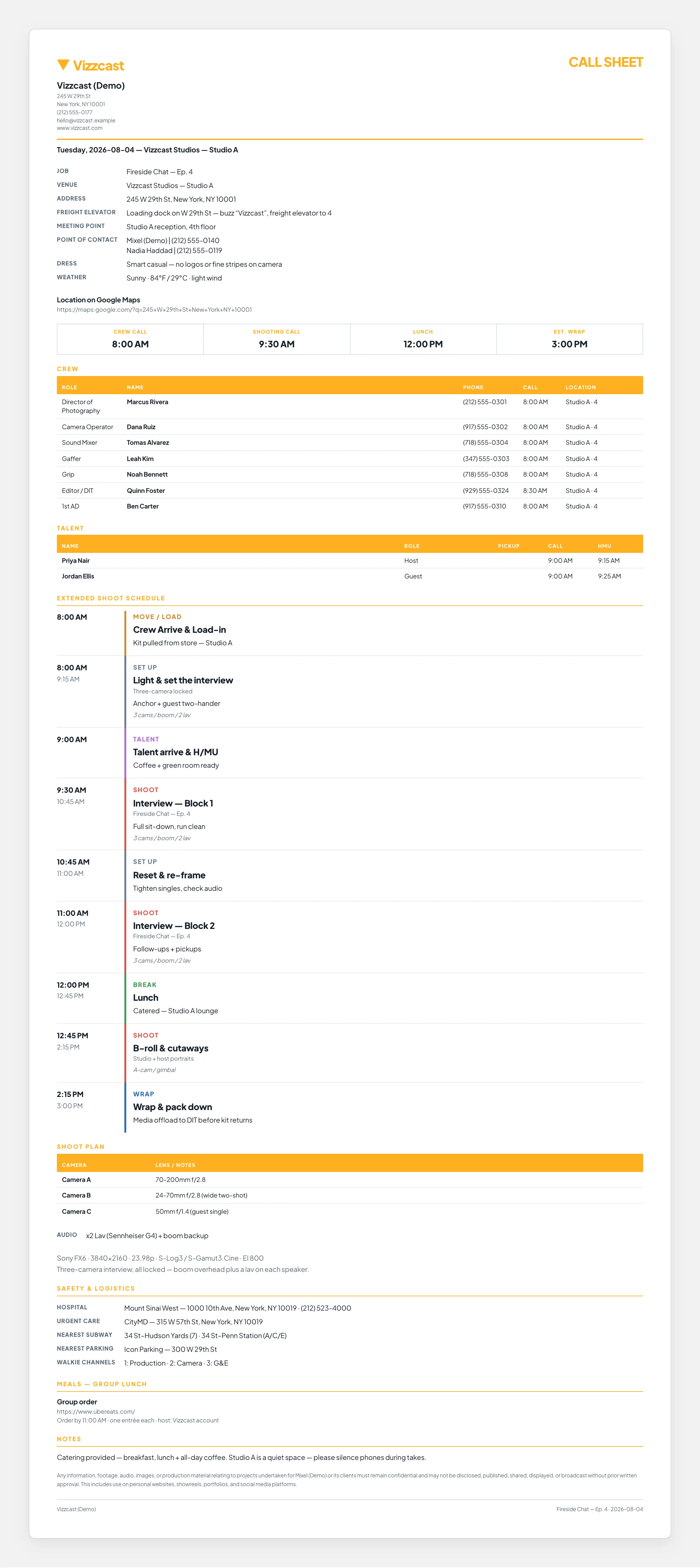
Attached: Call-Sheet.pdf · and a link to their own live page — one send, both
SentFrom your company, not from us.
OpenedRecorded against the person who opened it.
ConfirmedTheir name ticks over on your sheet.
SignedAgreements come back kept exactly as they were signed.
PaidRecord what comes in and the balance updates everywhere the job appears.
The PDF they can keep
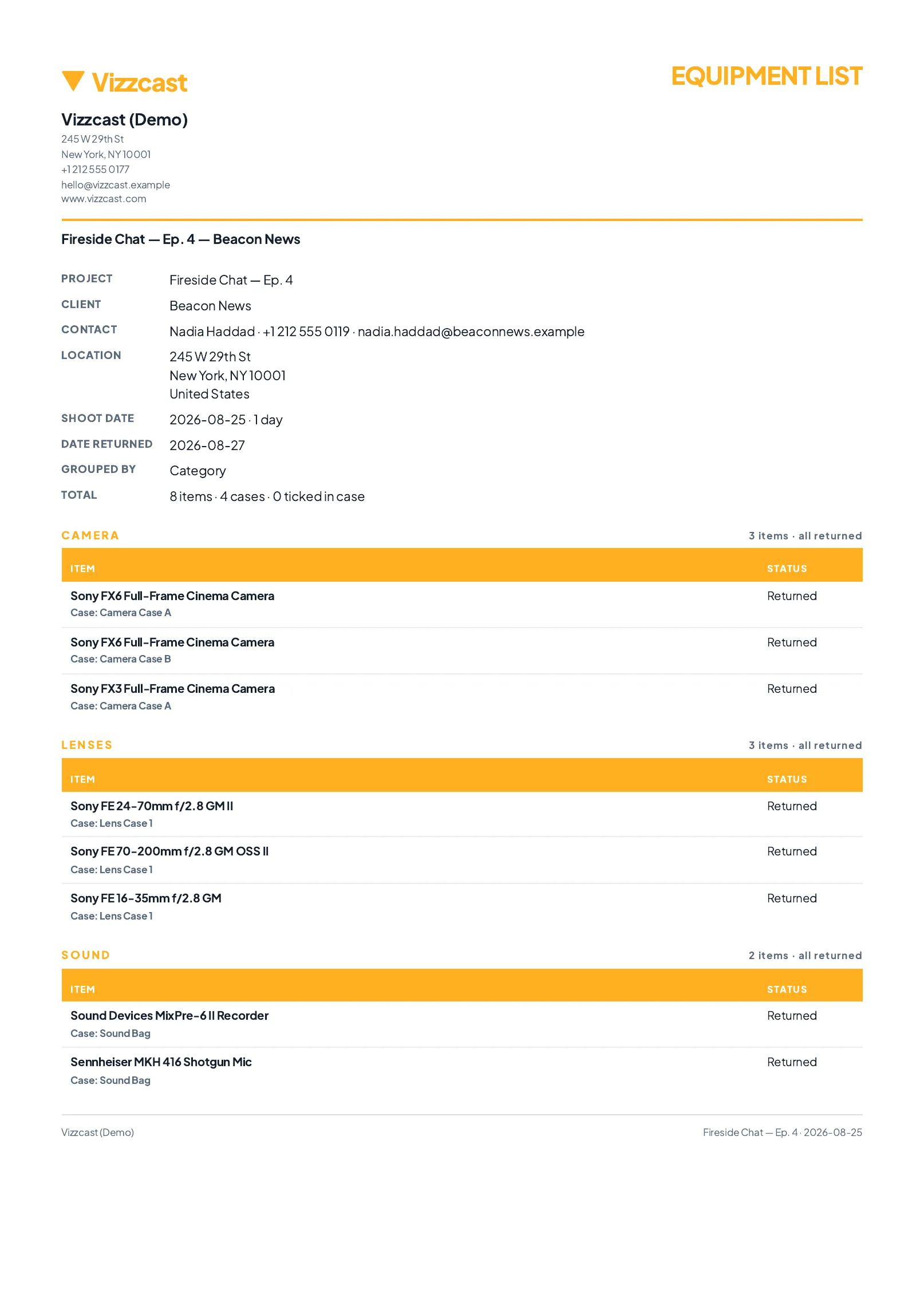
Generated fresh at the moment you send, and attached to every copy.And their own live pageThe same page on whatever they are holding — the plan as it stands now.
Both from one send. The same sheet, not a summary of it — the venue and the freight elevator, the meeting point, who to call on the day, crew call and estimated wrap, and every name on the unit with their own call time and start location. Below the crop: the talent times, the full shoot schedule, and the gear going out.
The Media Center
Send it. They watch it. They tell you at the frame.
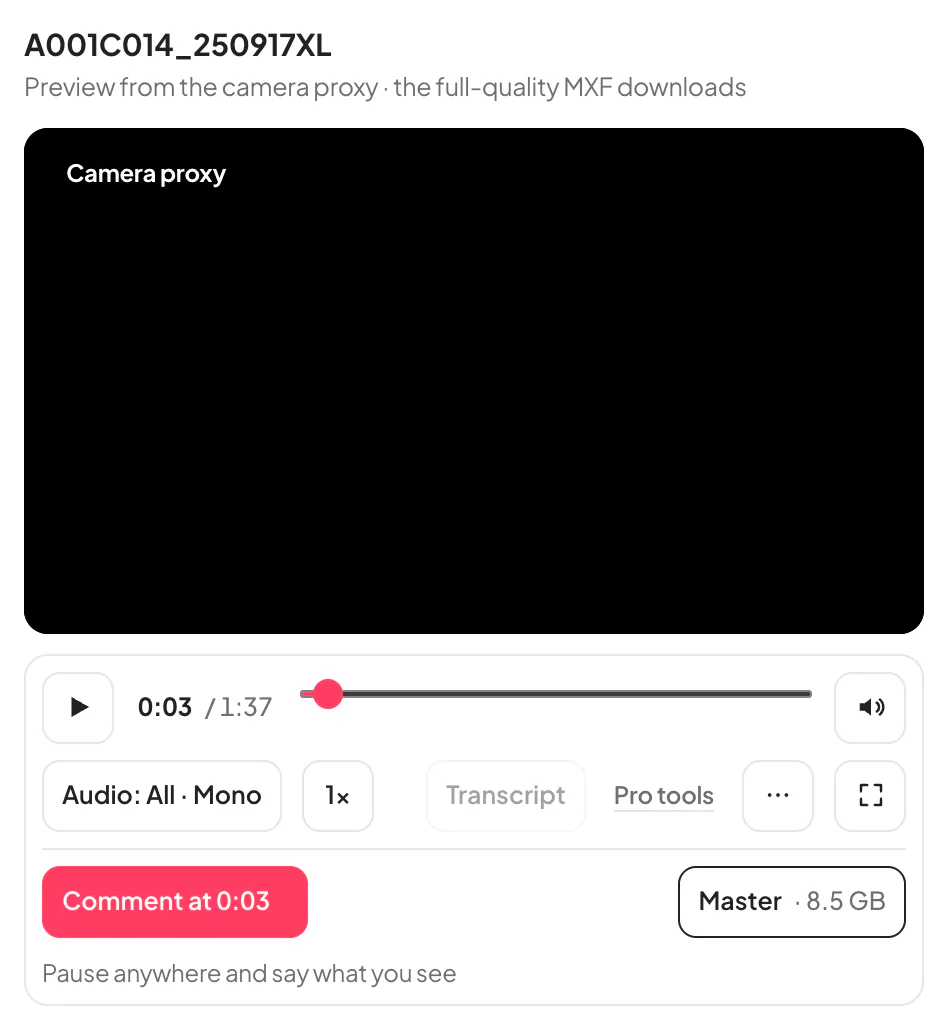
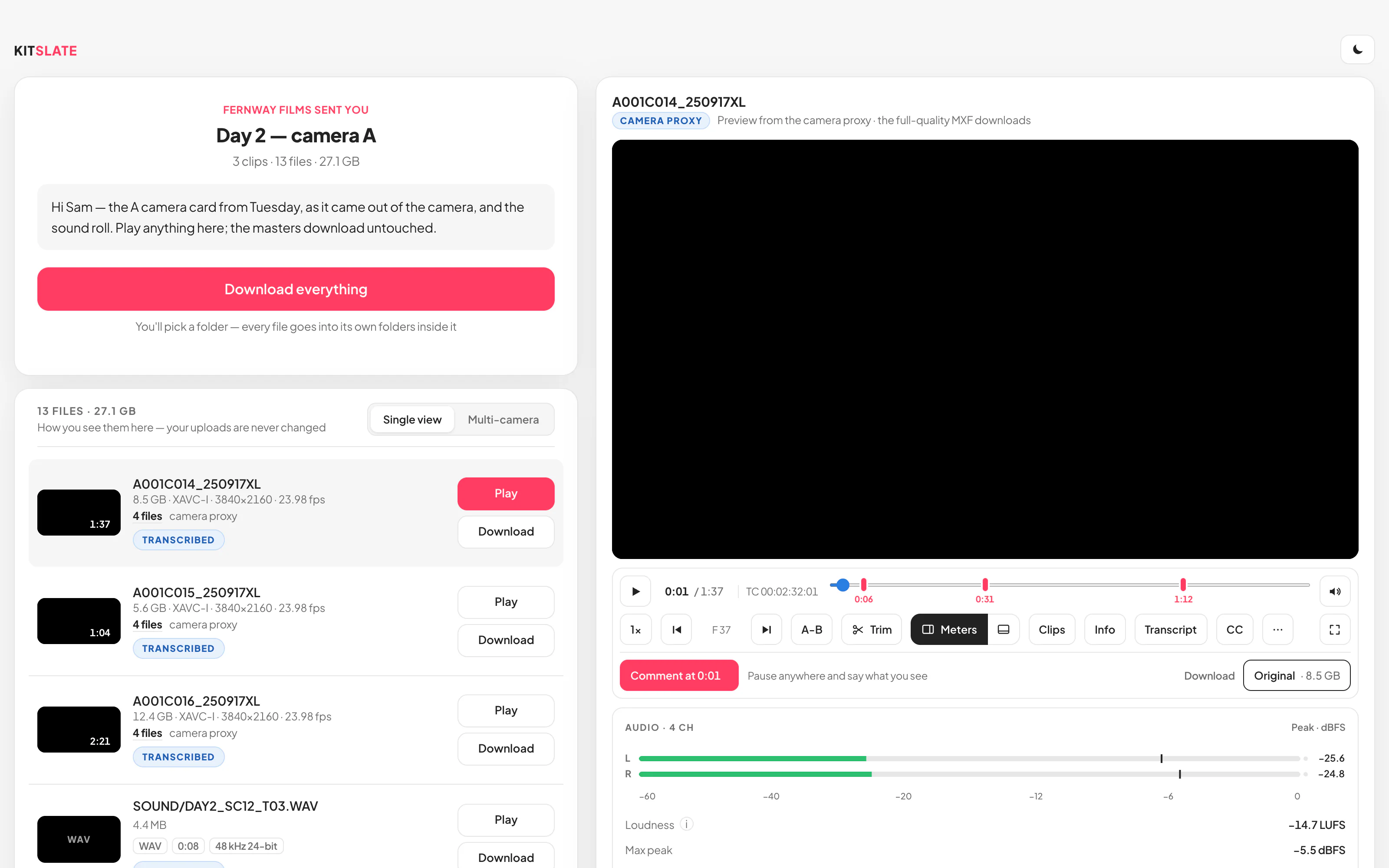
More than a transfer. Send up to 1 TB, and your client gets a page that plays camera files — MXF and ProRes included — with every audio track, the camera’s specs, notes at the exact frame, and just the part they need.
Up to 1 TB per transferDrop a camera card or a folder; the link works right away, so you can paste it while the files are still on their way — they view or download each one as it comes in.
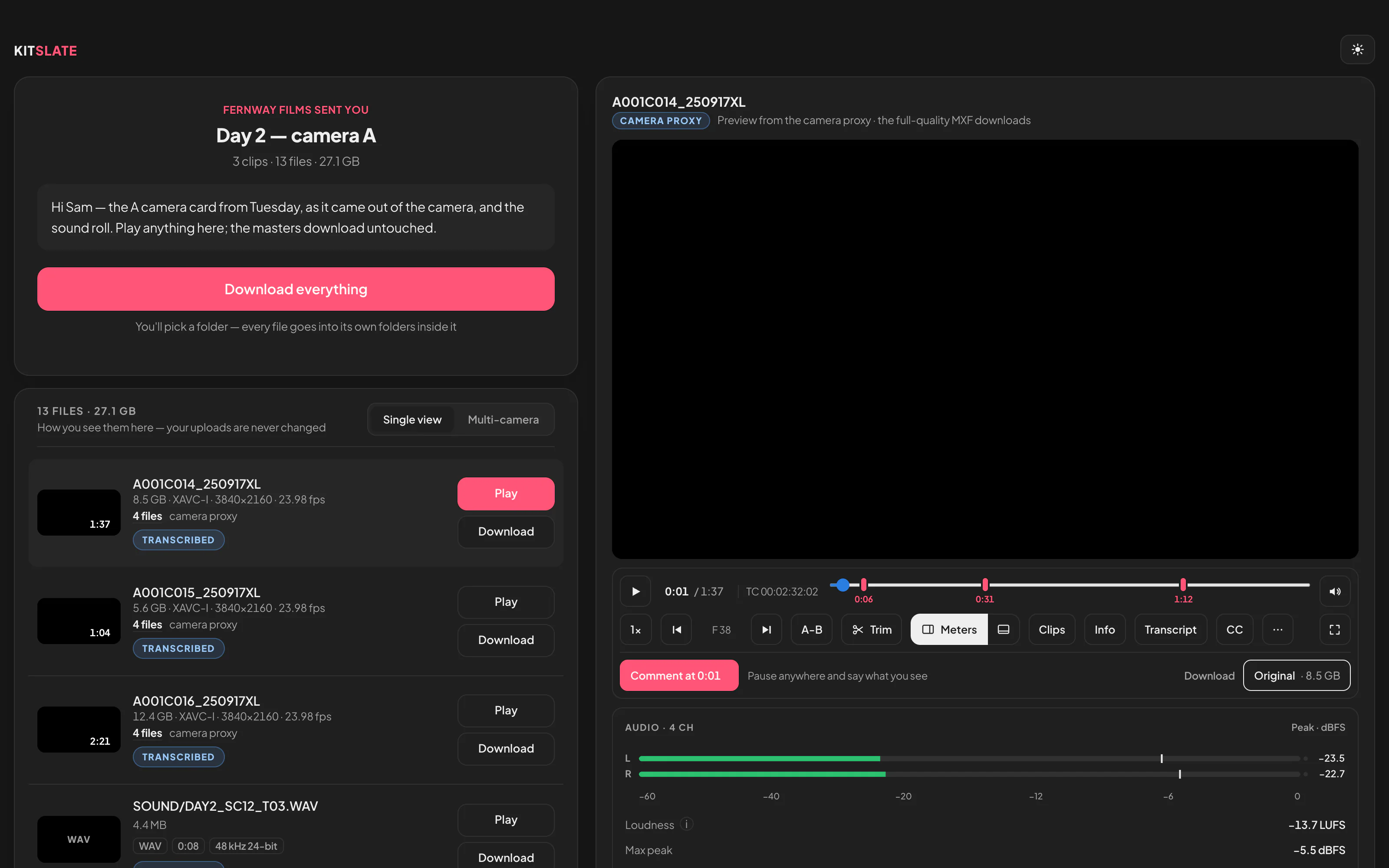
Camera files play on the pageMXF and ProRes included, however large. A preview is made from the camera file; the download is always the untouched master.
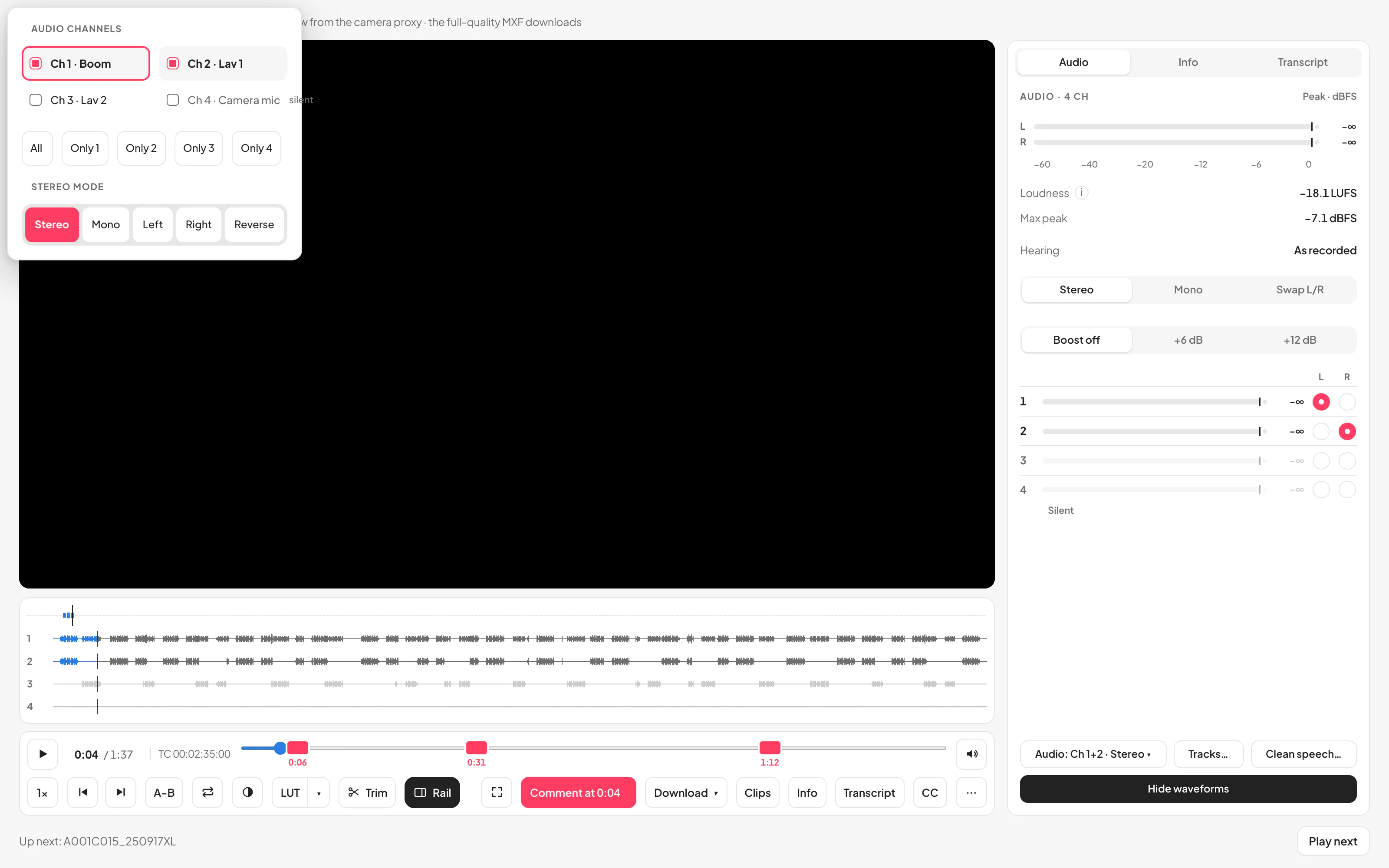
Every audio trackA lane, a switch, solo and a meter for each track; Stereo, Mono, Left, Right or Reverse.
Drag the picture sideways to read it.
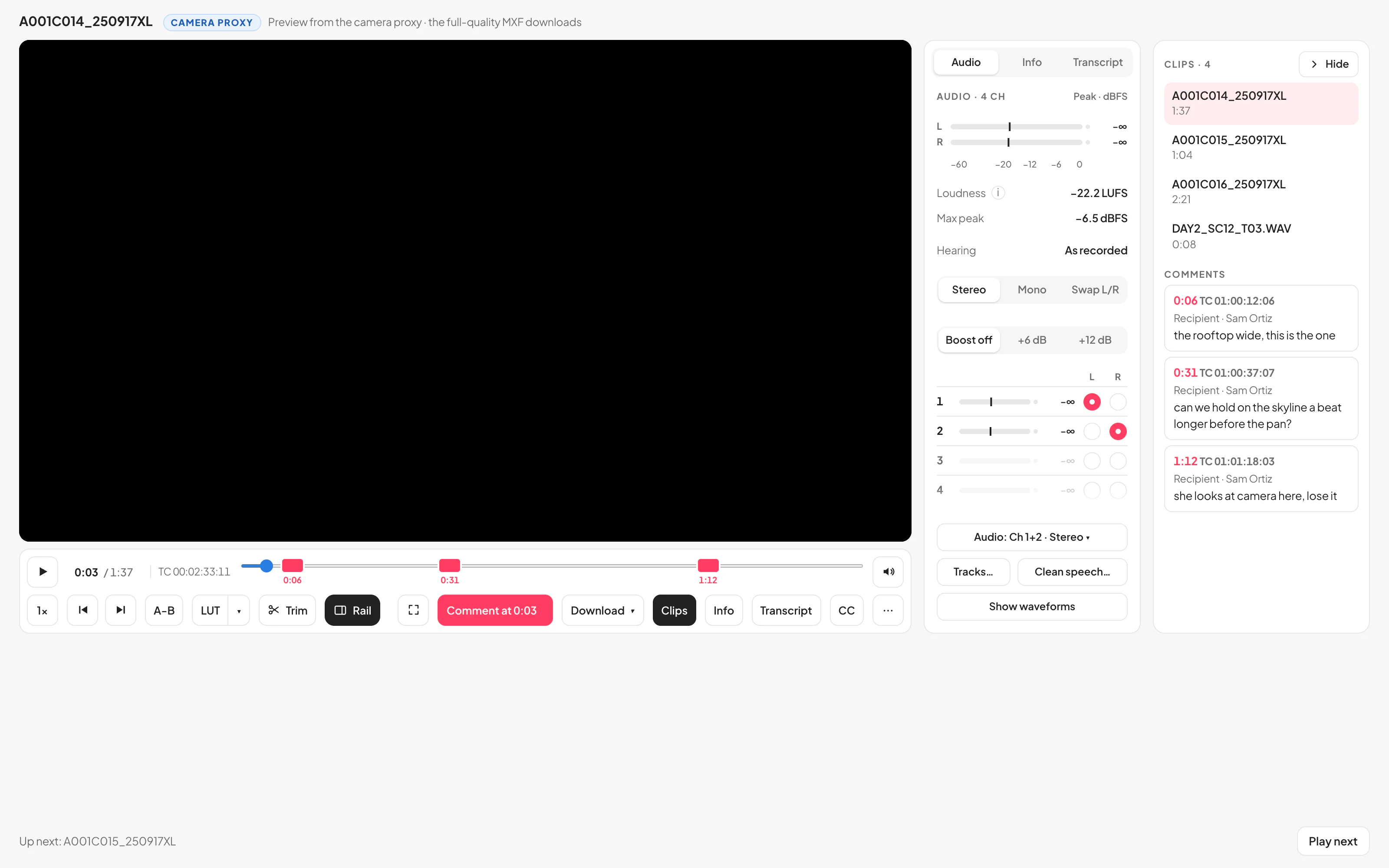
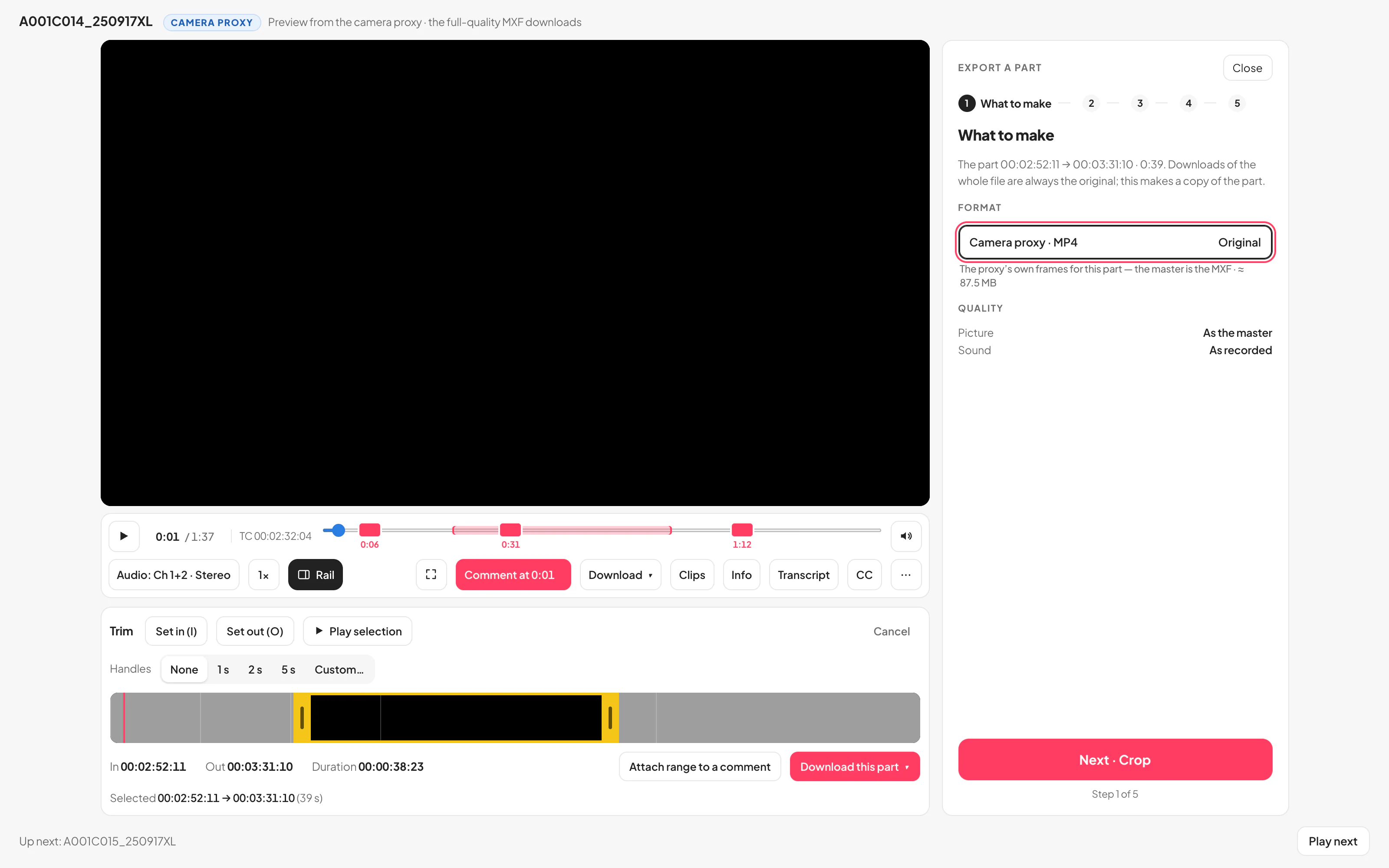
Send · the link, and Copy link, while the files are still going up.Their page · the files on one side; on the other the camera card’s clip playing, MXF and ProRes included, with the spec sheet and the conversation. The master downloads untouched.Every track · a lane per track with its switch, solo and meter, a silent one greyed out, and the Audio menu open.At the frame · a note at 0:06, on the scrubber and under Comments, with the clip’s own timecode.Take a part · in and out on the filmstrip, then the part itself to download.Transcript · every line at the clip’s own timecode, the word being said lit; search it, or select words to trim to them.
Notes at the exact frameA comment carries the clip’s own timecode and opens it at that frame. Copy TC for the edit.
Take just the part they needIn and out on a filmstrip; WAV, MP4 and MOV parts in original quality, or a small MP4 to message.
Pro review tools — trim and original parts, every audio track, frame-accurate review, transcripts, ask for selects, clean speech and multi-camera — come with every paid plan, for you and the people you send to.
The money
Every receipt, every expense, every invoice — on the job it belongs to.
The crew photograph or forward their receipts, you check each one onto the job, bill it to the client with one switch, pay the crew against what they worked, and the client pays the invoice from a page with a Pay button.
AI reads the receiptsA photographed or forwarded receipt is read into an expense — date, supplier, amount, category — and nothing goes on the job until you have checked it.
Billed to the client, with the receiptAdd to invoice puts an expense on the invoice as its own line, in an Expenses section, with its receipt attached.
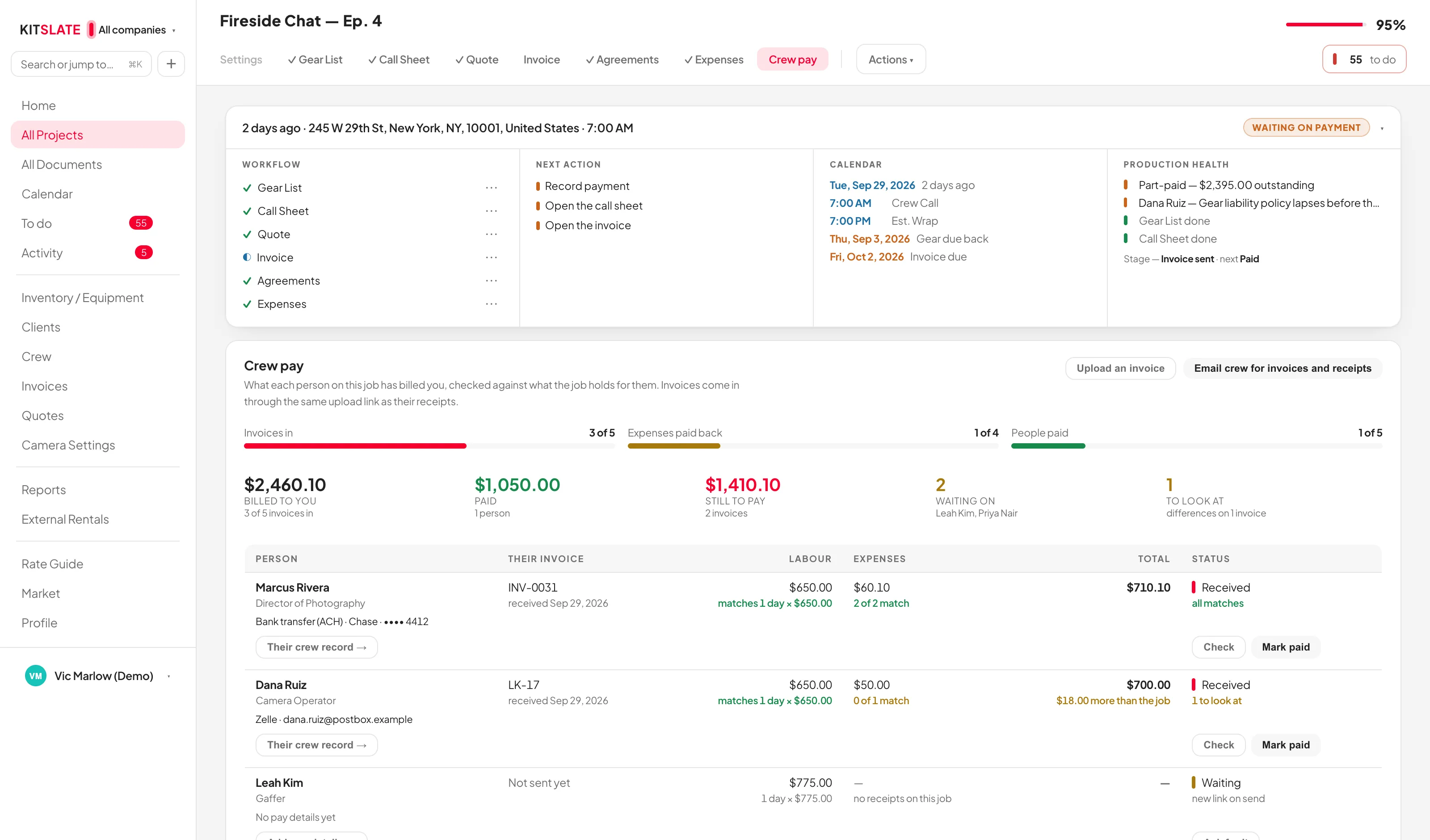
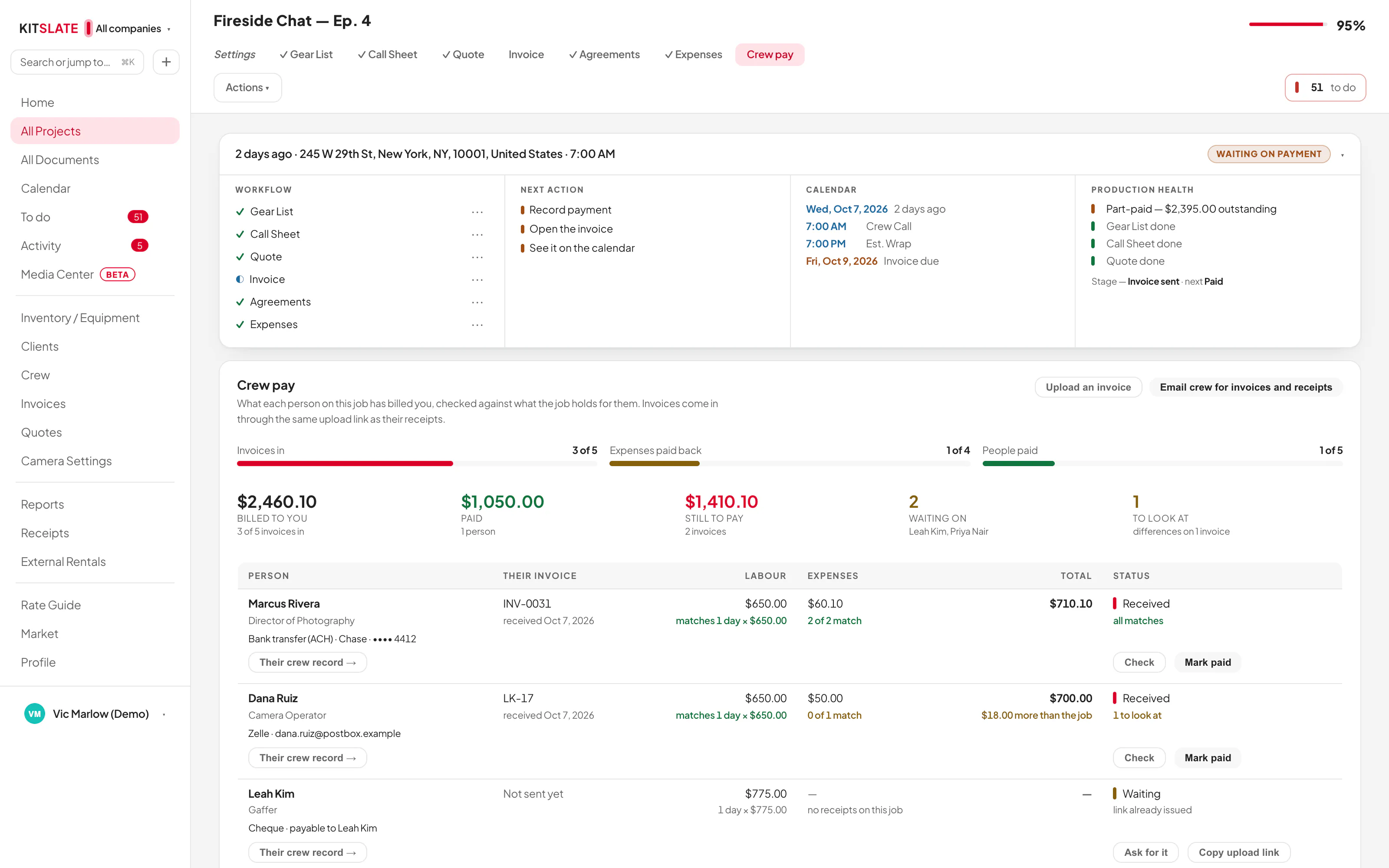
Crew pay, checkedCrew invoices come in through their own links and are checked line by line against the day rate and their receipts.
Drag the picture sideways to read it.
Receipts · everything forwarded or sent in waits here — Put on a job…, Business expense or Decline — then every receipt, totalled.Expenses · on the job: whose money each one was, and the Add to invoice switch that bills it.Crew pay · each crew invoice checked against the day rate and their receipts, then Mark paid.Invoices · made from the approved quote: Draft, Approved, Sent, Paid — and Approve invoice before anything is sent.Get paid · the page your client opens: the invoice, a Pay button and a code to scan.Reports · quoted, invoiced and received, side by side.
A Pay button and remindersCard payment through your own Stripe account, a code to scan on the PDF, and payment reminders when you switch them on.
Two currencies, never summedA total that holds two currencies shows one figure per currency, side by side.
Money to two decimals$23.70, never $23.7 — every amount, typed or totalled, shown to the cent.
The pictures are from the sandbox you can open right now.
The reckoning
The reports nobody has time to build.
Because the work of recording it already happened, the awkward questions have answers — what was quoted against what was billed and what arrived, who still owes you, which jobs made money, and what the kit has earned back.
Business overview — the money on three bases
$206,292
Quoted
$14,485
Invoiced
$8,291
Received
Quoted, invoiced and received by section
By section
Quoted
Invoiced
Received
Crew
$128,930
$6,510
$3,650
Equipment
$37,654
$4,331
$2,993
The studio
$26,175
$2,300
$720
Other / misc
$13,533
$1,344
$928
Quoted is the projection from each booked job’s quote; invoiced and received come from the invoices you published, split by the sections printed on each one.
4 overdue
Outstanding invoices
Who owes you, the balance on each and its due date — seven open, sorted by when they were due.
42%
Profit & loss by job
Each job’s income — received, else invoiced, else quoted — minus crew, misc and expenses. Top of the list: $8,059, a 42% margin.
$79,600
Crew bookings & spend
Times booked, days worked and earned, per person. Most booked: a DP on eight jobs.
$9,507
Expense tracker
Every expense on a job or the business, by category and by job — the receipt kept with each one.
315%
Paid off — the FX6
What each item has earned against what it cost. Past 100% it is pure margin.
33
Idle gear
Priced items never booked — $23,671 of kit on the shelf. Rent it, bundle it or sell it.
$73,083
To replace it all
Purchase and replacement value by category, ready for your insurer.
Per client
Client revenue
Quoted, invoiced and received per client, with shoots and days — who your business really is.
Twelve reports in the product, each filterable by company; nine of them above. The numbers shown are from the sandbox you can open right now.
The market — free to list
Gear stopped earning? Sell it to people who shoot.
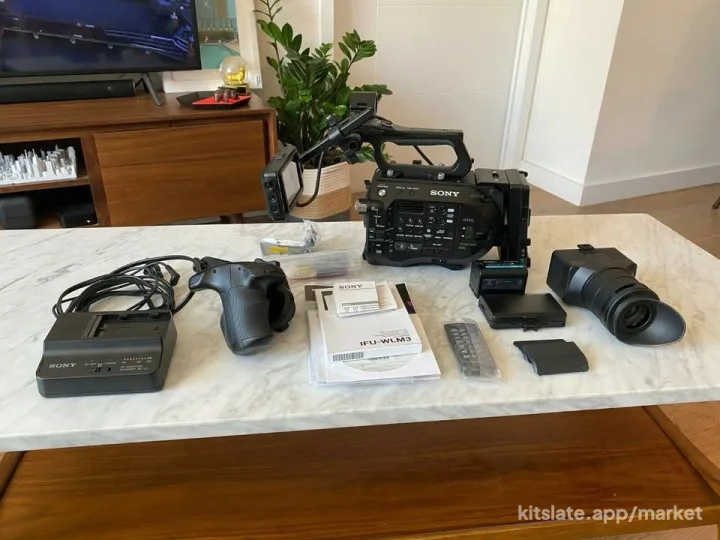
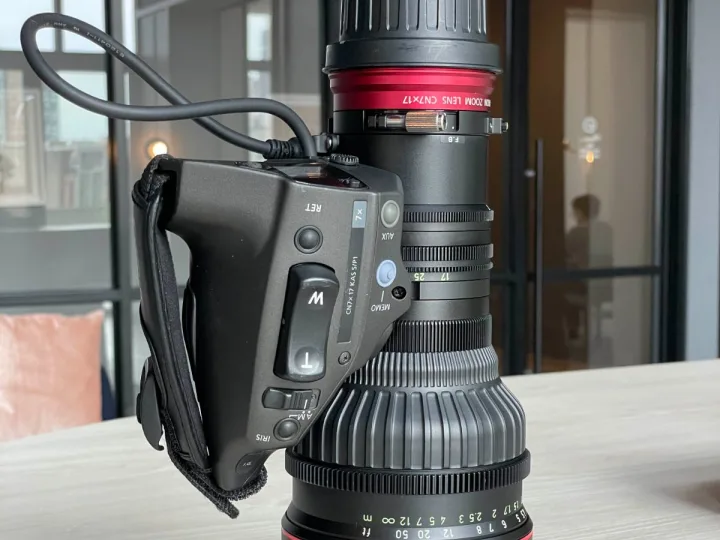
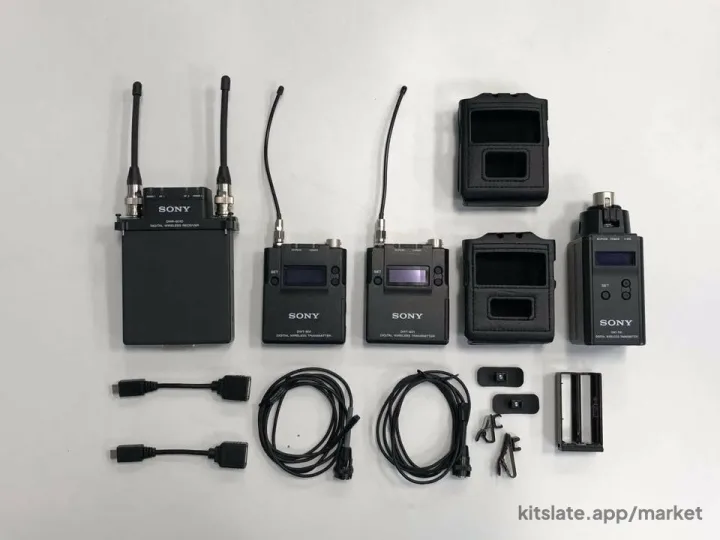
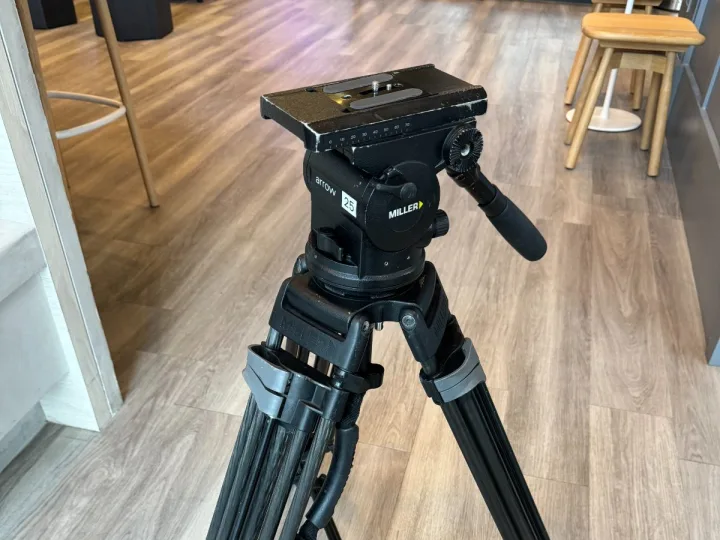
List it straight out of your inventory — name, photo and model, done in a minute. Anyone can browse without an account; buyers sign in free to message you. Payment is between you and the buyer.
Real listings, photographed by the people selling them, listed from their own inventories. Free to list — and receipts can be checked by AI so a buyer sees provenance without seeing your paperwork.
Simple pricing. Starts free.
The used-gear market and your public page cost nothing, for everyone. The production toolkit starts at $19.
Profile
Free
For people who want a public presence, marketplace access and to get found.
Every paid plan includes the whole pipeline — gear lists, call sheets, quotes, invoices, agreements and expenses — cloud sync to every device you sign into, and the sandbox to practise in. See every plan in plain English — and what a seat actually is →
Now watch it happen.
The sandbox is a whole production business already filled in — jobs, gear, crew, documents and money. Open it and break it. Nothing you do in there is real.
Anyone can create a free account and send files today. The production toolkit — Solo, Studio and up — is by invitation while we grow: leave your email to request an invite.
Already keep your kit in a gear list spreadsheet? On Studio and up, it comes with you — categories, serials and prices, in one CSV.Moving over from the spreadsheet →