One record, and the five documents that read from it.
A production is the record the gear list, the call sheet, the quote, the invoice and the releases all read from. Set the dates once and every document uses them. The board opens with the jobs that are blocked, then the rest in the order they come up.
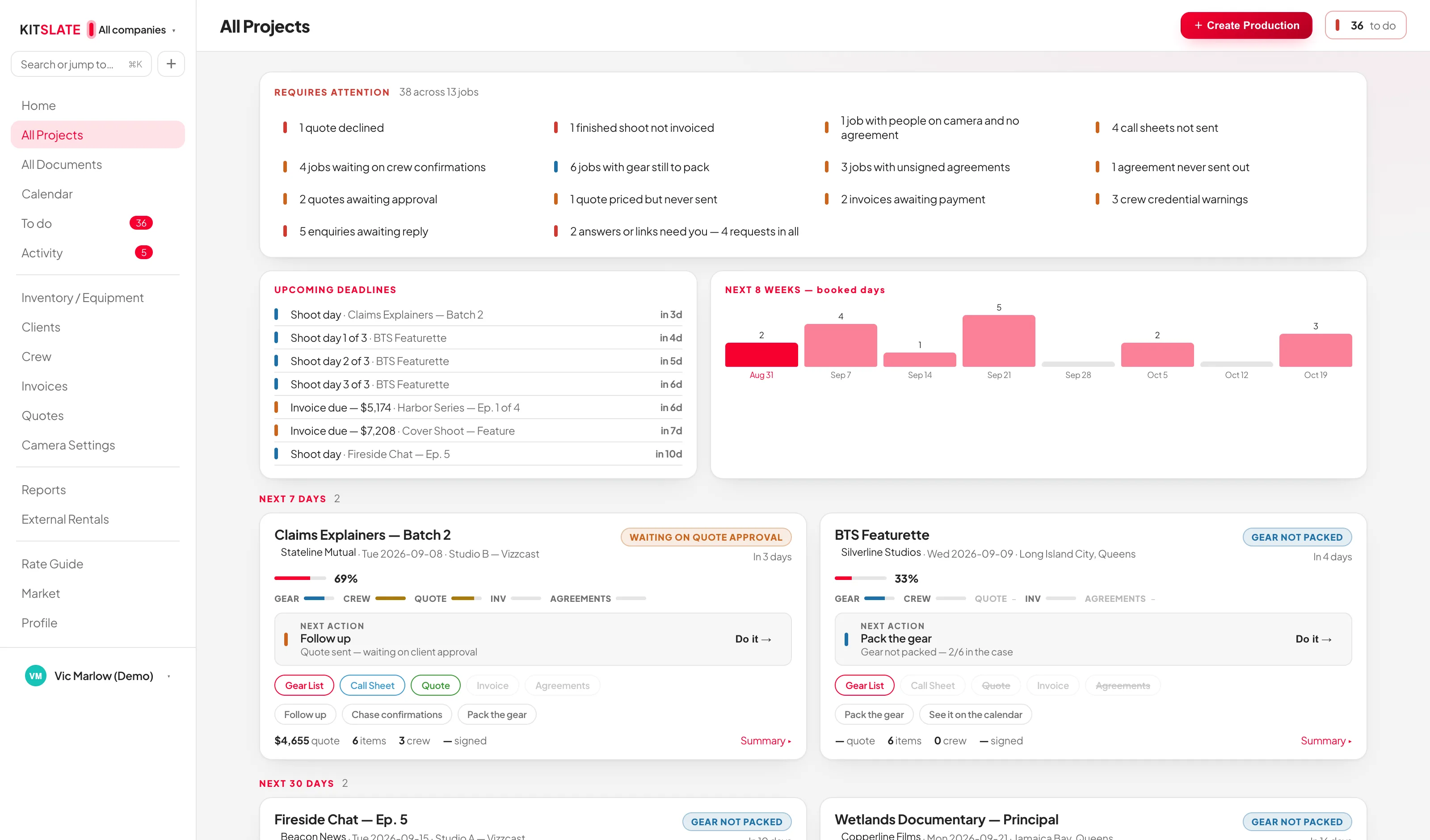
Blockers first, then the schedule.
The panel across the top pools every blocker on every job into one line each — 2 invoices overdue, 1 quote declined, 3 call sheets not sent, 4 jobs with gear still to pack — with the total and how many jobs it spans.
The state of every job, on one card.
Jobs sit in date buckets rather than one long list — shooting today, tomorrow, next 7 days, next 30, later, no date yet, wrapping up, completed, archived. Empty buckets are not drawn.
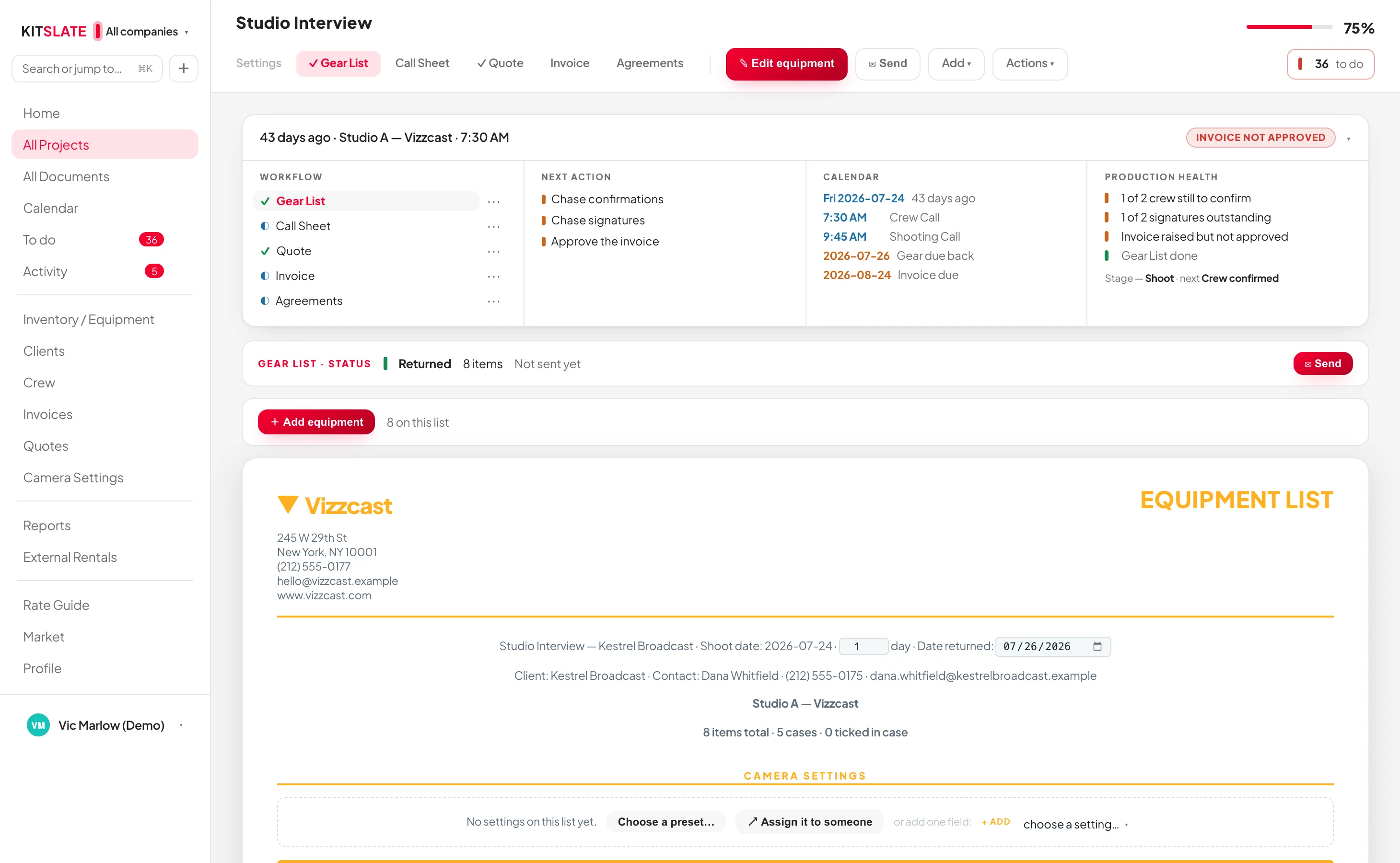
Entered once, used everywhere.
The dates you set on the job are the dates the call sheet prints, the days the gear is booked out for, and the days the quote prices. Change them in one place.
Before you try it.
Where does a job start?
Anywhere: a quote, a calendar event, a studio booking, another production’s call sheet, or an invoice you raised somewhere else. Create Production can build the job from any of them rather than making you start with an empty form.
Do I have to use all five documents?
No. Mark one not required and its chip is struck through — the completion bar stops counting it.
What happens to a job when it is finished?
It moves to wrapping up while anything is outstanding, then completed. Archive it from its Settings tab when you are done; archived jobs stay searchable and keep their documents.
Can I work under more than one company?
Yes, up to two, on Studio and above; Solo has one. The company switcher is a filter that applies to the board, the calendar, documents and most reports, and each company carries its own branding, numbering and billing currency.
Open a job that already exists.
The sandbox has productions at every stage — one blocked, one shooting, one waiting on payment. Nothing to install.