Gear lists that price the job, pack the van and come back.
Pick the kit out of your own inventory. Price it at studio, location or rental rates with one switch. Mark it packed, returned, missing or faulty on the same sheet — and every mark writes straight back to what is available for the next job.
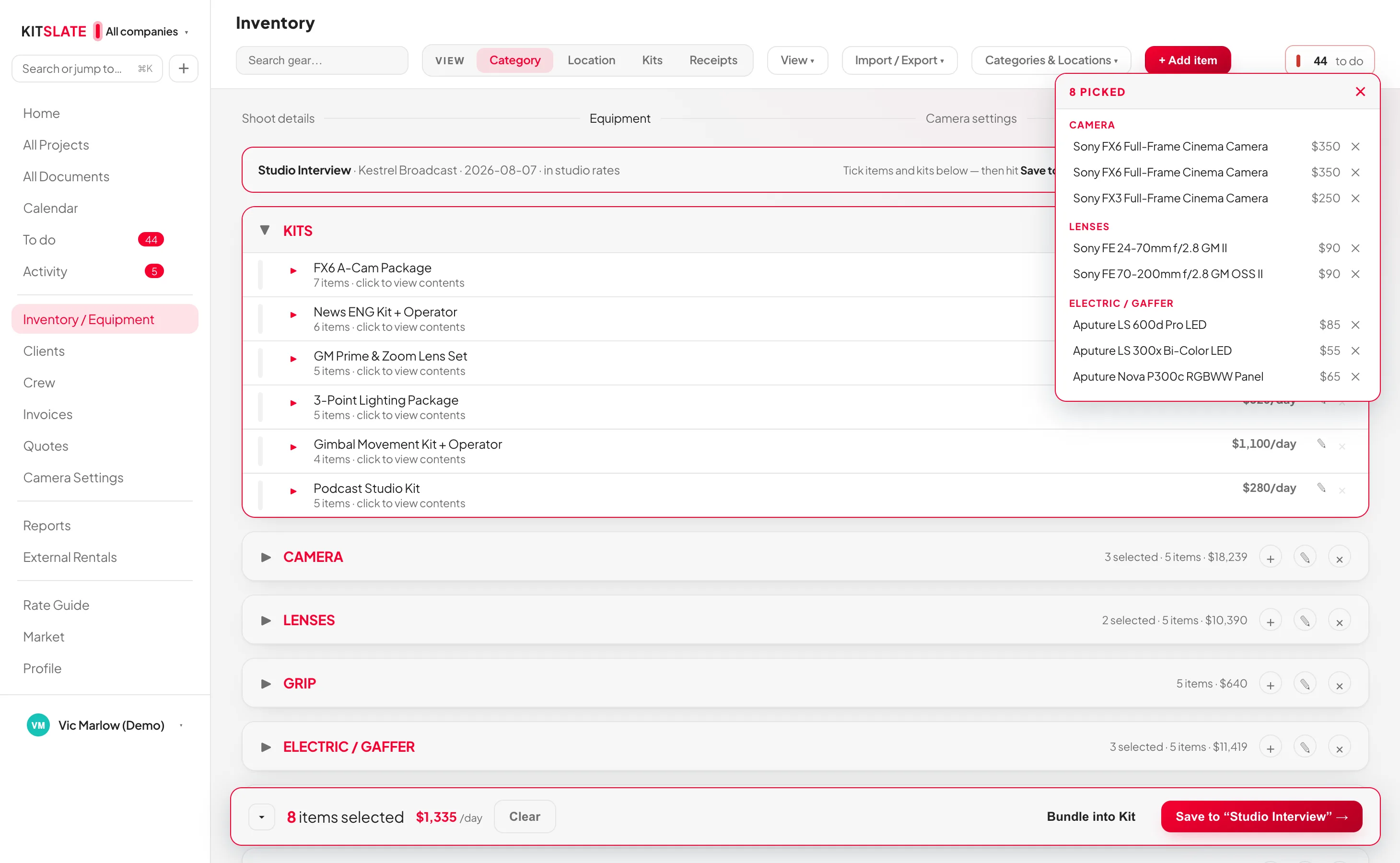
Built from the inventory you already keep.
Click the selection bar on any item and the bar at the foot of the screen counts what you have picked, with the daily total so far. Create Gear List → and the sheet is made.
Where is the gear working?
Studio, Outside or Rental re-prices every item on the list from the three day rates stored on it in the inventory. Only the rates that actually differ need filling in.
Pack it without a clipboard.
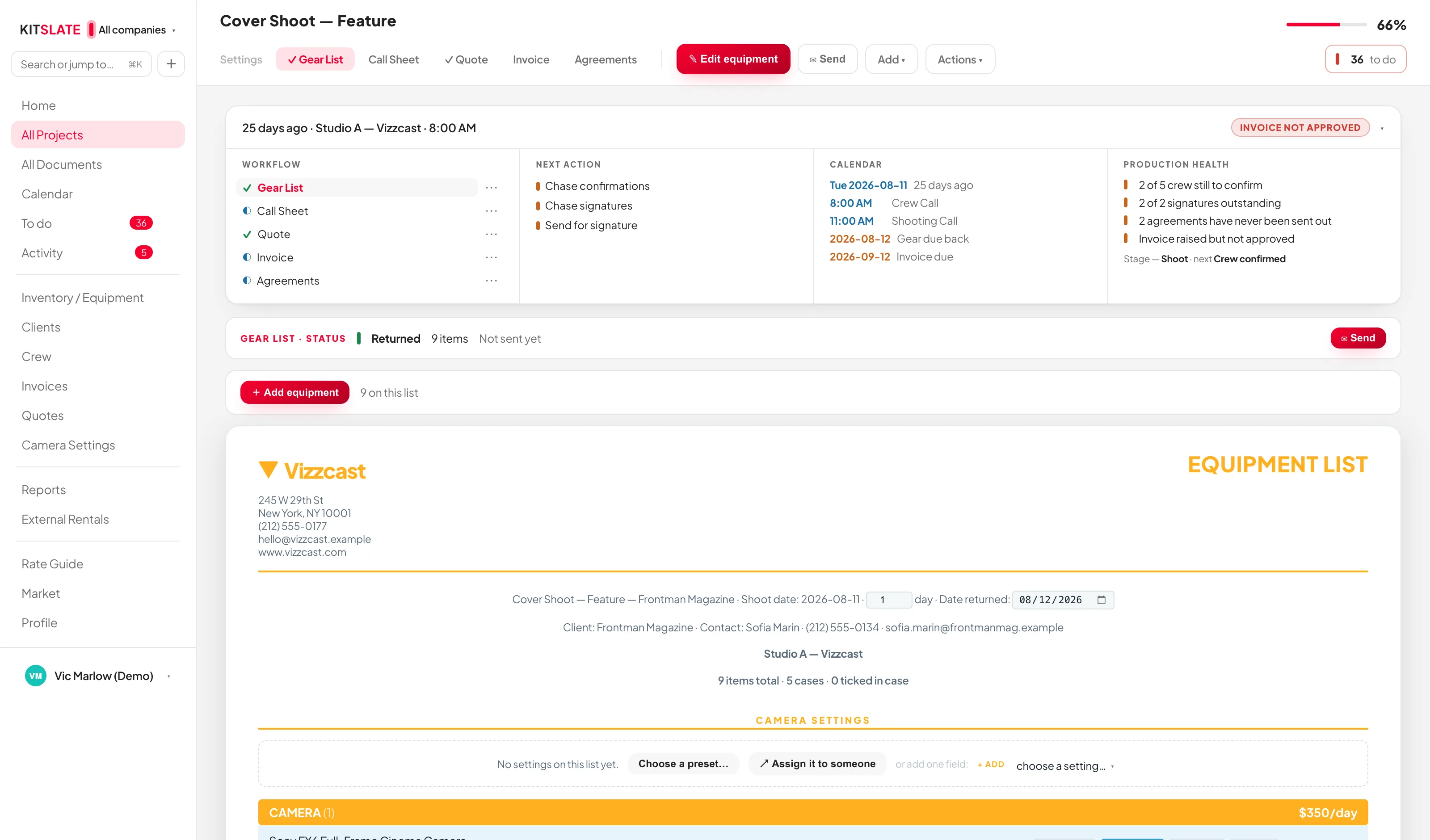
Every row carries four toggles: IN CASE, RETURNED, MISSING, FAULTY. They are not marks on paper. In case or missing sets the item out; returned puts it back in storage; faulty flags it.
Before you try it.
Do I need to build my inventory first?
Yes — the list is picked from it. Import the inventory from a stack of receipts on any paid plan, or from a CSV, a PDF or a photo of a list on Studio and up, and it is ready to pick from.
Does marking gear packed change anything else?
It changes availability. In case or missing sets the item out in the inventory, returned sets it in, faulty flags it — so another job cannot pick gear that has already left.
What does the client receive?
The equipment list as a PDF in the light document theme: every item with the details you switched on and its packing mark, without serials or rates.
Can I put crew on a gear list?
Crew go on the quote and the call sheet. A kit can include crew, and that kit goes on both automatically.
Build one from a real inventory.
The sandbox comes with a full inventory. Pick a kit, switch the rates, mark it packed.