Every crew invoice in, checked, and paid.
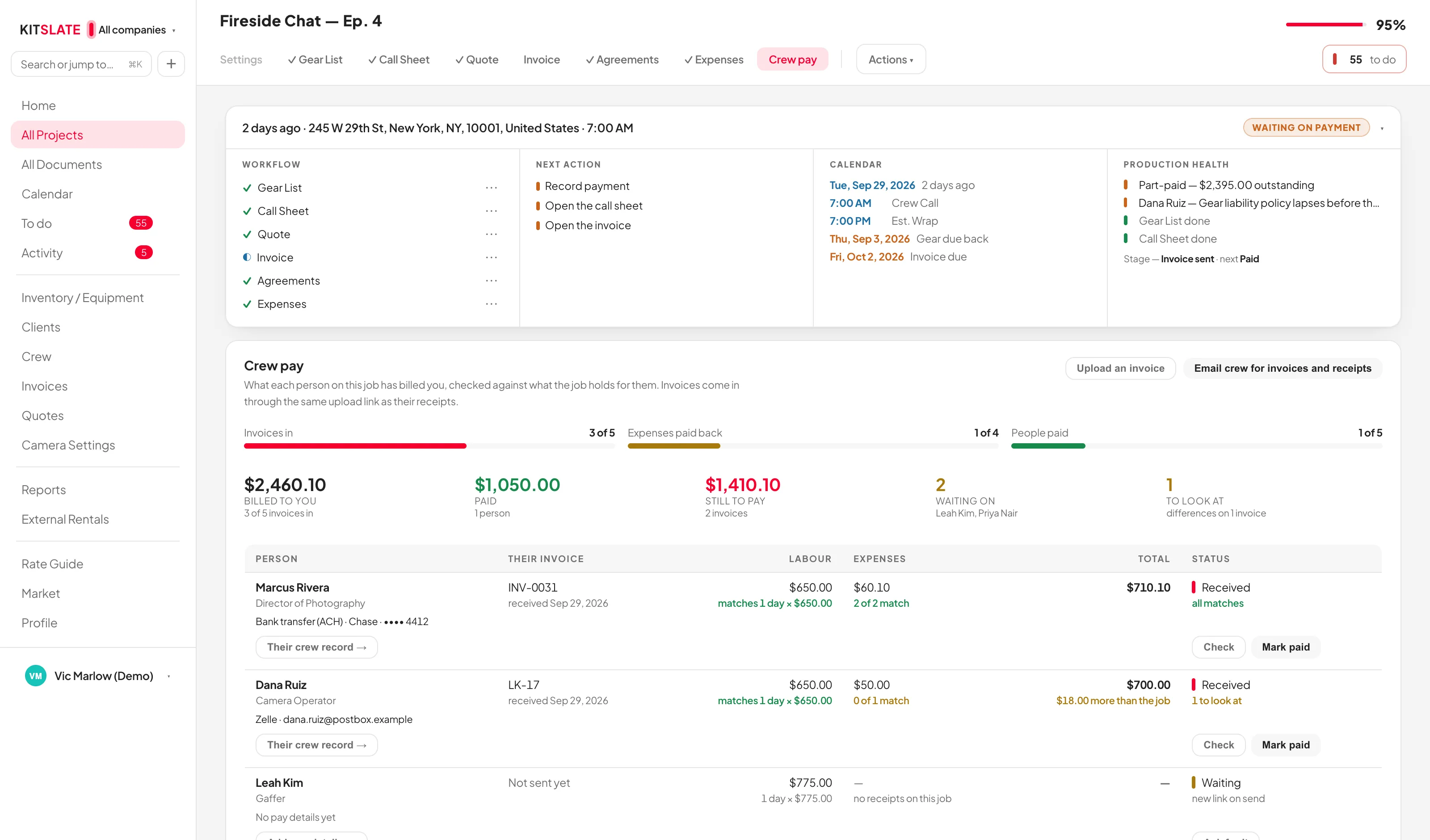
When the shoot wraps, everyone on the call sheet gets one email asking for their final invoice and any receipts they have not sent. The invoice comes back through the same link as their receipts, lands on the job’s Crew pay tab, and is checked line by line against what the job holds for them. You record the payment, and their receipts are paid back with it.
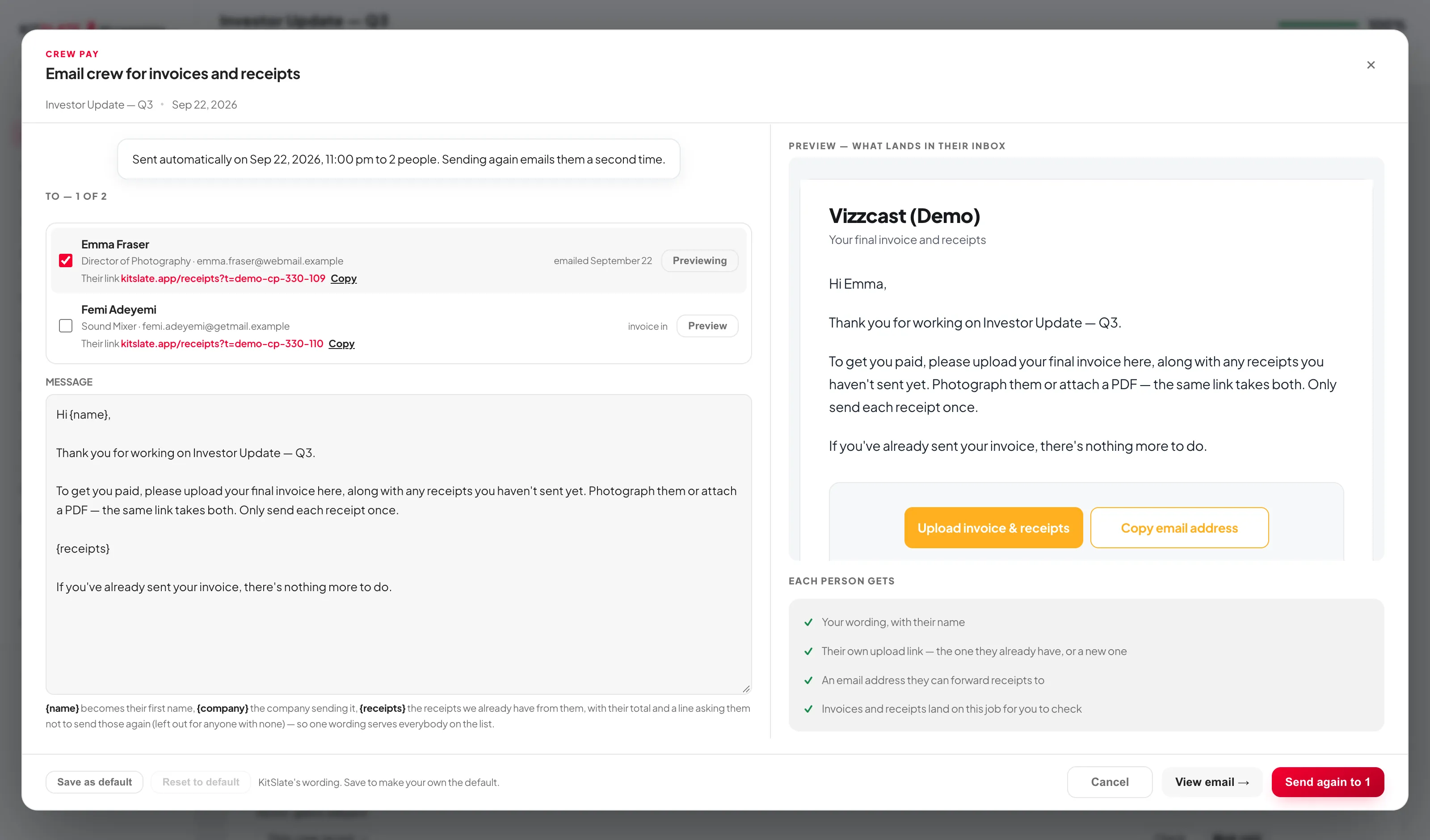
One email, the moment the job wraps.
Email crew for invoices and receipts writes to everyone on the call sheet, each with their own upload link — the one they already hold for receipts, or a new one. Or let it go by itself: set it once in Settings, a set time after the last shoot day’s wrap, and each job can follow that or choose its own.
The invoice comes back through their link.
Crew photograph or attach their invoice on the same page they send receipts from. It is read as an invoice, not a receipt — invoice number, the labour lines and the expense lines — and put on their row of the job’s Crew pay tab.
Every line checked against the job.
Labour against the day rate and days the job holds for them. Each expense line against their own receipts — the same amount on the same day, the same amount on another day, then a different amount only when the words agree. The answer is a sentence, not a colour.
Mark paid, the way an invoice payment is recorded.
Mark paid takes the amount, the date and the method from the list — starting at how they asked to be paid on their crew record — and the receipts on their invoice are paid back with it. Undo paid takes back exactly that.
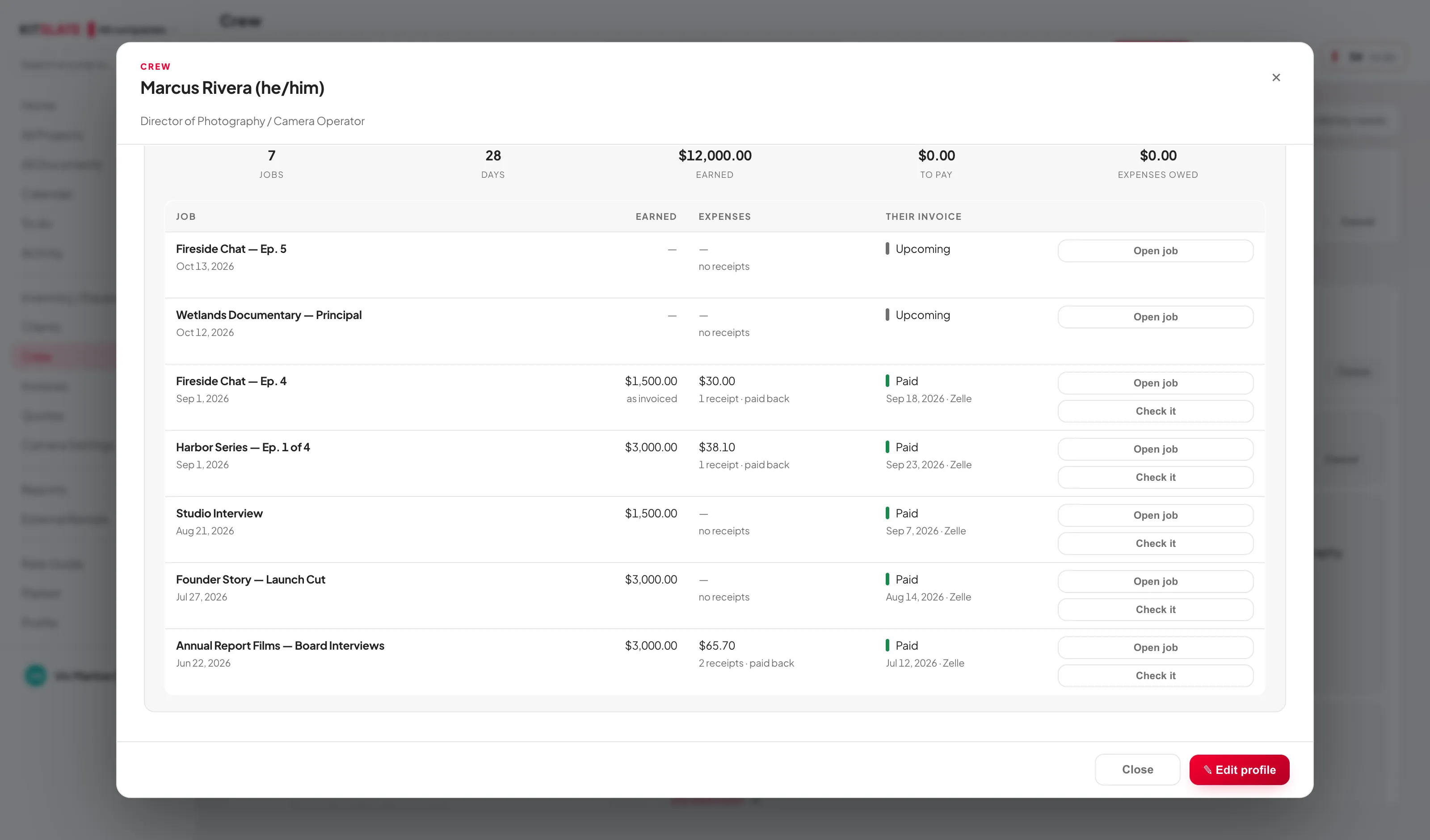
Every person’s work history, from the jobs.
A crew member’s profile has a row per job: what they earned on it, their expenses and receipts, and whether their invoice has come in and been paid — with the date and the method. Totals across the top: jobs, days, earned, still to pay, expenses owed.
Before you try it.
Does KitSlate pay the crew?
No money moves through KitSlate for crew. You pay them the way you already do; Mark paid records how and when, and pays back the receipts it covered on the job.
Do crew need an account to send an invoice?
No. Their upload link is the way in — the same one they use for receipts. They photograph or attach the invoice and send.
What if someone sends their receipts again on the invoice?
The wrap-up email already lists what you have from them and asks them not to. If a receipt is on the invoice and was already paid back, the check says so.
Can I stop the automatic email for one job?
Yes. Each job’s Settings tab can follow the workspace setting, choose its own time, or switch it off; and sending it by hand cancels the automatic one.
What if someone was never on the quote?
Their invoice still arrives and is checked; the labour line says the job held nothing for them, so you can see it before you pay.
See a job’s crew paid.
The sandbox has finished jobs with crew invoices in, checked and paid, a few with a difference to look at, and every crew member’s work history filled in.