File transfer for video
Up to 1 TB per transfer, by email or link. Whoever you send to needs no account and nothing to install.
5 GB per transfer is free.No credit card.
On our 2 Gbps line, 50 GB of camera files went up in 3 min 4 sec. How we measured it
Files or folders. The folders arrive as they left the camera.
The link works as soon as the upload starts.
Clips play on their page. Download everything saves one folder.
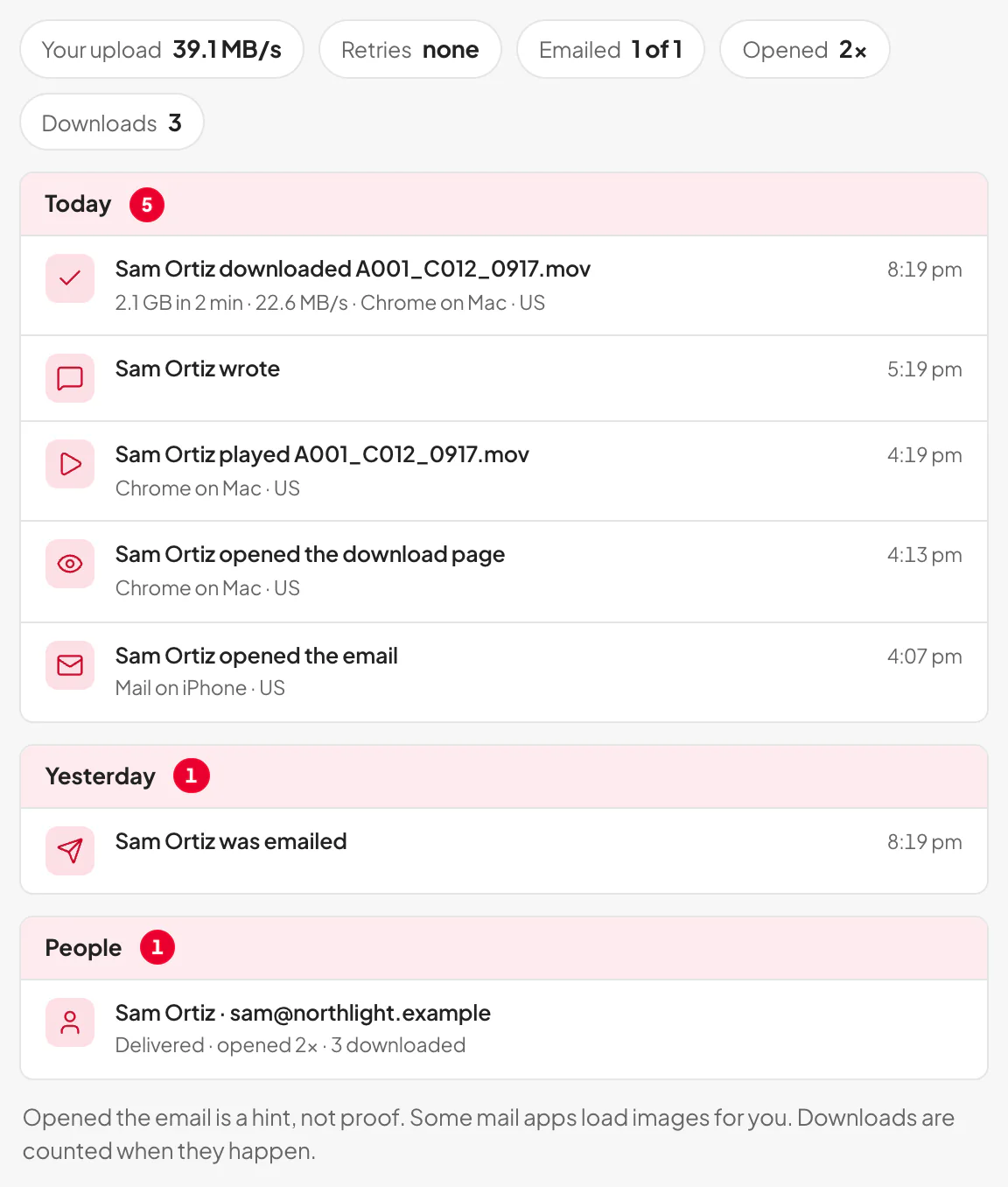
Who opened the email, played a clip and downloaded each file.
The same Media Center in a small app. It reads the files from your drive, keeps sending in the background, and picks up where it left off after a restart.
One Mac download for Apple silicon and Intel, and one for 64-bit Windows. Free on every plan. On Windows, proxies and transcripts are made online.
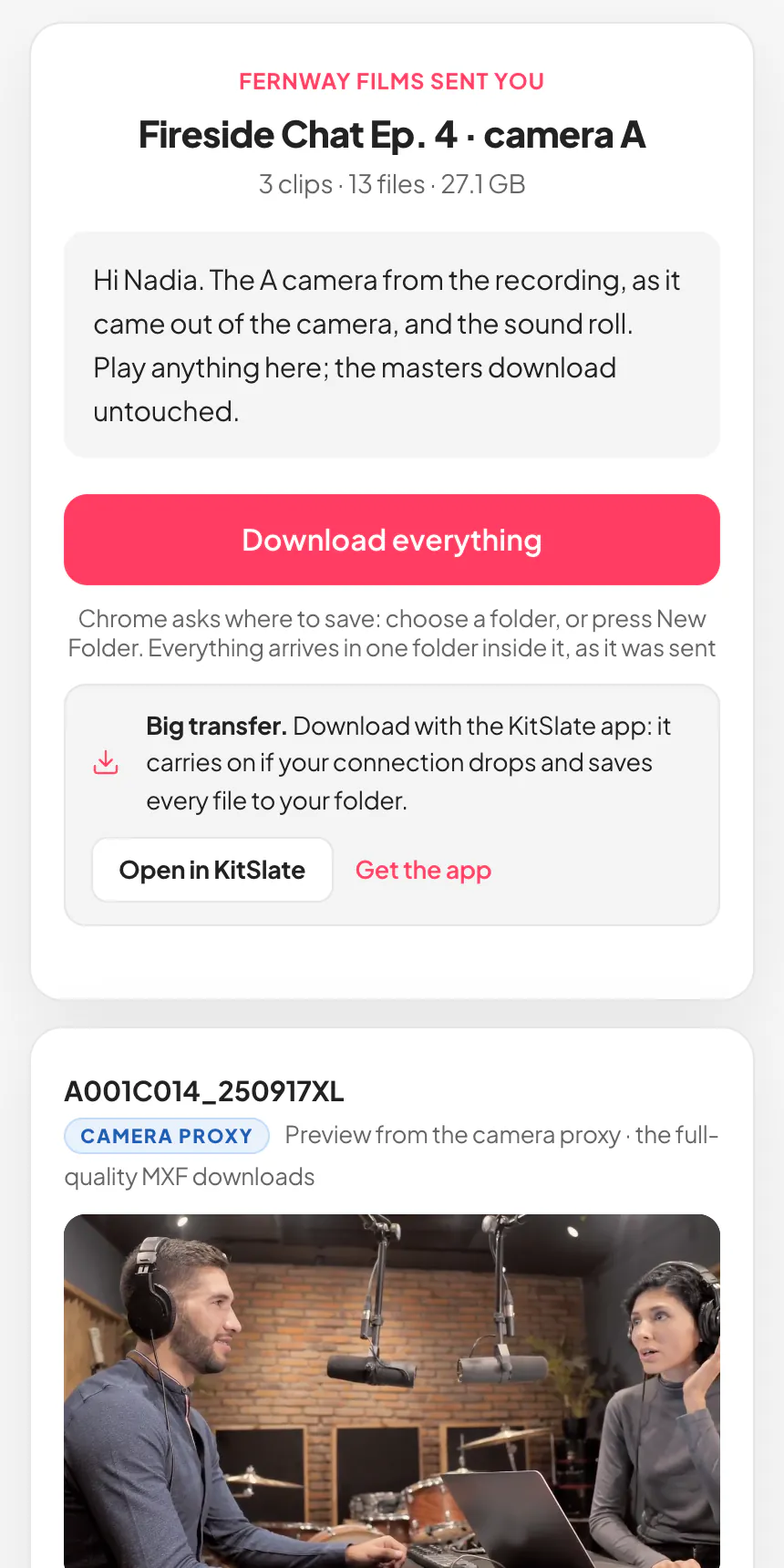
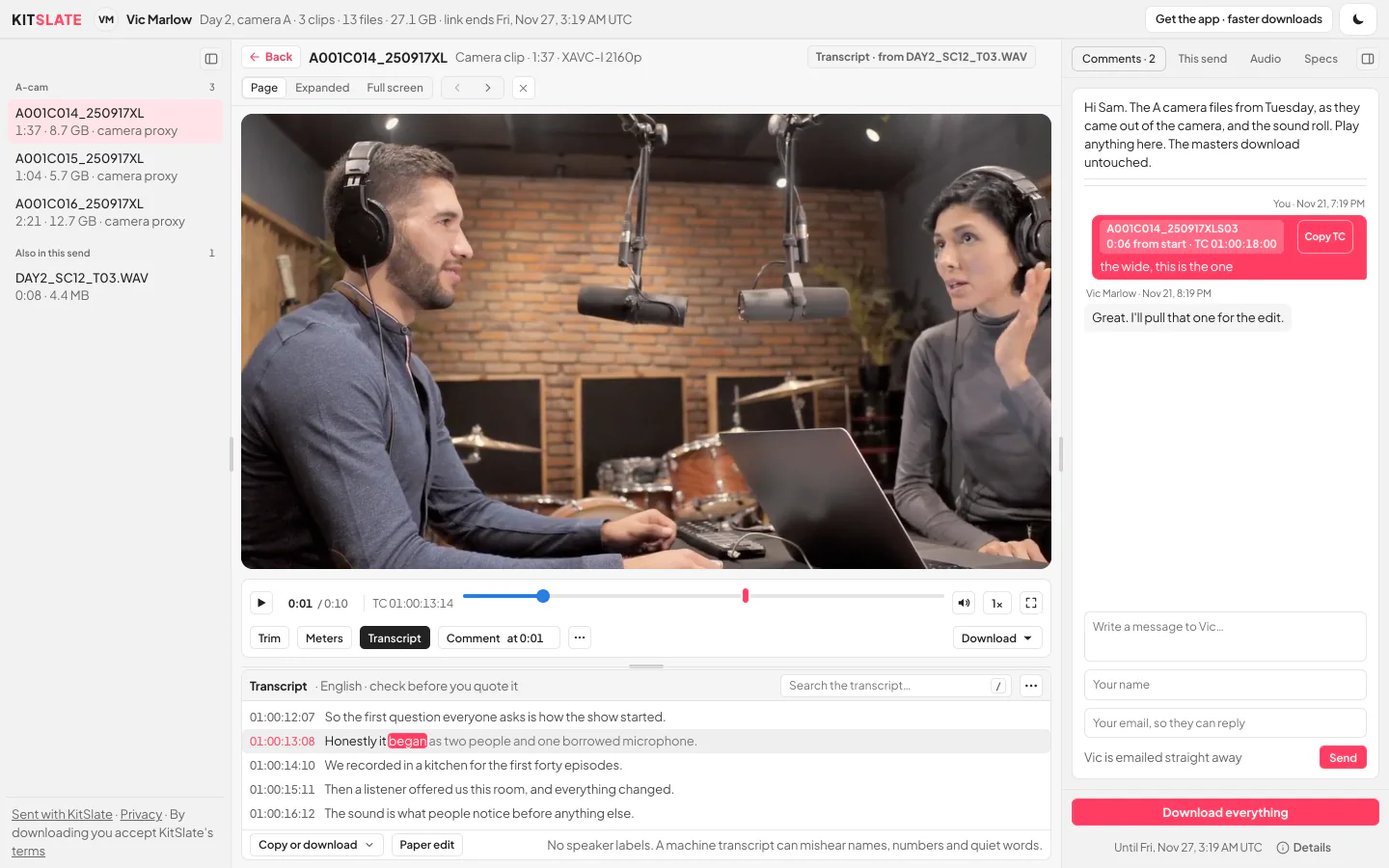
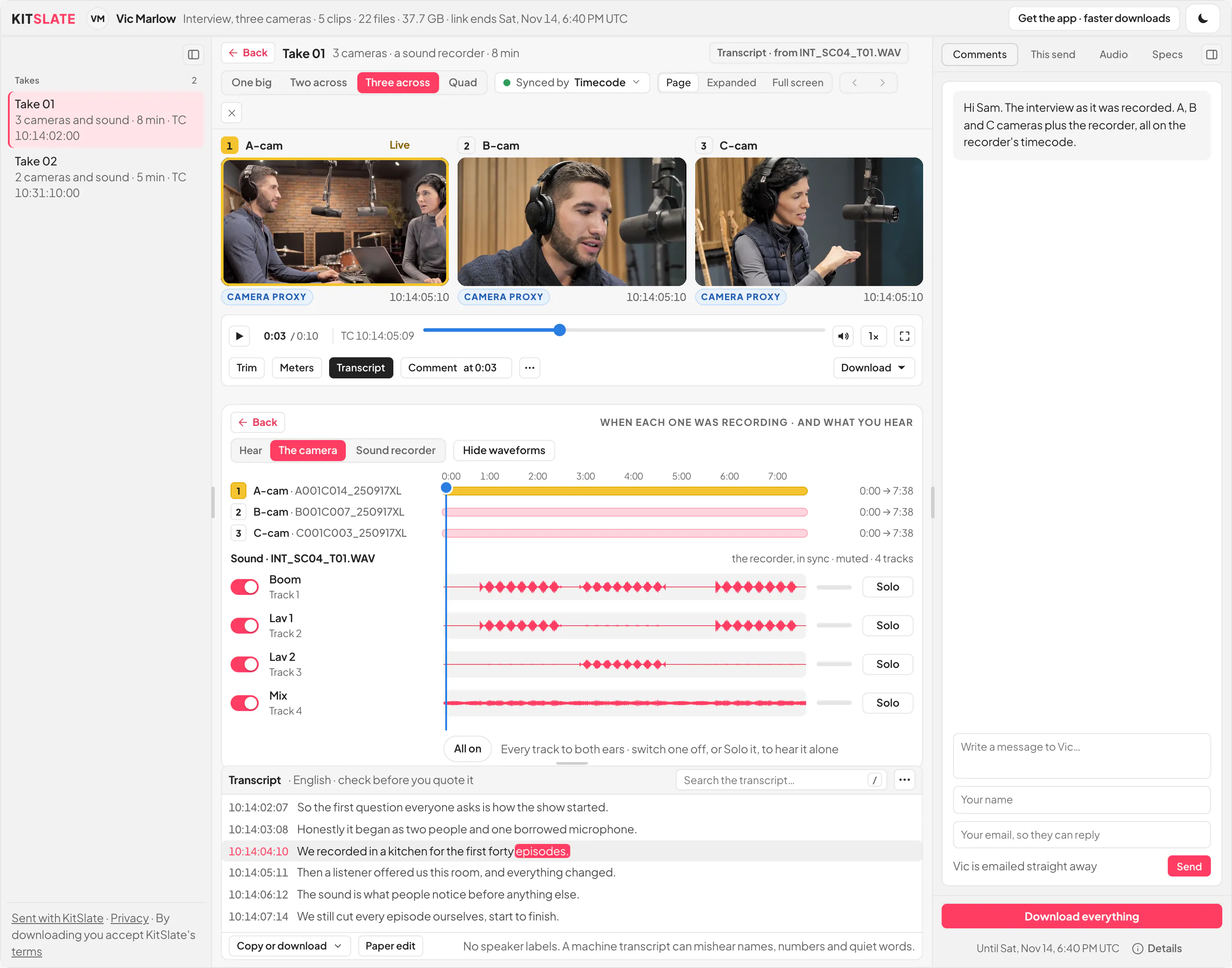
They open the link on a laptop or a phone. The clips play from proxies, and the masters download untouched.

Send up to 1 TB in the browser, or with the app for Mac and Windows.
Drag the picture sideways to read it.
Their page · every clip as a tile with its picture, the cameras down the side, and Download everything. MXF and ProRes play, and the master downloads untouched.
On a 2 Gbps fiber line, at 2.25 Gbps up over 16 connections, read from the Mac’s own drive.
At that speed. On a 200 Mbps line, 100 GB takes about 1 h 12 min. Test yours at the top of the page.
| Plan | Per transfer | Storage | Price |
|---|---|---|---|
| Profile | 5 GB | 25 GB | Free |
| Solo | 500 GB | 500 GB | $19/mo |
| Studio | 1 TB | 1 TB | $49/mo |
| Production House | 1 TB | 4 TB | $149/mo |
No charge per transfer or per gigabyte, and no monthly cap. Up to 500 files per transfer. See every plan
No. They open the transfer link, play or download, and can write back from the page. By downloading they accept the terms.
On most lines, no. It sends by the same route at the same speed, but keeps going when you walk away.
On our storage in North America, until the transfer expires. Expired transfers are deleted and are not part of our backups, so keep your own copy.
It is part of the plan: 5 GB free per transfer, 500 GB on Solo, 1 TB on Studio and up. There is no charge per transfer or per gigabyte.
Yes. Sending as picks the company; the email, the page and the contact card carry that company’s name and details.
Up to 3 days on the free profile. On a paid plan, 1 to 30 days, 7 by default, and on Studio and above it can also never expire.
Same account, same plan. Your large sends just work better.
| What you get | Browser | KitSlate app |
|---|---|---|
| Making proxies | Uses minutes | Unlimited |
| Send while proxies are being made | No | Yes |
| Link works the second you hit send | Yes | Yes |
| Proxies go first, so clips play now | Yes | Yes |
| Full speed in the background | Can slow down | Yes |
| Never stops to reload the page | No | Yes |
| Downloads pick up where they left off | Some browsers | Yes |
| Sync and watch footage before upload | No | Yes |
| Making transcripts | Uses minutes | Unlimited |
Why it’s free in the appYour computer does the work. Online, our servers do it, so it uses your plan’s minutes.
Rushes, grades, deliverables, up to 1 TB per transfer. Drop the folder, add the recipients, and KitSlate emails each one their own download link or gives you a transfer link to share. Recipients need no account and nothing to install: they open the link, play the clips in the browser, and download into a folder they pick, with a download that resumes if the connection drops.
KitSlate reads each clip’s codec, frame size, frame rate, source timecode and length from the file itself, so a producer can see what arrived before anything is downloaded. A speed test before you send measures your line and your connection to storage, so you know how long it will take.
Straight into storage. Your browser uploads each part of the file straight into our storage on a signed address, with nothing in between to slow it down. Parts go up over as many as 32 parallel connections, so one slow stream never sets the pace, and the count steps up while it keeps helping. If storage cannot be reached directly from where you are, the upload goes through KitSlate instead and still arrives.
Measured, not promised. Before you start, the speed test measures your line and the route to storage and sets the part size and the connection count. If the connection drops, the upload resumes from the last part that was saved. Recipients stream or download from our network, from the location nearest them. From our office in Manhattan on a 2 Gbps fiber connection: 1.82 Gbps up to storage over 12 connections, 2.04 Gbps back down.
A password, a code to their email, or only the people you sent it to. Every link starts open to whoever has it. On the Send page you can ask that whoever opens it confirms an email address first. We send them a six-digit code, and every visit and download is then recorded against that address. Or you can ask that only the people you sent it to can open it, each confirming theirs. On top of either, a password: 8 to 64 characters, on every plan, which you give them yourself. It is never in the email, and right after you send it is shown to you once, with Copy and Text it.
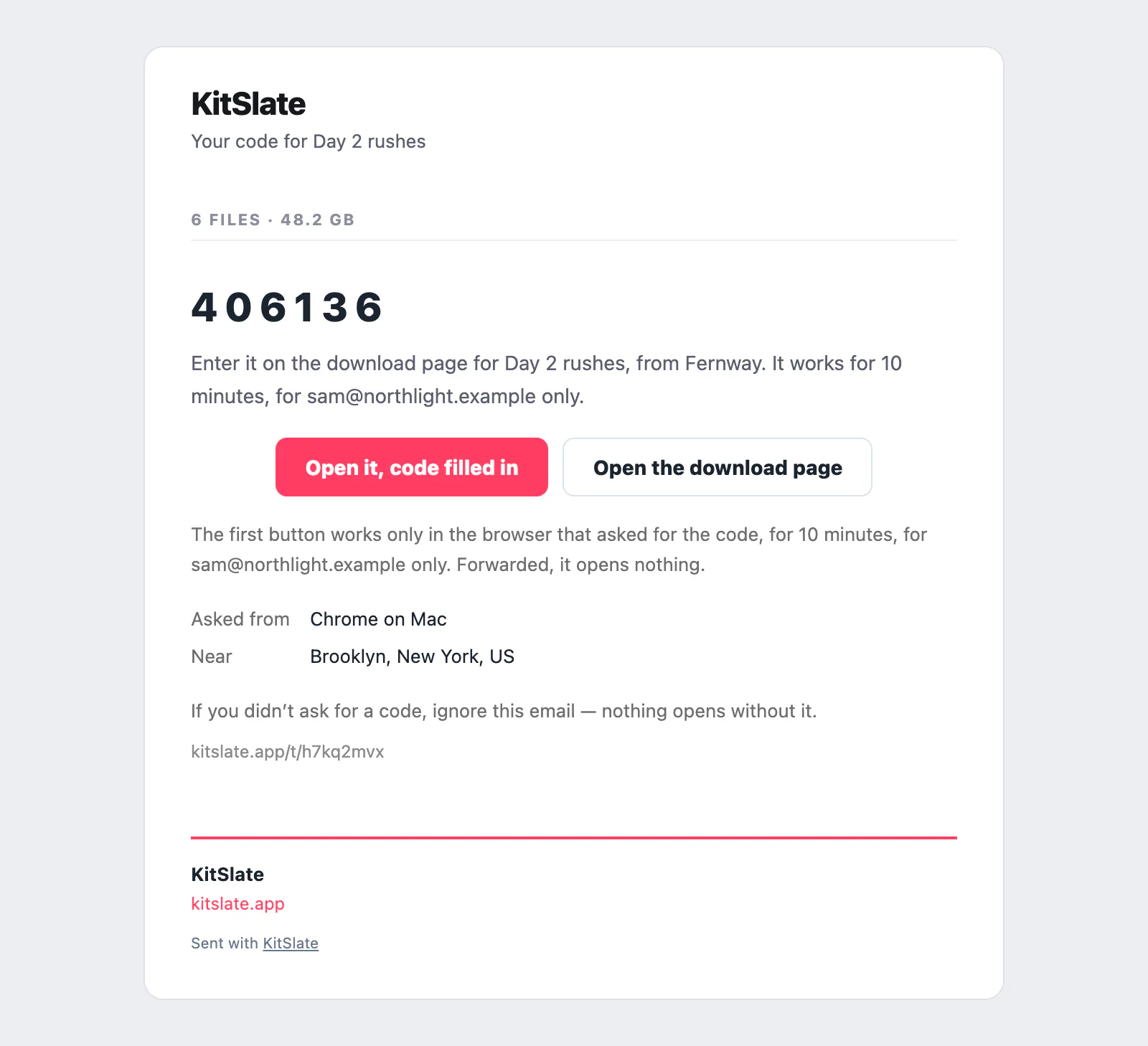
The code email. The six digits lead the subject, so a phone’s own Copy-code chip finds them. It says which browser asked and roughly where from, so someone who did not ask can tell. Open it, code filled in opens the page with the code entered. It works only in the browser that asked, for 10 minutes; forwarded, it opens nothing. If the link also has a password, the password comes first and the code follows by itself. Before the page opens, the reader sees one box that asks for exactly these things, with your email and phone on it if they get stuck. You can change any of it after sending, from Sent.

Sending from the app. KitSlate Desktop is a small app for Mac and Windows. It opens the same Media Center you use online, signed in as you, and reads your files from disk and sends them in parts, many at once, by the route your browser uses. The difference is what happens when you walk away: it keeps sending in the background, from the menu bar on a Mac or the tray on Windows, and picks up where it left off after a restart. A 1 TB shoot finishes on its own.
Receiving with the app. Nothing to install for a recipient who wants nothing installed; for the big ones, their download page offers Open in KitSlate. The app saves every file of the transfer into one folder, in the sender’s own folders, over several connections at once, and if the connection drops or the computer restarts it carries on from the pieces already saved. No account, ever.
Measured on a real send from our office in Manhattan, on a 2 Gbps fiber connection: 51.7 GB of camera files up in 3 min 4 sec at 2.25 Gbps (281 MB/s) over 16 connections, read from the Mac’s own drive, and 2.04 Gbps back down. From an external RAID the same line went up at 1.57 Gbps: the drive was the limit, not the upload. On a 200 Mbps line, 100 GB takes about 1 h 12 min.
9 in 10 clips playable within the time shown, from upload done to playing. One camera file plays on their page in 2½ min. A 2.07 GB Sony FX6 MXF: first view at 89 sec, full quality at 146 sec. KitSlate’s test system, October 2026: 32 preview machines. KitSlate has 320.
Up to 500 files per transfer. A link lasts 1 to 30 days on a paid plan, 7 by default, and up to 3 on the free profile. On Studio and above it can also never expire. Files are deleted when the transfer expires, or 3 days after you stop sharing it (30 on a paid plan), and can be restored until then. On the free profile, when the 25 GB is full the oldest live transfer ends to make room for the new one. Included in every plan, with no charge per gigabyte.
Every paid KitSlate plan includes them — for you, and for the people you send to.
No monthly cap. Send as often as you like, on every plan. A plan sets how big one transfer can be and how much you keep live at once. Every paid plan is open to anyone today. The production suite joins your sidebar once you’re in, switched off until you want it: quotes, call sheets, crew and invoices, with your transfers attached to each job.
5 GB per transfer on the free profile. No credit card.